
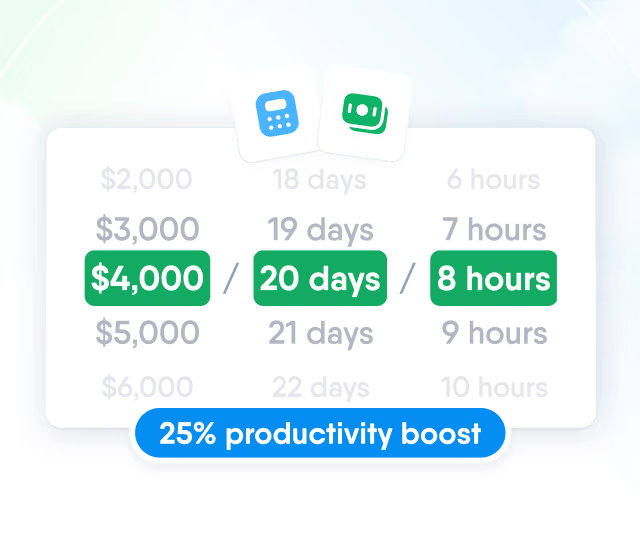
HR efficiency estimator
How does the HR efficiency estimator from PeopleForce work.
Calculate your impact



How to keep remote teams engaged: PeopleForce tools and use cases

Here is the thing about remote workers that Gallup's 2025 research makes impossible to ignore: fully remote workers report the highest engagement levels but the lowest well‑being.
The issue is not flexibility — remote workers value it. The gap comes from things offices used to provide: having good work noticed by colleagues, managers checking in proactively, and a clear sense of belonging.
In remote environments, these things do not happen automatically. Below are three common challenges where remote HR breaks down.
Real pain points HR leaders face
1. Time-consuming manual processes
Onboarding a single employee takes 4–8 hours of manual HR work when done manually — collecting signatures, sending documents, coordinating intro meetings, etc.
2. Lack of visibility and feedback
26% of employees in Europe and the United States received no feedback in the past year. For remote workers the number is likely even higher.
3. Fragmented communication
When information is spread across systems, managers must check multiple places and still do not get a clear picture of how an employee is doing. Without a shared ecosystem, recognition also does not scale. What works for a small team often breaks as the company grows and teams spread across time zones.
The five use cases below map directly to these three failure points. Each one describes what breaks without the tool and what specifically PeopleForce does about it.
Use case №1: Employee directory and self-service
The real problem
- Remote employees often struggle to find who is responsible for something. They may check an outdated org chart or message someone and hope they know. In an office, conversely, they can simply ask a nearby colleague and get an answer quickly. When getting help is easy, employees feel more connected; when it’s hard, frustration grows.
- According to O.C. Tanner’s Global Culture Report, which surveyed more than 42,000 respondents across 27 countries, 50% of non-desk workers feel expendable at work; only 30% feel seen and valued. Non-desk workers make up roughly 80% of the global workforce — meaning the majority of employees at most companies experience their work as invisible to the company.
PeopleForce solution — CoreHR module
- Searchable employee directory with full profiles: name, role, team, skills, timezone, preferred contact.
- Time-off requests, expense submissions, payslip access, and document signing — all can be done even from a phone. With push notifications, employees receive recognition and policy updates instantly.
- Сompany announcements, team updates, virtual event invites in one place — not split across email threads, Slack channels, and calendar invites that reach only part of the team.
Business impact
Employees who feel seen and valued are significantly more likely to stay. The employee directory solves the most common precursor to remote isolation: not knowing who to contact. Once that friction is removed, employees reach out; once they reach out, working relationships form; once relationships form, the "feel expendable" numbers improve.
Use case №2: Remote onboarding
The real problem
- According to CareerBuilder, 36% of companies have no structured onboarding process at all. New hires receive whatever the hiring manager happens to send in week one. Culture, norms, and key relationships transfer by chance.
- An office new hire absorbs culture passively — overhearing decisions, watching how problems get handled, getting introduced at the coffee machine, etc. A remote hire receives only what is explicitly sent to them. If nobody assigns a mentor, schedules intro calls, or sends culture materials, none of that happens.
- Replacing an employee costs between 50% and 200% of their annual salary (SHRM). Most of that cost concentrates in the first 45 days — when turnover is highest, and when most companies apply the least structure.
PeopleForce solution — automated onboarding flows
- Automated task sequences triggered on day one. The system assigns a pre-built task list to every new hire. Each task has a deadline.
- Mentor assignment. A mentor is formally assigned through the platform with tasks on both sides — not suggested informally and forgotten when the hiring manager gets busy.
- Digital document signing. Contracts, policies, and compliance forms signed in-platform.
Business impact
3 hours of manual paperwork per hire × 50 annual hires = 150 hours of HR time per year reclaimed. That time can go toward the relationship-building that software cannot do — mentor introductions, cultural briefings, first-week check-ins, etc.
Use case №3: Automated pulse surveys
The real problem
- Most companies survey employees just once a year — or only when a crisis appears.
- Only 58% of companies act on employee feedback after collecting it (O.C. Tanner Global Culture Report). Employees who are surveyed and then ignored become more disengaged than those never asked.
- Standard survey output is a single composite score. A team can have collapsed peer relationships and strong job security at the same time — same score, two completely different interventions needed.
PeopleForce solution — Pulse module
- Surveys are automatically scheduled — weekly, monthly, or triggered by lifecycle events (end of probation, first 90 days, post-promotion).
- eNPS trend line: the employee Net Promoter Score is tracked over time, not just measured at a single point.
- Scores for peer relationships, work-life balance, and job security are broken out separately. The output is not "engagement is low" — it is "relationship scores dropped 20 points in one specific team this month, while job security scores held."
Business impact
Early eNPS trends help HR spot problems before disengagement turns into resignations. When companies ask for feedback, act on it, and communicate what changed, employees feel less anxious and are more likely to stay.
Use case №4: Feedback and recognition
The real problem
- In an office, a manager passively notices who is struggling, who delivered well, who needs support. Remote managers have none of that ambient signal. Feedback relies entirely on a manager's memory — which in a big team is an unreliable mechanism.
- Among employees who quit on their own, 52% cite not feeling valued by their manager as a reason, and 54% cite not feeling valued by their company. Globally, these are the two most common reasons employees leave — not compensation, not workload.
PeopleForce solution — Perform module
- Recurring 1-on-1s with structured agendas. PeopleForce templates include set prompts — recent wins, current blockers, etc.
- OKR and KPI tracking per employee. Goals are documented in the system and progress is updated by the employee. In a 1-on-1, the manager reviews actual numbers — not just what the employee verbally reports.
- 360° review cycles: structured peer feedback collected through the platform. Remote employees receive written input from colleagues, not just their direct manager — helping replace the informal feedback that typically happens in an office.
- Public kudos. Any employee can post recognition visible to the whole team. A result that would have been mentioned in a shared office is invisible to a distributed team unless posted somewhere everyone sees.
Some PeopleForce clients schedule weekly video stand-ups directly through the integrated calendar and open every meeting with the 1-on-1 "win of the week" story.
Business impact
According to SHRM’s interview with Disruptive HR, companies with strong, consistent recognition programs see 31% lower voluntary turnover than those without. Addressing "not feeling valued by manager" is the highest-leverage retention intervention available.
Use case №5: Time and attendance visibility
The real problem
- Without a shared schedule tool, booking a call across three time zones means checking multiple calendars, sending availability messages, waiting for replies, and proposing slots — for a 30-minute meeting. Across a team of 15 and five meetings per week, this overhead consumes hours of work that has nothing to do with the actual job.
- "Flexible hours" without a documented policy means each manager and employee operates on a different understanding of what is allowed. When those understandings conflict — someone works 4 hours Monday and 12 Thursday, or logs off every Friday at 14:00. There is no written policy to resolve it, and the dispute becomes a trust problem.
PeopleForce solution — Time module
- Accurate time tracking aligned with attendance policies. Employees can clock in and out while PeopleForce automatically tracks working hours, overtime, and breaks based on configured attendance policies.
- Custom workflows for schedule changes and remote work. Employees submit requests that are automatically routed to managers for approval. Each request is tracked with a timestamped history, ensuring transparency.
- Flexible integrations. Connect tools like Slack and Google Workspace to streamline communication and keep teams aligned.
Business impact
- An informal agreement about schedules between a manager and a remote employee on another continent often doesn’t work. When it breaks down, it can damage trust — something a written policy could easily prevent. A documented policy in the platform is unambiguous.
- In a remote team, questions need a documented answers — verbal assurances from either side are not auditable. With OKR tracking in the Perform module, a manager can clearly see whether the person is working the agreed hours and hitting their goals.
Why all-in-one platform changes it all
Fragmented stack | PeopleForce |
|---|---|
❌ When surveys, performance, and HR admin live in separate systems, figuring out why a team is disengaging means checking many places and still getting an incomplete picture. | ✅ Pulse surveys, 1-on-1s, OKRs, onboarding workflows, time tracking, and the employee directory live in one platform. |
❌ Every extra platform is another login remote employees have to remember. The more tools, the less any of them get used consistently. | ✅ Remote employees can access time-off requests, payslips, recognition, and documents from their phone — even without needing a laptop. |
❌ Recognition cadences, onboarding sequences, and feedback rituals require someone to coordinate across tools that were never built to work together — so they either fall apart or never start. | ✅ Automation of manual HR workflows saves up to 80 hours of HR staff time per month (client-reported). That time goes to work that cannot be automated: conversations, culture, connection. |
PeopleForce for a remote team: where to start
Here is a practical starting point for HR teams deploying PeopleForce with a distributed workforce. The sequence is designed to build on itself — each phase creates the foundation the next one needs.
Weeks 1–2: Understand what is actually broken
- Deploy Pulse surveys to your remote team. This gives you the first real data on what employees are experiencing.
- Use category-level scores to identify the priority: are people struggling with peer relationships, workload, lack of recognition, or unclear expectations? The answer determines which workflows to set up.
Weeks 3–4: Build the rituals
- Configure recurring 1-on-1 templates — a low-effort habit that makes recognition a structured part of every check-in.
- Set up recognition workflows and an internal communications calendar so announcements, kudos, and virtual co-working sessions happen on a predictable schedule.
- Assign mentoring circles through the platform — pairing remote employees across teams builds the cross-functional relationships that distributed work rarely creates on its own.
Ongoing: Automate and refine
- Automate feedback reminders so no employee goes more than six months without a documented check-in.
- Use analytics to spot disengagement signals early: eNPS drops in a specific team, survey non-response rates, etc.
- Adjust workflows based on what the data shows. The rituals should evolve with the team.
Close the engagement gap with PeopleForce
Culture needs rituals. Distributed employees need common touchpoints. Neither happens by default when a team is spread across time zones — they have to be built into how the company operates day to day.
PeopleForce provides the infrastructure to make recognition, feedback, and connection systematic. The result is remote work that actually holds together: flexible for employees, manageable for HR, and measurable for the business.
Nataliia believes content can do more than inform — it can bring people together. She writes about work, culture, and the human side of business decisions, aiming to grow a community of those who put people at the heart of everything they do.


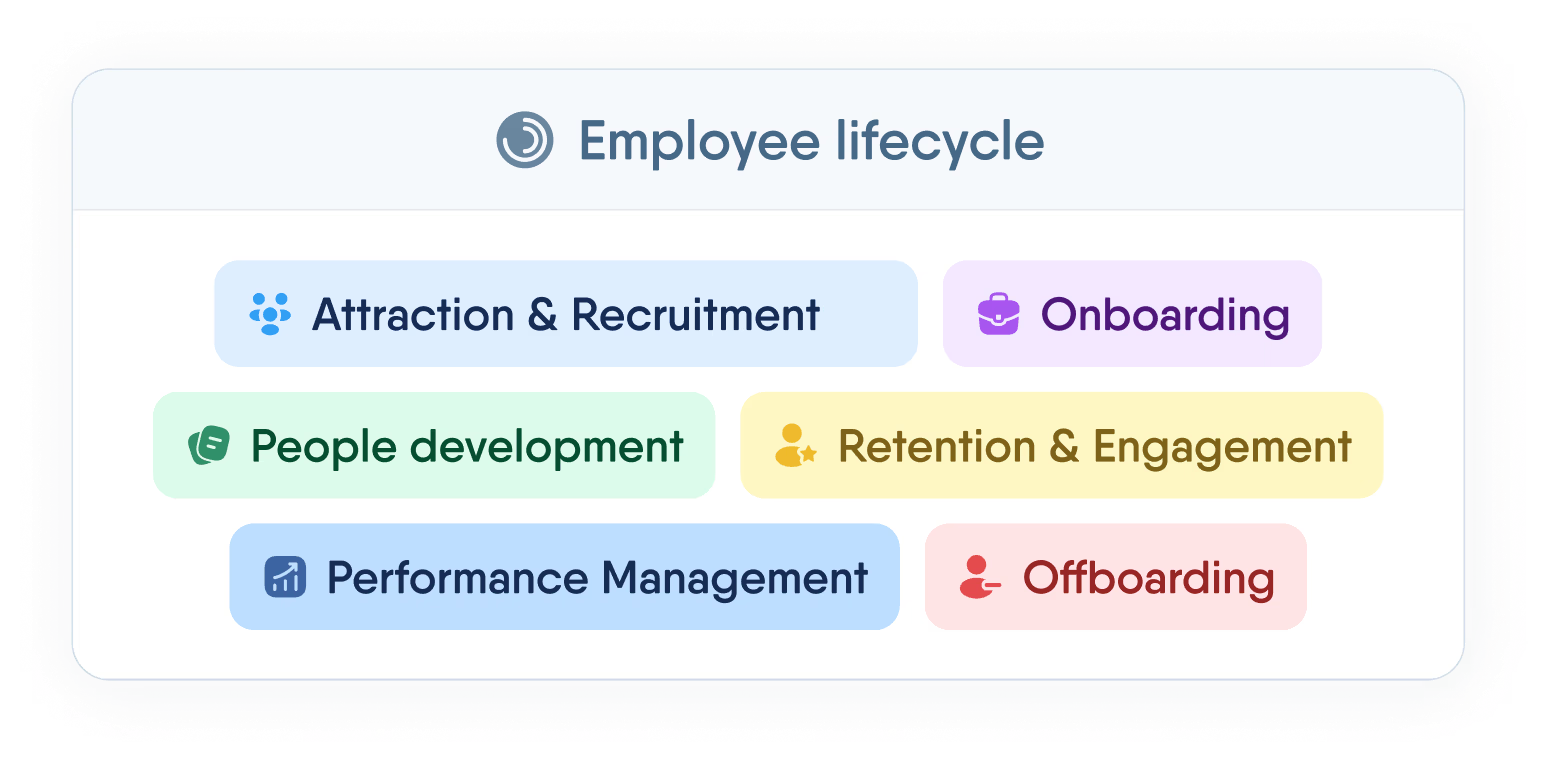
One login. Every HR tool you'll need.
Manage the full employee lifecycle — from first interview to final offboarding — without switching tabs or losing data.
Recent articles
Pay Review Process: A Step-by-Step Guide for HR Teams
A practical, step-by-step guide to running a pay review, from setting objectives and benchmarking to modelling increases and communicating decisions.
Overtime automation: from manual tracking to payroll-ready hours
Automate overtime tracking: classify night, weekend and holiday hours, apply the right rate, route approvals and export payroll-ready data.
PeopleForce and BPiON Join Forces — for Seamless HR Collaboration with Payroll
PeopleForce and BPiON streamline HR and payroll with seamless Enova integration, reducing errors, automating workflows, and saving time.