
HR efficiency estimator
How does the HR efficiency estimator from PeopleForce work.
Calculate your impact



How does the HR efficiency estimator from PeopleForce work

Look, we get it. You've probably seen a dozen HR estimators or calculators that promise you the moon and deliver vague data. That's not what we're doing here.
When we built the PeopleForce HR Efficiency Estimator, we wanted to give you an honest, data-backed answer to one simple question:
Will investing in our platform actually save you time and money?
This article breaks down exactly how we calculate those three key metrics you see in your results – hours saved, monthly efficiency value, and productivity boost. We'll show you the formulas, explain where our assumptions come from, and be upfront about what this estimator can and can't tell you.
No extra guesswork – straight math based on real data from 1,600+ companies using PeopleForce.
What you're actually putting in
The estimator asks for five pieces of information about your organization:
- Total number of employees in your organization
- Number of HR employees actively managing people processes
- Number of managers (middle and top management)
- Average monthly gross salary of an HR employee
- Average monthly gross salary of a manager
These inputs drive everything. The calculations scale based on your actual company size and compensation structure – not some generic industry average that doesn't match your reality.

The three metrics that matter
Your results show three core metrics. Here's what each one means and how we calculate it.
1. Hours saved per month
- What it measures: The total time your HR team and managers currently spend on manual administrative work that PeopleForce can automate or optimize.
- How we calculate it: We break down HR work into specific tasks across our platform modules – CoreHR, Perform, Recruit, Pulse, Time, and Desk. For each task, we've calculated time savings based on real usage data from our customer base.
In general, we estimate time savings using the following structure:
Estimated hours saved = (Time per action × Employees affected × Frequency) / 60 minutes
Let's look at a real example:
Centralization and search of information and documents:
- 10 minutes saved per employee record (finding, updating, managing documents)
- 50% of the workforce needs updates monthly (industry benchmark)
- For a 100-person company: (10 × 100 × 50%) / 60 = 8.3 hours saved monthly
Another example – leave management:
- 10 minutes per leave request (processing, approval, tracking)
- On average, employees submit 3 leave requests per year (≈approx 25% per month).
- For 100 employees: (10 × 100 × 25%) / 60 = 4.2 hours saved monthly
We repeat this calculation across every feature in the platform, separating HR work from manager work:
HR hours: Time saved on tasks like onboarding automation, employee requests, analytics, document management, and recruitment workflows.
Manager hours: Time saved on administrative tasks, technical onboarding, and performance reviews, for example.
Total hours saved = HR hours + Manager hours
This number scales with your company size because larger organizations process more employee transactions, handle more leave requests, run more performance reviews, and manage more recruitment pipelines.
2. Monthly efficiency value (Savings in $)
- What it measures: The monetary value of the time you're getting back, minus what you'd pay for PeopleForce.
This is where your salary inputs matter. We convert saved hours into real costs based on what you actually pay your team.
Step 1: Calculate hourly rates
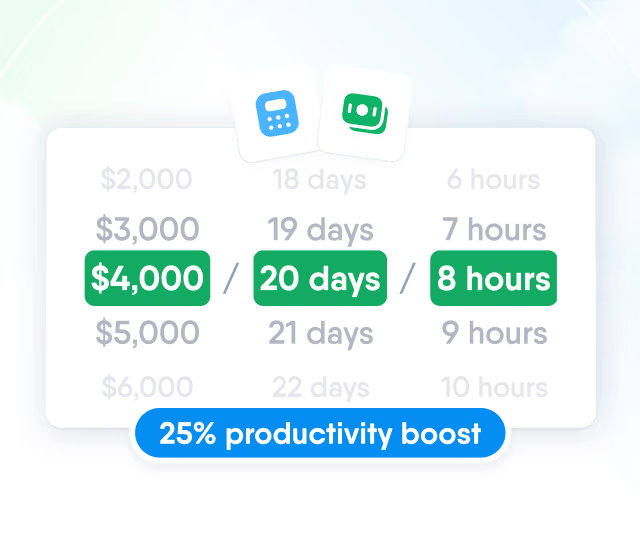
Total HR hourly cost = (Monthly salary × Number of HR employees) / 20 days / 8 hours
Manager hourly rate = (Monthly salary × Number of managers) / 20 days / 8 hours
Example: 2 HR employees at $2,000/month = $4,000 total / 20 days / 8 hours = $25/hour
Step 2: Calculate the monthly cost of manual work
Monthly loss = (HR hours saved × HR hourly rate) + (Manager hours saved × Manager hourly rate)
This represents what you're currently 'losing' every month to inefficient, manual HR processes.
Step 3: Subtract platform cost
Monthly Efficiency Value = Monthly loss - PeopleForce subscription
If this number is positive, you're saving money. If it's small, we recommend starting with our Core HR module rather than the full platform.
Example: If manual work costs you $3,119/month and PeopleForce is $550/month*, your net monthly savings = $2,569.
*PeopleForce cost depends on the number of employees and modules selected.
3. Productivity boost percentage
- What it measures: The percentage of your HR team's total working time that gets freed up to focus on strategic work instead of admin tasks.
This is the calculation:
Productivity boost % = (HR hours saved / HR team working hours) × 100
HR team working hours = Number of HR employees × 160 hours/month
Example: If you save 80 HR hours with 2 HR employees, that's 80 / (160 × 2) = 80 / 320 = 25% productivity boost.
This tells you how much of your HR capacity shifts from 'keeping the lights on' to actually improving employee experience, retention, and culture.
Where our benchmarks come from
You might be wondering: how do we know that centralizing documents saves 10 minutes per employee, or that leave management saves 4.2 hours monthly?
Fair question. Here's the answer:
- Customer usage data: We analyzed actual time-tracking and workflow data from 1,600+ companies using PeopleForce across different sizes, industries, and regions.
- User feedback surveys: Post-implementation internal interviews with clients’ HR teams about how much time they saved after switching from manual/spreadsheet-based processes.
- Industry research: Studies from SHRM show that administrative tasks consume up to 57% of HR professionals' time, and Deloitte research on the impact of HR automation.
What this HR estimator can't tell you
Let's be honest about the limitations:
- Your actual results will vary based on your current setup. The more manual your current processes are, the more dramatic the time savings. These estimates assume typical manual/spreadsheet-based HR operations.
- Adoption matters. These numbers assume you actually use the features. If you only implement Core HR and skip Performance or Recruitment modules, you won't see the full savings.
- Industry and hiring volume matter. High-growth startups hiring 20 people per month will see different savings than stable enterprises hiring 5 people per quarter.
Think of this estimator as a well-informed prediction, not a guarantee. It gives you a realistic ballpark based on what we've seen work for other companies.
Special cases: when the numbers don't show
Not every company is a perfect fit for the full PeopleForce platform right now. We're upfront about that.
Small companies with minimal savings:
If your calculation is minimal, we'll recommend our Core HR module instead. It covers the essentials – employee database, document management, leave management, HR workflows – at a reasonable price point. You can always scale up later as you grow.
Enterprise companies with massive potential:
If you have over 5,000 employees, the standard estimator won't capture your complexity. Large organizations typically have multi-country operations, custom compliance needs, and integration requirements that need individual analysis. In these cases, we'll connect you directly with our team for a custom savings assessment.
Before you talk to us: what to think about
The estimator gives you the financial and resource picture. But before you book a demo, take a few minutes to think through the actual problems you're trying to solve. Our team can help you way more effectively if you come to the conversation with clarity on what's broken.
Ask yourself:
- What's actually killing us right now? Is it onboarding chaos every time you hire? Managers complaining they have no visibility into their team's performance? Leave requests getting lost in email threads? Spending hours every week hunting down employee documents?
- Are your managers drowning in admin work? If your managers are spending half their time on HR paperwork instead of actually managing people, that's a problem worth solving. Think about how much of their week is spent on non-management tasks.
- Which processes feel completely broken? Performance reviews that nobody takes seriously? Recruitment where candidates fall through the cracks? Time-off tracking in spreadsheets that's always wrong? Write down the 2-3 workflows that give you a headache.
- Do you need a system, or do you need better processes? Be honest, if your processes are chaotic, software won't magically fix that. But if you have decent processes that are just inefficient because they're manual, automation can be transformative.
- What would success look like 6 months from now? Not vague picture like 'more efficient' – specific outcomes. 'New hires are productive by day 3 instead of day 10.' 'Managers spend 5 hours less per month on admin.' 'Team goals, OKRs, and 1:1 notes live in one place, so managers always know where their team stands.'
When you can answer these questions, come talk to our team. They'll walk you through how PeopleForce maps to your specific pain points, what implementation actually looks like, and whether this is the right move for where you are right now.
With over five years in HR tech content creation, Maria explores how technology, people, and culture shape the workplace of today. Her interests include HR, AI, IT, and personal development, and she brings a data-driven, human-centered perspective to her writing.


One login. Every HR tool you'll need.
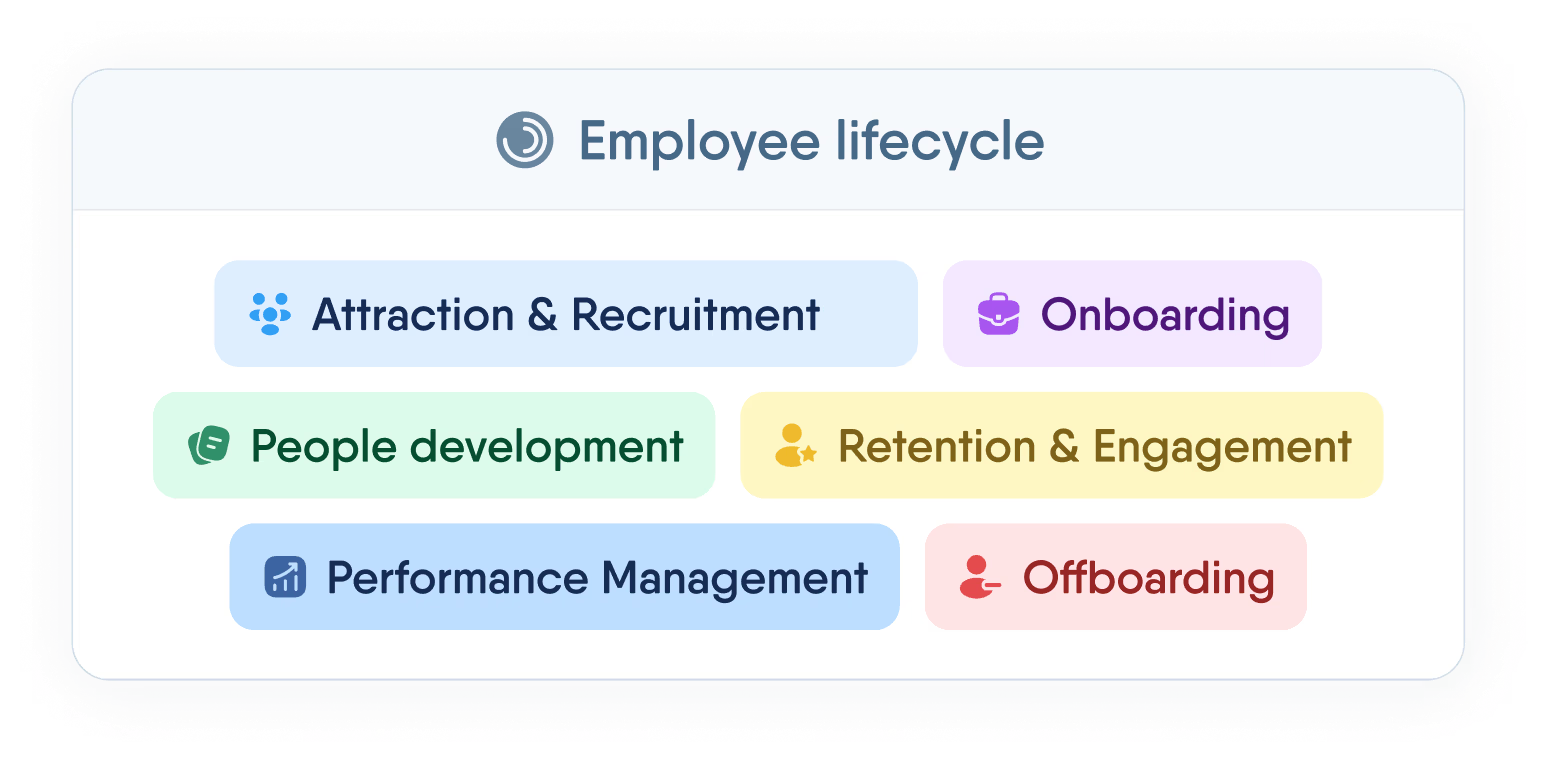
Manage the full employee lifecycle — from first interview to final offboarding — without switching tabs or losing data.
Recent articles
 2026-03-20
How to keep remote teams engaged: PeopleForce tools and use cases
Keep remote teams engaged with PeopleForce tools: enhance visibility, strengthen check-ins, and foster a true sense of belonging.
2026-02-19HR Guide to the EU Pay Transparency Directive: Expert answers
Expert answers to the most common HR questions about the EU Pay Transparency Directive. Learn what employers must prepare for — and how to stay compliant.
2026-02-12Top 10 ATS systems: The ultimate recruiter's guide
Looking for the best ATS? Compare the top 10 ATS systems by features, pricing, and user reviews to find the perfect hiring solution for your team.