
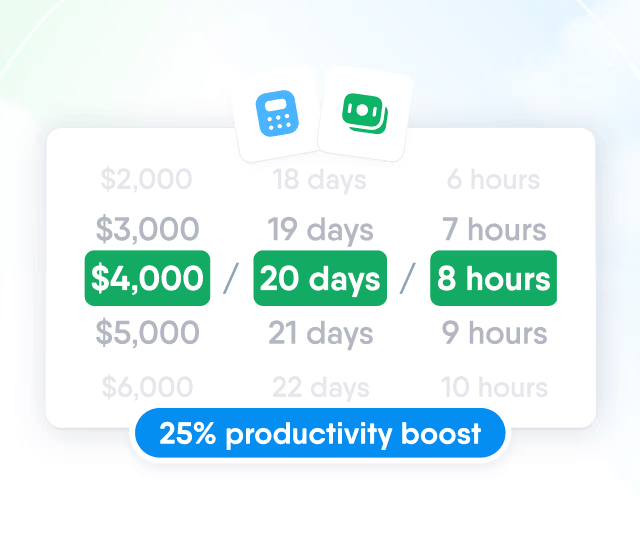
HR efficiency estimator
How does the HR efficiency estimator from PeopleForce work.
Calculate your impact



What your team can ask the PeopleForce AI chatbot, and what’s coming next

It's 6:12 p.m. and the message reads: "Quick one: how many vacation days do I have left?" It isn't quick, it isn't one, and it isn't the first time today. The questions that fill an HR inbox are rarely hard; they're just constant, and every one of them interrupts something that actually needed you.
Who this is for
You answer the same five policy questions every week in direct messages.
Leadership asks people questions no dashboard was built for.
Employees ping you for balances they could look up.
Only one person in the company knows how to build a report.
Your team already pastes work questions into whichever public chatbot is open in the next tab.
Short answer
AI Companion is the AI chatbot built directly into PeopleForce, the HR platform where your company's people data and policies already live. It answers questions from your own knowledge base and records:
quoting policy wording with clickable sources
looking up people
telling you who's away
checking leave balances and the status of time-off requests
listing what's waiting in your Inbox
pulling up your 1:1s and objectives
drawing charts inside the conversation
Every answer is limited by the asker’s own PeopleForce permissions, field by field. Today the chatbot answers and points rather than acts: submitting, approving, and editing still happen where they always did, one click away.
It’s in early access: the PeopleForce team switches it on for your account, then your admin decides which roles get it: HR only, managers too, or everyone. Routine questions can go to the chatbot first, before they reach you.
What the AI chatbot is, and where it lives
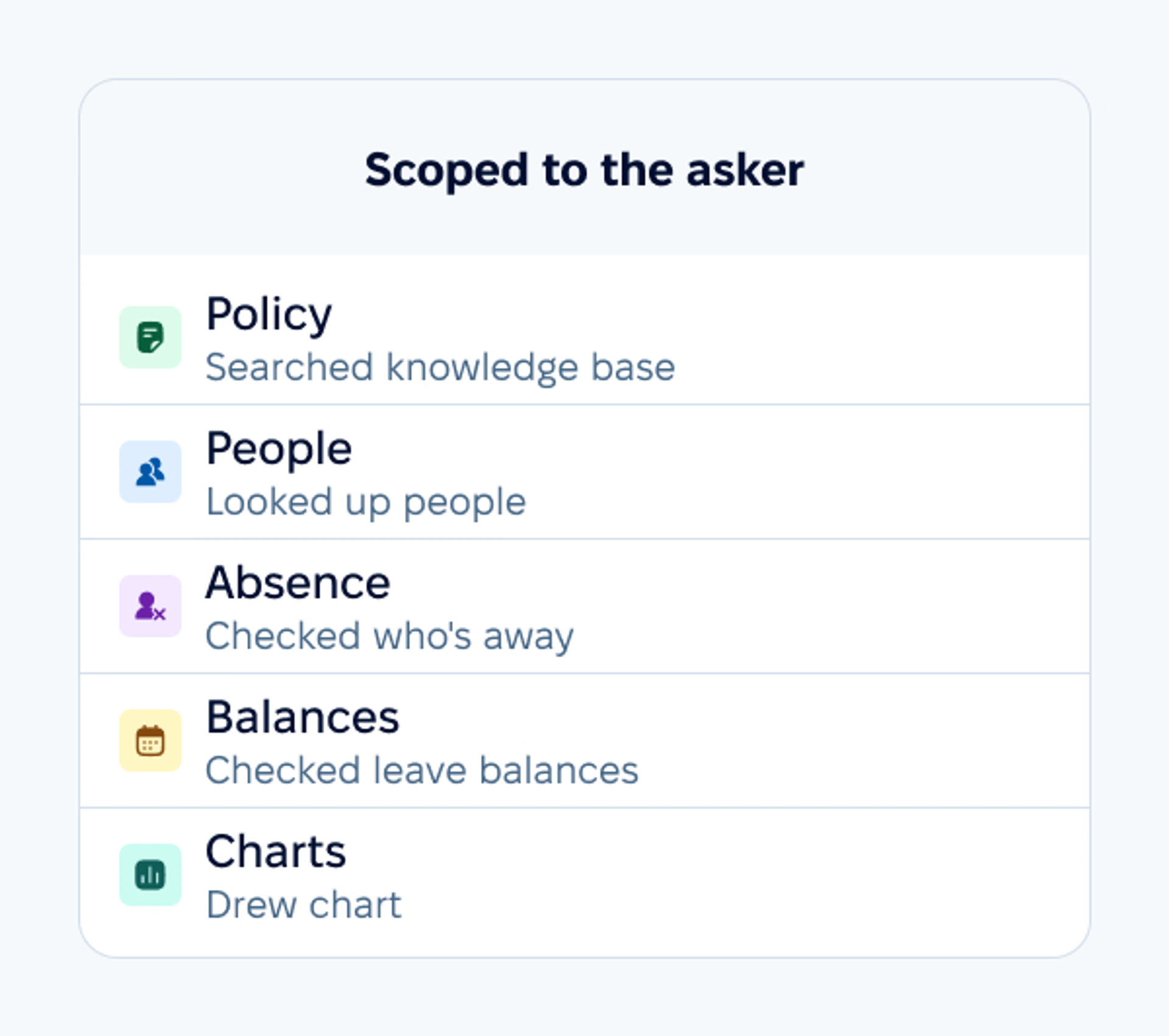
AI Companion is an AI chatbot that lives in a chat panel inside PeopleForce. A launcher with a sparkles icon sits beside the search box in the left sidebar on every page; clicking it opens the panel docked to the right, where it stays as you move around the product. It can be minimized to a small strip in the corner mid-conversation, keeps your 50 most recently updated chats (each titled automatically from your first message) and streams its answers live, showing what it's doing as it works: "Searching knowledge base", "Checking who's away", "Drawing chart".
The subtitle under the panel's name says what it is in three words: your HR assistant. It's an HR chatbot that answers from your company's own HR data.

The five questions that fill HR's inbox
Much of an HR inbox is the same few questions on repeat. Here are five the chatbot handles today, with prompts that work.
"What does our policy say?"
The chatbot searches your knowledge base semantically, so a paraphrased question still finds the right article: ask "can I take time off when my kid is sick?" and it lands on your parental and carer's leave policy even though the words don't match. It quotes or summarizes the actual policy wording and shows clickable Sources under the reply, so the reader can open the original document instead of trusting a paraphrase. Results are re-checked against the asker's permissions before the AI ever sees them; a restricted document can't leak into an answer.
The citations are also your error-catching mechanism. When an answer looks off, the source link is right under it, and the original document settles it in one click. And when the knowledge base simply doesn't contain the answer, a visible gap is a useful signal: it tells you which policy to write next. Answers are only as good as the knowledge base under them, so whoever owns your policies owns the chatbot's quality too.
The answer also knows who's asking. The chatbot sees the asker's position, department, location, manager, seniority, and employment type, and folds them into the search, so a notice-period question returns the variant that applies to that person's country and role rather than a generic average.

"Do we have someone who speaks German?"
People search in plain language: find a person by name, filter by department, location, position, hire date, or custom fields, get counts by team, or ask "who reports to me?" The question that used to mean exporting a spreadsheet and filtering it ("does anyone on the team speak German and sit in Warsaw?") becomes a sentence.
"Who's out this week?"
The Monday question. Instead of cross-referencing calendars, ask the chatbot: "who's away next week on my team?" The list comes back in seconds, scoped to what you're allowed to see.
"How many days do I have left?"
Leave balances, at the exact moment the question occurs, including 6:12 p.m. before booking flights. The employee asks the chatbot instead of messaging you; booking the actual leave still happens where it always did: the "+" (Quick add) button in the top bar → Request time-off, one click away. The chatbot can also tell you what happened to a request (pending, approved, rejected or withdrawn) or count the sick days you've taken this year.
"Can I get that as a chart?"
Ask for a breakdown and the chatbot draws it inline (bar, pie, or line) and formats multi-attribute answers as compact tables. "People per department as a bar chart" produces the chart in the conversation, no report builder involved. One cap worth knowing: a chart plots at most 50 data points, and past the cap it simply draws the first 50 and drops the rest. Weekly data for a full year is 52 points, so the tail gets clipped. Ask by month and the same year fits in 12.

Beyond these five, the chatbot reads three more things for the person asking: what's waiting in their own Inbox (approvals, tasks, surveys, reviews to write, documents to sign, courses), their 1:1s with the shared notes, talking points and action items, and the objectives they're allowed to see. Ask "what's waiting for my approval?" or "what did we agree in my last 1:1?" and the answer comes back in the same panel. Private 1:1 notes stay out of it.
Every answer is scoped to the asker's permissions
What the AI chatbot won't do yet, and what keeps your data safe
Here is where the line sits today.
Treat answers like a colleague's
This is an AI chatbot, so treat its answers the way you’d treat a well-briefed colleague’s: it cites the policy article it used, and that article is the authority. If it can’t find one, it says so rather than inventing a policy. Check the source before you act on anything that matters.
The chatbot is in early access, and this first release is scoped to looking things up.
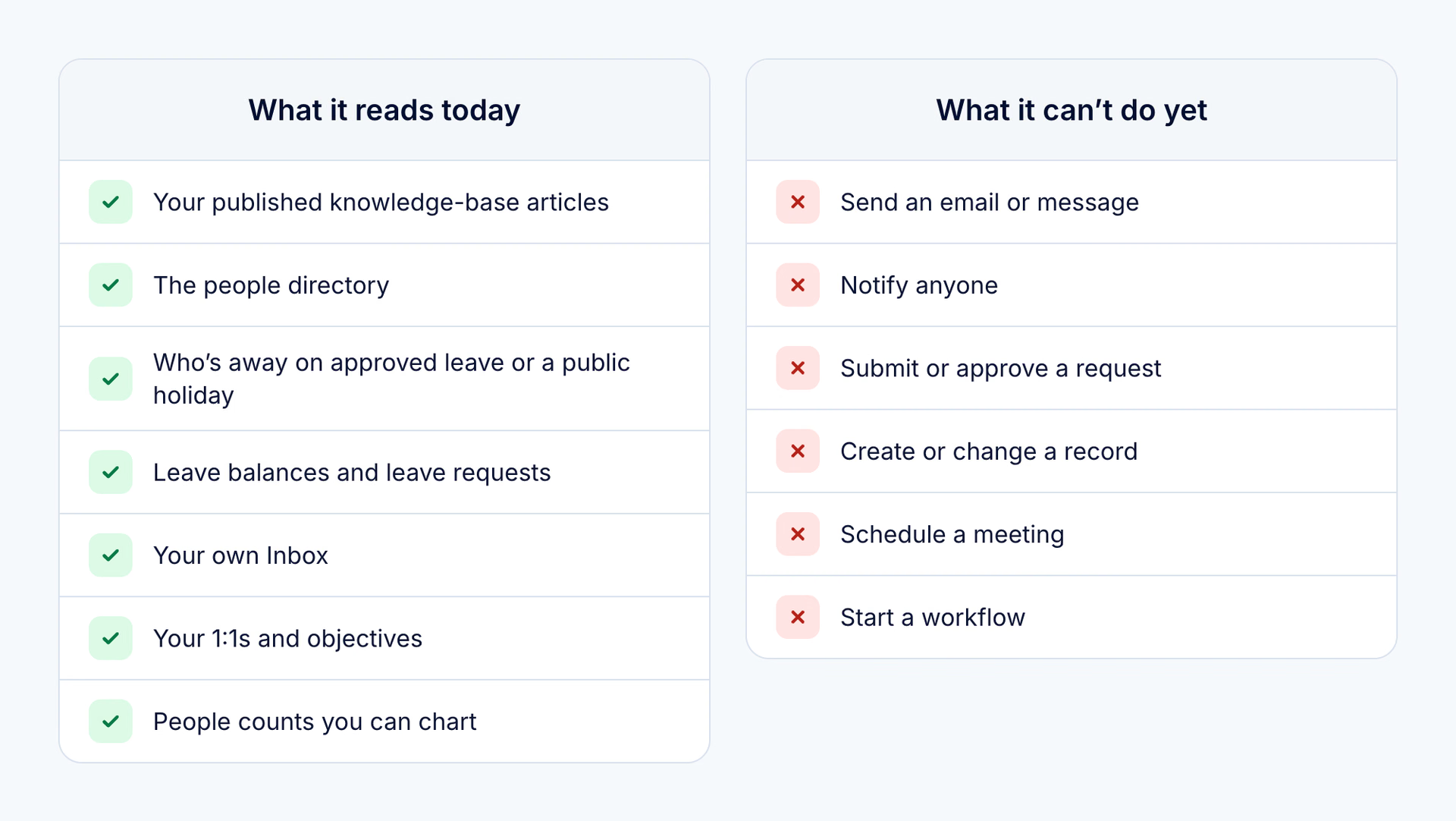
None of those abilities were built into it, so it won’t pretend it can. When a request needs an action, it says so plainly. If it knows where you’d do it yourself, such as booking time off, it tells you. If it doesn’t, it says so rather than guessing at a page name.
A few edges worth knowing before you roll it out
“Who’s away” is approved leave only | For a pending or rejected request, ask about the request itself. What counts as “away” follows your Home page “Who’s out” settings, so business trips and other working absences may not appear unless your admin has switched them on. |
|---|---|
Policy answers come from published articles | Not from the rule settings inside each leave policy: notice periods, approval chains, and carry-over live there, and if nobody has written them up, the chatbot will tell you it can’t find them. |
Numbers are counts and breakdowns | By department, location, role, employment type, hire year. Not averages, trends, or turnover; those still live in your reports. |
No org charts | It points you to People → Org chart, where the real one lives, if your role has access to it. |
Not reachable yet | Recruitment, reviews, documents, payroll and time tracking, apart from the items of theirs waiting in your own Inbox. |
What keeps your data safe
Where it’s going
Acting on your data is the direction we're taking the chatbot, and we're actively working on it. What stays constant as it gets there is the security model underneath.
Every lookup the chatbot makes is checked against the asker’s own permissions field by field, enforced in the product's own permission layer rather than by asking the AI to be careful.
Knowledge-base matches are re-checked against the asker's own article permissions in the database before a word of them reaches the model.
Salary is gated by exactly the compensation permission that decides whether someone can open an employee's Compensation tab; an employee sees their own current base pay only if their role grants them compensation access to their own profile.
The chatbot shows only the current base amount and currency, not the compensation history, additional pay, or bands the Compensation tab holds.
The assistant inherits your access model rather than getting its own.
Your processes and conversations
Nothing changes behind your back: your approval chains and your records stay exactly as your admins configured them, because today the chatbot has no way to touch them.
Your conversations are saved to your own account so you can pick them up later; the chatbot keeps your 50 most recently updated chats.
A conversation can’t be deleted from the panel today.
One reply makes at most 12 lookups, so split a very large question into smaller ones.
For your security reviewer
Platform security documentation (certifications, data handling) lives on the PeopleForce Trust Hub, and your specialist will take AI-specific questions directly. How AI features process your data is set out in the PeopleForce AI Addendum: neither PeopleForce nor its AI providers use customer data to train models. To search your knowledge base by meaning, the chatbot indexes your published articles with Google's Vertex AI.

Already using Claude or ChatGPT? Connect it over MCP
The AI chatbot is for everyone inside PeopleForce. Some of your people live in an external AI assistant all day, and for them PeopleForce offers a second door: its own MCP server. MCP (Model Context Protocol) is the open standard that assistants such as Claude and ChatGPT use to reach business systems.
What it can look up | Who is away, how much leave someone has left, and who works where and reports to whom. |
|---|---|
Whose permissions | Every lookup runs as the person asking: for current employees, each answer is bounded by that person's role, directory visibility and field-level restrictions, just as in PeopleForce. |
Switching on | An administrator (or anyone with the Integrations setting) turns MCP on under Settings → Integrations → Model Context Protocol (MCP), once the PeopleForce team has enabled it for your account. |
Connecting | Each person then connects their own assistant and signs in as themselves, so no API key is created. |
Revoking | They see their connections under Preferences → Security → Connections and can revoke any of them, administrators can see and revoke every connection in the company, and when someone leaves, their connections are revoked automatically. |
The point isn't to compete with the assistant your team already uses. Your HR data stays governed here and reaches their agent on your terms, instead of being pasted into a chat window as free text. What the assistant receives becomes part of the conversation there, under that assistant's own data settings.
The AI chatbot
Choose it if you want answers inside PeopleForce for everyone, with zero setup per user. It also reads your published knowledge base and draws charts in its replies.
The MCP integration
Add it if part of your team already works in an external AI assistant and should query people data from there. Over MCP, an assistant does not read the knowledge base or draw charts.
Running both is a valid answer; they serve different people in the same company.

Switching it on
Ask your Customer Success Manager (CSM) to enable AI Companion. It's an early-access feature, switched on centrally per account by the PeopleForce team; there's no self-serve toggle.
Grant the role permission. Settings → Roles → the "AI" section → "AI companion". Any role can hold it (HR only, HR plus managers, or everyone), except external recruiters, who are always excluded.
That's the whole rollout. People find the sparkles button beside search, and the panel greets them by name.
Availability and caveats
Status | Early access. Enablement is a per-account switch, turned on by the PeopleForce team. Ask your CSM. |
|---|---|
Access | The "AI companion" role permission, granted per role by your admin. Off by default for every role except Administrators, who get it automatically once your account is enabled. Data access should be a deliberate grant, so nothing widens until you decide who gets it. |
Packaging | How the chatbot is packaged for your account is a conversation with your specialist, and worth having in writing: AI packaging is moving faster than blog posts do, and we'd rather you have the current answer from the source than a stale one from an article. |
Configuration dependence | Policy answers are only as good as your knowledge base, and people or leave answers follow your account's visibility setup. Assign a knowledge-base owner before rollout; answer quality depends on it. |
For existing customers | Nothing changes when it's enabled. No records move, no processes change, and you can widen access role by role at your own pace. |
Built on the HR data you already keep
You don't train the chatbot or upload anything for it. It answers from what Core HR already holds: your org structure, who reports to whom, your published policies, and the permissions behind every role. When that data changes in PeopleForce, the answers change with it.
FAQ
Can the AI chatbot change or submit anything?
Not yet. It has no ability to send, submit, approve, create, schedule, or notify. None of those tools were built into this release, so it tells you plainly and points you to the screen where the action happens. We're actively working on letting it act on your behalf, and this article will be updated when that ships.
What happens when it doesn't know the answer?
Policy answers cite their sources, so a wrong or thin answer is visible and checkable in one click. If the knowledge base doesn't cover a question, that gap is your signal about which policy to document next.
Can it show someone a salary?
It checks the same compensation permission the web app checks (the one that decides whether someone can open an employee's Compensation tab), and it checks it person by person. An employee sees their own current base pay only if their role grants them compensation access to their own profile. The chatbot shows only the current base amount and currency, not the compensation history, additional pay, or bands the Compensation tab holds.
Where do the answers come from?
From your own PeopleForce data, nowhere else: the knowledge base, people and leave records, your Inbox, 1:1s and objectives. Policy answers quote the wording and cite the source article; results are permission-checked before the AI sees them.
Who in the company can use it?
Any role your admin grants the "AI companion" permission to, external recruiters excluded. You can start with HR, then widen to managers and everyone else.
Is the AI chatbot in the mobile app?
Yes. It's also in the PeopleForce mobile app, with the same permissions as on the web. The screens in this article show the web version.
The PeopleForce editorial team creates and refines content on people management, recruiting, team development and HR technology. Every article goes through an editorial review for accuracy, relevance and clarity. We rely on verified sources, industry research, hands-on experience and PeopleForce’s own analytics, including anonymized data, to give HR professionals, managers and business owners useful, reliable information.


One login. Every HR tool you'll need.
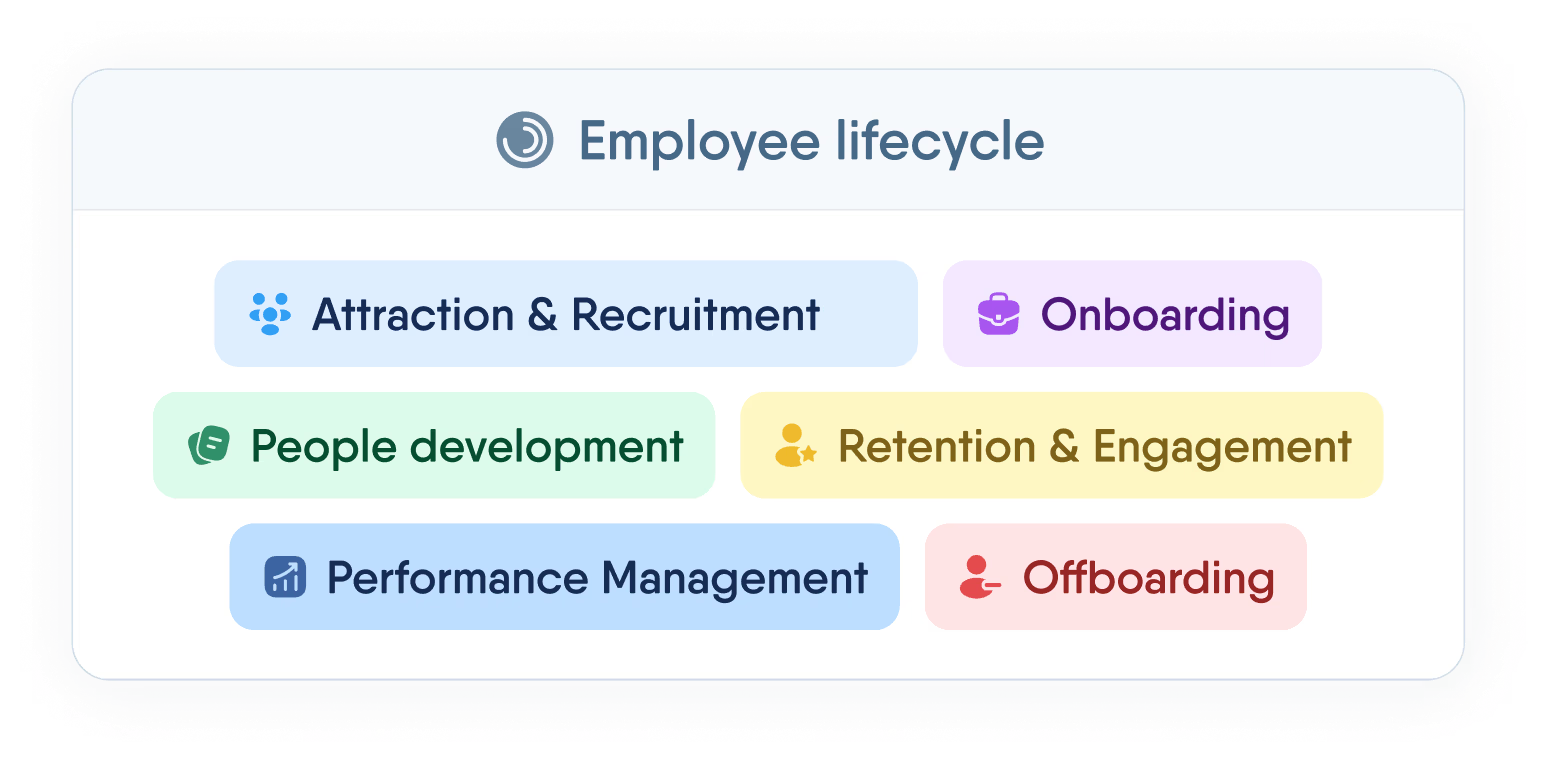
Manage the full employee lifecycle — from first interview to final offboarding — without switching tabs or losing data.
Recent articles
AI in HR: the five jobs it does today, and how each one looks in PeopleForce
Most AI in HR today falls into five jobs. How each one works, how it looks in PeopleForce, and the five questions to ask any vendor.
Overtime automation: rules in Ukraine and the UK and payroll-ready hours
What the law says about overtime in Ukraine and the UK, and how to automate tracking: hour types, rates, approvals and payroll-ready data.
Stress at work: how to manage it and when it turns into burnout
What causes stress at work, how to recognize it, practical ways to manage it, how it differs from burnout and what HR and managers can do.