



Security and operational continuity
Certifications, granular access and full control over what happens to your data and equipment.
 Best Support

HR efficiency estimator
How does the HR efficiency estimator from PeopleForce work.
Calculate your impact
Set who sees salaries, contacts and documents by department or job title, require SSO and two-factor sign-in, and check every change in audit reports.

Leader

Users Love Us

Regional Leader

High Performer
Certifications, granular access and full control over what happens to your data and equipment.
Best SupportAccess rules
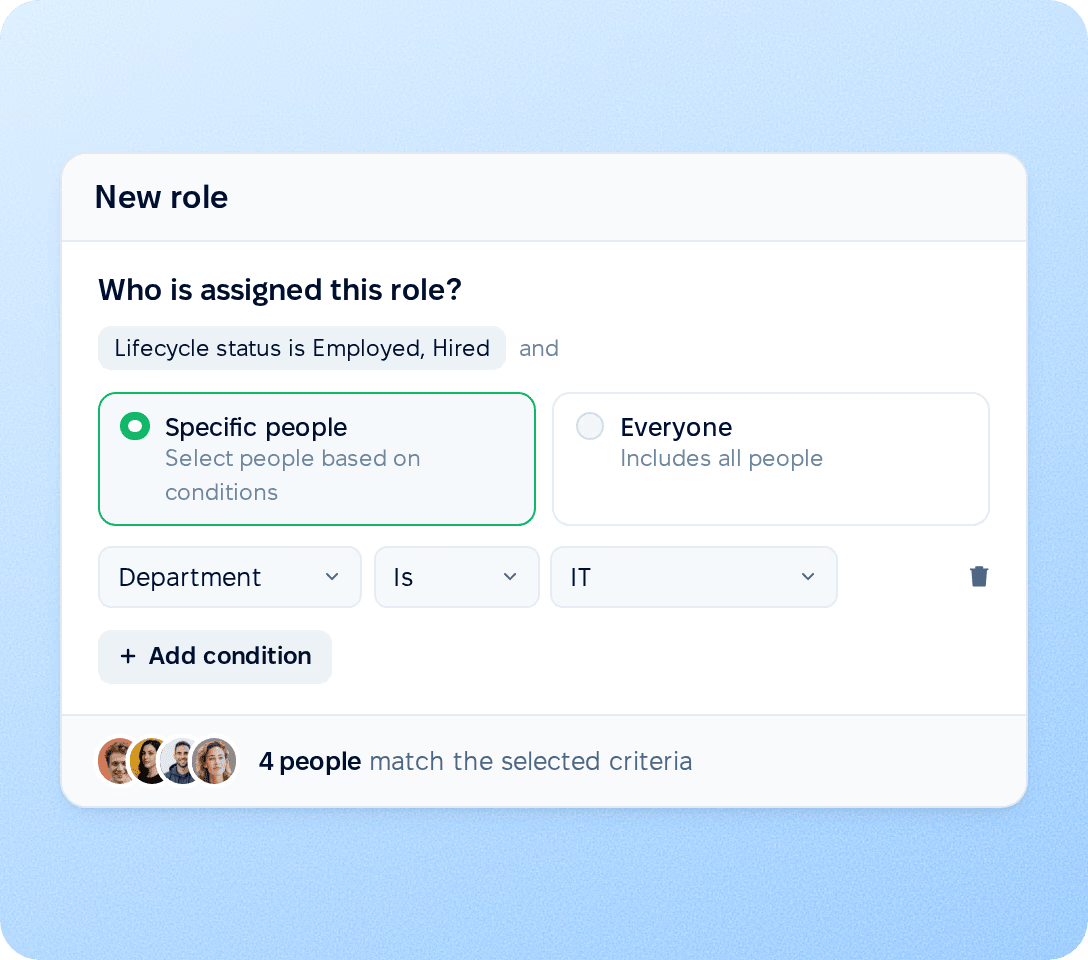
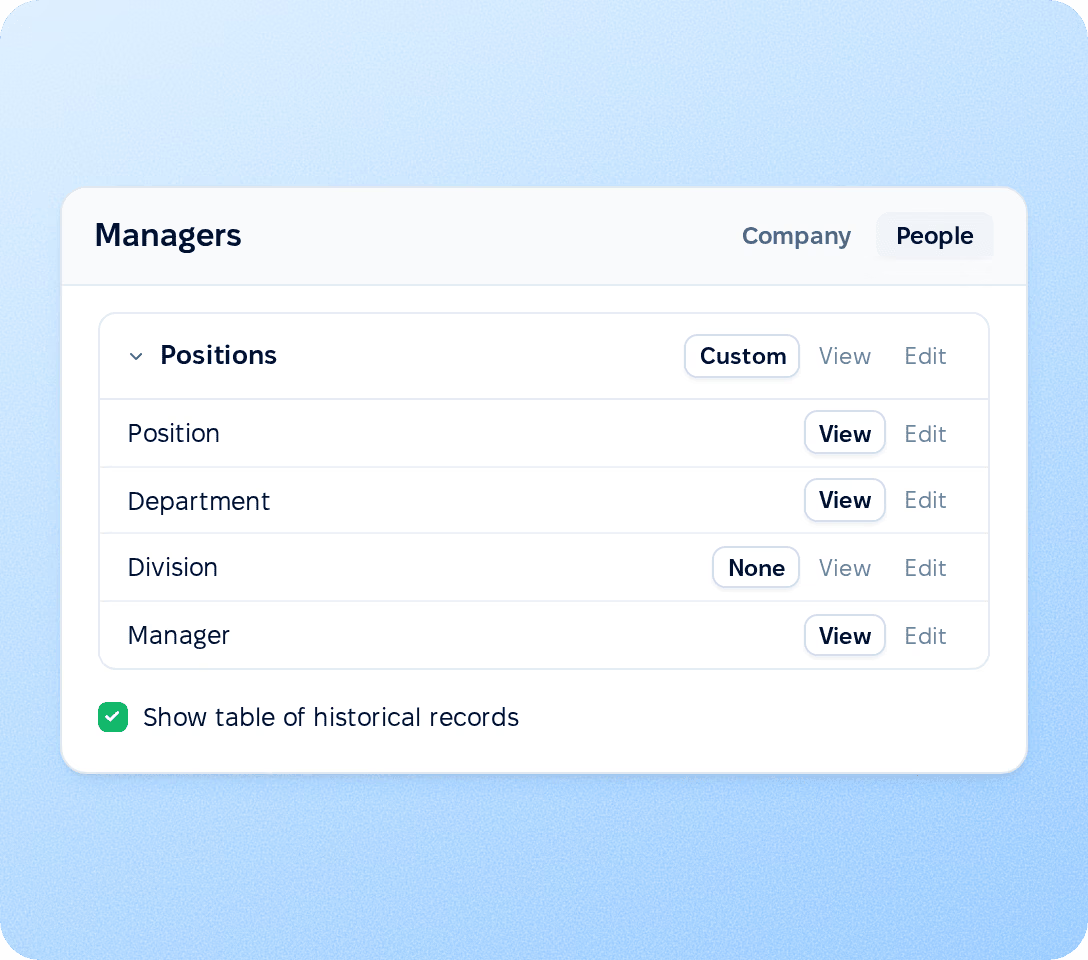
Roles in PeopleForce follow your company structure instead of a list of names. You define who holds a role and whose data it opens. Both are conditions, so access updates as people join, change department or leave.
Field permissions
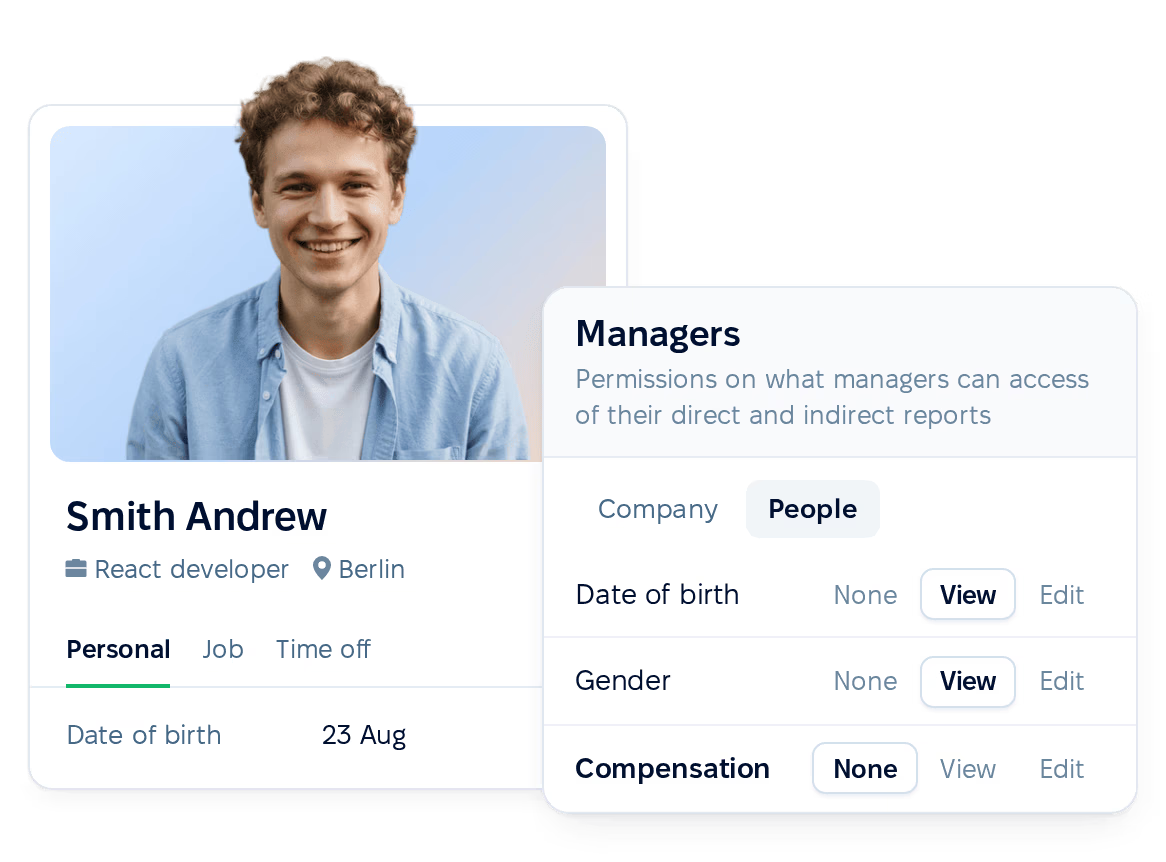
For every field on the employee profile, including custom fields, a role gets no access, view or edit. Salaries, emergency contacts, children, notes and documents stay closed to a new role until you open them. Administrators see all data.
Sign-in
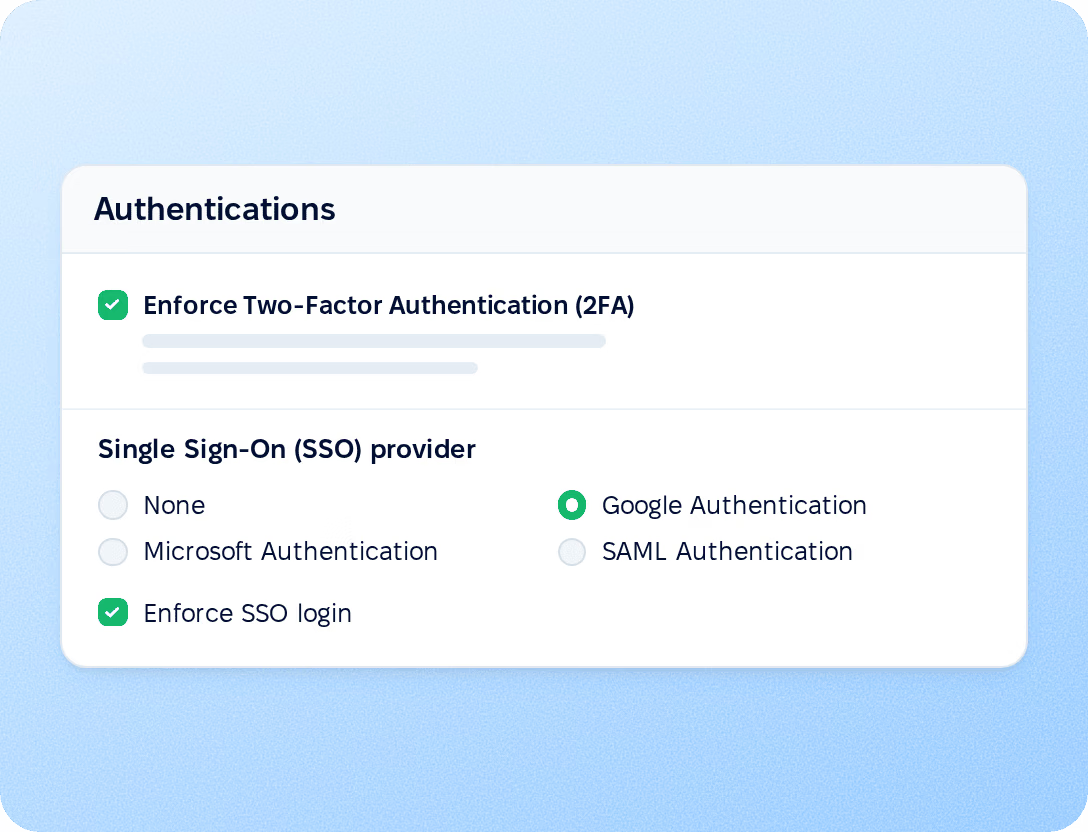
Connect Google, Microsoft, a SAML identity provider or LDAP. Enforce SSO login blocks password sign-in on the server.
Recruiting access
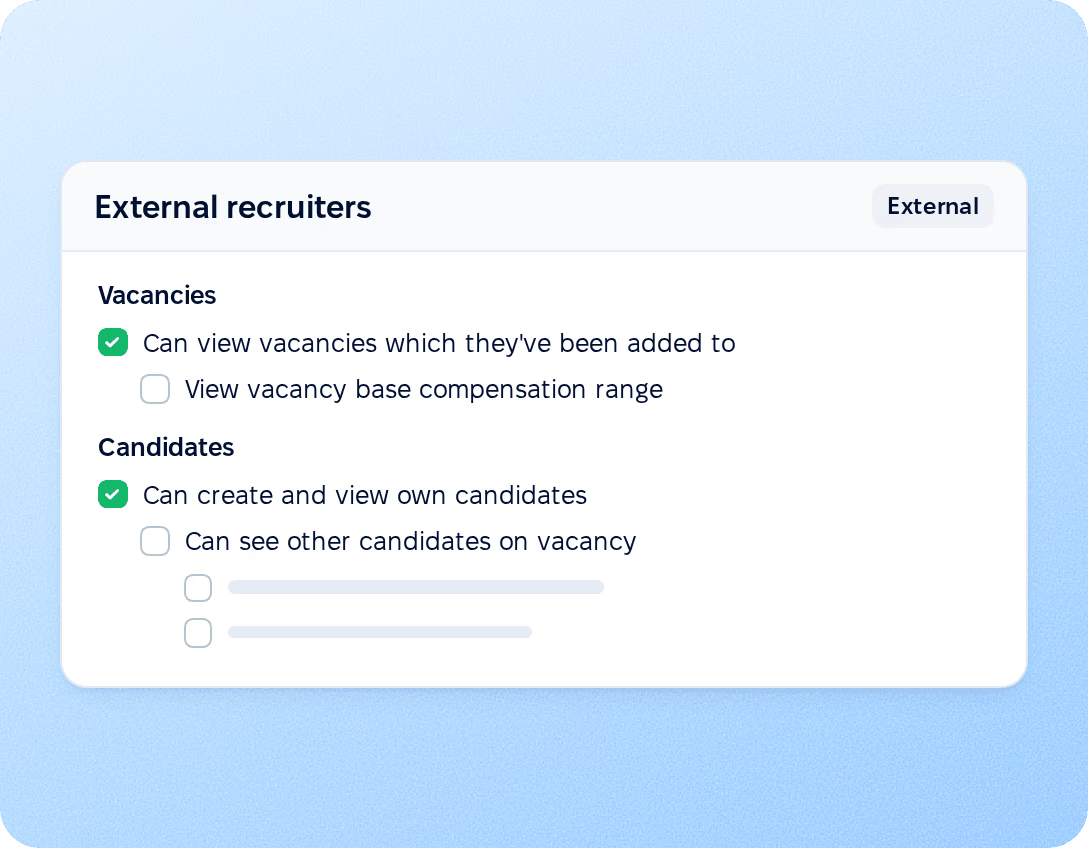
External recruiters work only with the vacancies they are added to and, by default, see only the candidates they bring in. Inside the team, candidate salary expectations and sensitive candidate details are separate permissions, so a hiring manager can review a candidate without seeing either.
Audit
Three reports answer the questions an auditor asks: who can sign in, who did what, and how employee data changed.
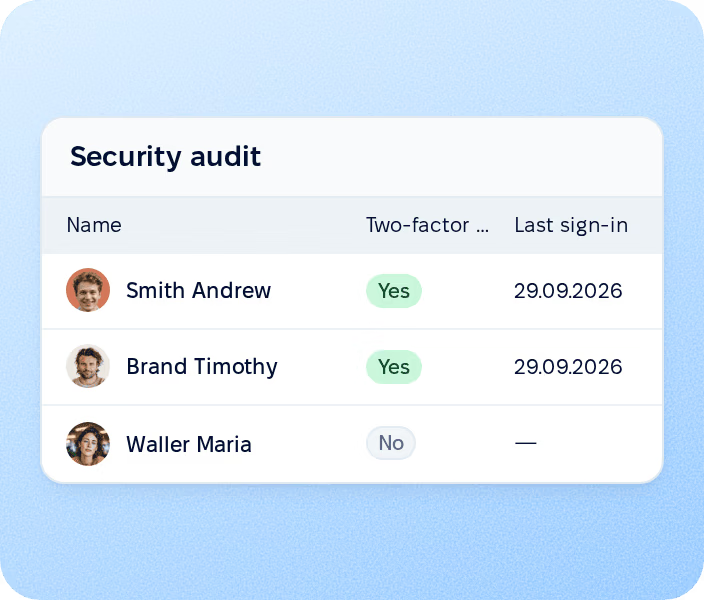
Security audit report
Lists every active employee with self-service access, two-factor status, last sign-in, last activity and last password change, plus last sign-in IP when IP tracking is on. The report can be exported.
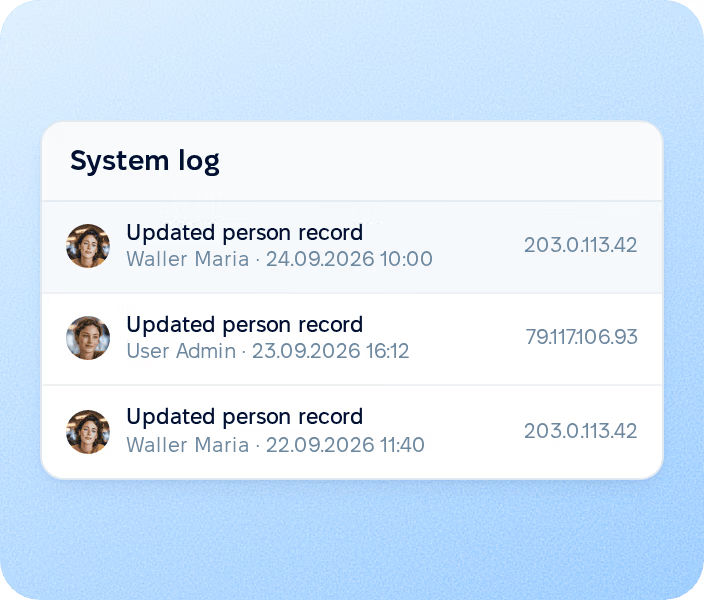
System log
Records changes to employee data made in the web app and through the public API, with the person who made each change, the time, the IP address and the device.
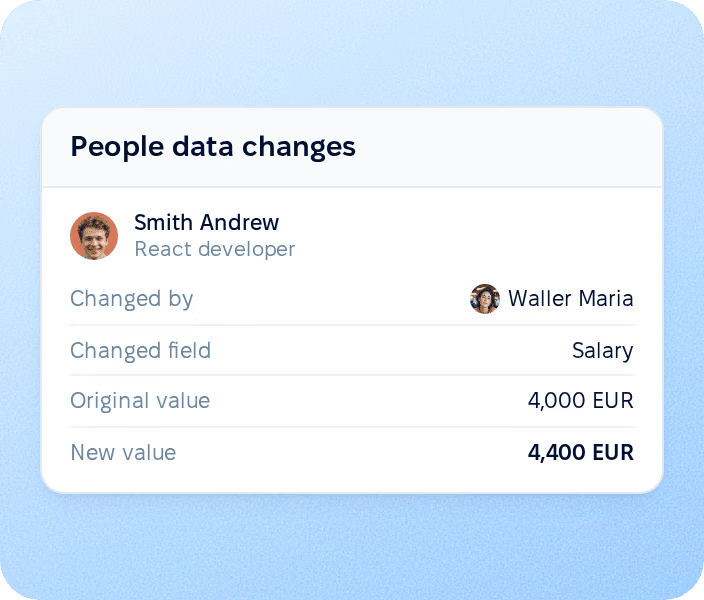
People data changes
Shows the history of salary, position, compensation, employment status and other profile records: what changed, who changed it and when.
More in Core HR
Everything around your employee records, from the directory and documents to equipment and candidate consent, in one connected system.
All employee data in one place
Profiles with job, contact and personal details, with each field open to a role as no access, view or edit.

All employee data in one place
Profiles with job, contact and personal details, with each field open to a role as no access, view or edit.
Beyond the features
We get you live in weeks, not months — with real people answering after go-live, and room to add the rest of HR when you're ready.

Live in about four weeks
A dedicated success manager sets everything up with you — it's included in the plan, not a paid add-on.
Support in your language
Real people, not a ticket queue: a ~2-minute first reply and 98% satisfaction.
Room to grow
Start with Core HR and add recruiting or performance later — same employee record, no second system.
Walk through roles, field permissions, SSO and audit reports with a product specialist.