Employee preboarding, done before day one

Send one link to the new hire's personal email. They complete their profile, upload and sign documents without a PeopleForce account, and their answers go into the employee profile.

Employee preboarding, done before day one

Form builder

Preboarding form builder

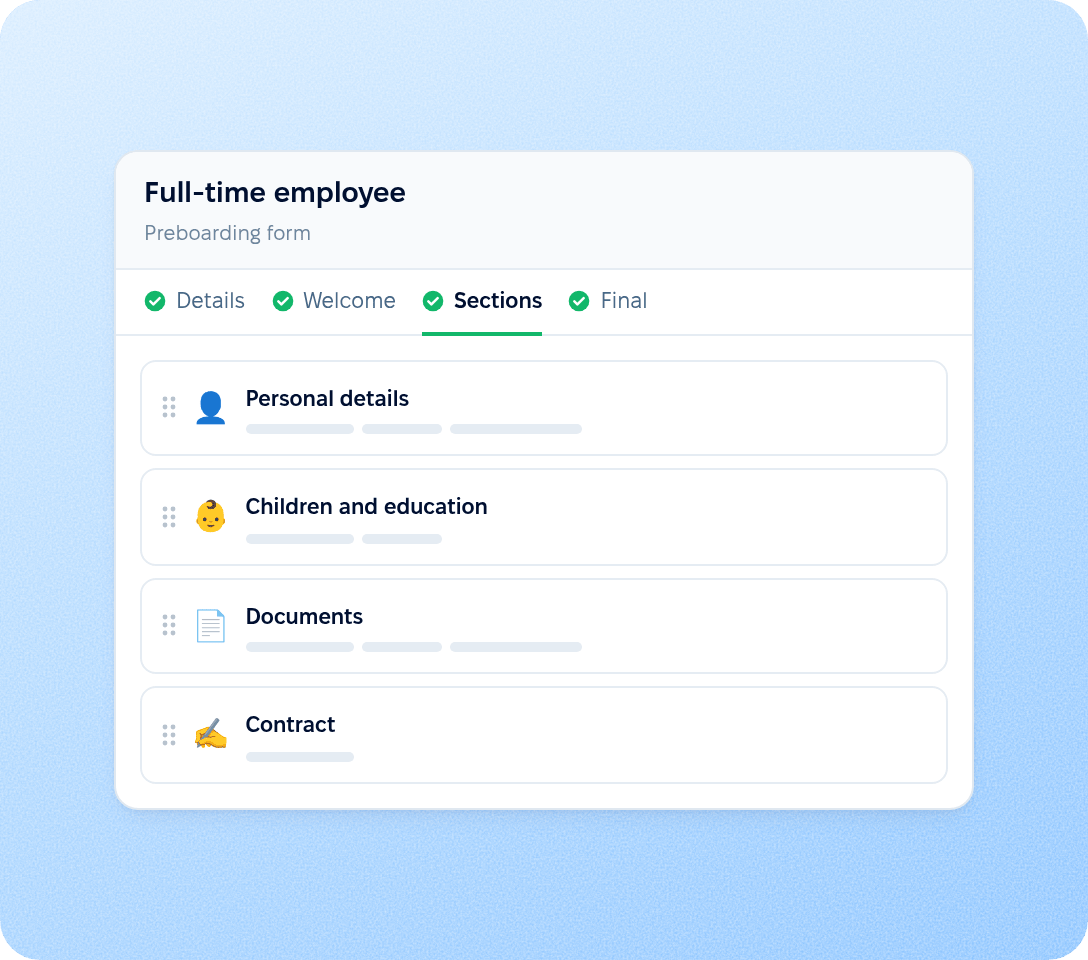
HR builds a preboarding form once and uses it for every new hire it is sent to. Each section of the form is assembled from blocks. A company can keep several forms and choose which one to send or to attach to each new hire form.

  • Four-step setup

    Details, Welcome, Sections and Final. The welcome screen carries an icon, a title and a description; the final screen closes the form and can hold links for the new hire.

  • Blocks for data and documents

  • Preview before sending

preview

New hire experience

Step-by-step form for the new hire

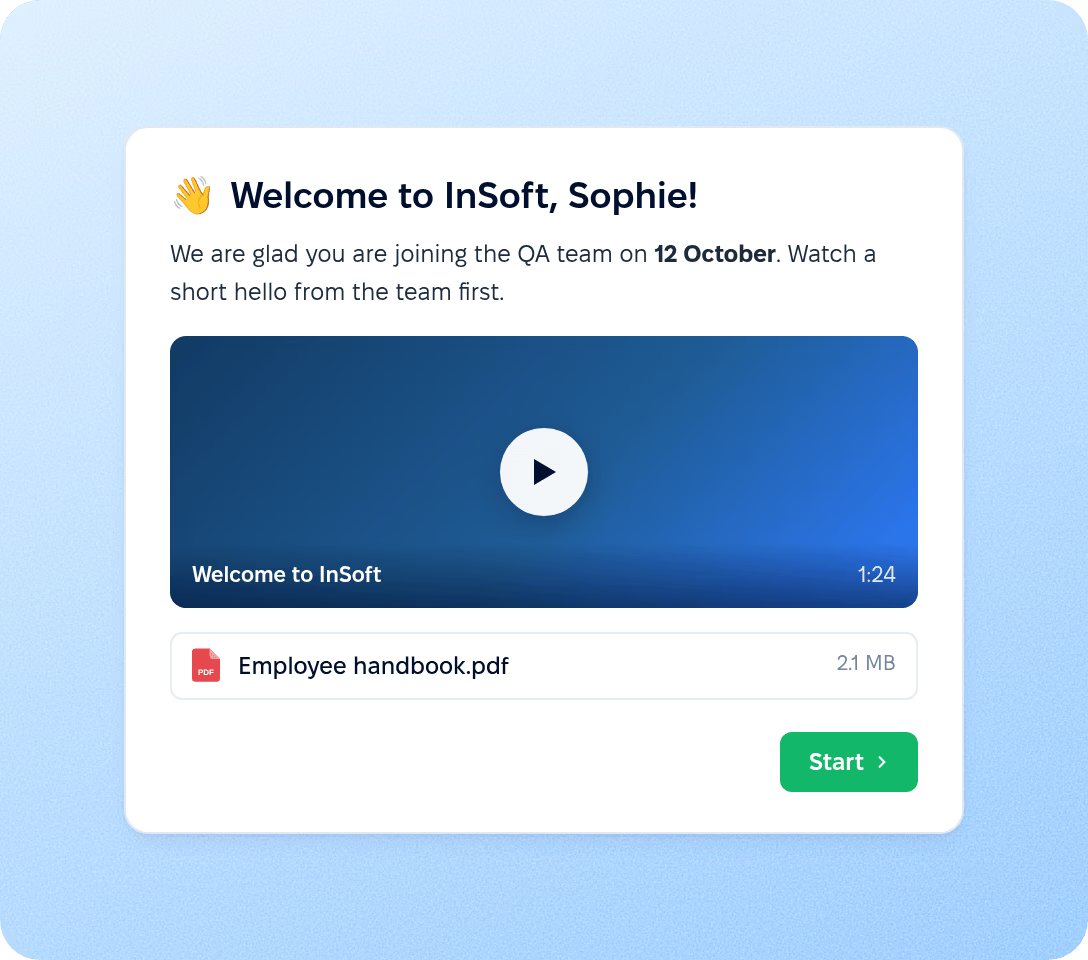
The new hire opens the form from the email link and completes it section by section, with no account to create. Progress is saved after every section, so the form can be finished in several sittings before the start date.

  • Welcome screen

    The form opens with the company's greeting: an icon, a title and a short description.

  • Sections with saved progress

  • Final screen with links

preview

Documents

Document collection and signing before day one

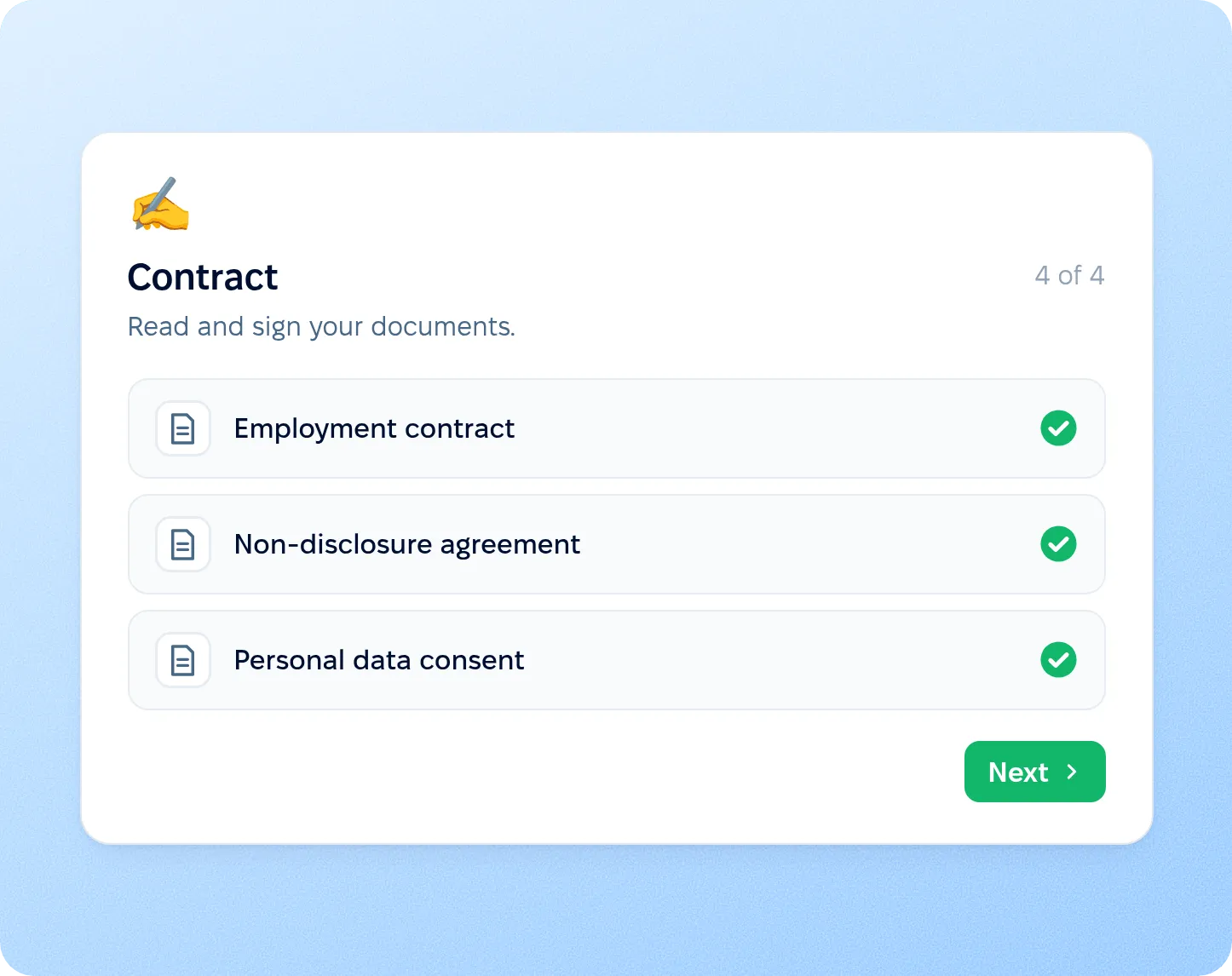
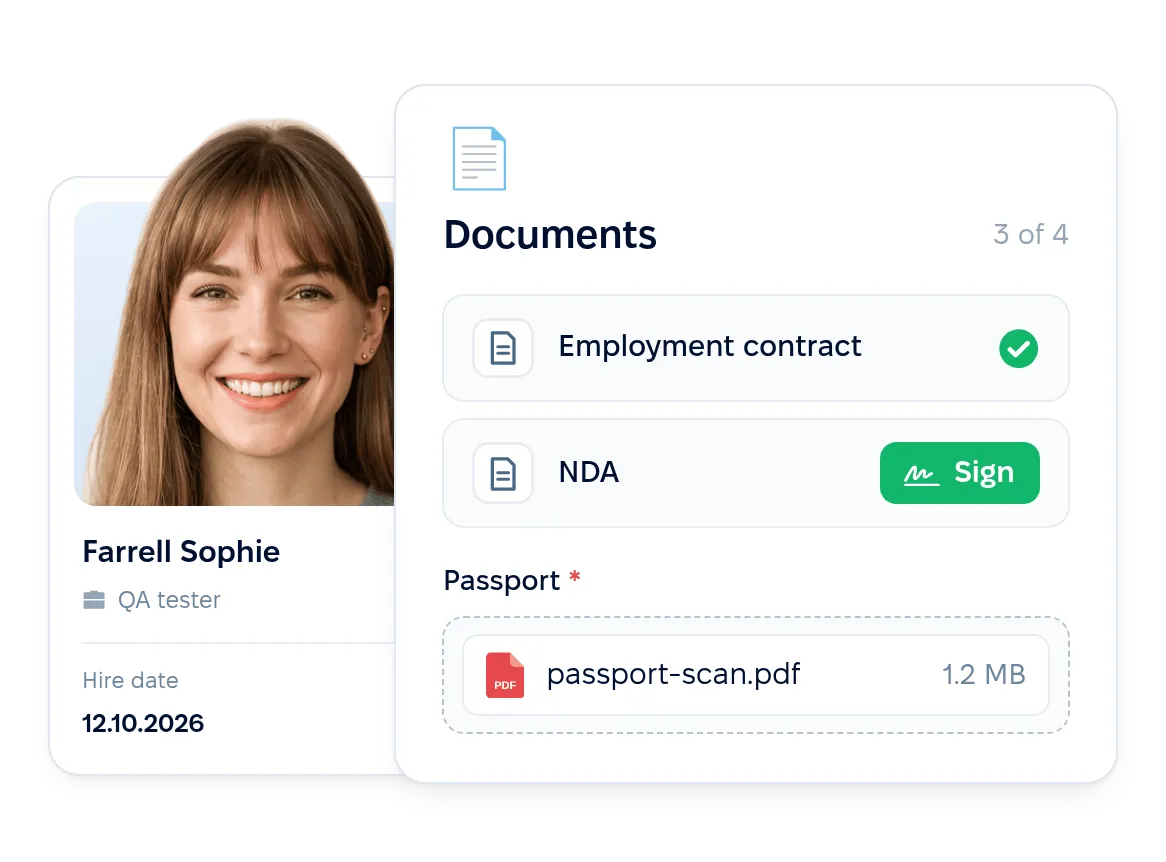
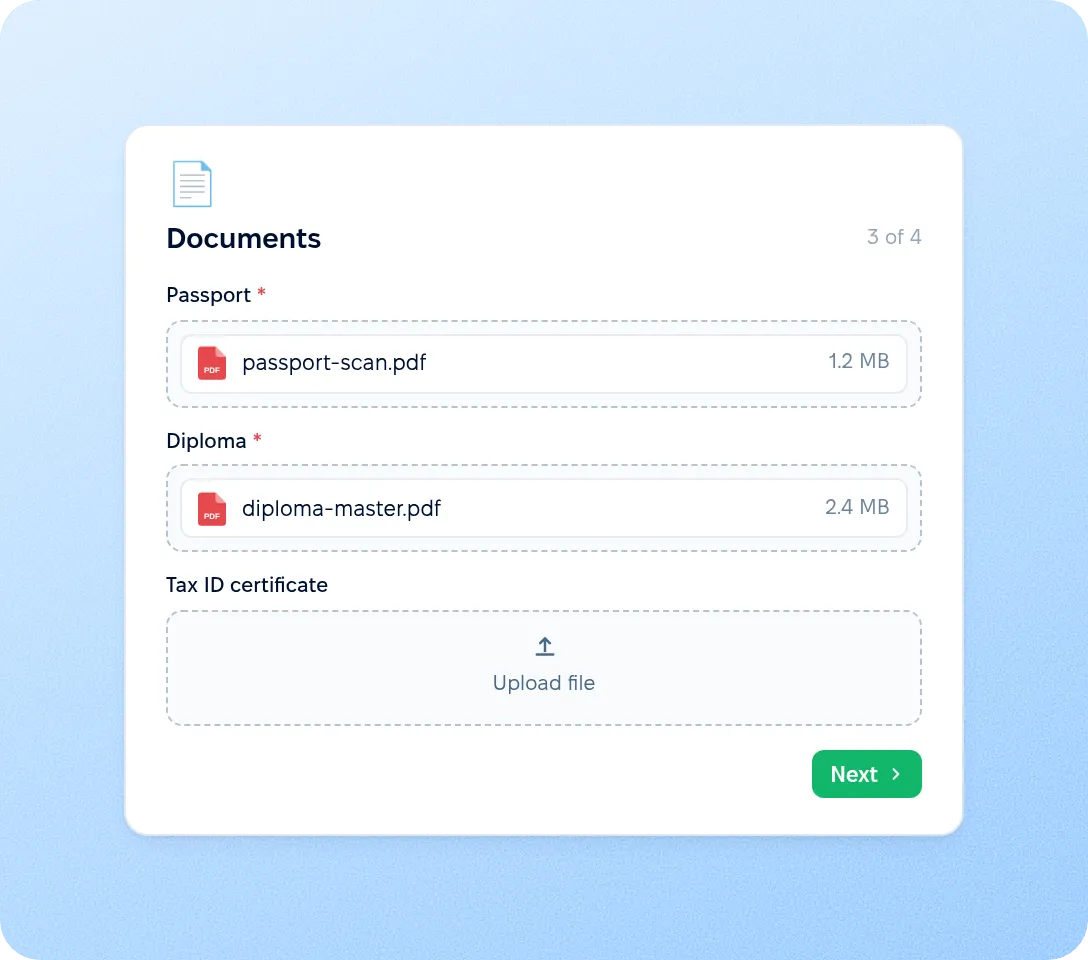
Documents are part of the preboarding form. The new hire uploads what HR asks for, reads the documents the company attached and signs the ones that need a signature. A section with a document to sign can be completed only after the document is signed.

Learn more about eSignature
  • Documents requested from the new hire

    Ask the new hire to upload files such as identity documents or certificates. The uploaded files are saved to the employee's documents.

  • Contracts generated from the new hire's answers

  • Signing inside the form

preview

Automation

Workflows triggered by preboarding completion

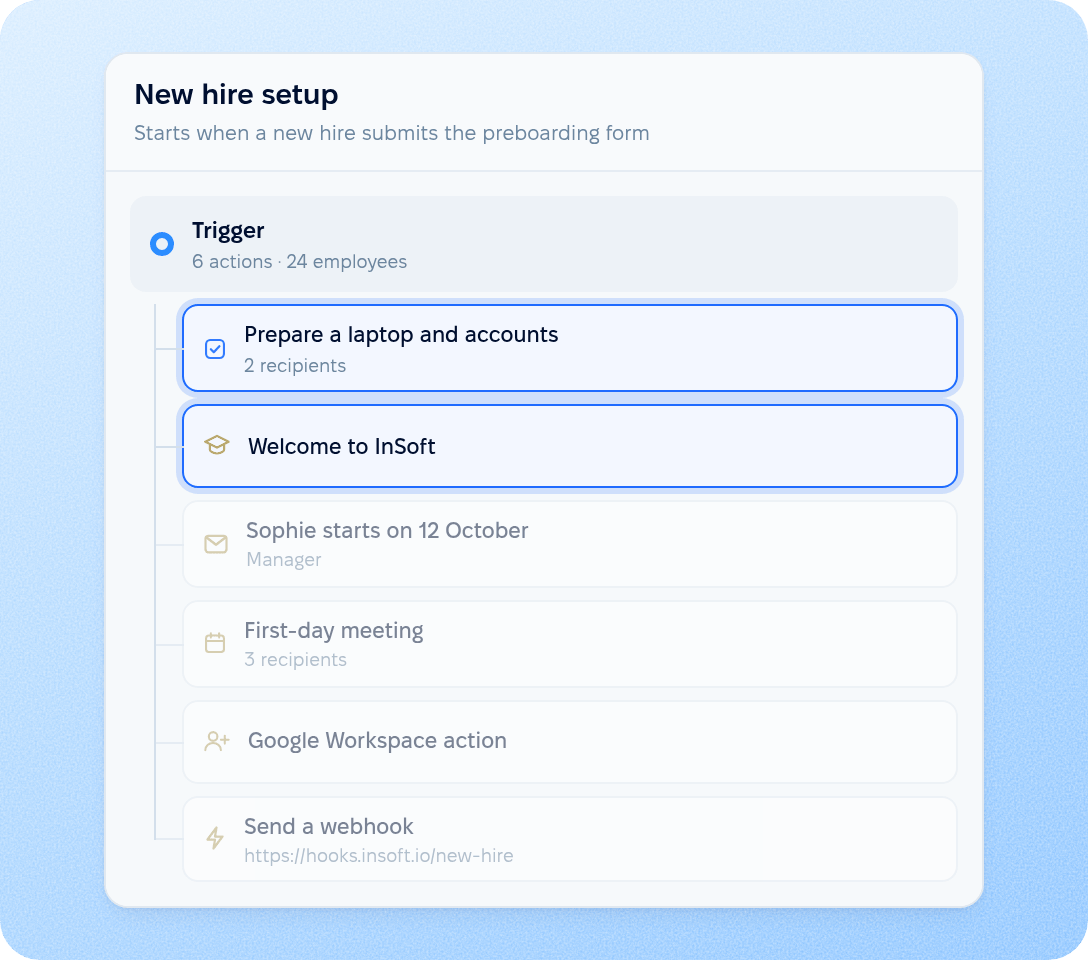
Attach workflows to a preboarding form, and they start when the new hire submits it. Each workflow starts for employees who match its conditions. For example, IT, the manager and HR get their tasks as soon as the new hire submits the form.

  • Tasks and courses

    Assign tasks to IT, the manager or HR, such as preparing equipment, and enrol the new hire in courses.

  • Emails and calendar events

  • Accounts and integrations

preview

Sending

Automatic sending from the new hire form

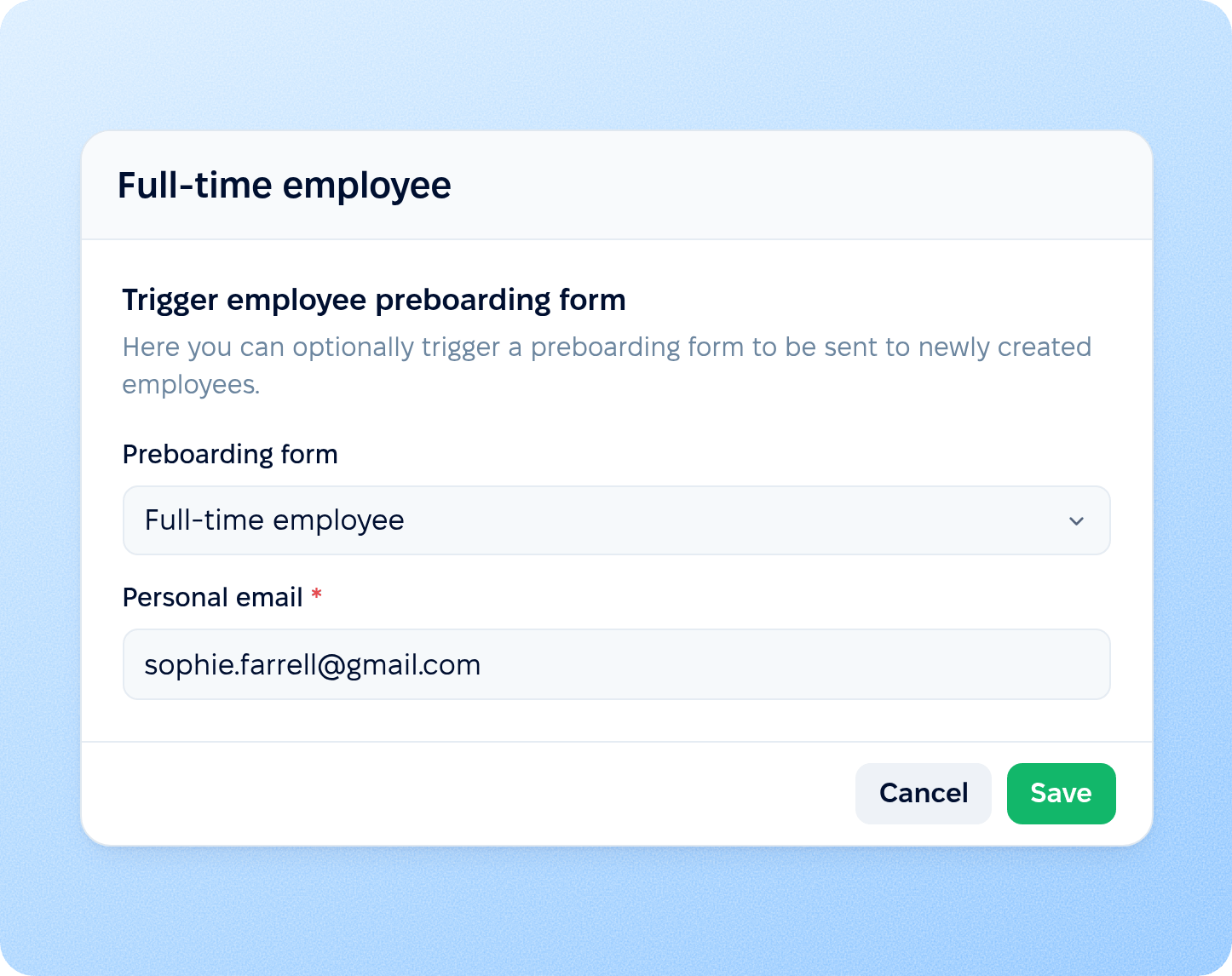
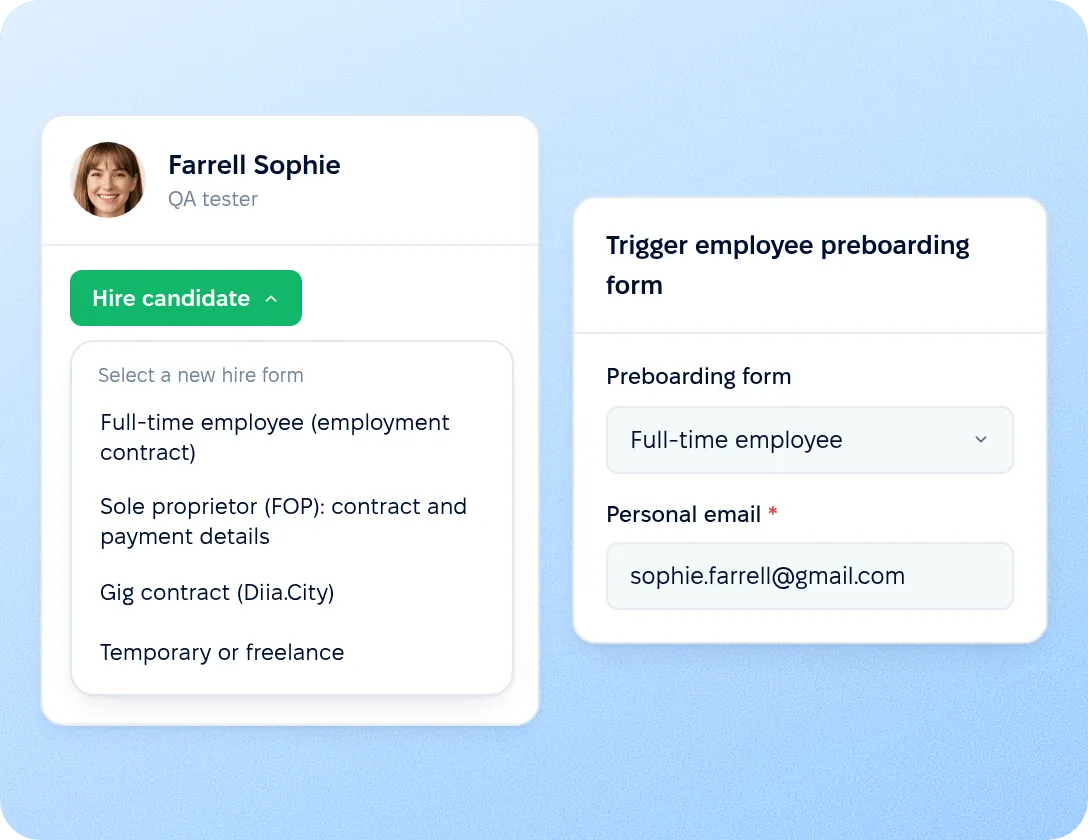
Attach a preboarding form to a new hire form, and it is sent automatically when HR creates an employee through that form, including an employee created from a hired candidate. The invitation goes to the new hire's personal email, with the subject and text you set for the form.

  • Sending on employee creation. When a preboarding form is attached, the new hire form requires a personal email, so every invitation has an address to reach.

  • Sending from the employee profile. Choose a preboarding form and send it from the employee profile when the employee already exists.

  • Reminder after a set number of days. If the form is not submitted, the new hire receives one reminder email the chosen number of days after the invitation.

Automatic sending from the new hire form

Employment types

Hire forms for every type of employment

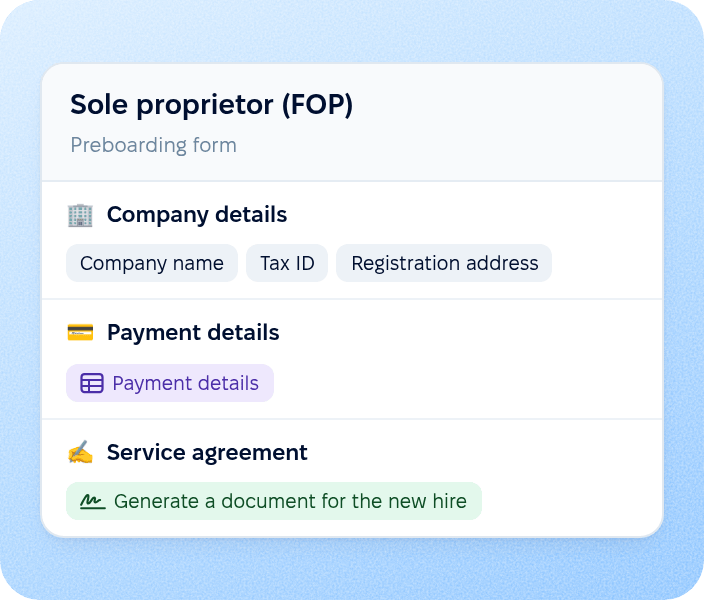
A company can keep a separate hire form and preboarding form for each legal entity, country or type of employment it works with. A full-time employee, a contractor and a temporary worker each receive the questions and documents that apply to them.
Full-time employee

Full-time employee

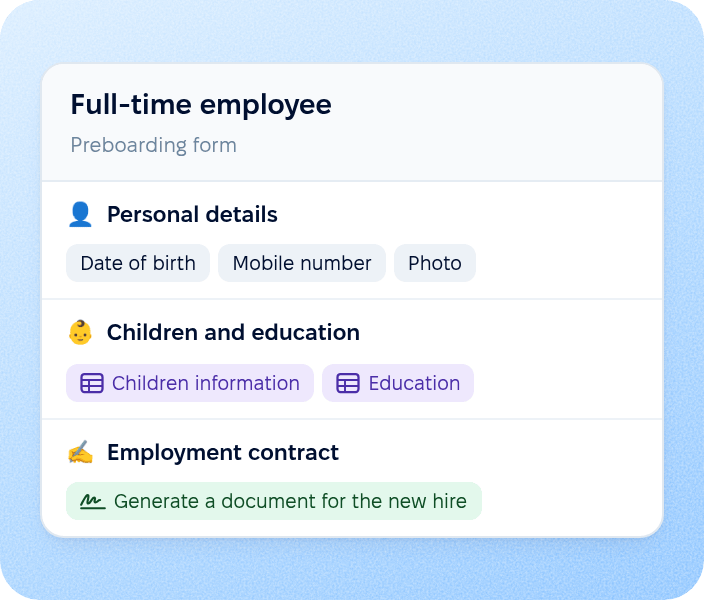
Personal details, children and education, and an employment contract generated from the answers for signing.

Contractor

Contractor

Company and payment details in a custom table, and a service agreement signed inside the form.

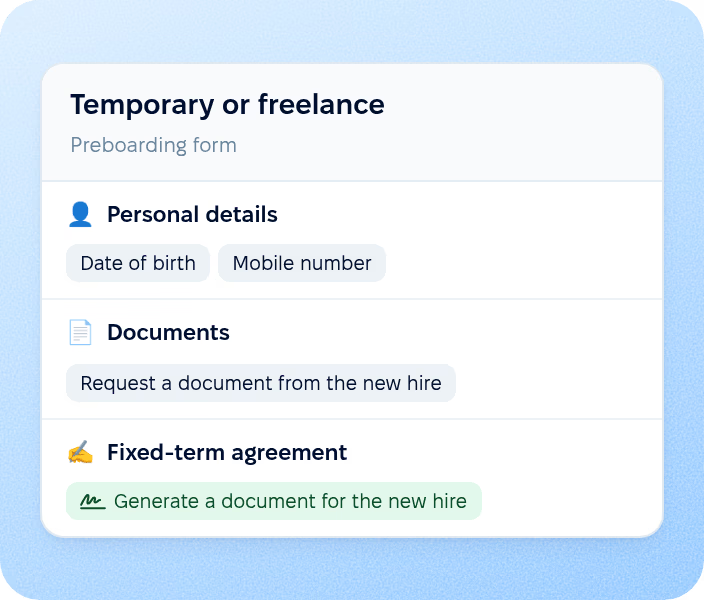
Temporary or freelance

Temporary or freelance

A short form with personal details, requested documents and a fixed-term agreement to sign.

New hire data in the employee profile

When the new hire submits the last section, the answers are written to the employee profile, so HR does not type them in again.

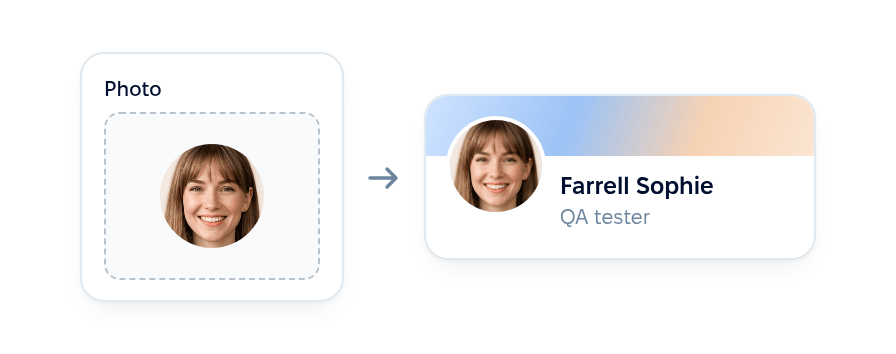
Profile photo

The photo the new hire uploads in the form becomes the photo in their employee profile.

Profile photo

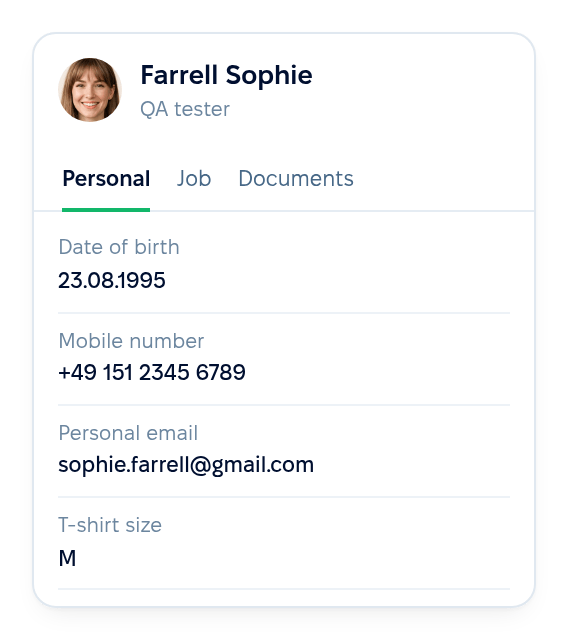
Profile and custom fields

Answers to profile questions, including the custom fields a company adds, are written to the same fields in the employee profile.

Profile and custom fields

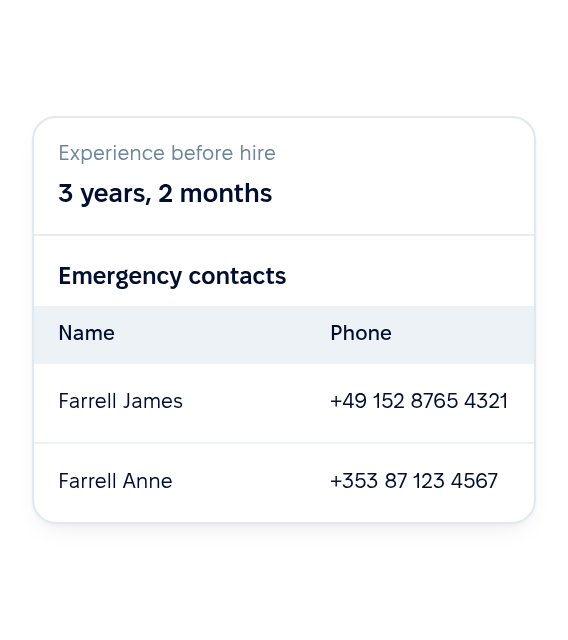
Experience before hire and custom tables

The new hire's experience before hire is saved to their profile, and the rows they fill in for custom employee tables are added to the matching tables.

Experience before hire and custom tables

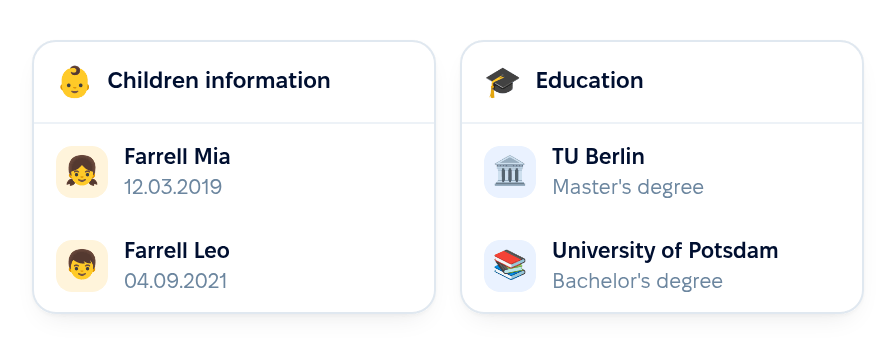
Children and education

Entries about children and education go to the profile sections that store them.

Children and education

Core HR

From the new hire form to the first day

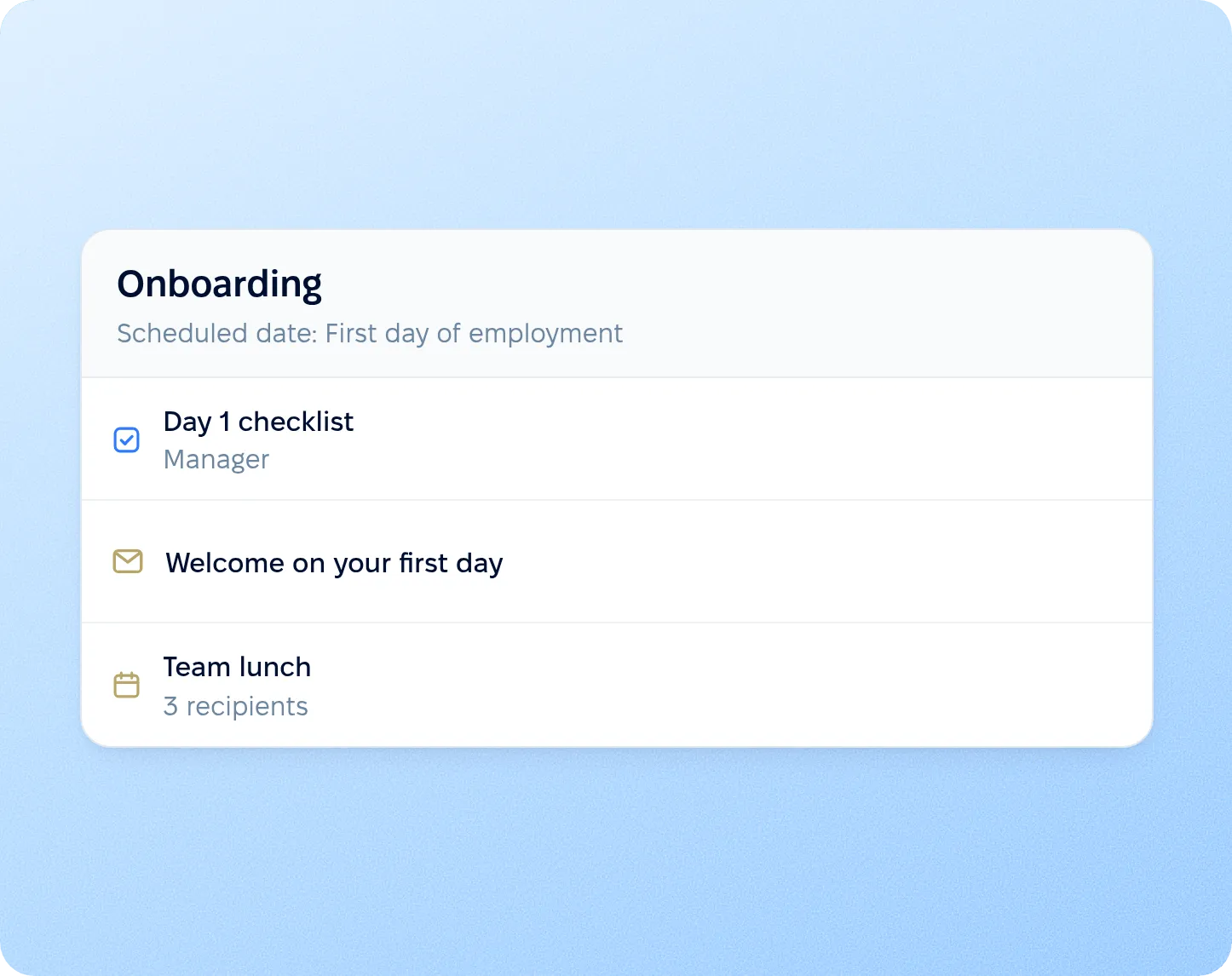
Preboarding covers the time between creating the employee and the hire date: the new hire form sends the preboarding form, the submitted form updates the profile and starts workflows, and onboarding workflows scheduled by the hire date continue from the first day.

New hire formPreboardingHire date

HR creates the employee, including from a hired candidate, and the preboarding form is sent.

New hire form

More in Core HR

Explore the rest of Core HR

Everything waiting for each new hire, from onboarding and documents to the org chart, policies and the employee directory, in one connected system.

Onboarding that continues from the hire date

Workflows scheduled by the hire date assign tasks, emails and courses for the first days, so the work started in preboarding carries on after the new hire arrives.

Learn more
Employee onboarding

Beyond the features

Why HR teams choose PeopleForce

You go live in weeks and can add the rest of HR when you’re ready.

Live in up to four weeks

A dedicated success manager guides your setup, and it’s included in your plan at no extra cost.

Support in your language

Real people on our support team answer, with a first reply in about two minutes and 98% satisfaction.

Room to grow

Start with Core HR and add Recruit or Perform later, all on the same employee record.

icon

Leader

Summer 2026
icon

Users Love Us

Milestone Summer 2026
icon

Regional Leader

Europe Summer 2026
icon

High Performer

Europe Summer 2026

Security and operational continuity

Certifications, granular access and full control over what happens to your data.

ISO 27001 certified, GDPR compliant, Google Cloud data centres in Europe
G2Best Support

Questions about preboarding

Does the new hire need a PeopleForce account?

When is the preboarding form sent?

Where do the new hire's photo and answers appear?

Can a company representative sign the same document?

What happens after the new hire submits the form?

Can the new hire skip a document that needs a signature?

See preboarding on your own hiring process

Walk through the new hire form, the preboarding form, document signing and the workflows that follow with a product specialist.