



How scoring works
How a verdict is made
Scoring checks each application against the list you wrote for the role. AI resume screening shows how the verdicts fit into a recruiter’s day.


HR efficiency estimator
How does the HR efficiency estimator from PeopleForce work.
Calculate your impact
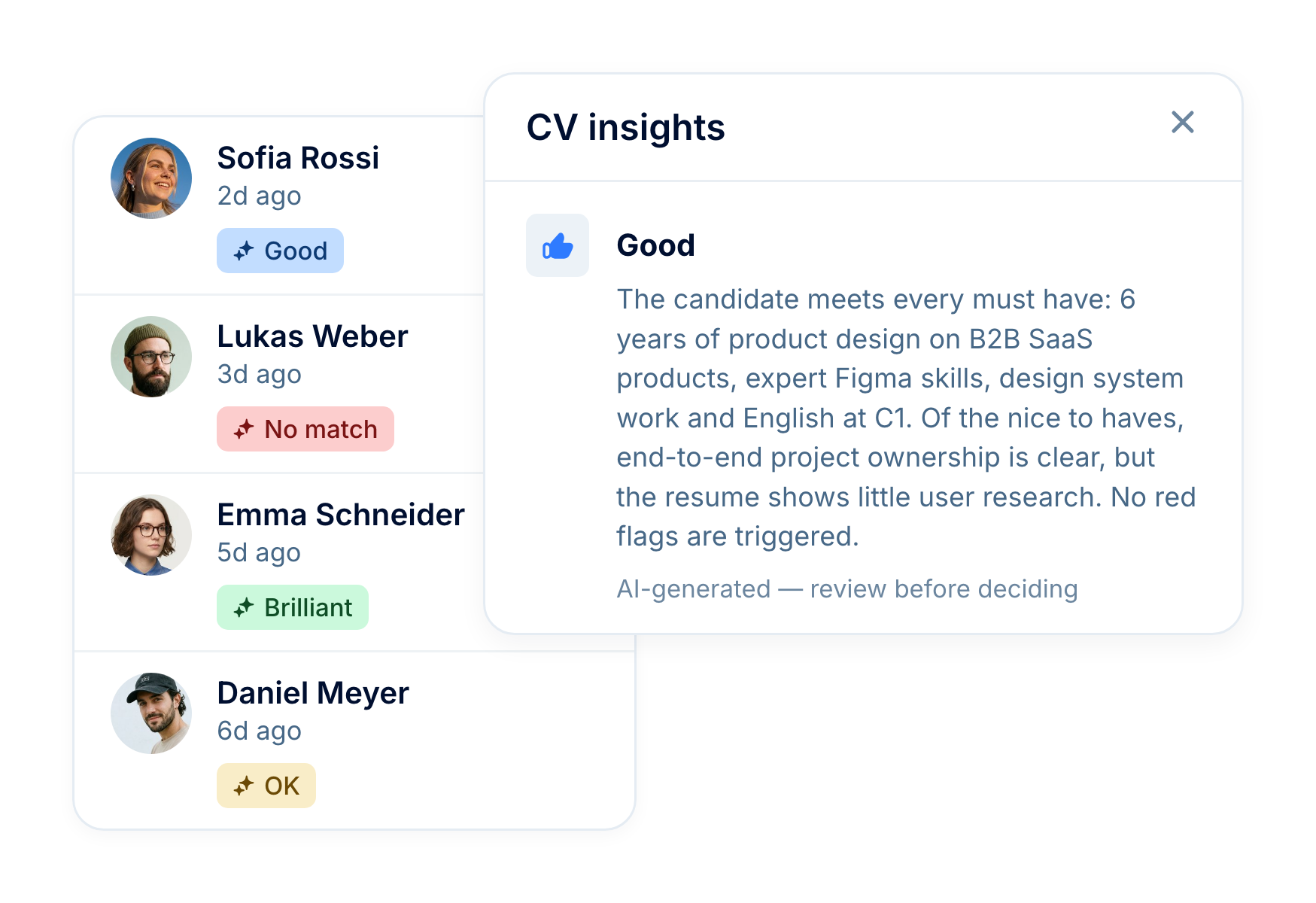
On the vacancies you choose, every new application with a CV is scored against your own criteria. It gets one of four verdicts (No match, OK, Good or Brilliant) and a reason for each criterion. The verdict shows on the candidate’s card and the reasons on their profile, so your team can check them before deciding who moves forward.
How scoring works
Scoring checks each application against the list you wrote for the role. AI resume screening shows how the verdicts fit into a recruiter’s day.
You write the criteria
Must haves, nice to haves and red flags for the vacancy, typed in or drafted from the job description with Generate with AI.
The AI reads the application
It reads the CV and the answers on the vacancy’s application form, and checks them against each of your criteria in turn. From the form answers, salary expectations, contact details, gender, date of birth and fields you mark as sensitive are left out. The CV is read in full. It can’t add criteria of its own.
You get a verdict and the reasons
One overall verdict with a short reason, plus a result (met or not met) for every criterion, each with its own reason. It stays on the application until someone runs it again.
CV insights
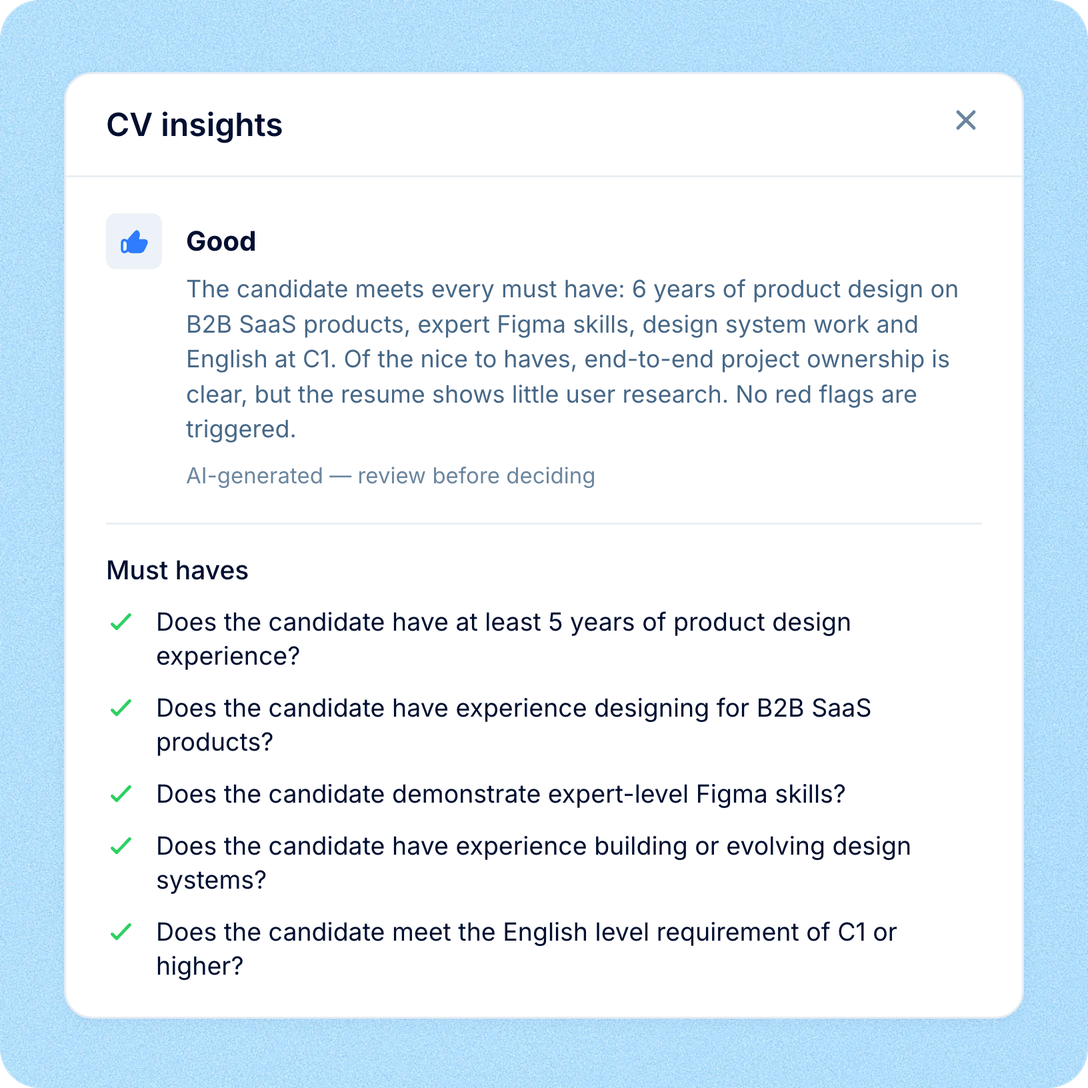
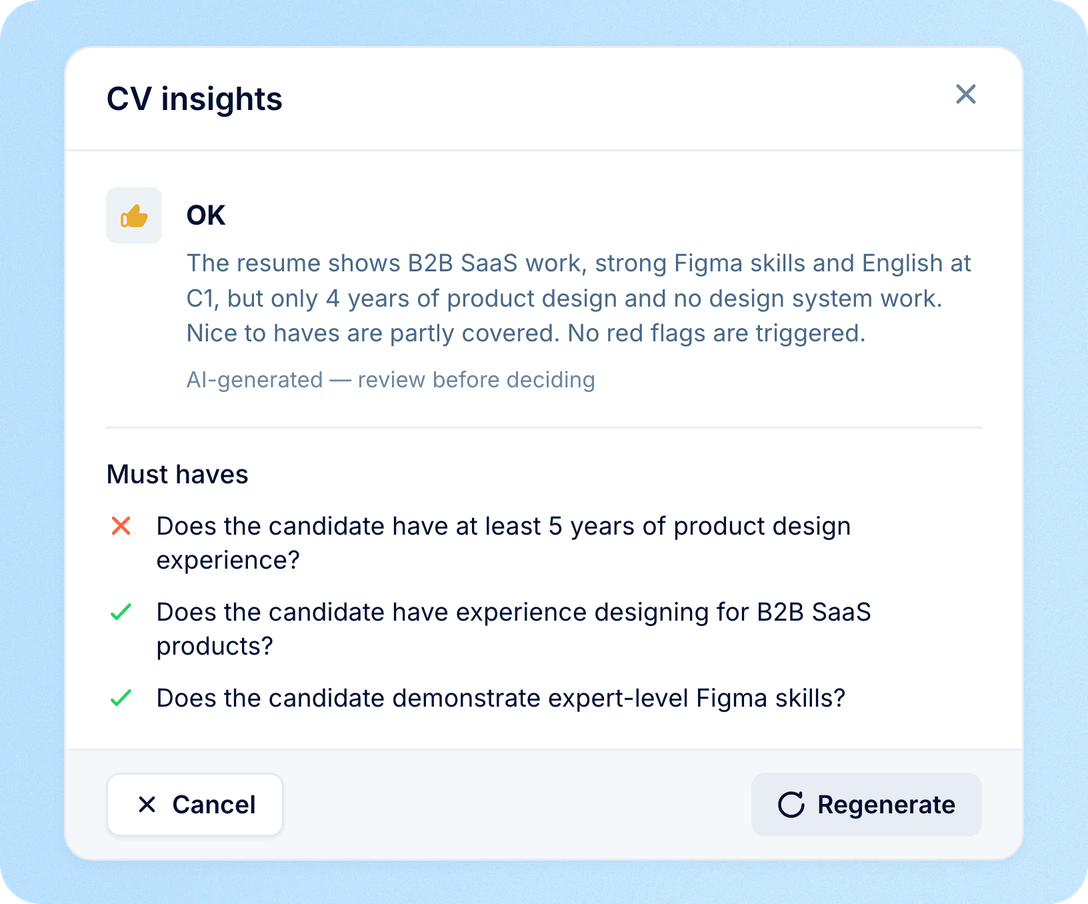
On a candidate’s profile, click the verdict to open CV insights. It shows the verdict itself, why the AI gave it, and the result for each of your criteria, so you can check it against the CV before you act.

A verdict with a short explanation
Every application gets No match, OK, Good or Brilliant, plus a few sentences on why, based on what the CV and the application show. A plain verdict like this is easier to explain to a hiring manager than a percentage.

A result for each of your criteria

The evidence, on hover
In your pipeline
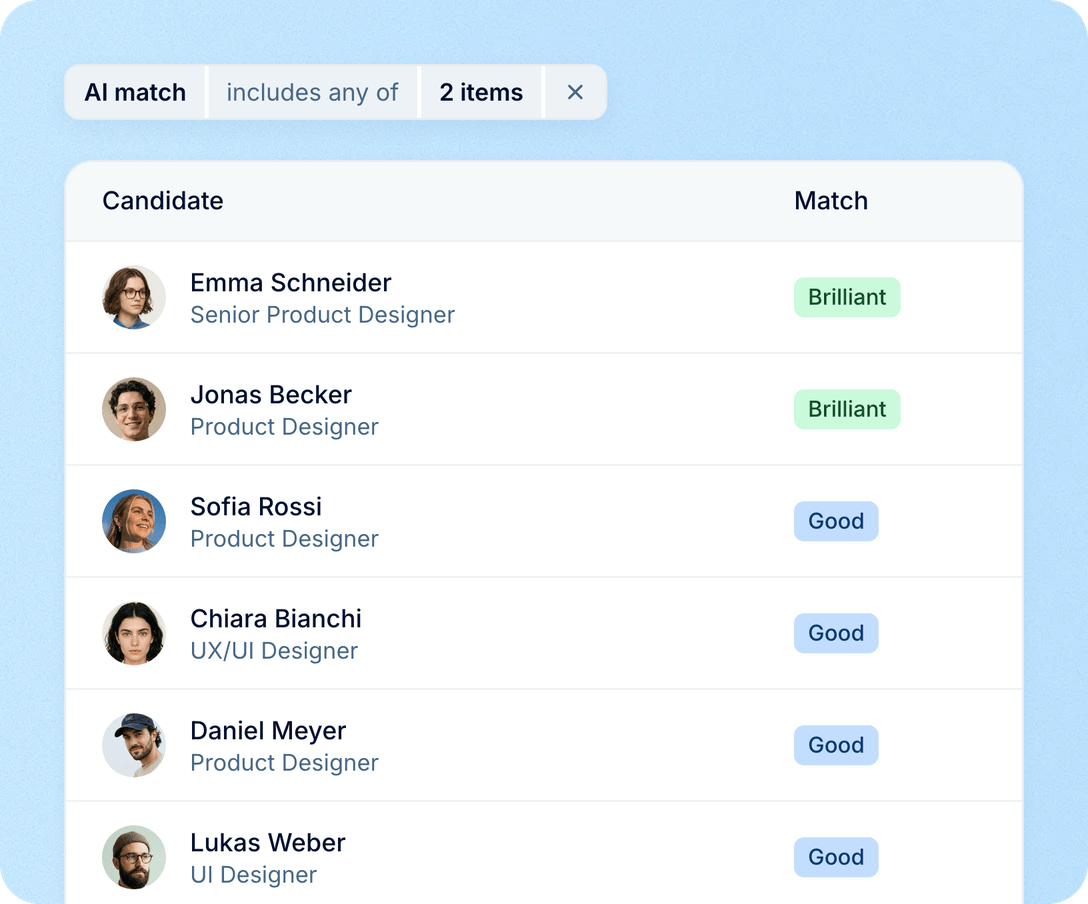
When a vacancy brings in more CVs than you can read in a day, the verdicts tell you where to start. They sit where your team already works, and they update as scoring finishes.

Sort by AI match. In a vacancy’s list view, sort the Match column (or choose AI match under Sort by) to put Brilliant at the top and applications without a verdict at the bottom.
Filter by verdict. Show only candidates rated Brilliant or Good, on one vacancy or across all your candidates.
On every scored card. The verdict shows on the candidate’s card on the vacancy board as soon as scoring finishes, without a reload.
In your own tools
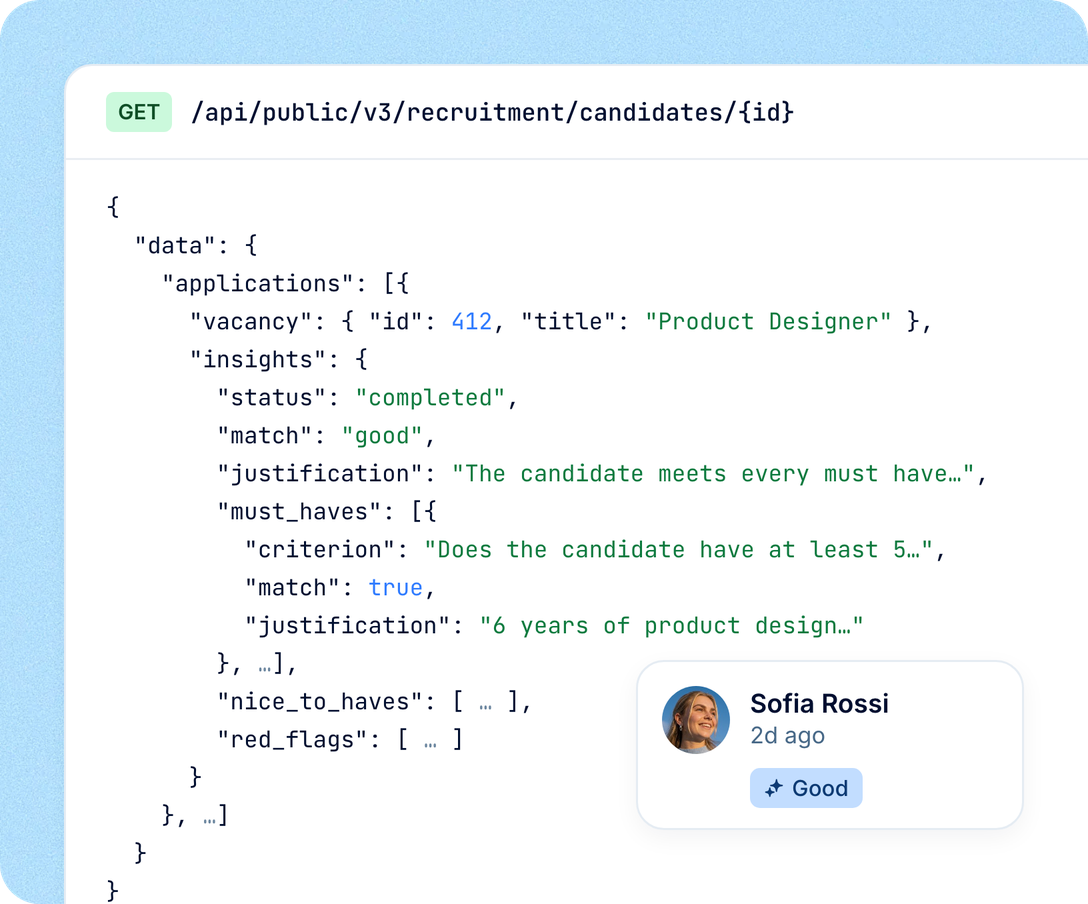
The PeopleForce Public API includes each verdict in the candidate data, together with the overall reason and the result for every criterion. Your integration can read it and act on it: for example, move Good and Brilliant applications to an interview stage through the API, or pass them on to a third-party AI interviewer.
Everything behind the verdict. The API returns the verdict, the overall reason, and the result and reason for each criterion.
No half-finished results. While a verdict is being re-run, the API reports it as processing rather than returning the old one.
Next steps are up to your integration. A verdict never changes a candidate’s stage in PeopleForce. Your integration decides what happens next, and whether a stage change made through the API runs that stage’s automations.
People stay in charge
Scoring shows your team where to start, and moving a candidate on is always a person’s decision. The CV insights behind each verdict are marked “AI-generated — review before deciding”.
It never acts on its own. No candidate is rejected, moved to another stage or emailed because of a verdict.
Re-run when the role changes. When you edit the criteria, existing verdicts stay as they were until you run prescreening again on the board or press Regenerate on one application.
One verdict for the whole team. Everyone who can open the candidate sees the same verdict, and the reasons are written in your company’s language, whatever language the CV is in.
More in AI
AI candidate scoring is one of the ways PeopleForce puts AI to work in hiring. See the other AI features for recruiters, and AI Companion, an assistant that answers from your own data.
AI resume screening
Your recruiter sets must haves, nice to haves and red flags, and AI checks each new application with a CV against them, so the likeliest fits get read first.

AI resume screening
Your recruiter sets must haves, nice to haves and red flags, and AI checks each new application with a CV against them, so the likeliest fits get read first.
Beyond the features
You go live in weeks and can add the rest of HR when you’re ready.

Live in up to four weeks
A dedicated success manager guides your setup, and it’s included in your plan at no extra cost.
Support in your language
Real people on our support team answer, with a first reply in about two minutes and 98% satisfaction.
Room to grow
Start with Core HR and add Recruit or Perform later, all on the same employee record.

Leader

Users Love Us

Regional Leader

High Performer
Certifications, granular access and full control over what happens to your data.
 Best Support
Bring a job description you’re hiring for. We’ll set up the criteria with you and show you the verdicts your recruiters would see.