



Ready-made reports
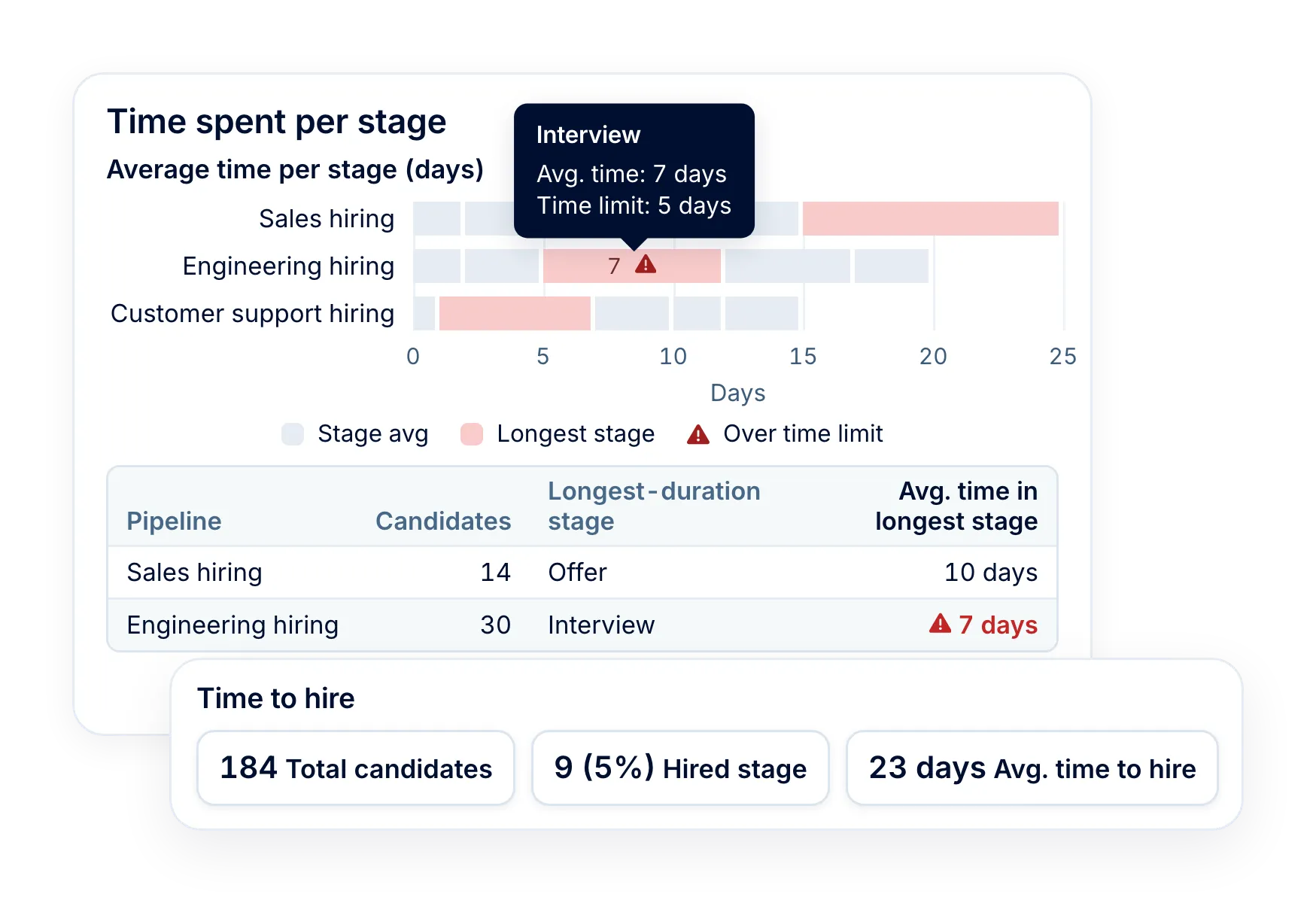
- Time to hire, time to fill, time to disqualify and time in stage
- Pipeline statistics, the pipeline funnel and the vacancy funnel
- Candidate sources and recruiter activities

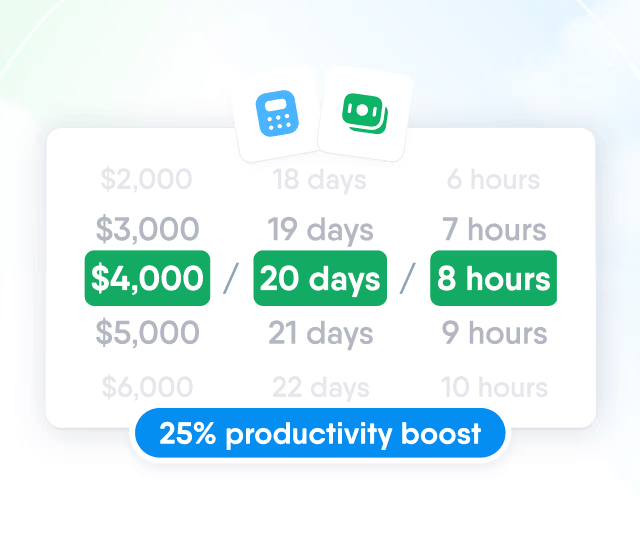
HR efficiency estimator
How does the HR efficiency estimator from PeopleForce work.
Calculate your impact
See how many days hiring takes and which stage holds candidates the longest, then open a pipeline down to its vacancies and candidates. Recruitment reports come with Recruit.
How it works
The reports are built from the work your team already does in Recruit.
Work in the pipeline
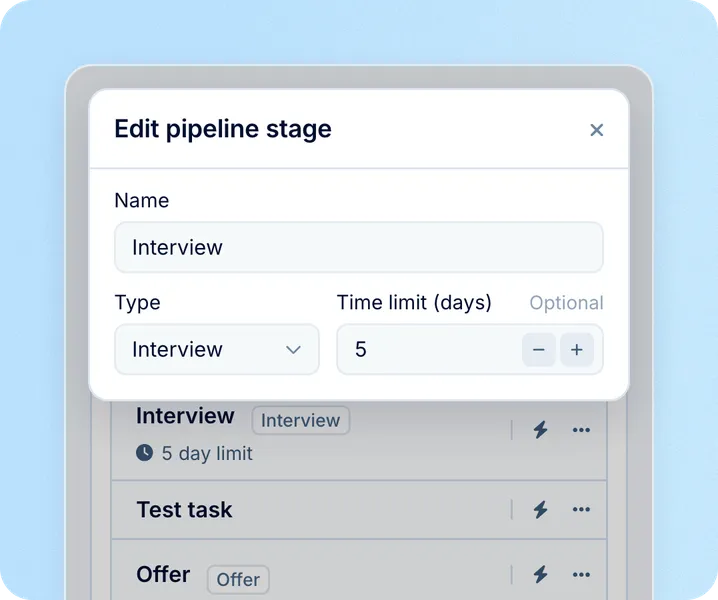
Move candidates through stages and disqualify with a reason. Add a time limit, and the vacancy team can hear about anyone past it.
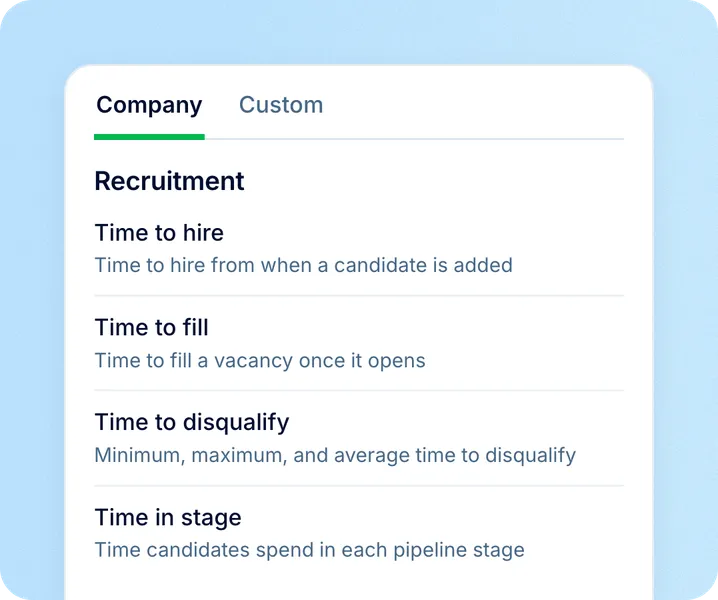
Open a report
Open Reports, then Recruitment, and pick the report you need. Your last dates and filters are kept for next time.
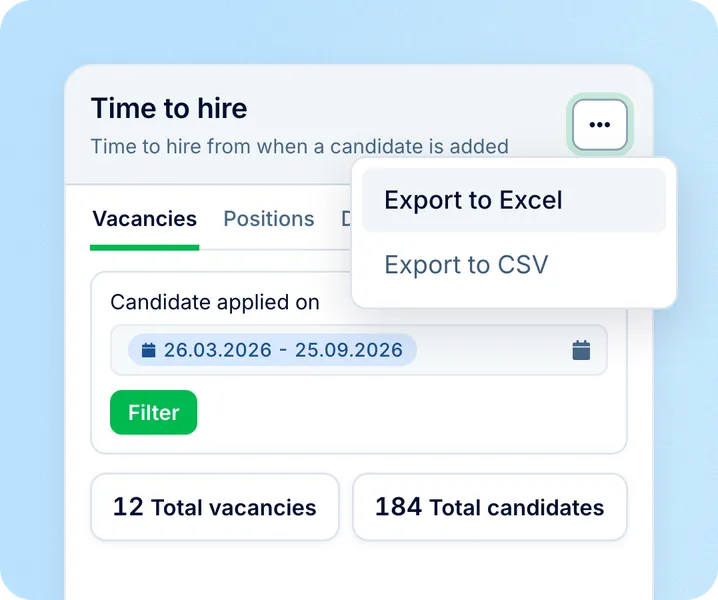
Go deeper or export
Open a pipeline in Time in stage to see its vacancies and candidates, or export any report to Excel.
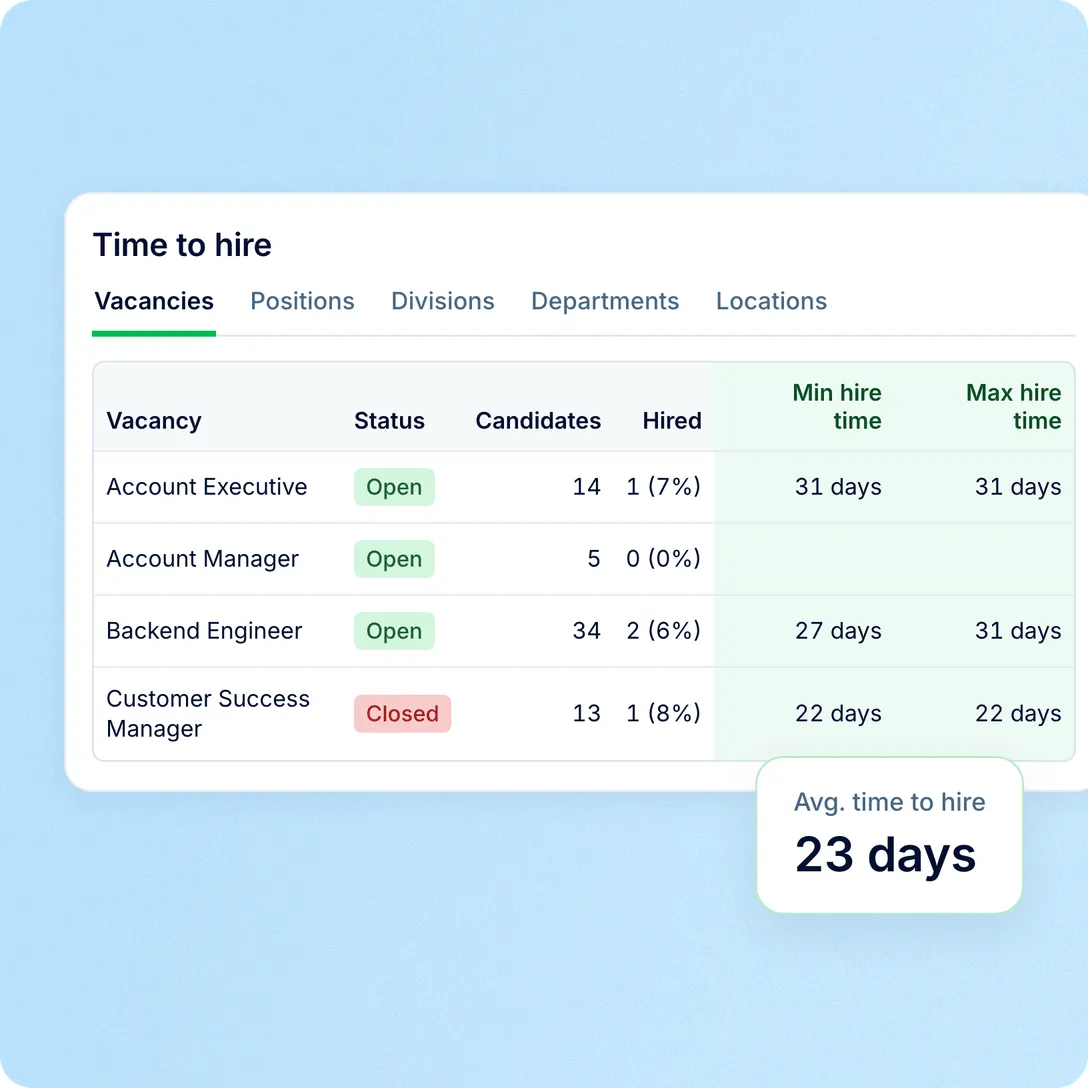
Hiring speed
See the minimum, maximum and average days it takes to hire or turn down candidates, by vacancy, position, division, department or location.
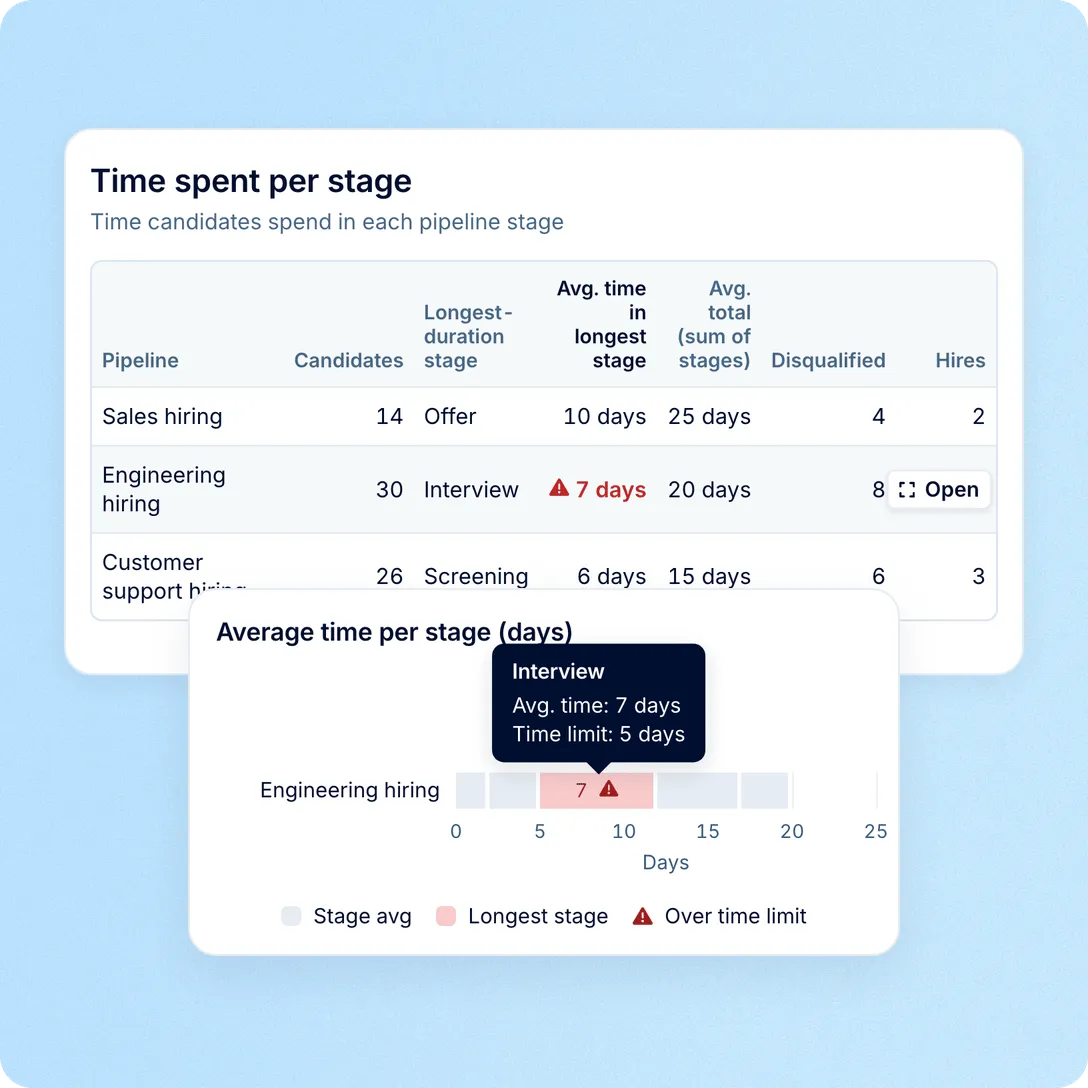
Stage time
See where candidates spend longest in your pipelines, then open a pipeline and a vacancy to see where time goes. A visit counts once the candidate moves on.

What's included
Every recruitment report comes with Recruit, with no analytics add-on to buy. You choose which roles open which report.
Candidate flow
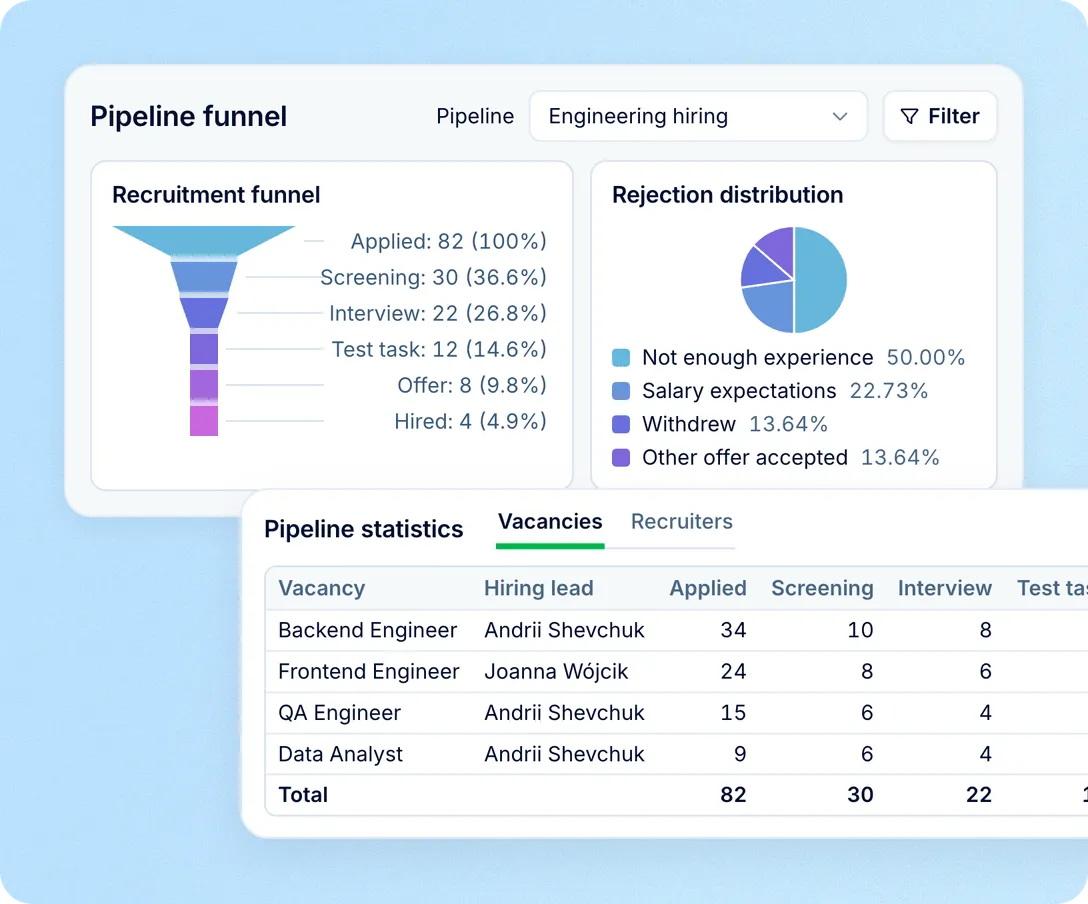
See how many candidates reached each stage, by vacancy or by recruiter, and where candidates drop out. Each funnel comes with a chart of disqualify reasons and the candidate list.
Candidate sources
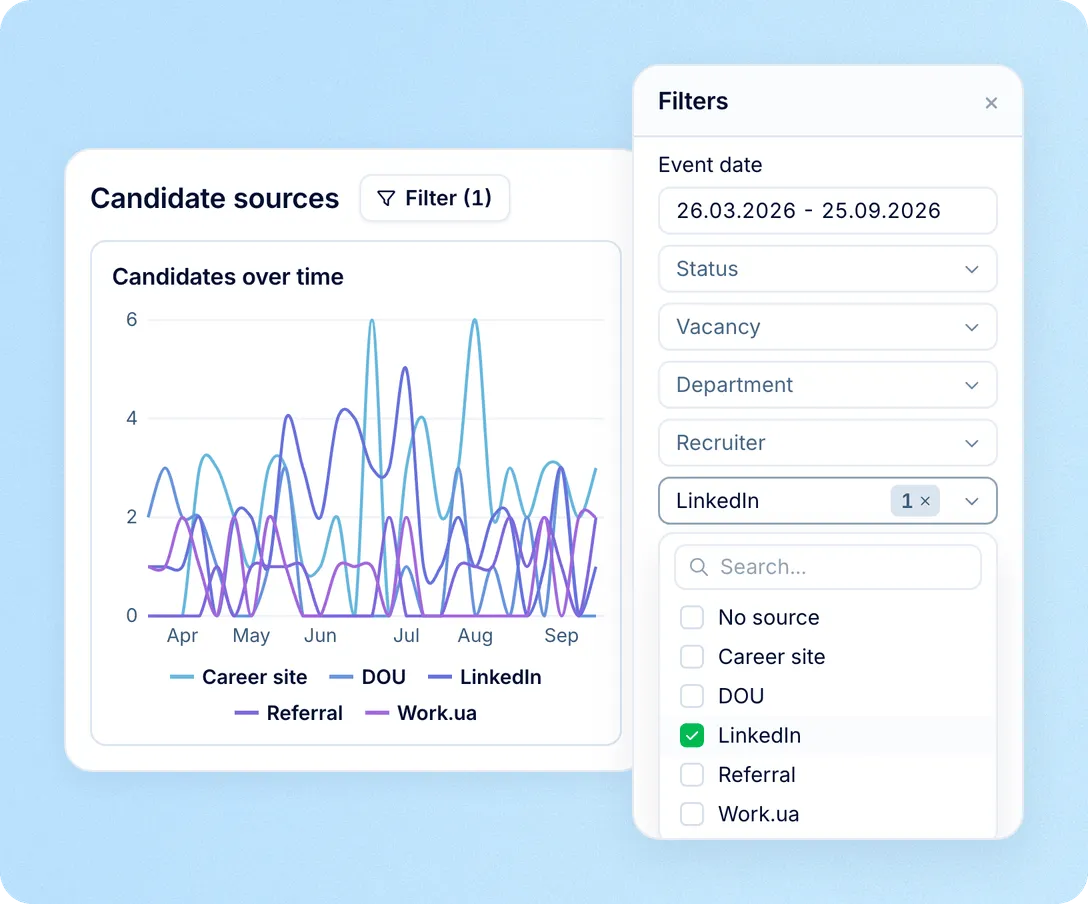
Follow how many candidates each source brings in, week by week. Then filter pipeline statistics or a funnel by source to see how far that channel's candidates get.
Recruiter activity
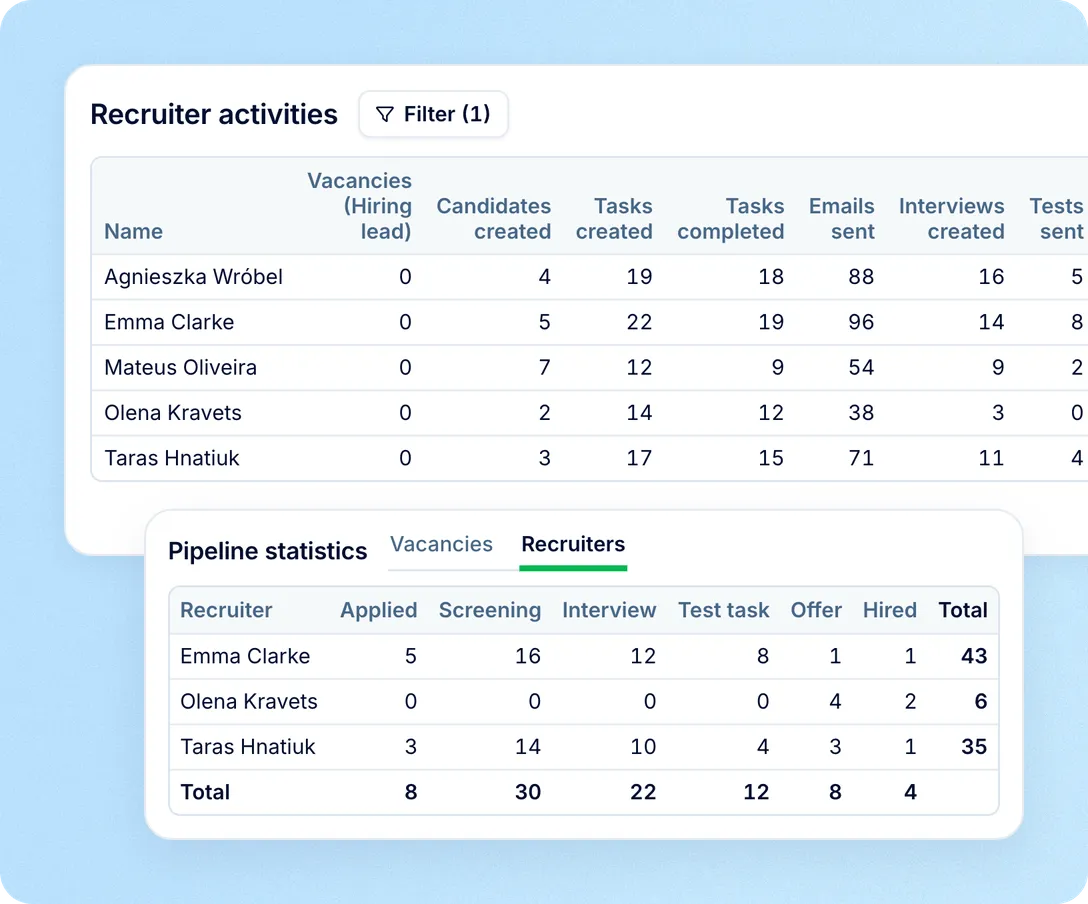
Count what each recruiter did in a period: candidates added, tasks, emails, interviews, tests, offers, disqualifications and notes. Pipeline statistics adds who moved candidates to each stage.
The reports sit inside Recruit, next to the vacancies they describe. In most of them, a vacancy name opens the vacancy itself.
Reports on every vacancy
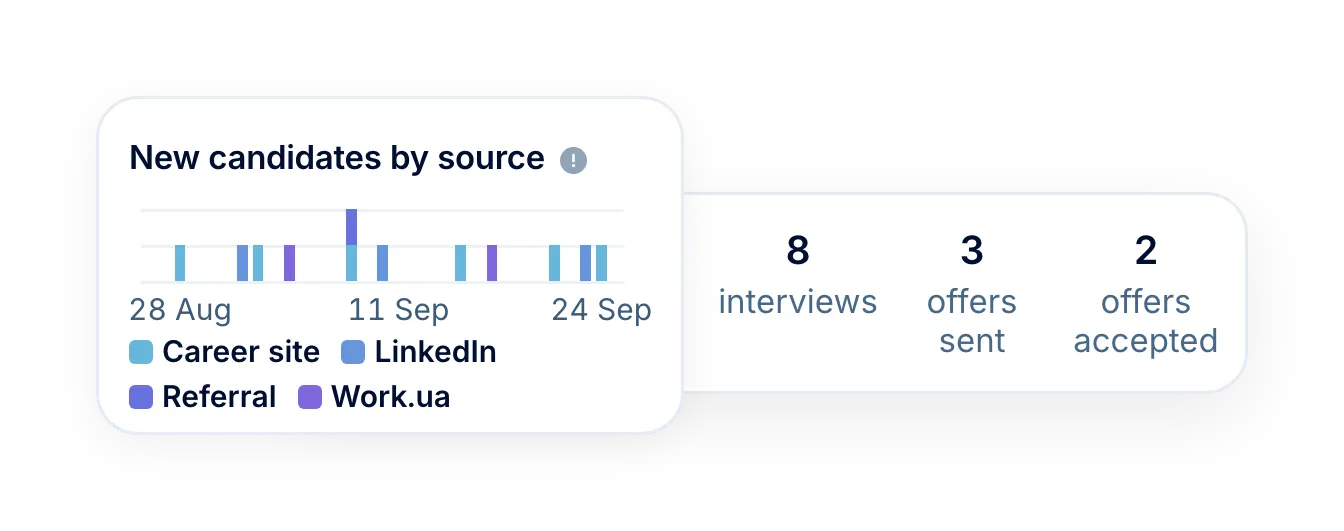
New candidates by source, the funnel, offers sent and accepted, and evaluation scores.
Wider than the screen
Files add rejections per stage, planned positions, offers and stage entry and exit dates.
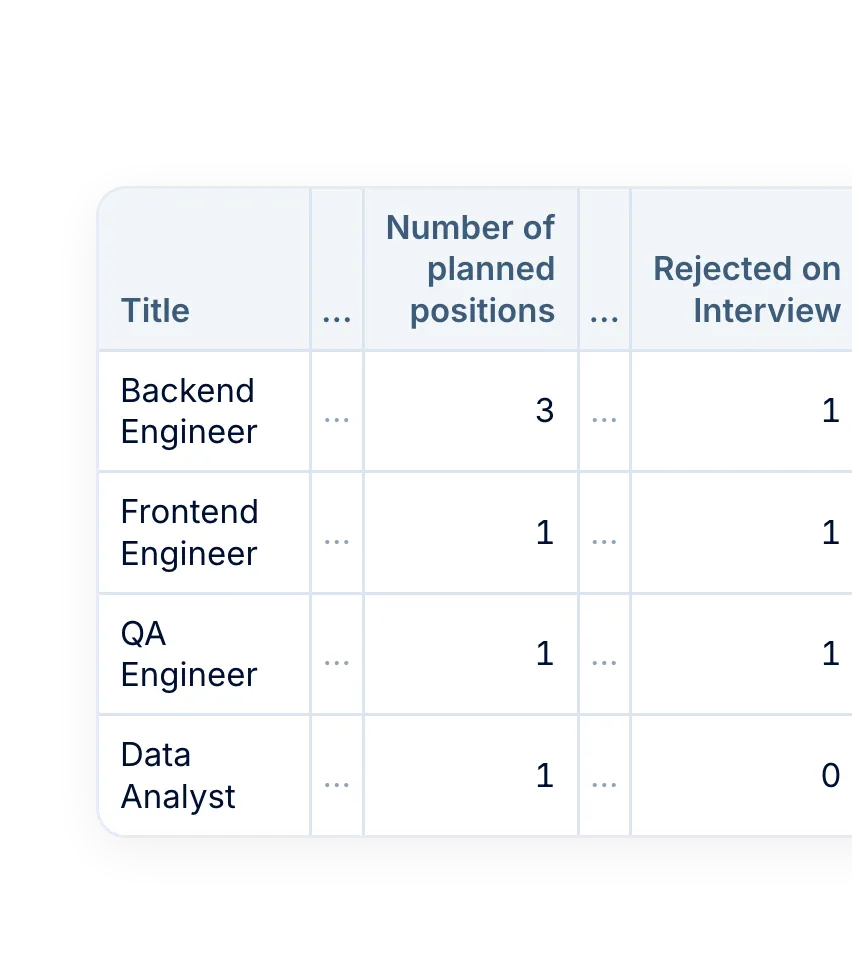
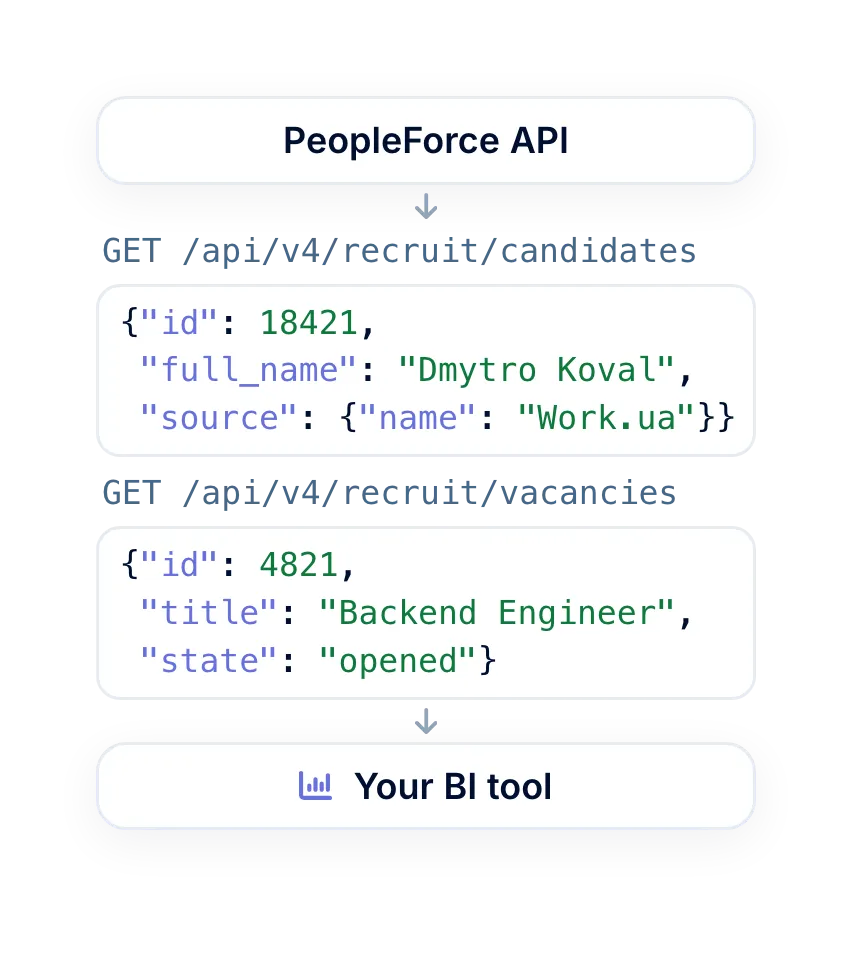
Data for your BI tool
On the Professional plan, the API gives your BI tool raw data on candidates and vacancies.
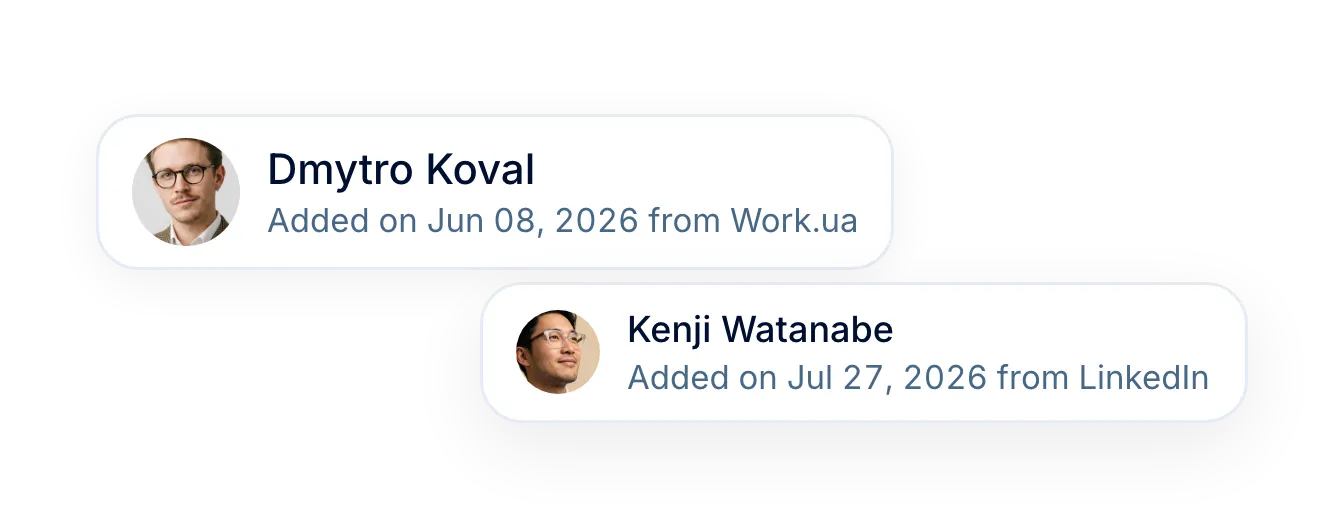
Sources filled in for you
Candidates from job boards and tagged career site links arrive with their source set.
More in Recruit
Everything around the hire: your candidate database, AI candidate screening, job board posting, interview scorecards, interview scheduling and a career site.
Every candidate you have ever sourced, in one searchable place
Search, filter and sort the whole database, act on a selection in bulk, and group the people worth coming back to into talent pools.

Every candidate you have ever sourced, in one searchable place
Search, filter and sort the whole database, act on a selection in bulk, and group the people worth coming back to into talent pools.
Beyond the features
A dedicated team gets you live, real people keep answering after go-live, and there’s room to add the rest of HR when you’re ready.

Setup done with you
A dedicated success manager sets everything up with you — it’s included in the plan, not a paid add-on.
Support in your language
Real people, not a ticket queue, from your first question onwards.
Hiring and HR in one system
Hire from the candidate profile and the Core HR hire form opens already filled in.

Leader

Users Love Us

Regional Leader

High Performer
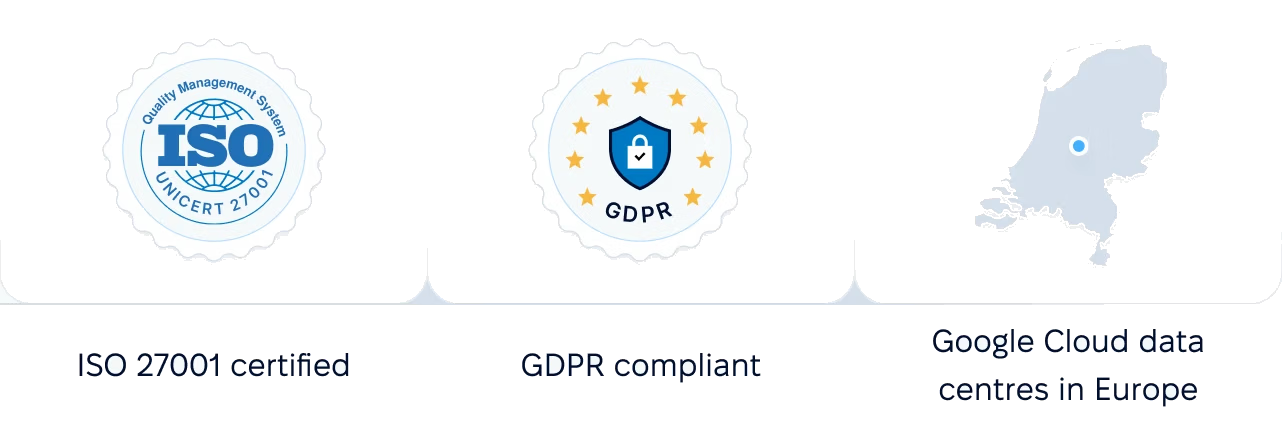
Certifications, granular access and full control over what happens to your data.
 Best Support
Get the full HR suite — Core HR, ATS, Performance, Surveys and more — at a fraction of enterprise platform pricing. See exactly what you'd pay.