



More in Perform
Explore the rest of Perform
Competencies are one part of how people grow at your company. The rest of Perform includes feedback, recognition, development plans and talent calibration.


HR efficiency estimator
How does the HR efficiency estimator from PeopleForce work.
Calculate your impact
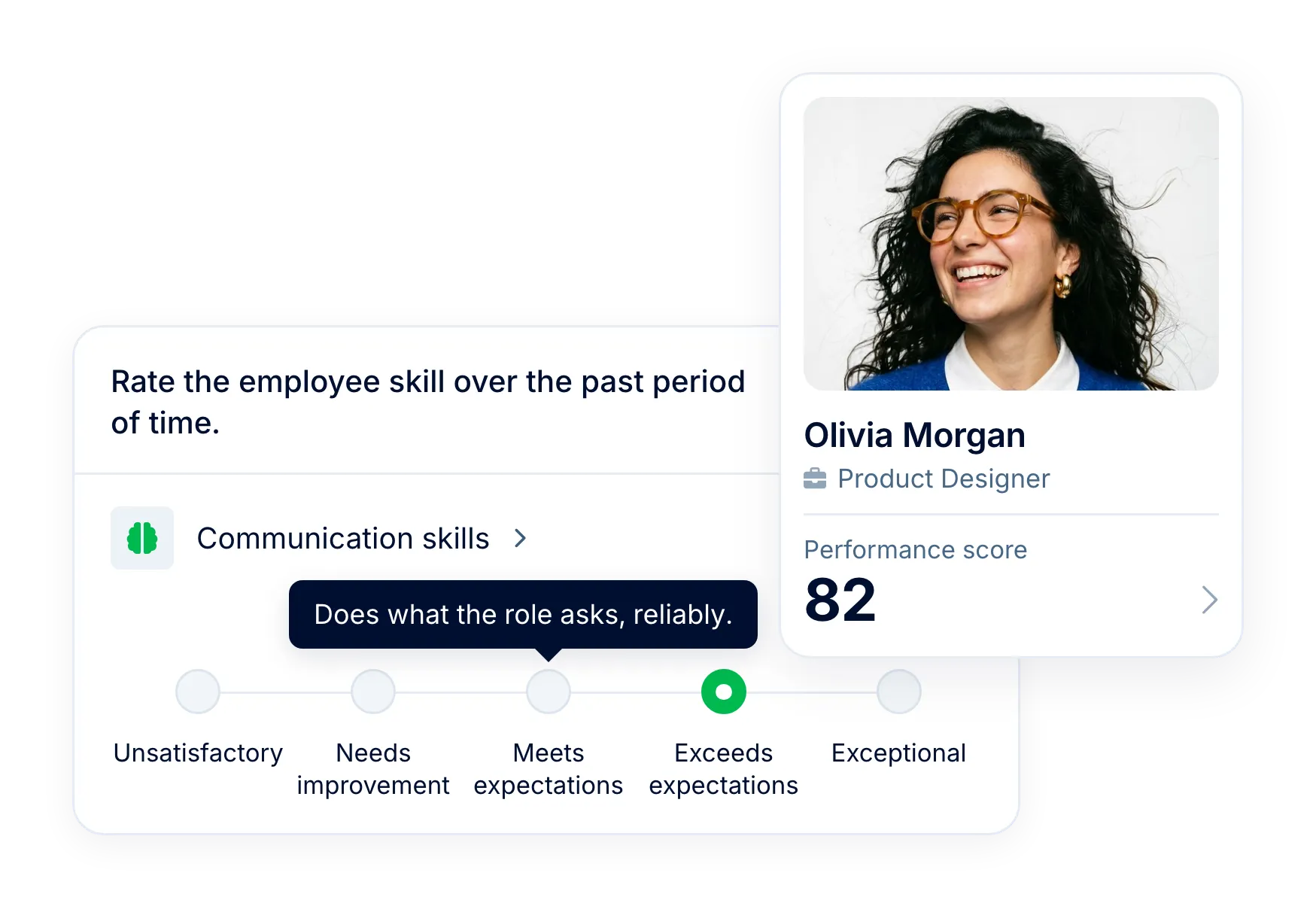
Describe what each level of your rating scale looks like, so a 4 from any manager in the cycle is measured against the same definition. Then see every reviewer group you include side by side, and roll the manager’s ratings into one weighted score out of 100.
Rating scales
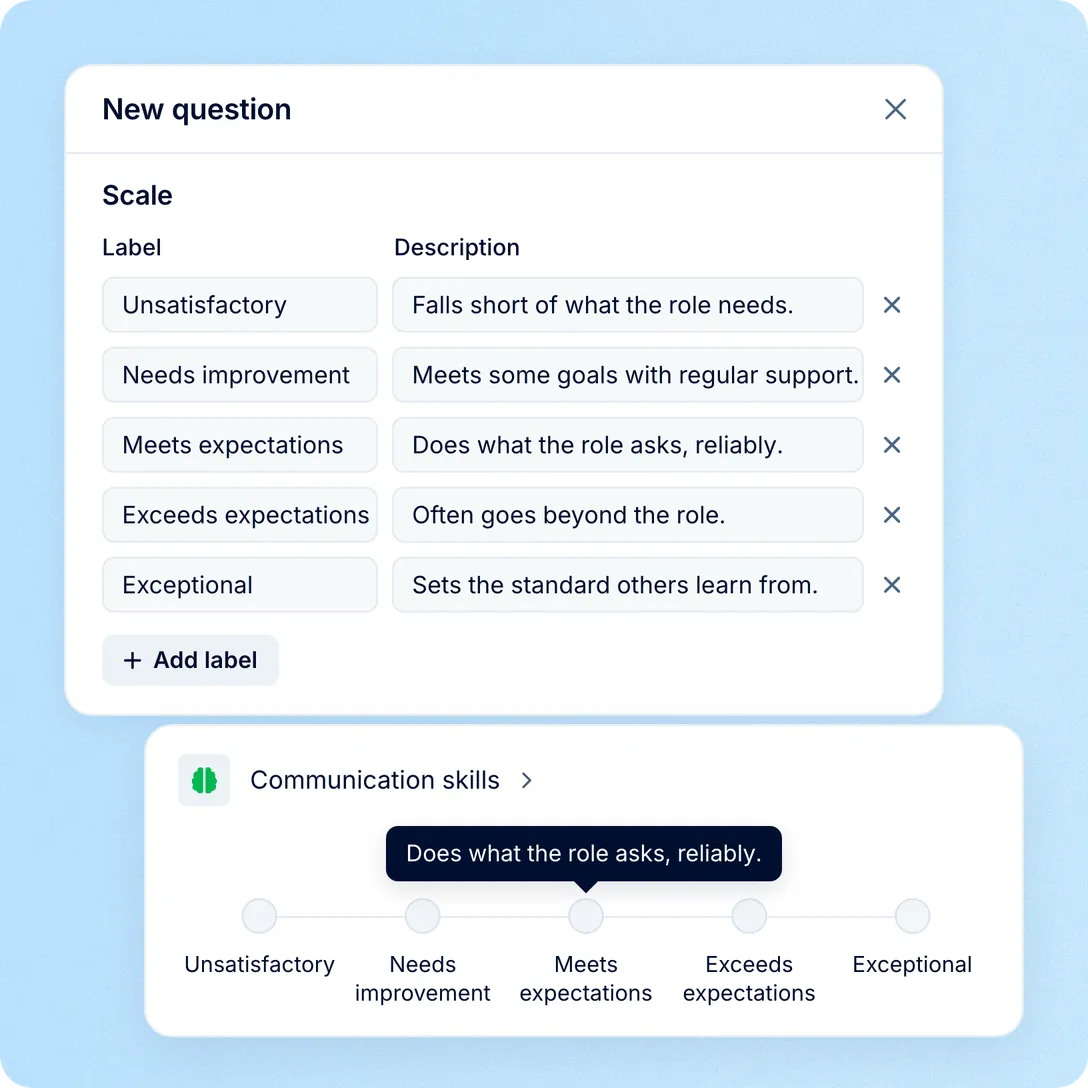
When everyone rates everyone a 4, the review stops telling you anything. You can fix that in the question templates your performance reviews use.
The library
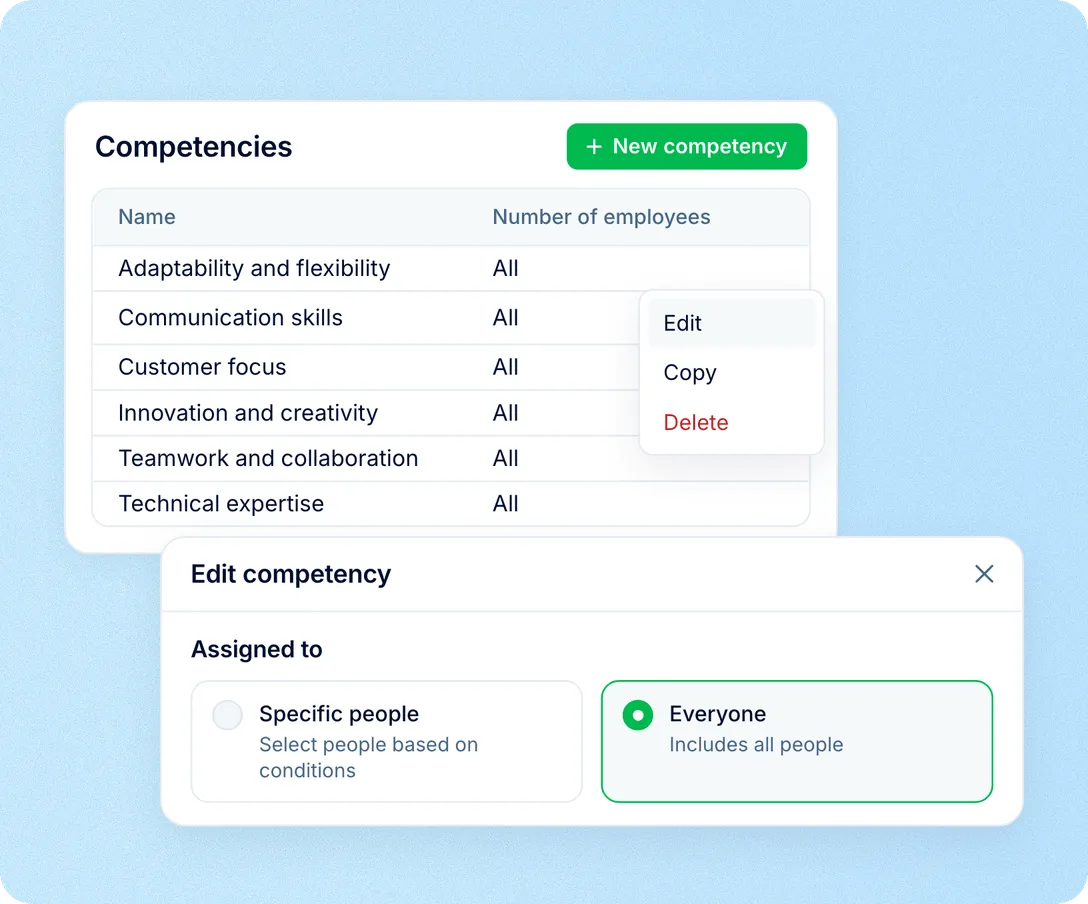
You don’t need a framework for every job title to run your first review. Your account starts with six competencies, each with a short definition and the behaviours that show it, and every employee can read the ones that apply to them on their own profile.

Apply each competency to everyone, or narrow it by department, position, location, team and more
Stays current: people who leave drop off it automatically
Copy a competency to make a version for a specific role
Results
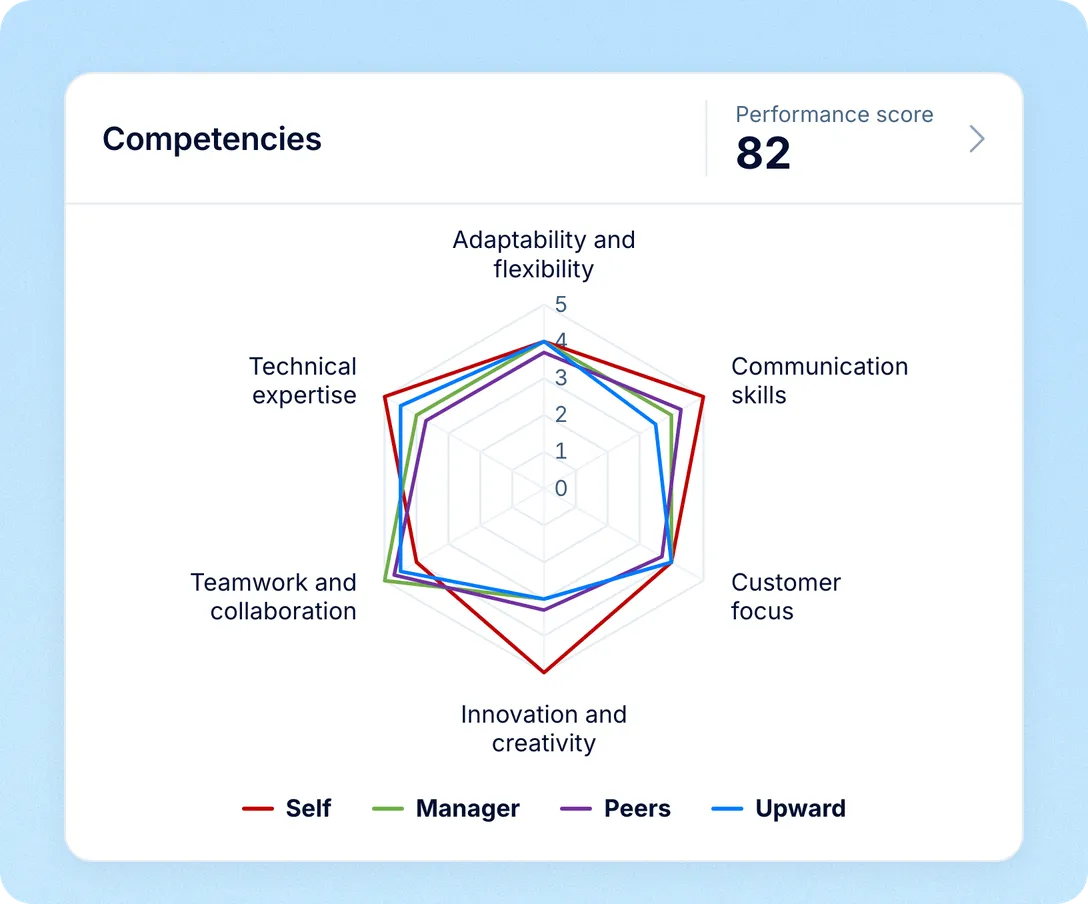
The competency radar puts every reviewer group that took part on one chart, with one axis per competency and one line per group, and each peer group in its own colour. The self-rating is kept out of the average, so you can see how far someone’s view of themselves is from how their manager, peers and reports see them.
Drawn when a person’s review covers three or more competencies; with fewer, you see the table without the chart
A table under the chart shows each group’s rating per competency and the average of the other groups, plus a GAP column: how far the self-rating is from that average (when the cycle includes a self-review)
Self, manager, peer and upward groups, plus team leads and any custom reviewer groups you add
Strengths and gaps, cycle-wide
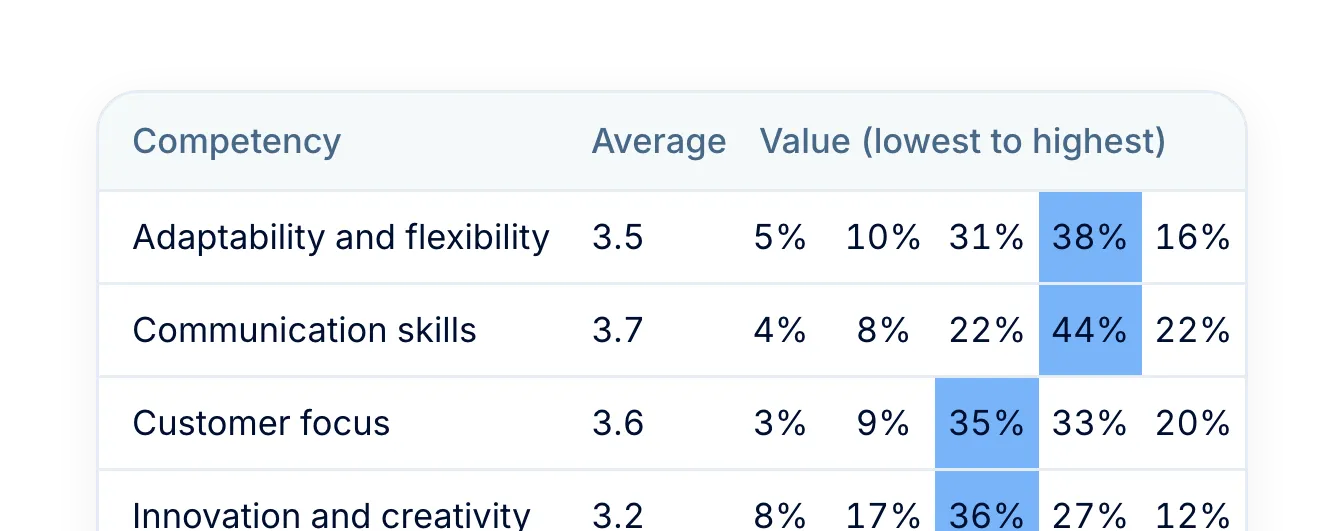
Each competency’s average and spread of answers, filtered by department, team or location.
One score per person
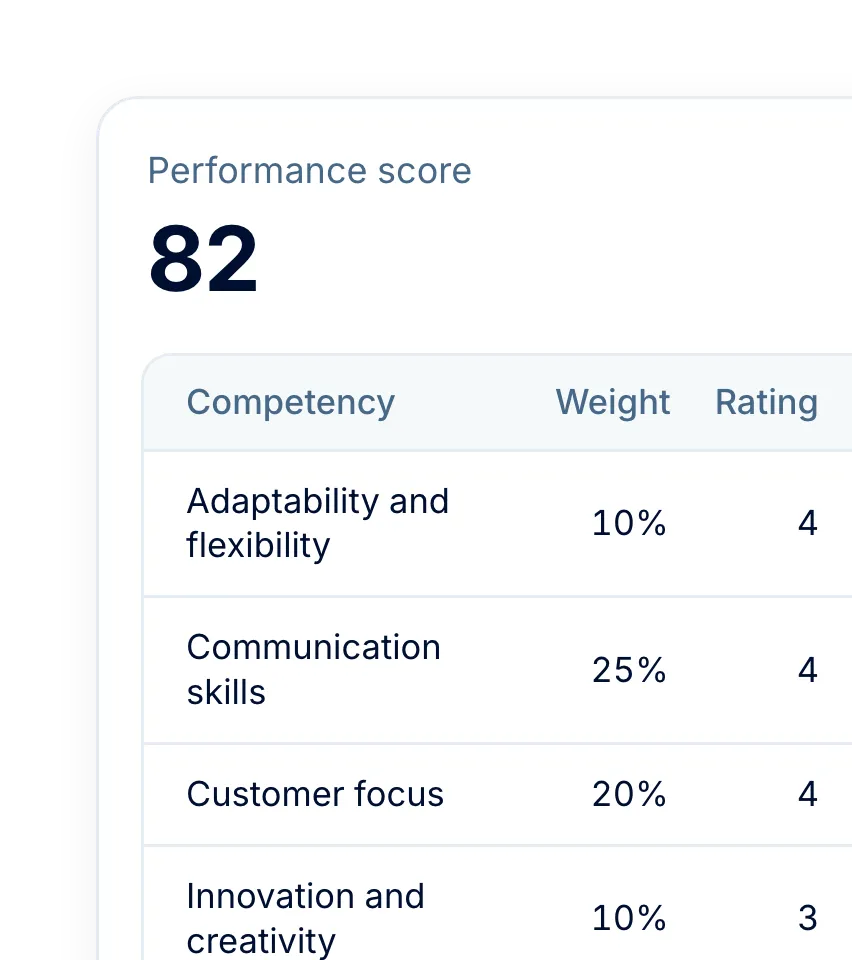
The manager’s ratings become a score out of 100, weighted per cycle and re-scaled for missing competencies.
Definitions at rating time
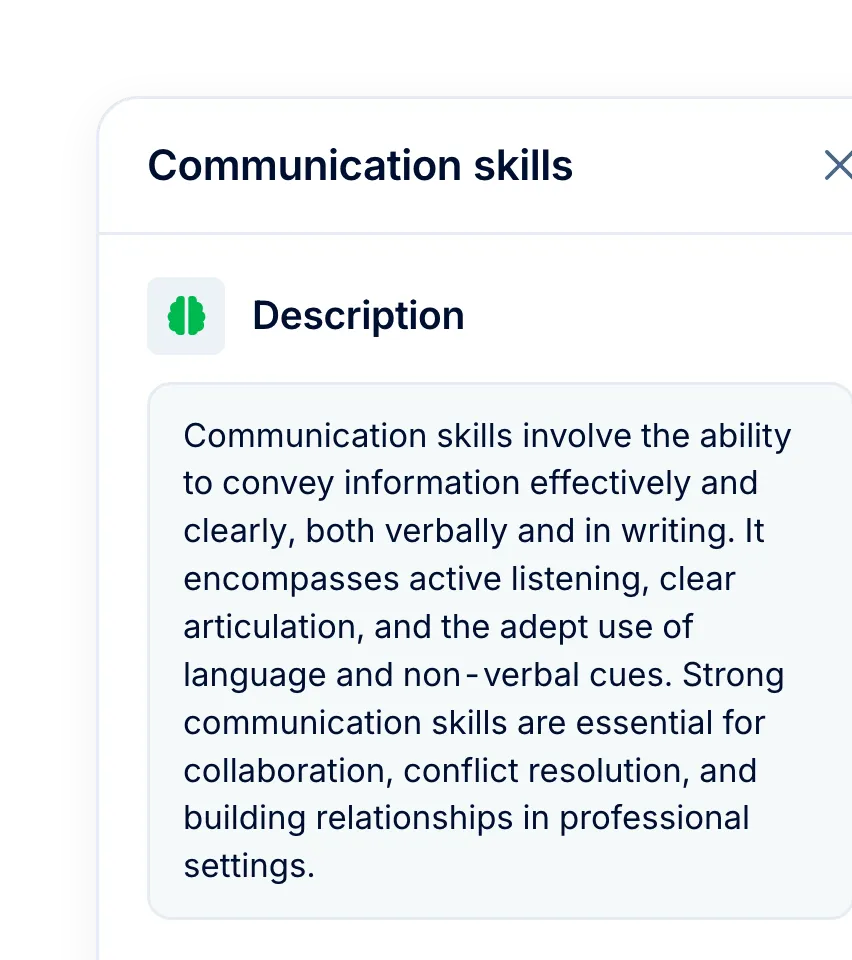
When a competency has a description or indicators, reviewers can open them from the question itself.
You decide what employees see
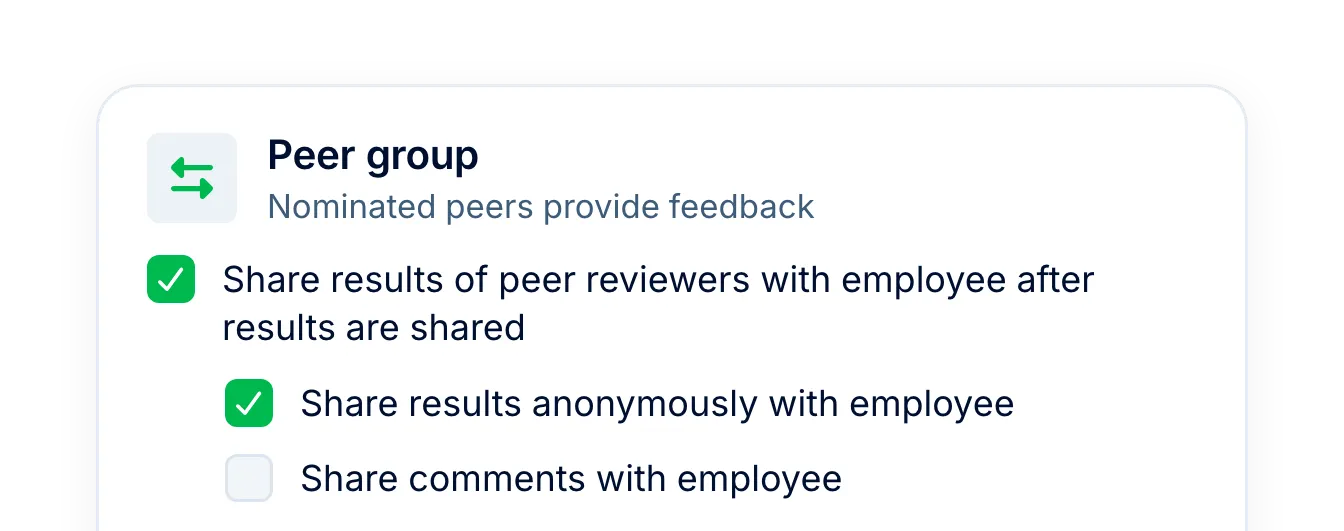
Employees see nothing until you share the results. Peer, upward and team-lead ratings are shared only if you allow it.
More in Perform
Competencies are one part of how people grow at your company. The rest of Perform includes feedback, recognition, development plans and talent calibration.
Employee feedback
Give and request feedback, with visibility chosen on every note.

Beyond the features
You go live in weeks and can add the rest of HR when you’re ready.

Live in up to four weeks
A dedicated success manager guides your setup, and it’s included in your plan at no extra cost.
Support in your language
Real people on our support team answer, with a first reply in about two minutes and 98% satisfaction.
Room to grow
Start with Core HR and add Recruit or Perform later, all on the same employee record.

Leader

Users Love Us

Regional Leader

High Performer
Certifications, granular access and full control over what happens to your data.
 Best Support
We will go through the library, the rating scale, weights and what the results look like, with examples that match your departments and roles.