



MCP and voice
Your own AI works too
Through Model Context Protocol, ChatGPT, Claude or another assistant requests the same data as Companion and gets it within your permissions. And a microphone in text fields turns speech into text.


HR efficiency estimator
How does the HR efficiency estimator from PeopleForce work.
Calculate your impact
AI in PeopleForce
AI in PeopleForce works from your policies and knowledge base: it answers employees, evaluates candidates and prompts managers. The decision stays with a person.
Companion · AI assistant
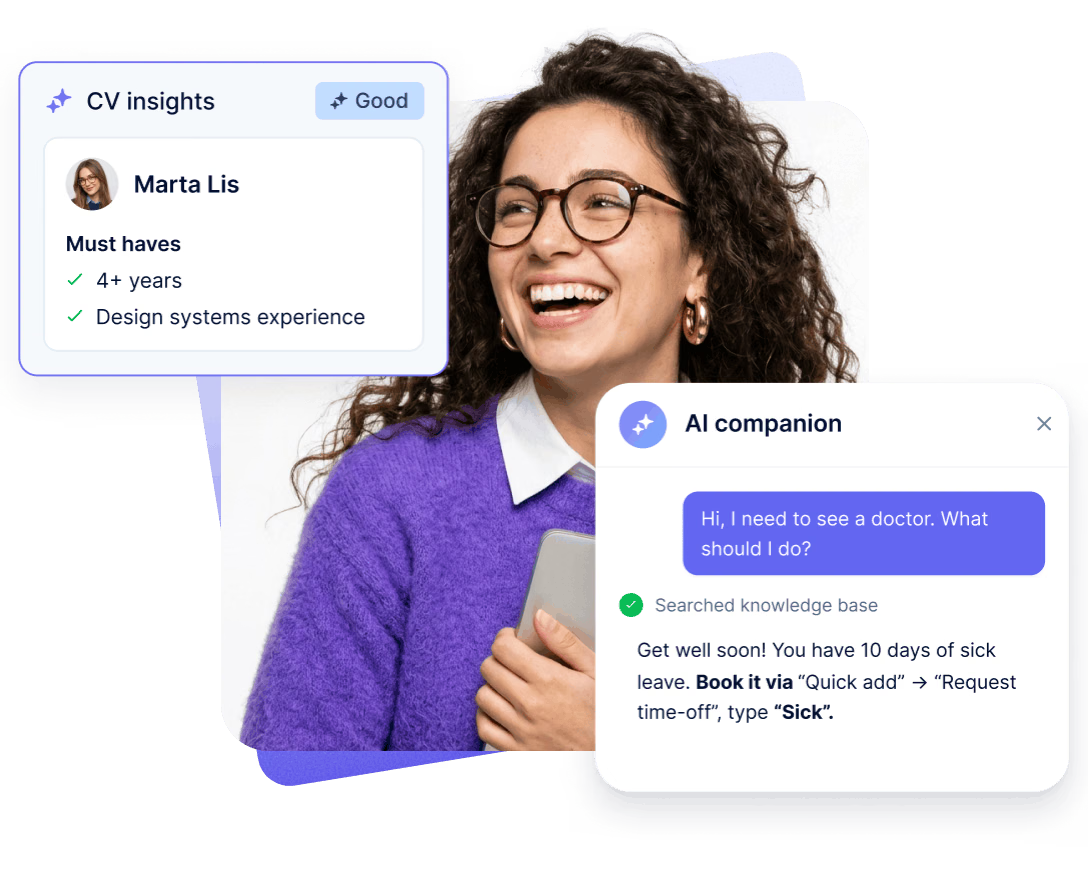
An assistant inside PeopleForce: balances and requests, who is away, goals, 1:1 notes, company policies. It answers from what your role is allowed to see. It changes nothing itself, but tells you where to submit a request.
Learn moreEmployees get an answer right away
How much leave is left, what the sick leave policy says, who is away today. The answer comes from your data and knowledge base, with a link to the article.
Managers see their team
HR gets company-wide analytics
AI in recruiting
Requirements from the job description, an evaluation for every application and a profile filled in from the CV. The recruiter sees right away who to call first, and the decision stays with them.
Learn moreRequirements from the job description in one click
The “Generate with AI” button pulls must-have and nice-to-have requirements and red flags from the description. You can edit them before saving.
An AI evaluation and explanation for every application
The profile fills itself from the CV
AI interview notes
Note Taker joins the interview in Google Meet or Microsoft Teams on its own and records the conversation. After the meeting, key points appear on the candidate card, with the recording and transcript next to them. The team discusses the person instead of trying to remember who said what.
Learn moreAI in performance management
AI helps at every step of the review cycle: it shows reviewers how to make their feedback more specific, adds an agent as a separate reviewer and turns all answers into a short summary. People draw the conclusions.
Learn moreConstructive feedback in every answer
The reviewer clicks “Check my draft”, and the writing assistant scores each answer from 1 to 5 against the cycle's framework (SBI, STAR, GROW or Radical Candor) and points out what is missing. It doesn't rewrite the text: the reviewer makes the changes.
An AI agent as a separate reviewer
A review summary in one click
MCP and voice
Through Model Context Protocol, ChatGPT, Claude or another assistant requests the same data as Companion and gets it within your permissions. And a microphone in text fields turns speech into text.
Connect your assistant
ChatGPT, Claude or another MCP client gets access to PeopleForce on the user's behalf: via OAuth 2.1, read-only. People in the directory, profile fields, leave balances, who is away.
The assistant sees exactly what you see
Same role, same limits: a manager gets their team, HR gets the whole company. The assistant changes, creates and sends nothing. An admin sees every connection and can revoke any of them.
Speak instead of typing
A microphone in candidate notes, the feedback form and the attendance note: the recording turns into text in the field, where you can correct it.
Trust and control
You switch on every feature, separately and where it works. AI sees only what the role allows. The decision stays with a person.
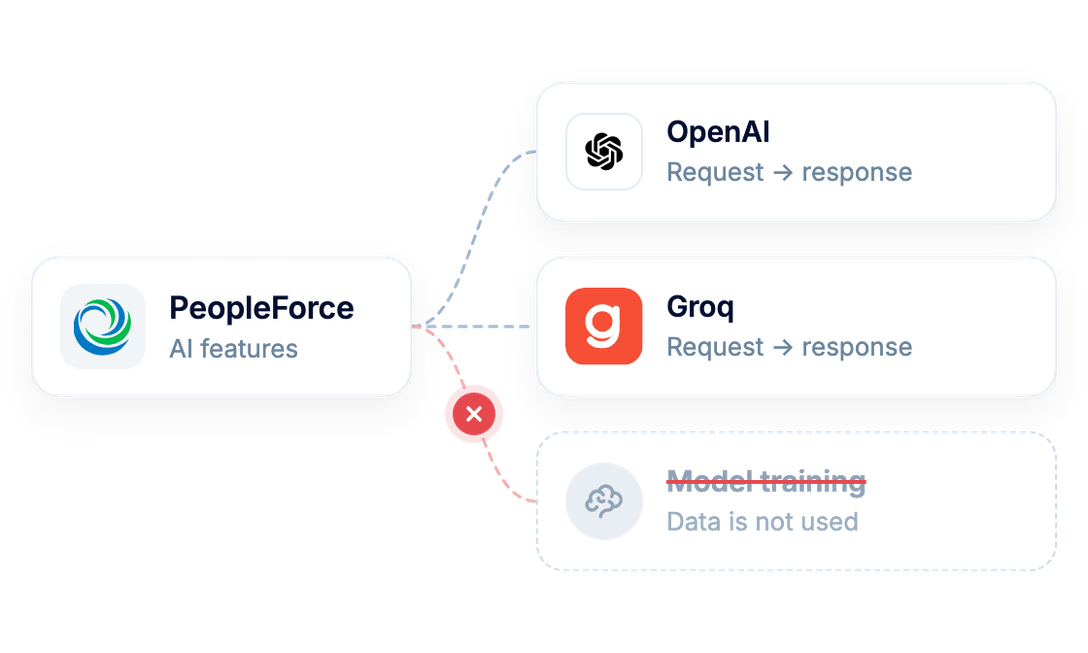
Data is not used for training
Data goes to a provider only to process the request and is not used to train models. The provider list is public: OpenAI and Groq.
Decisions stay with people
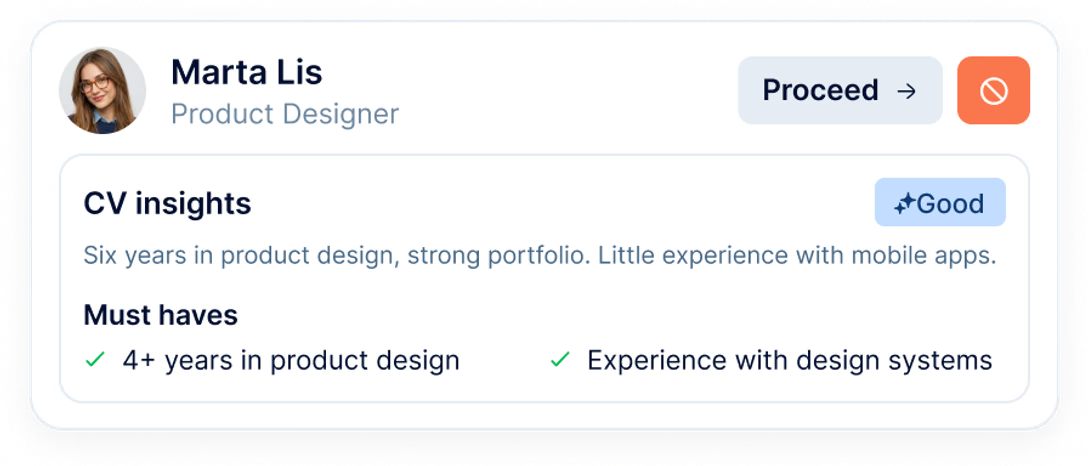
AI gives a one-word rating and explains the reason. The recruiter decides whether to move or reject a candidate, and the manager draws conclusions from the review.
Only within the role
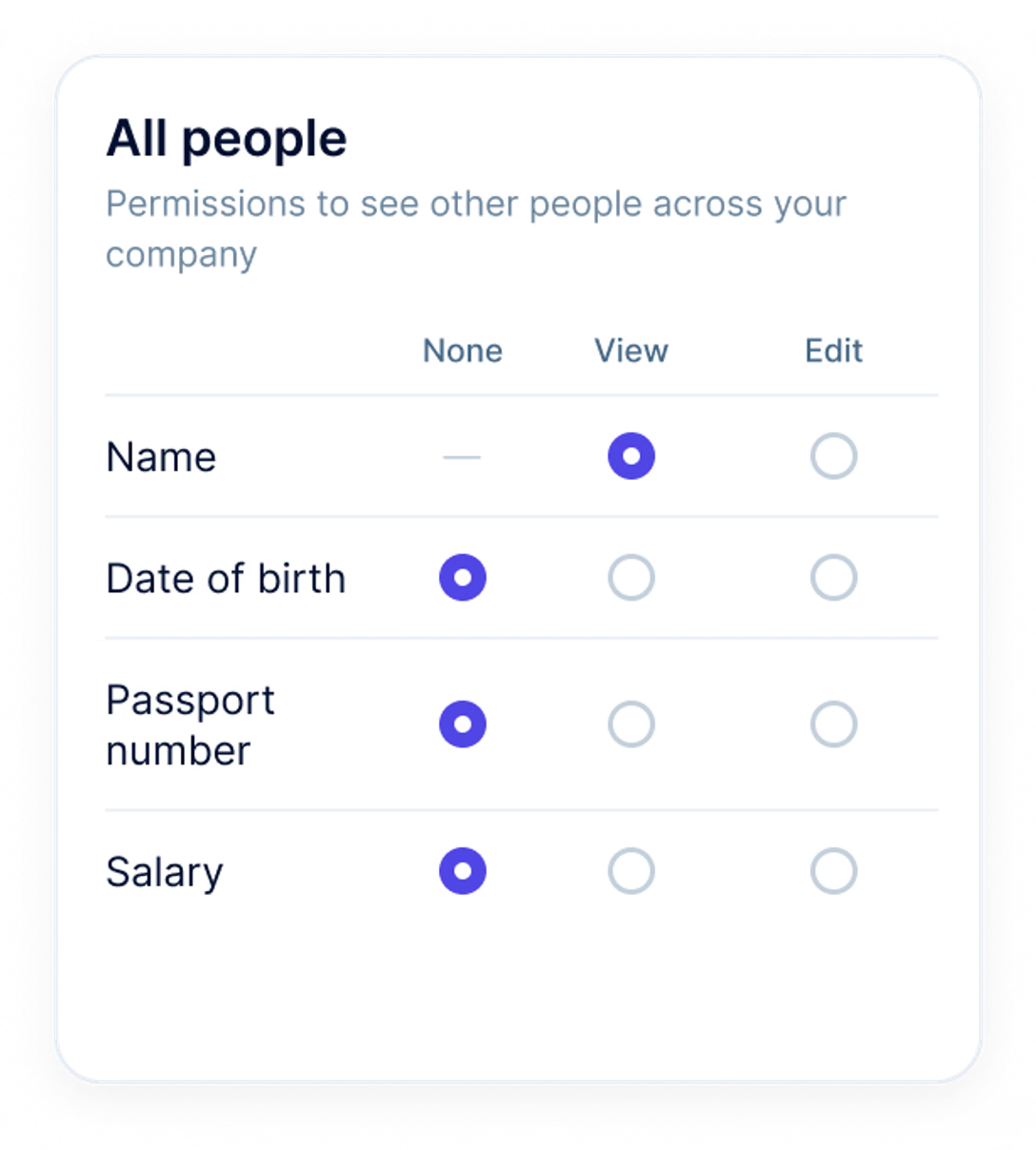
For every field, a role has “None”, “View” or “Edit” access, and AI sees exactly the same. An employee won't learn a colleague's passport details or compensation through Companion either. Companion is not available to external recruiters.
ISO 27001, GDPR, data centres in Europe. For AI features, data goes to the provider only to process the request, the provider list is public, and every feature can be switched off separately.

 Best Support
A demo on your test account: the same features, your vacancies and review cycles. Early access features (AI evaluation, interview recording, writing assistant, AI agent in reviews, AI analytics, Companion, MCP) are switched on for your account on request. No extra cost and no separate rollout project.


A demo on your data
A call and a walkthrough of the AI features on your setup, plus 14 days free.

Setup
Our onboarding team sets up roles, permissions and AI switches with you.

Rollout to your team
Send a one-page guide, and people sign in with a phone number.