




How it works
Scheduling from the candidate card
Instead of a chain of emails to find a time, scheduling takes one form, and everything the interview needs is created from it.


HR efficiency estimator
How does the HR efficiency estimator from PeopleForce work.
Calculate your impact
Interview scheduling that finds a slot for every interviewer, puts the interview in their Google or Outlook calendars with a Zoom, Meet or Teams link, and sends the candidate a templated invitation. After the call, a recording and AI summary can follow.
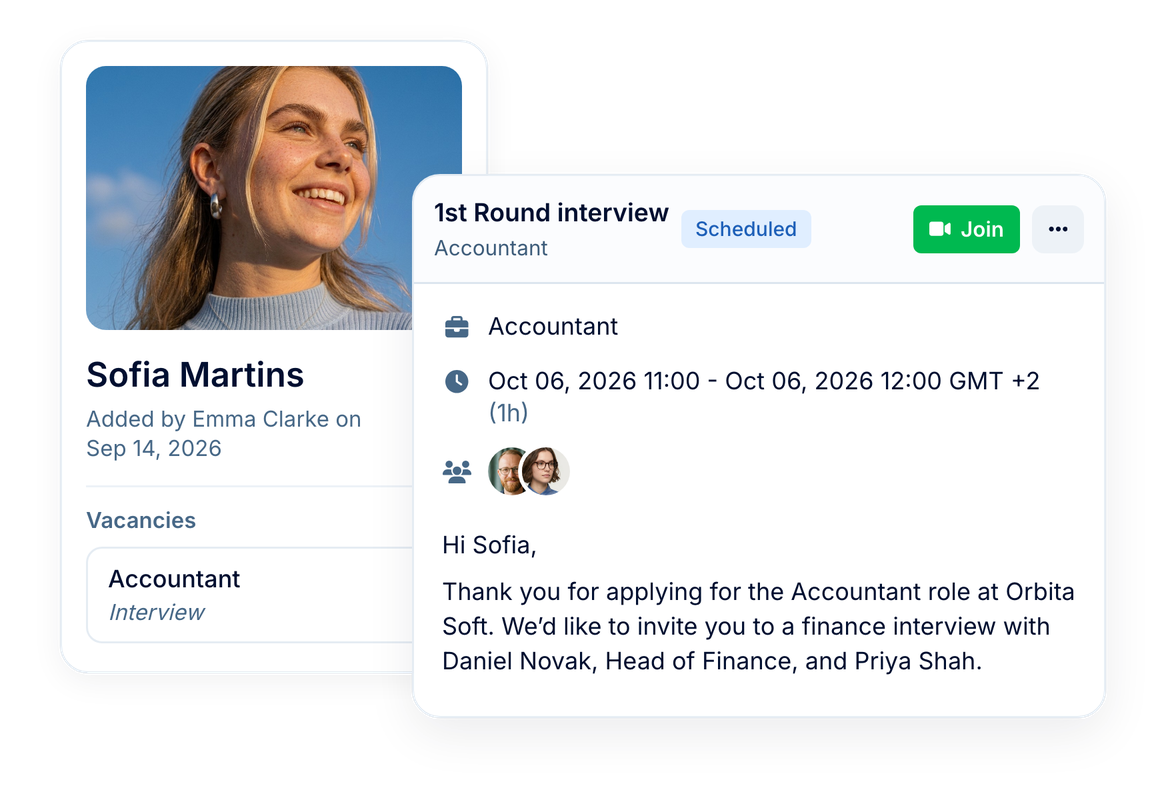
We reduced our hiring time from 14 days to 1. And when it comes to candidates skilled in our technologies, we can hire them on the same day.
190,000+
interviews scheduled in PeopleForce in the last 12 months
8 in 10
of them held on Zoom, Google Meet or Microsoft Teams
How it works
Instead of a chain of emails to find a time, scheduling takes one form, and everything the interview needs is created from it.
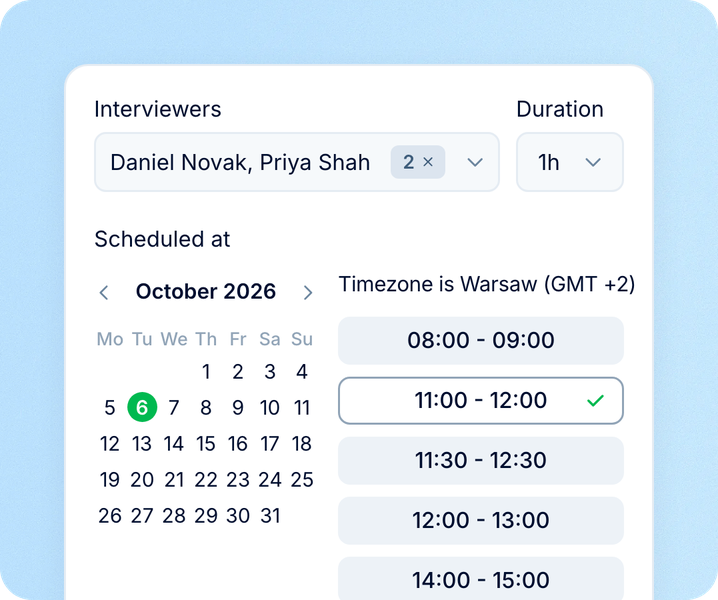
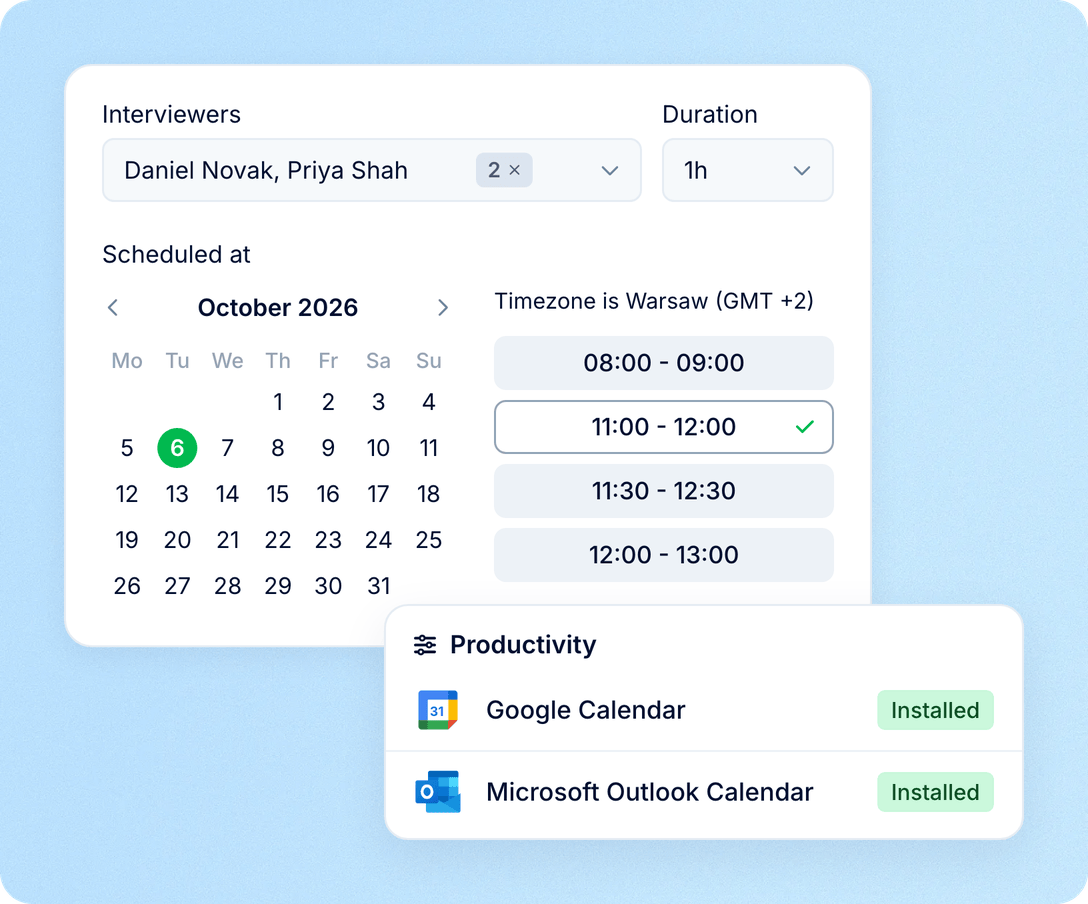
Interviewers and a free slot
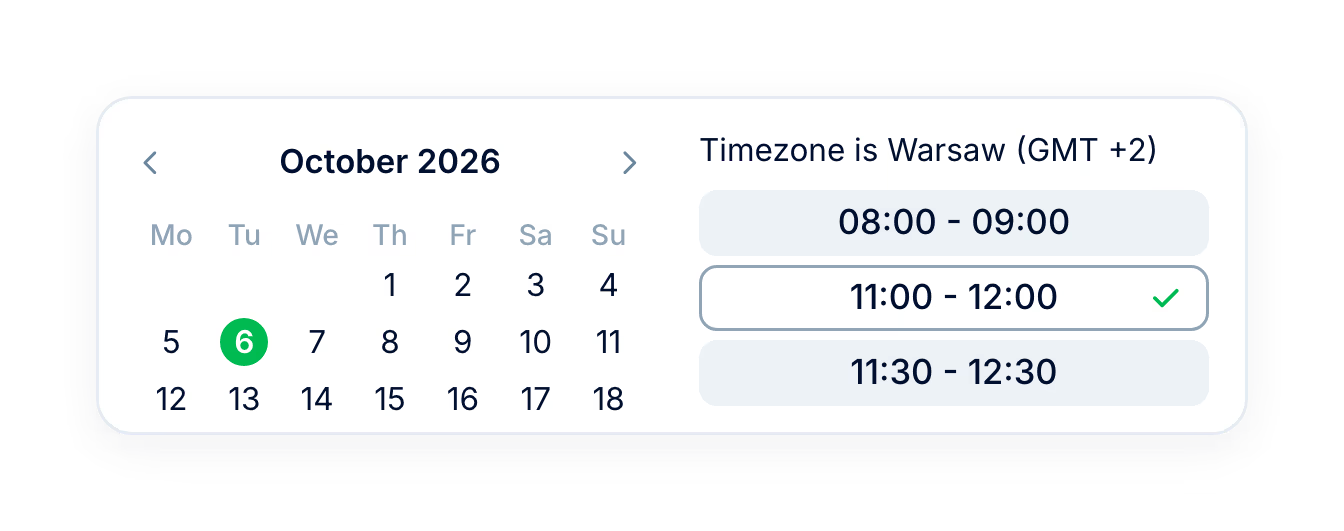
Pick the interviewers and a day; the availability picker shows the times when all of them are free.
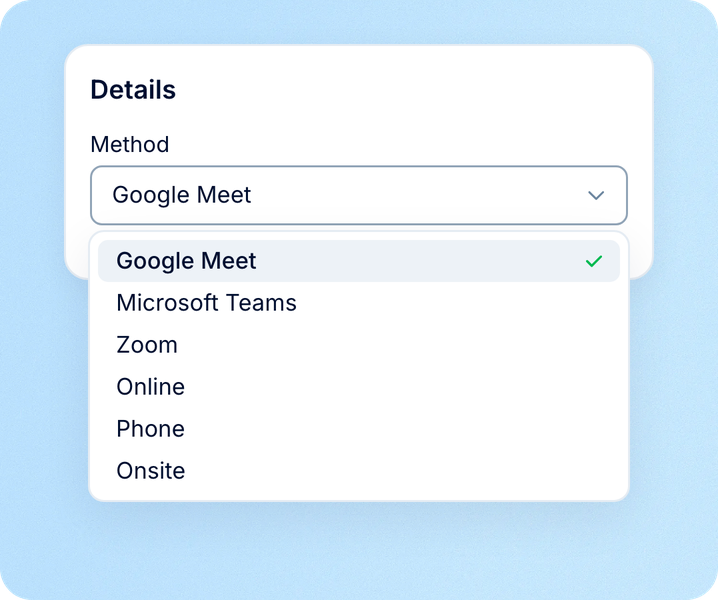
Method, template and details
Choose onsite, phone, Zoom, Meet or Teams, apply an interview template and set the duration.
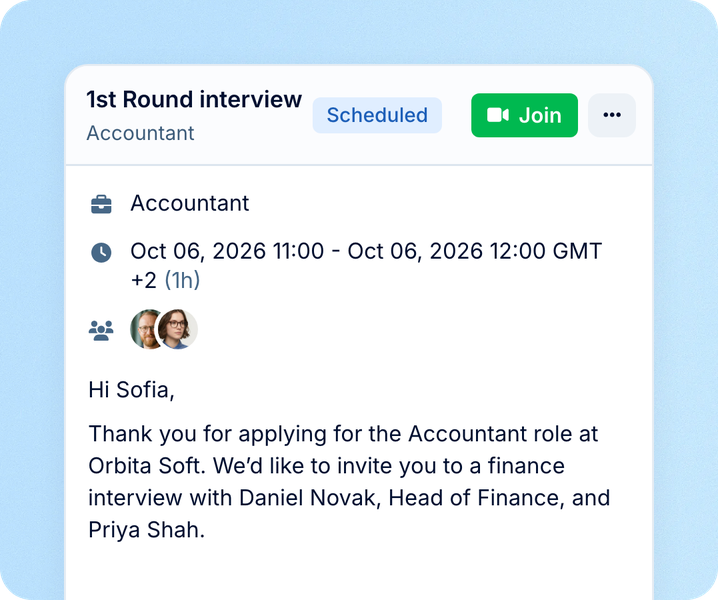
Invites sent and events created
The interview lands in interviewers' calendars, and the candidate gets the invitation email.
Calendars and video
Connect Google Workspace or Microsoft 365 once, and scheduling works with the calendars and meeting tools the team has.
Candidate experience
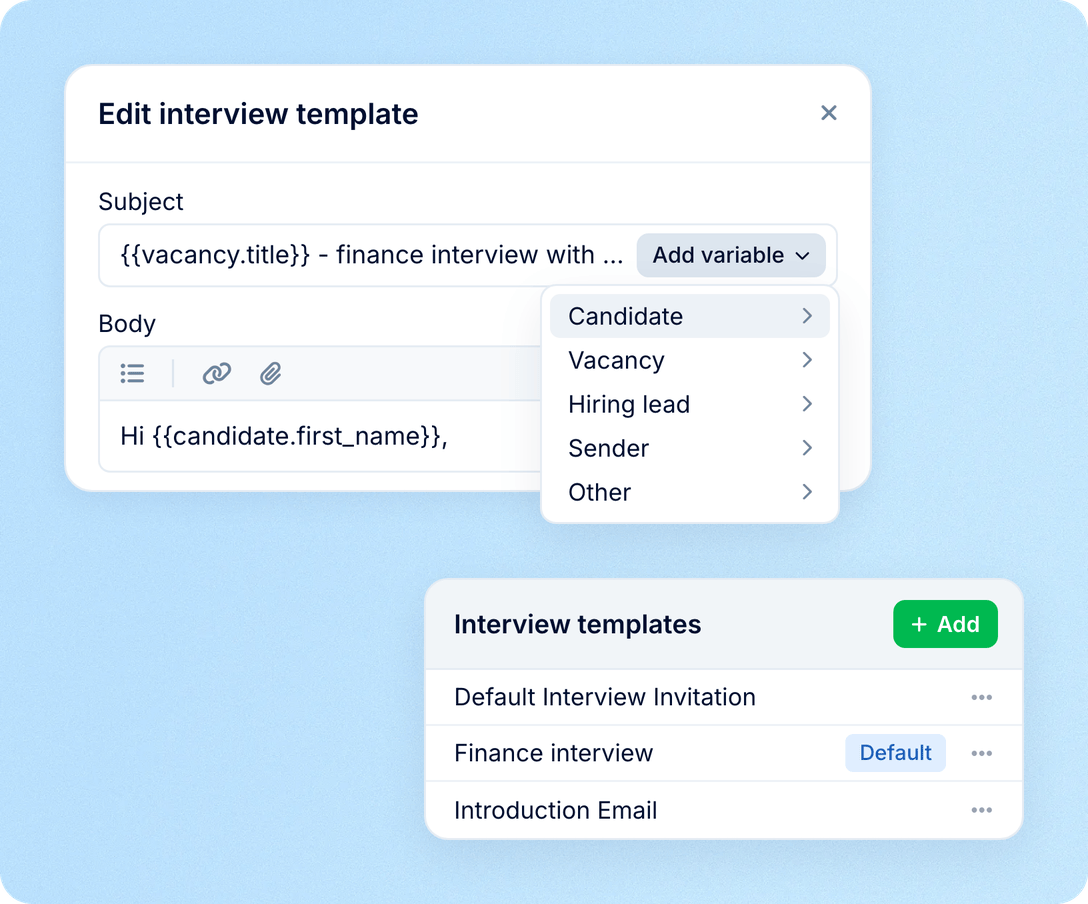
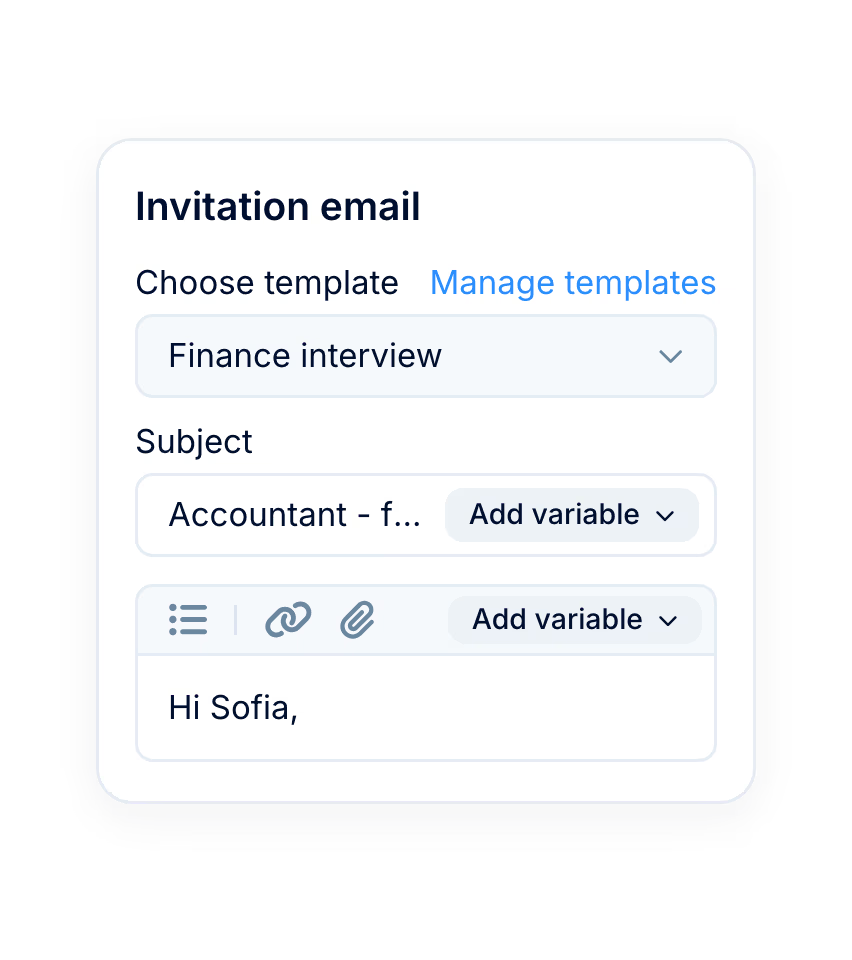
Every invitation starts from a template, so candidates get the same clear message whoever schedules the interview.
Recording
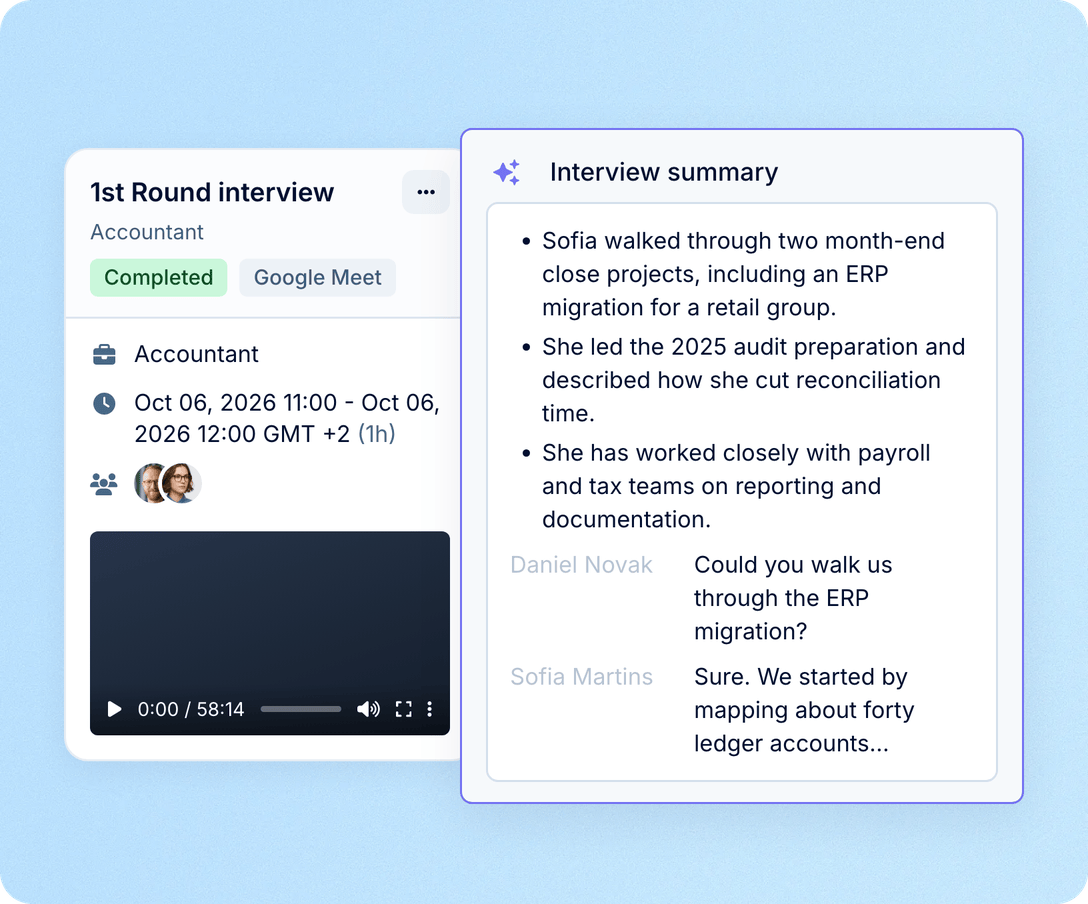
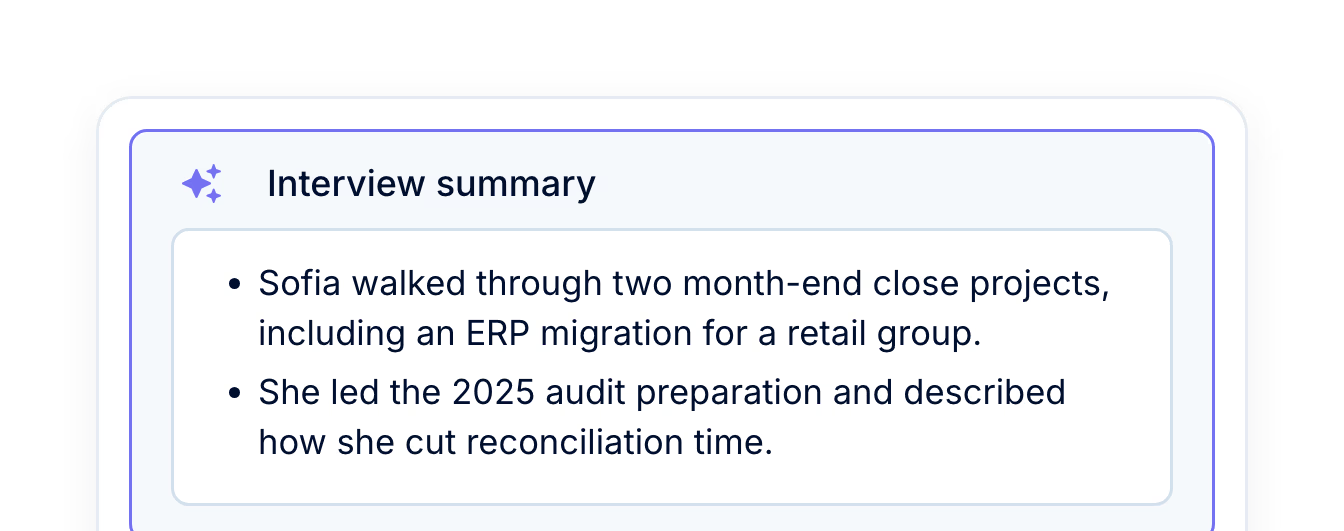
PeopleForce can record Meet and Teams interviews and turn each call into a transcript and a short summary the team can read.

A recording bot joins the call and captures the conversation.
The video and the transcript are saved on the interview after the call ends.
An AI summary lists the key points of the conversation as short bullets.


We wanted every employee's interaction with AWT Bavaria to be digital, modern, and meaningful – from recruitment to performance appraisals. This is the reason we decided to go with PeopleForce.
Scorecards
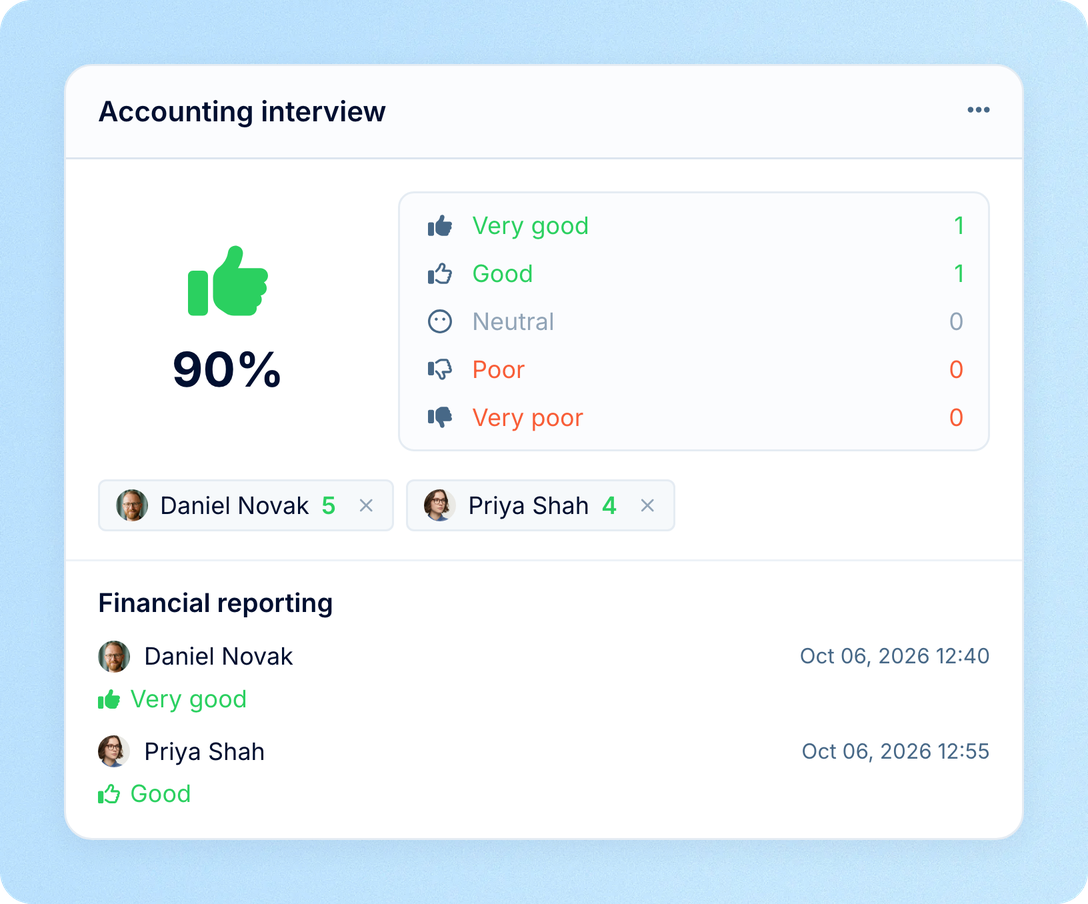
Attach a scorecard when scheduling, and each interviewer fills it in for that interview. Ratings and answers gather on the candidate, next to the recording and summary, so the hiring decision rests on what was actually said and scored.
Interviewers
Interviewers open My interviews to see upcoming and past interviews with the candidate and vacancy. They are notified by email, in PeopleForce or in Slack when an interview is created, changed or cancelled, and each person chooses the channel in their settings.
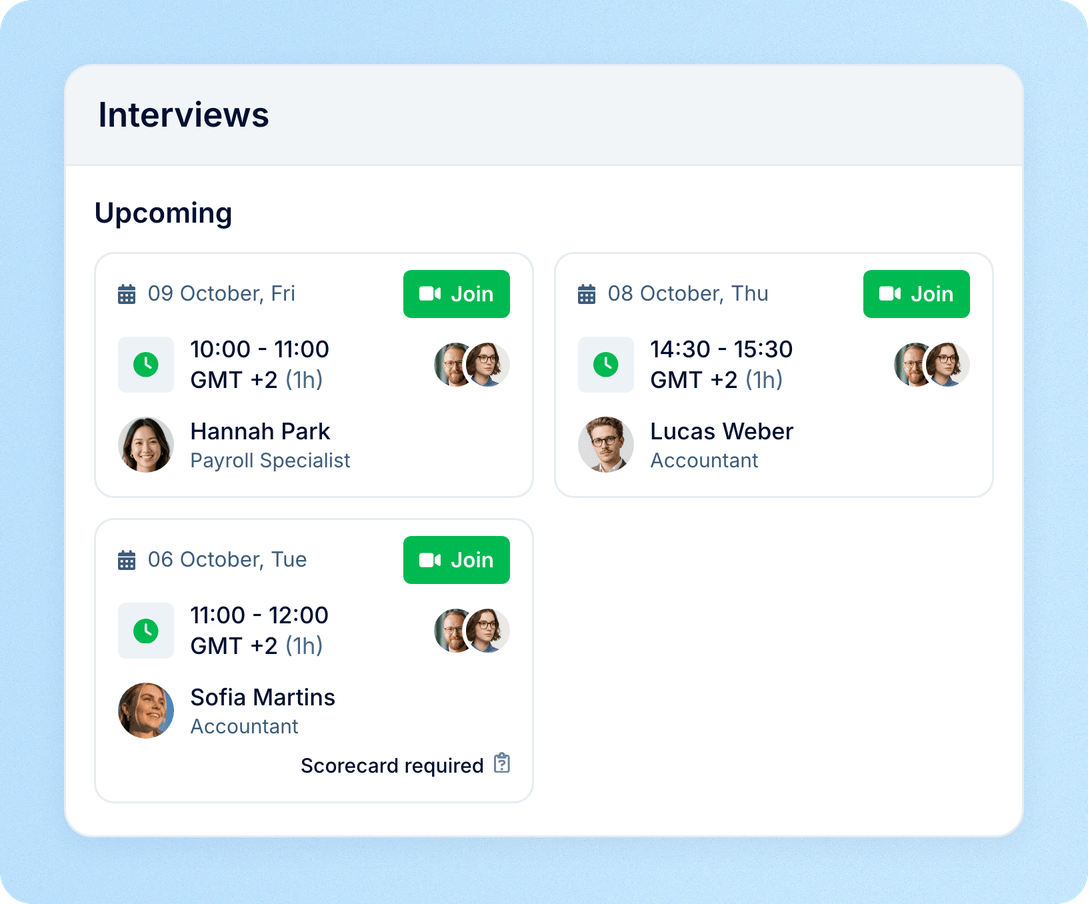
Interview scheduling sits inside Recruit, so candidates, calendars and feedback stay in one place.
For recruiters: one form, not ten emails
Free slots for every interviewer appear in one picker on the candidate card.
For interviewers: nothing to paste
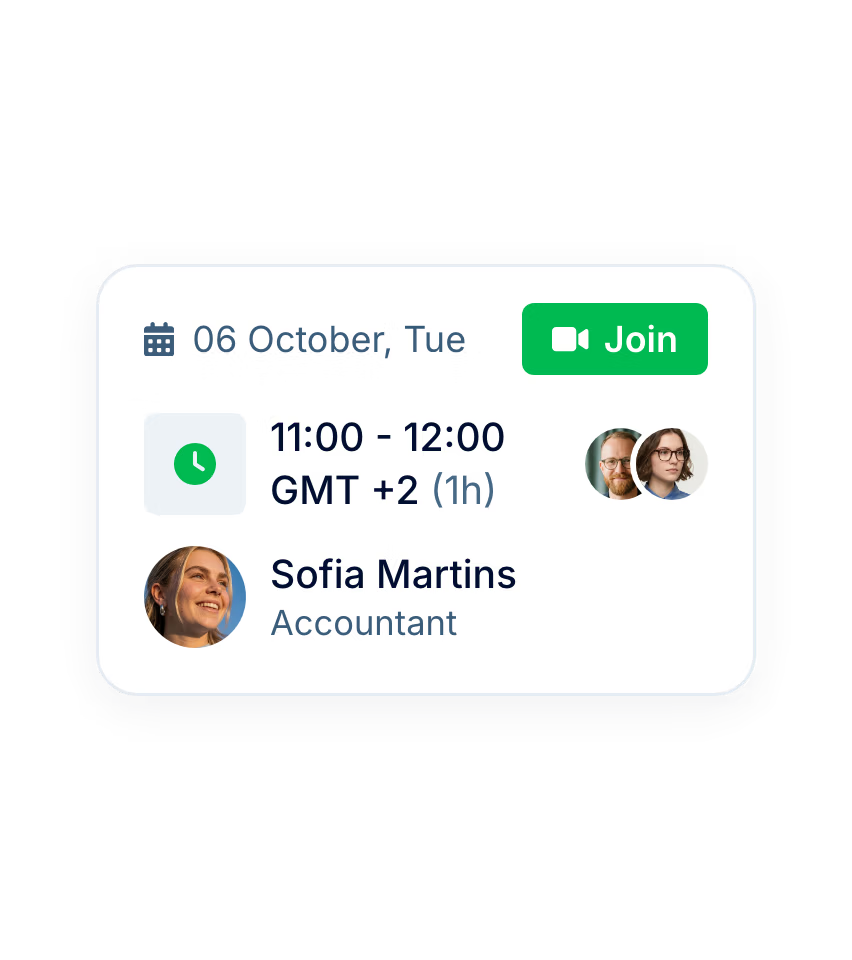
The event and its Zoom, Meet or Teams link arrive in their calendar.
For candidates: a clear invitation
Templates keep every invitation consistent across recruiters, offices and languages.
For hiring managers: calls to catch up on
Recordings and AI summaries cover the interviews they could not join.
More in Recruit
Everything around the hire: interview scorecards, AI candidate screening, your candidate database, a career site, job board posting and hiring analytics.
Structured feedback from every interviewer
Scorecards with ratings and questions turn each interview into comparable feedback on the candidate.

Structured feedback from every interviewer
Scorecards with ratings and questions turn each interview into comparable feedback on the candidate.
Beyond the features
Hiring moves faster when the interview, the decision and the new employee record live in one system.

Booked for tomorrow, not next week
Across PeopleForce, half of all interviews take place within 30 hours of being booked.
Straight into the calendar
85% of interviews scheduled in PeopleForce are created as events in Google or Outlook calendars, with nothing to copy and paste.
Hired without retyping
When a candidate is hired, their data moves into Core HR, so onboarding starts from what Recruit already holds.

Leader

Users Love Us

Regional Leader

High Performer
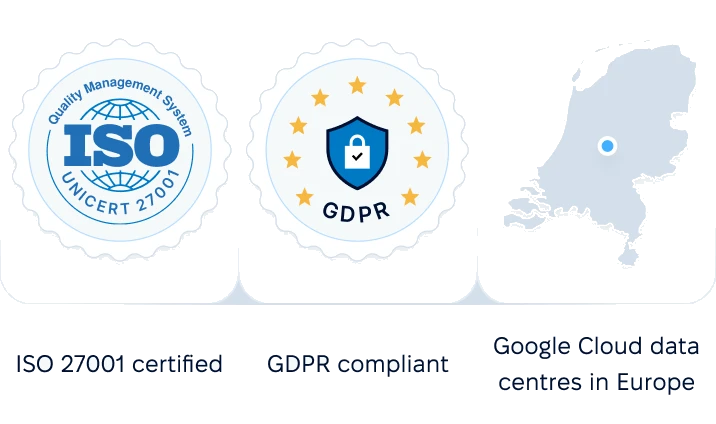
Certifications, granular access and full control over what happens to your data and equipment.

 Best Support
Get the full HR suite — Core HR, ATS, Performance, Surveys and more — at a fraction of enterprise platform pricing. See exactly what you'd pay.