



Compensation components · Core HR
- The company's directory of pay types
- Salaries, bonuses, commissions and adjustments for each person
- Change history with the dates changes take effect
- Pay change requests with approval
- Access rights to amounts


HR efficiency estimator
How does the HR efficiency estimator from PeopleForce work.
Calculate your impact
Salaries, bonuses, commissions and adjustments are described once, as compensation components. HR then picks a component, and the payout type, frequency and calculation method come from it.
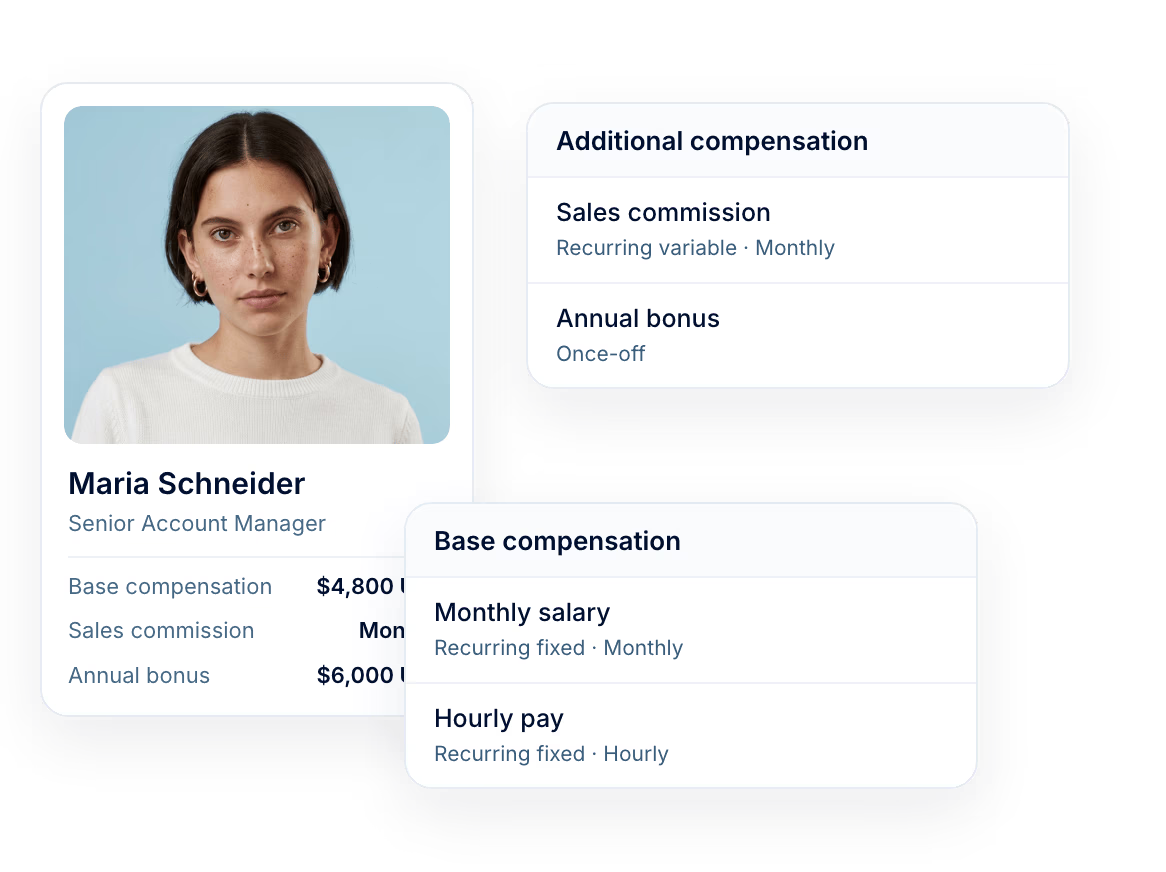
Directory
A component describes one type of pay: what it is called, whether it is once-off or recurring, how often it is paid and which category it belongs to. The company describes its set once, and every payment relies on it from then on.
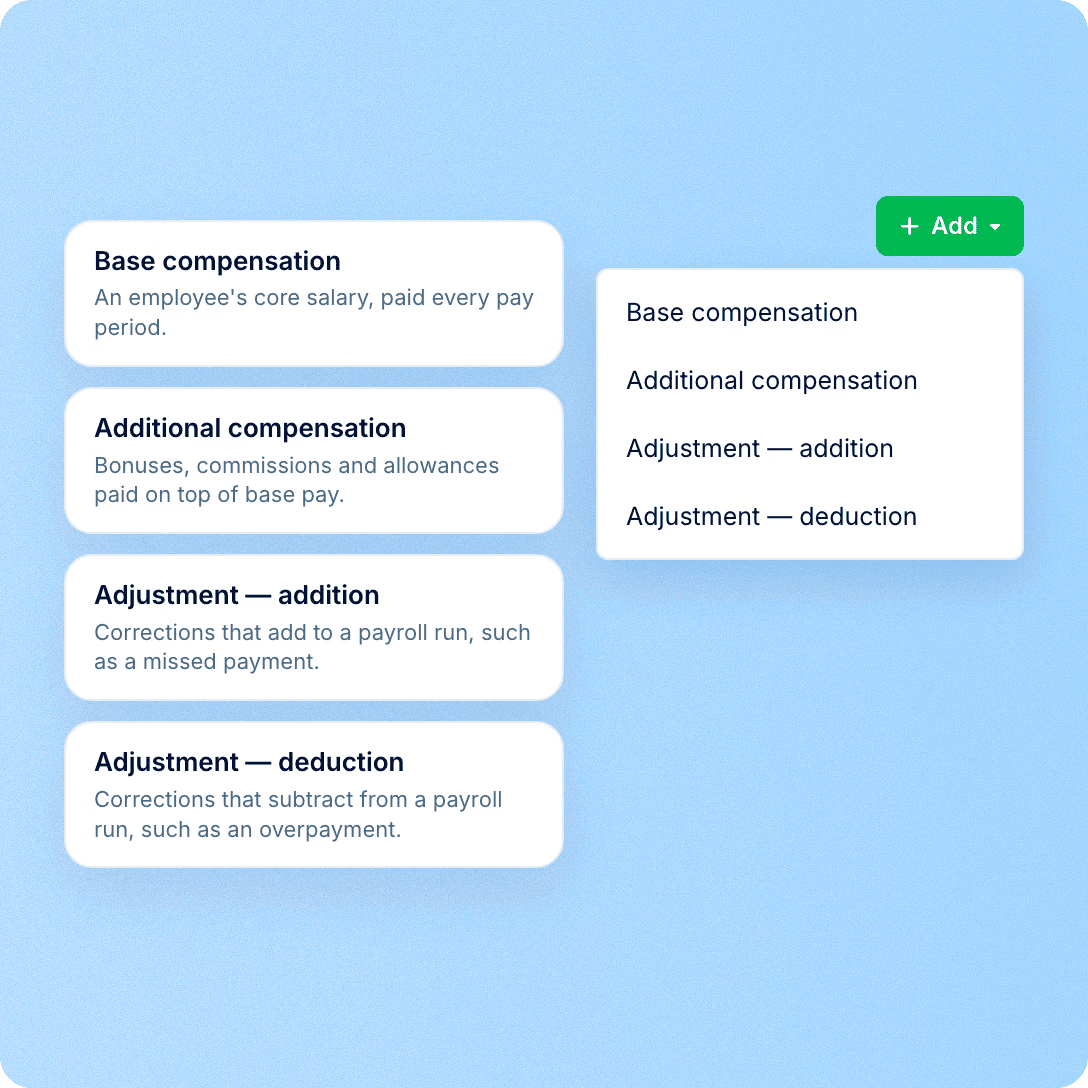
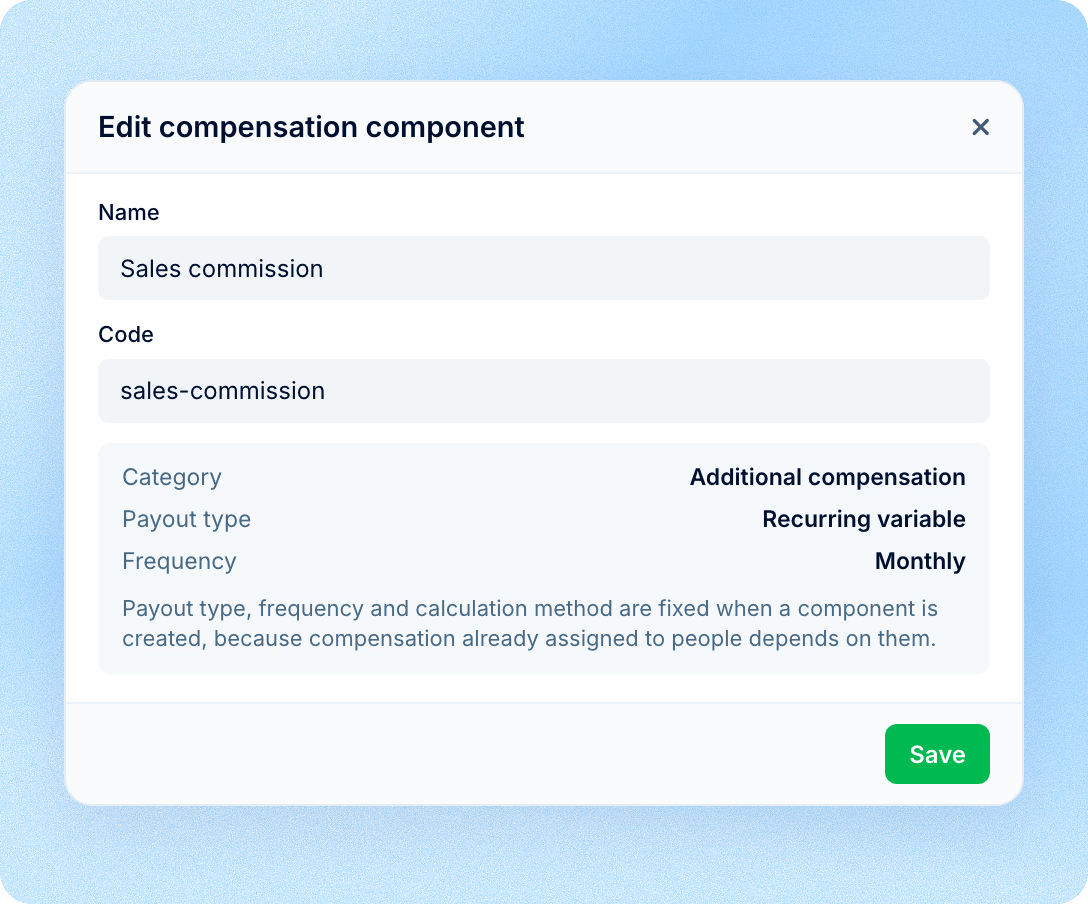
The payout type, frequency and, for base compensation, the calculation method are fixed when the component is created. When HR assigns a payment to a person, these properties fill in automatically, so the same bonus is described the same way for everyone. The name, code and description can be changed at any time. The payout type and frequency of an existing component cannot: pay already assigned to people depends on them. If a different variant is needed, a new component is created.
Category
A salary, an hourly or daily rate, an annual amount. A base compensation component carries the calculation method: rate-based, a fixed amount per period, or an annual amount spread across the working days of the calendar.

Frequency is hourly, daily, weekly, monthly or yearly, and each allows its own calculation method
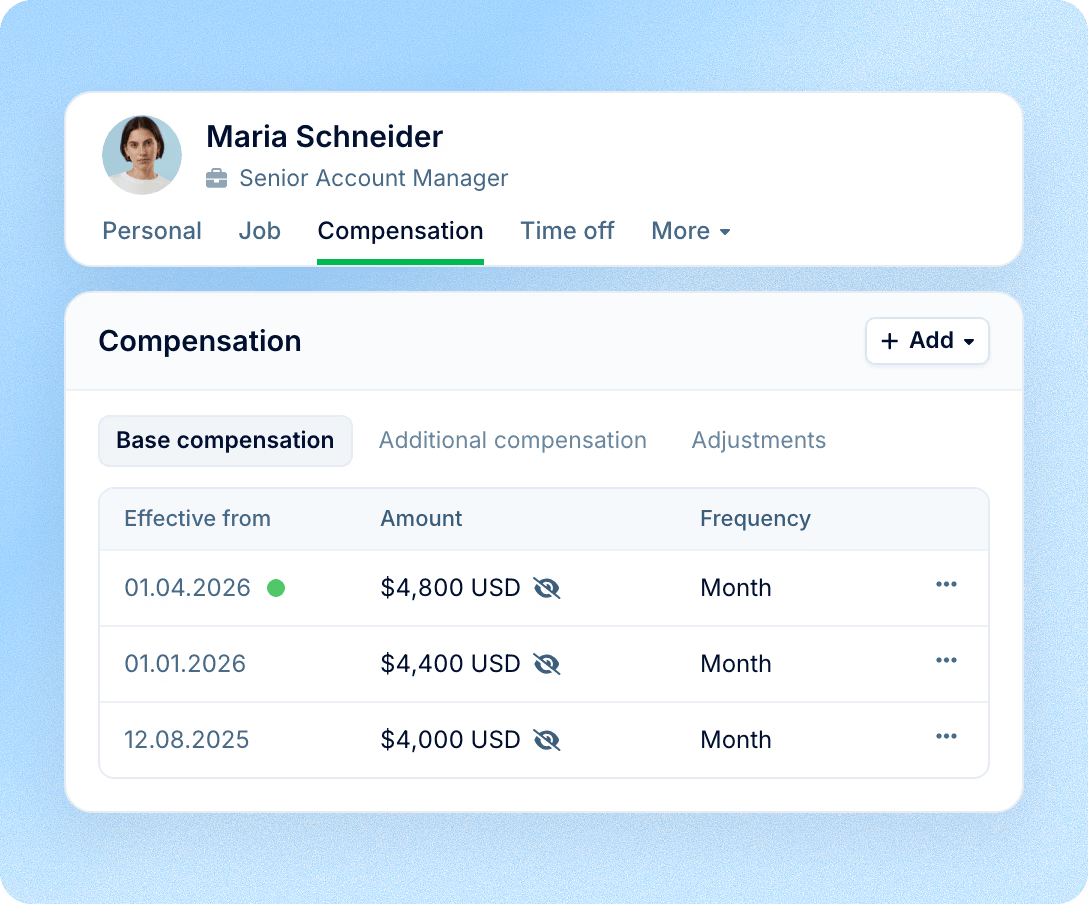
Every change adds a new record with the date it takes effect from; the previous one stays in the history
The component of an existing record cannot be changed, so the history never moves to another pay type
Category
Bonuses, commissions and regular allowances. They differ not in the amount but in how they behave over time, and that is what the payout type of a component describes.
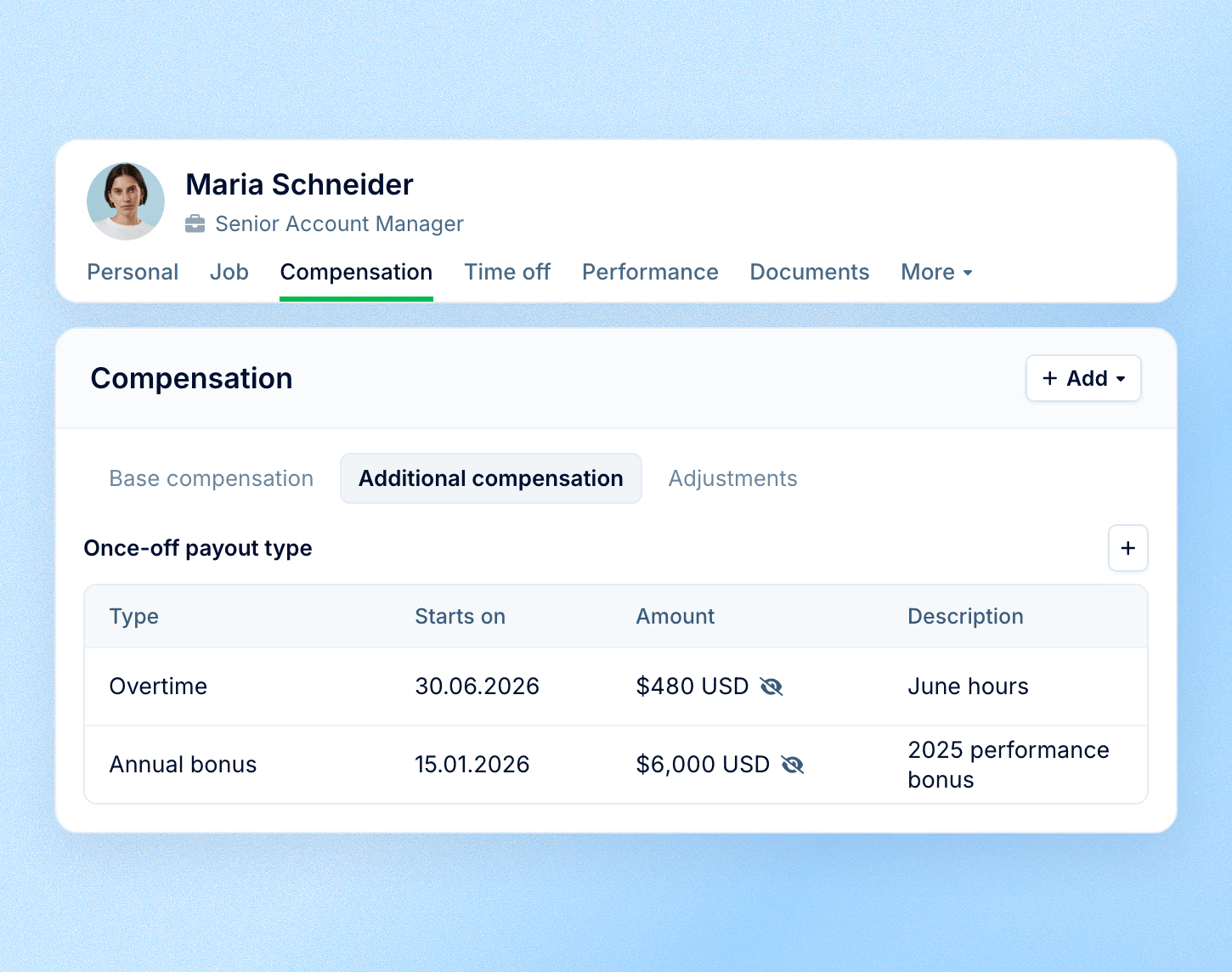
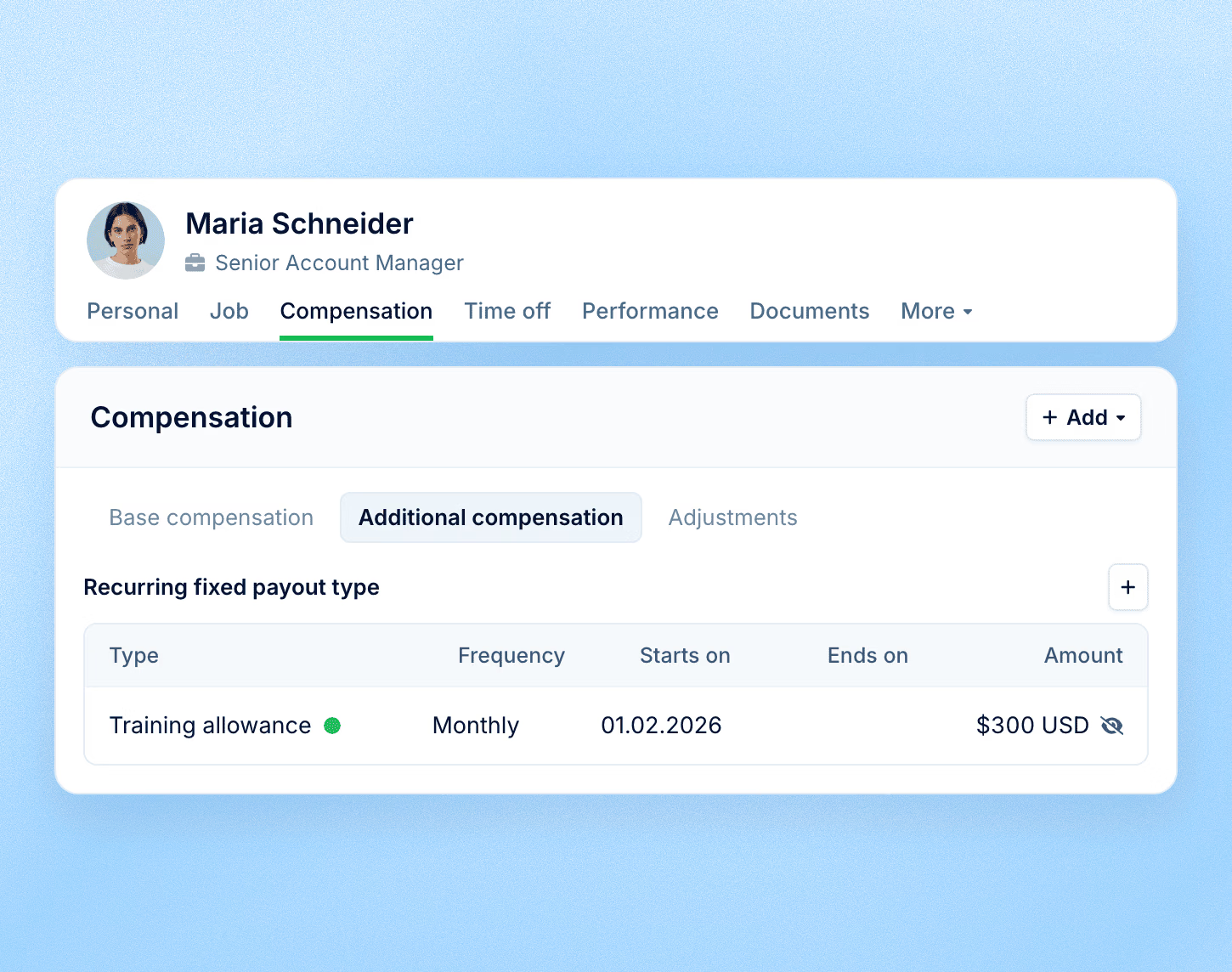
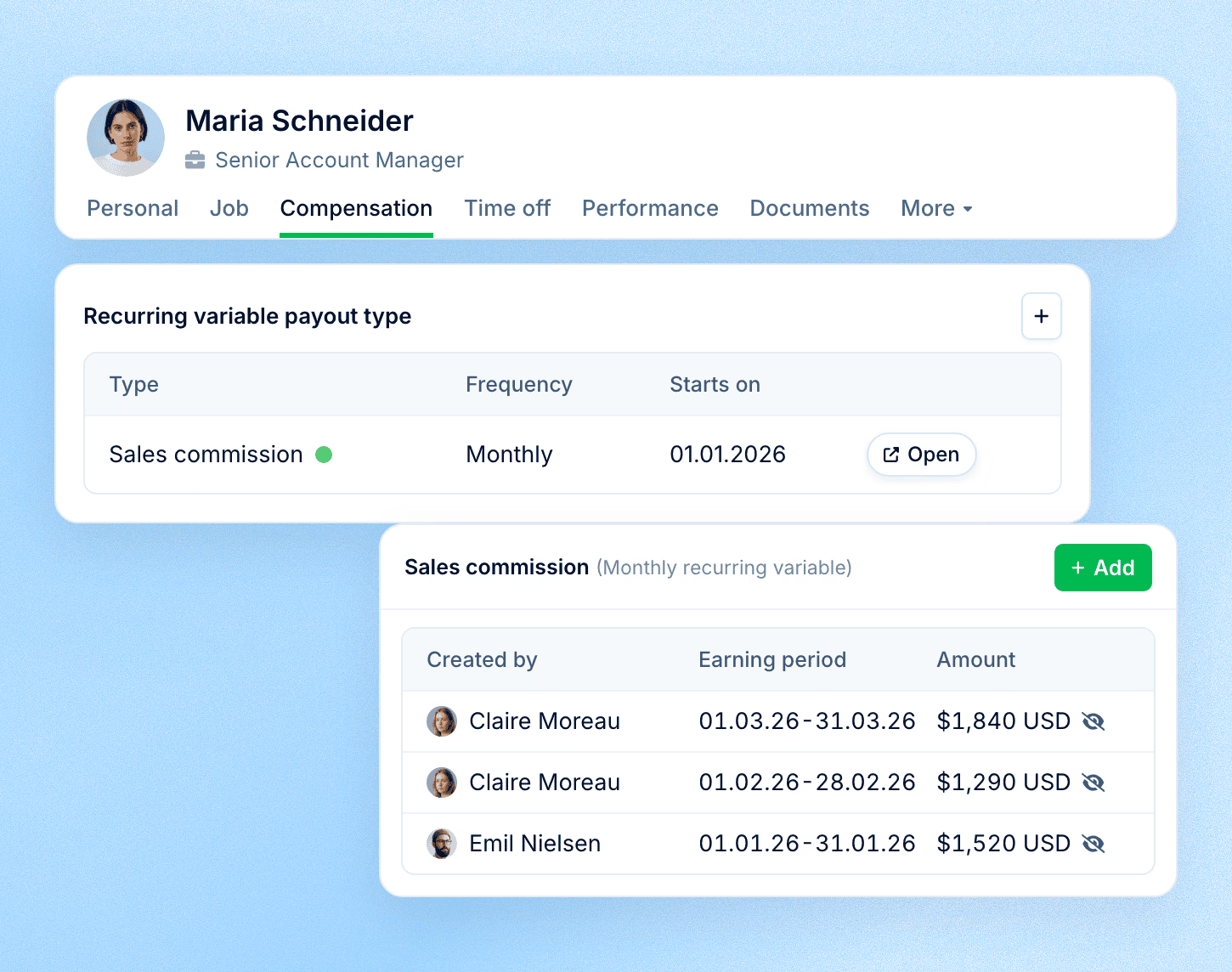
A signing bonus or a project bonus: the amount and the date are entered in the record.
Category
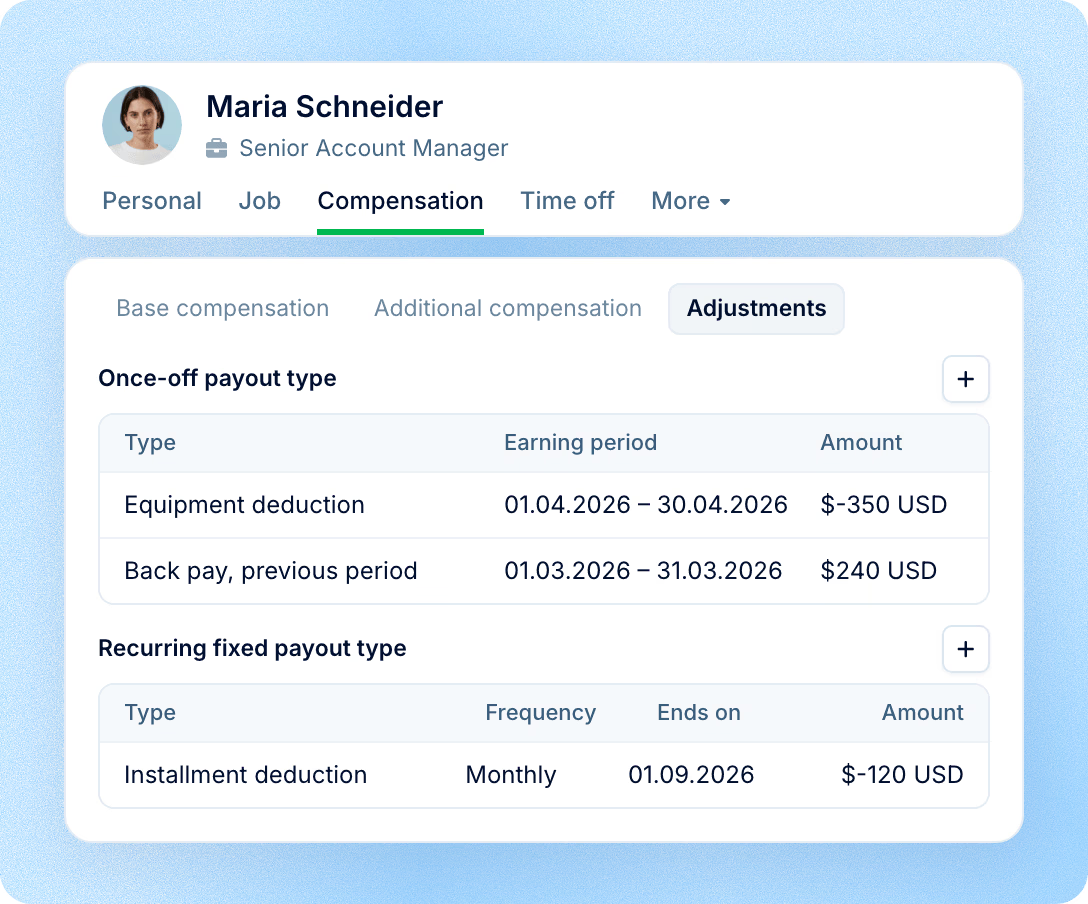
A separate category for amounts added to or taken from pay: a top-up for a previous period, a refund of an overpayment, a deduction.
The component itself sets the direction, addition or deduction
Adjustments can be once-off or recurring fixed
A deduction shows with a minus sign and is stored apart from bonuses, so the bonus view stays clean
Process
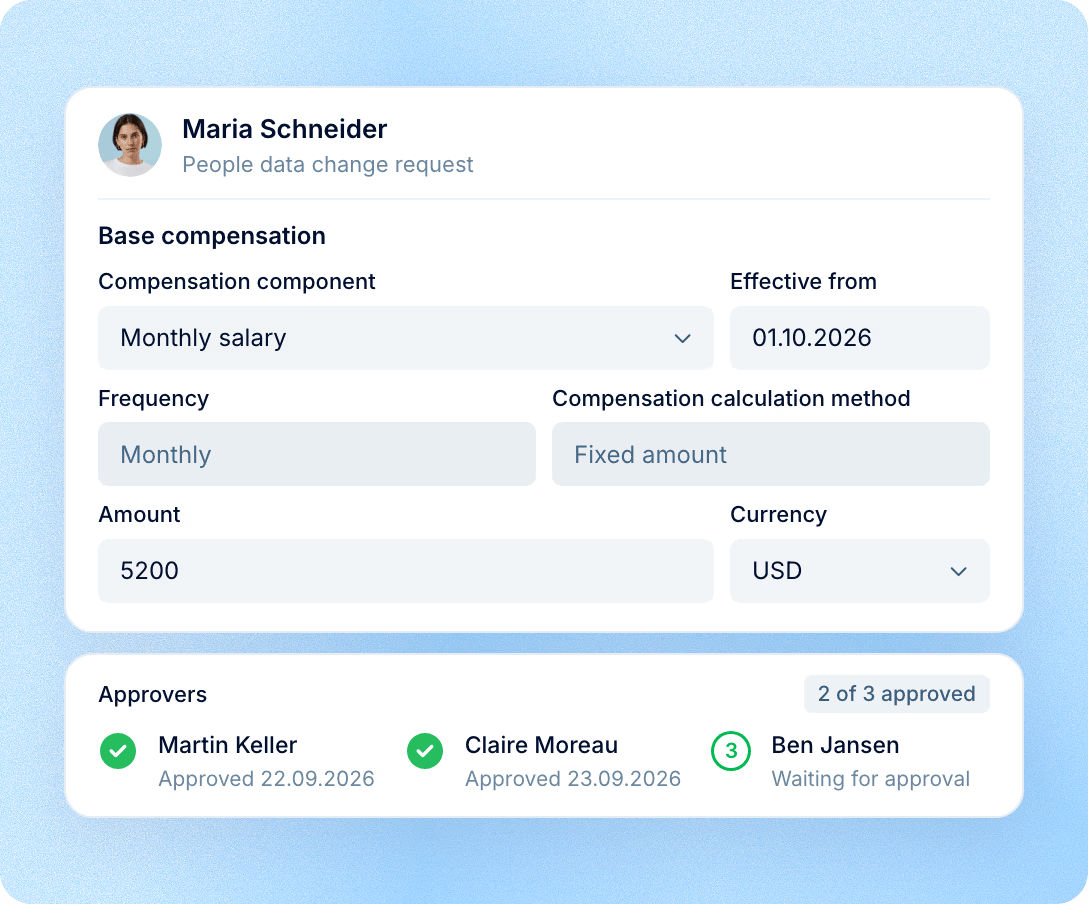
A manager without the right to edit pay submits a request from the person's profile: the component, the new amount and the date it takes effect. The administrator sets up the form and the approval chain in advance.
The administrator decides which fields the form has and which roles can use it
Approval runs step by step: the next approver gets the request once the previous one has answered
Nothing changes in the profile until the request is approved
An approved change adds a new row to the history instead of overwriting the previous one
Access
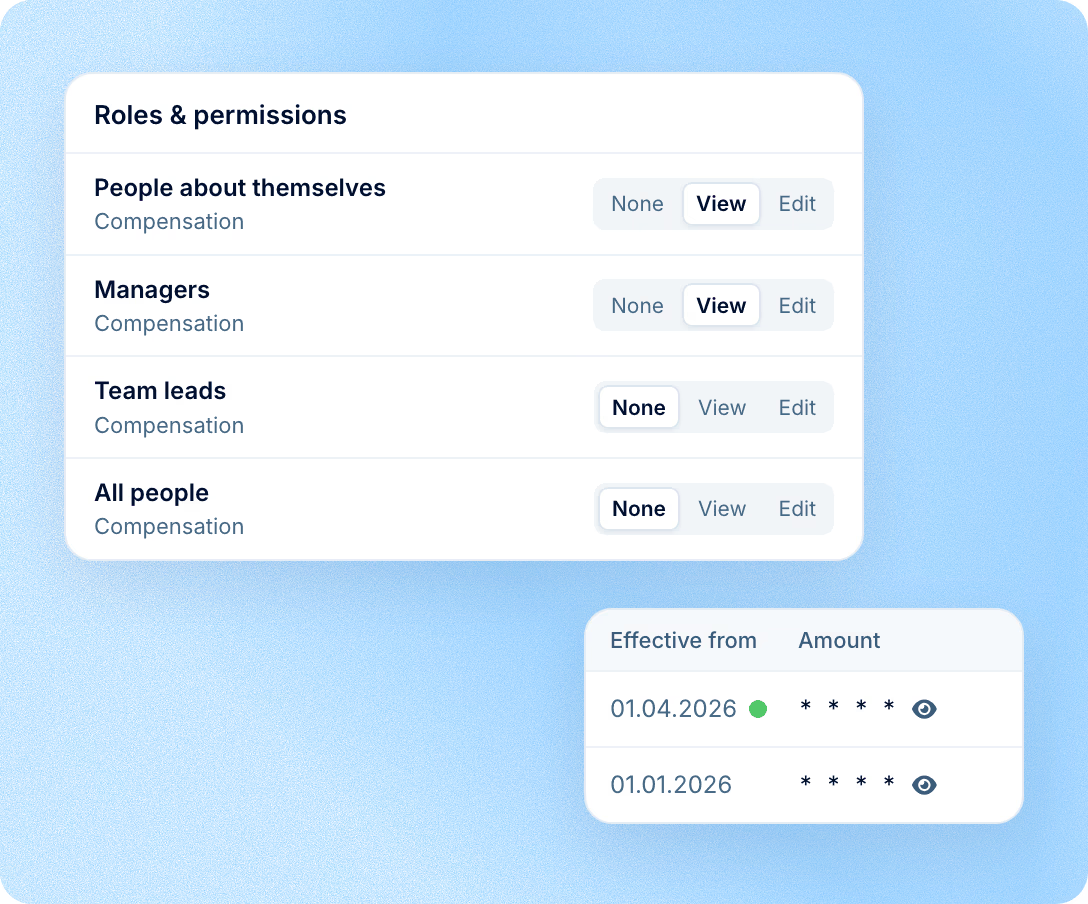
Access to the Compensation section is set in roles: separately for people about themselves, for managers, for team leads and for everyone else. Each group gets None, View or Edit.
A manager gets access to the data of direct and indirect reports, while the rest of the company stays out of view
Amounts in tables are hidden by default and are revealed with a click
Every change records who made it and the date it takes effect; compensation changes appear in the People data changes report
Data
Pay history does not have to be typed in from scratch, and what is entered does not stay locked inside the system.
History import
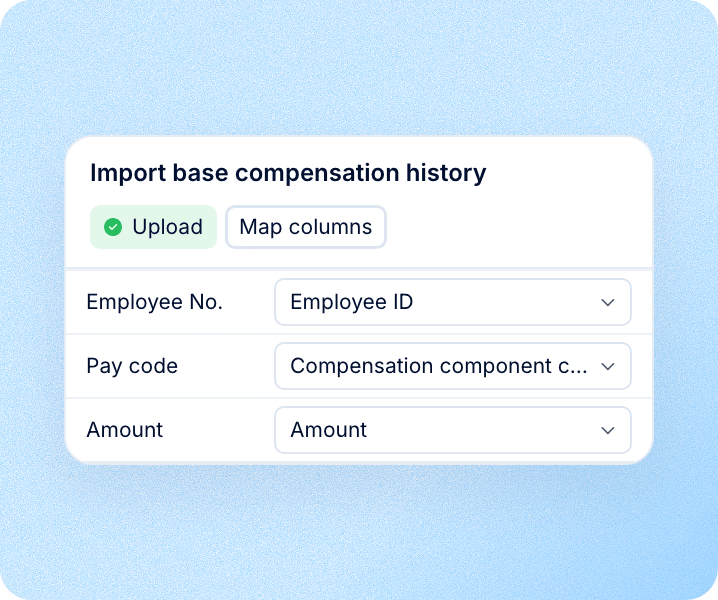
Base and additional compensation history is uploaded as an XLSX or CSV file. Columns do not have to follow a set order: during the upload you match them to your own, and dates are read in the format set for the account.
Reports
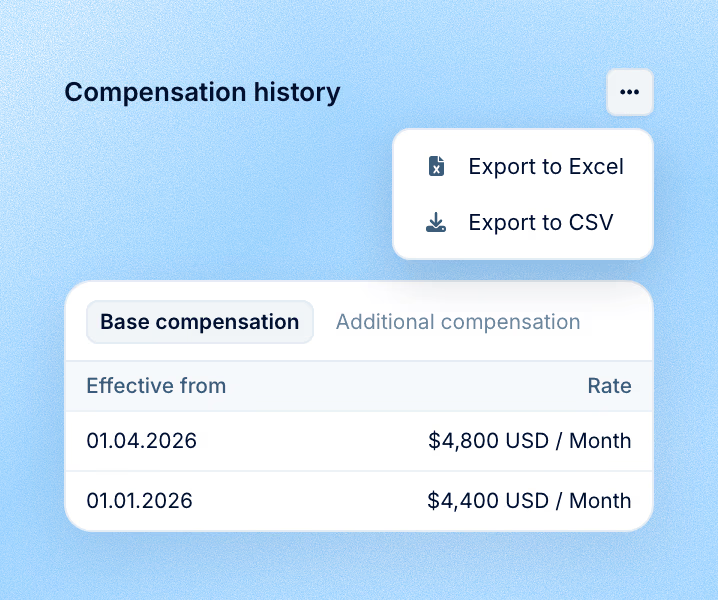
Compensation history for any period and the monthly statement for a chosen month. Both have separate tabs for salary and additional compensation, with export to XLSX or CSV.
API
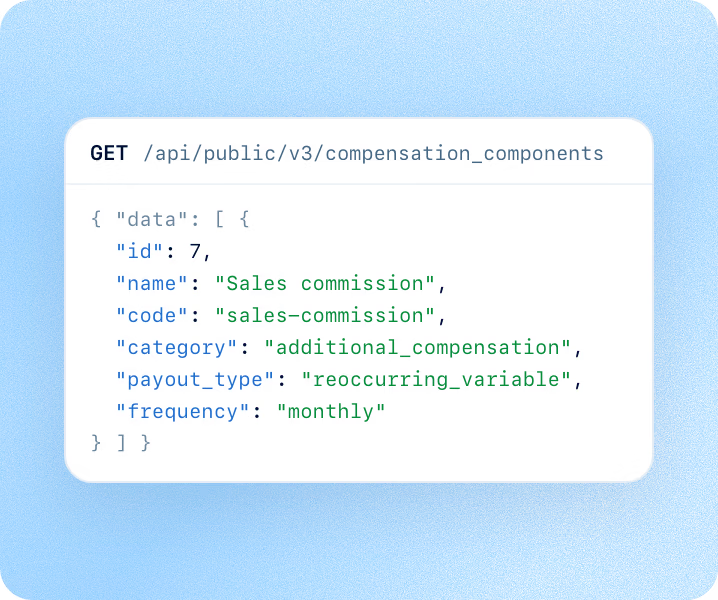
The component directory is available through the public API together with the code of each component; a specific person's compensation comes with a separate request.
Scope
Components describe what the company pays. Payroll answers how much is paid out after taxes and deductions. These are two separate layers, and components are the basis for both. Components work on their own in Core HR. Payroll relies on them: the amounts come from the components, so pay never has to be described twice.
We will show how to describe your set of payments as components and what changes in the employee profile.