



What AI screening does
- Reads each new CV, plus the application form and cover letter if there are any
- Gives a one-word verdict with a reason per criterion
- Labels every set of reasons “AI-generated — review before deciding”

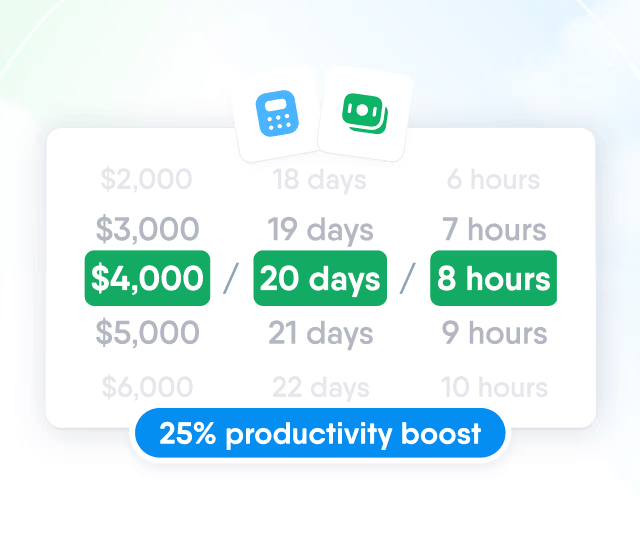
HR efficiency estimator
How does the HR efficiency estimator from PeopleForce work.
Calculate your impact
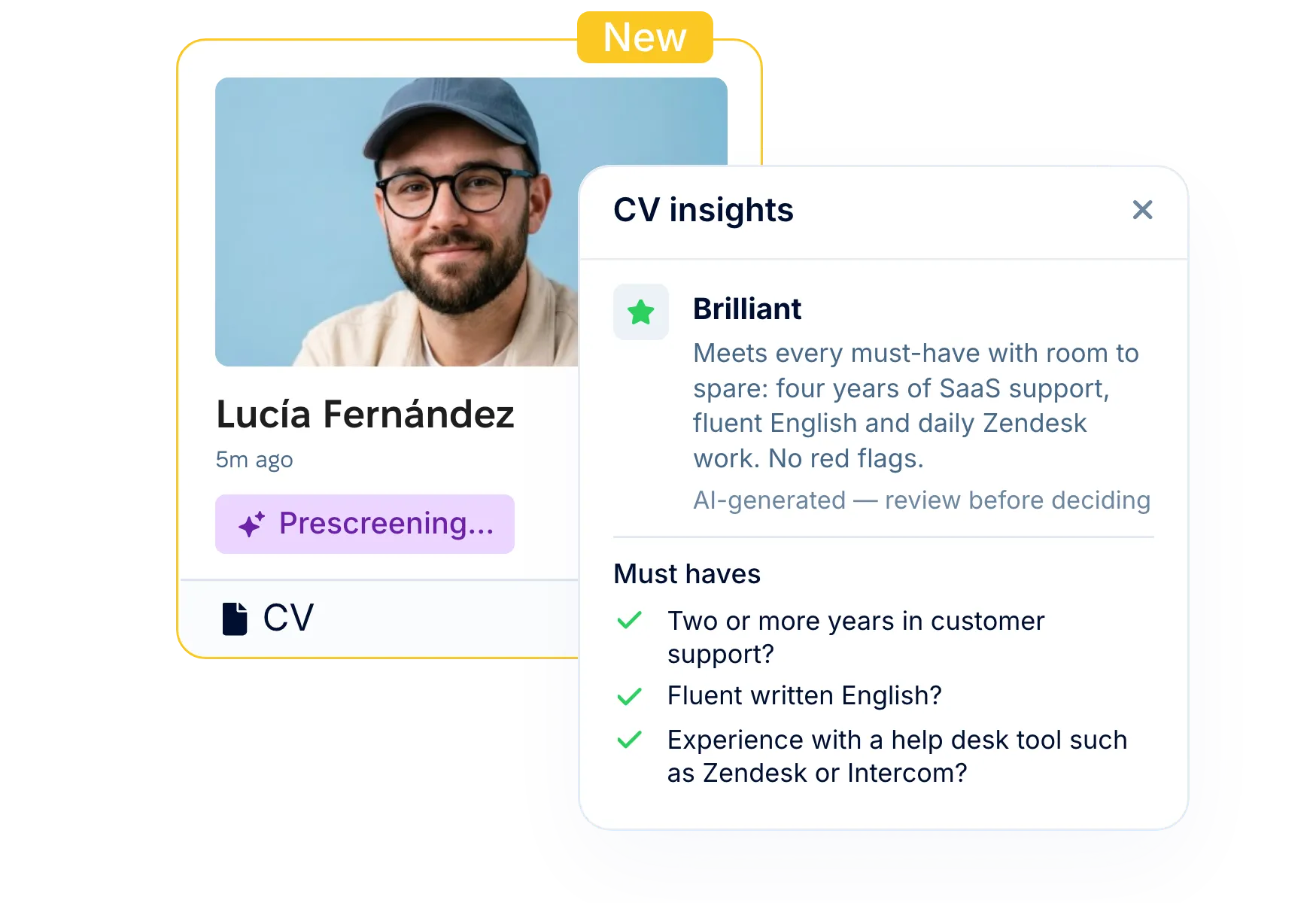
Every new application with a CV gets one of four verdicts against your criteria, with a reason for each criterion. Filter the pipeline by verdict and start where the fit is clear.
How it works
You set the criteria and make the calls. Screening runs in between.
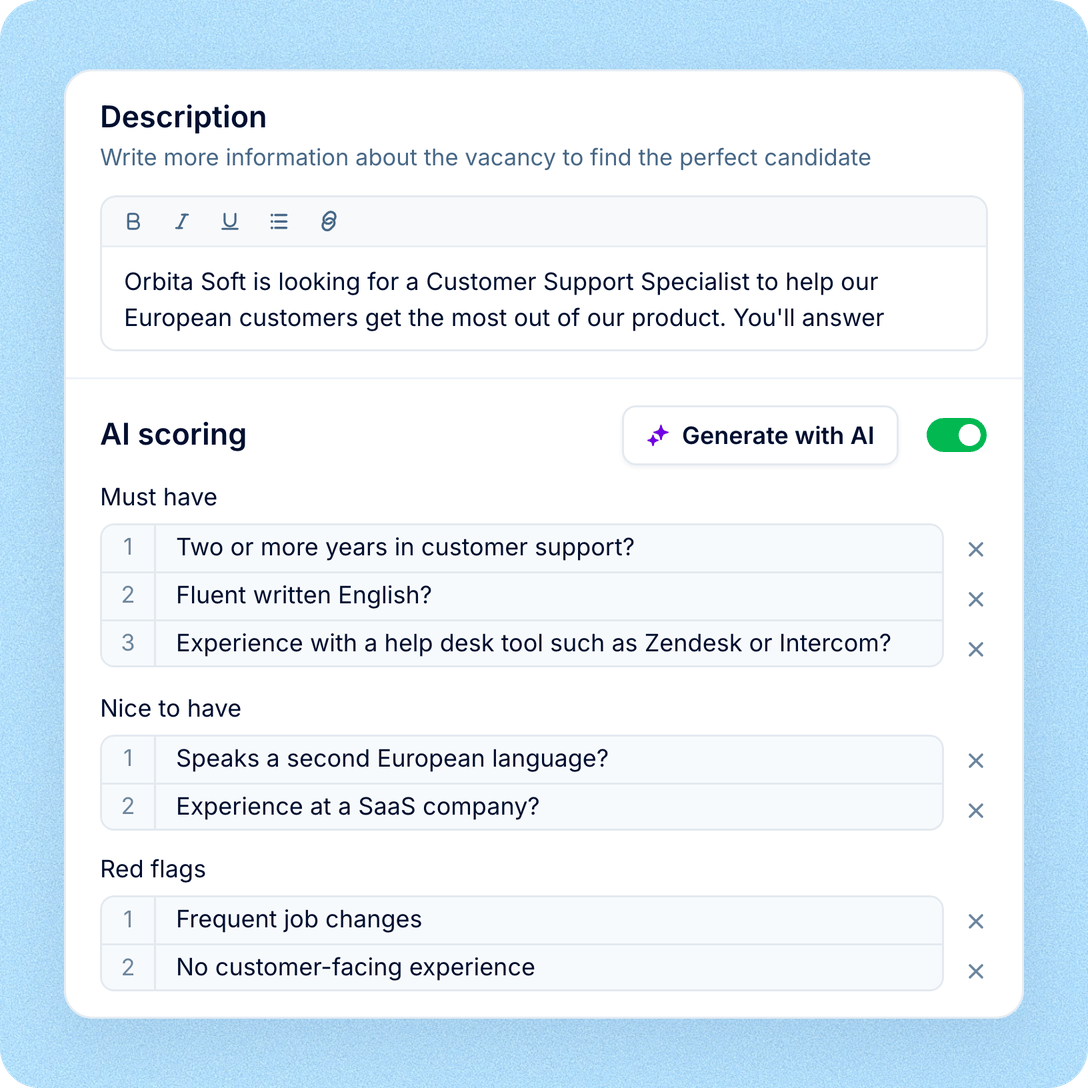
Set the criteria
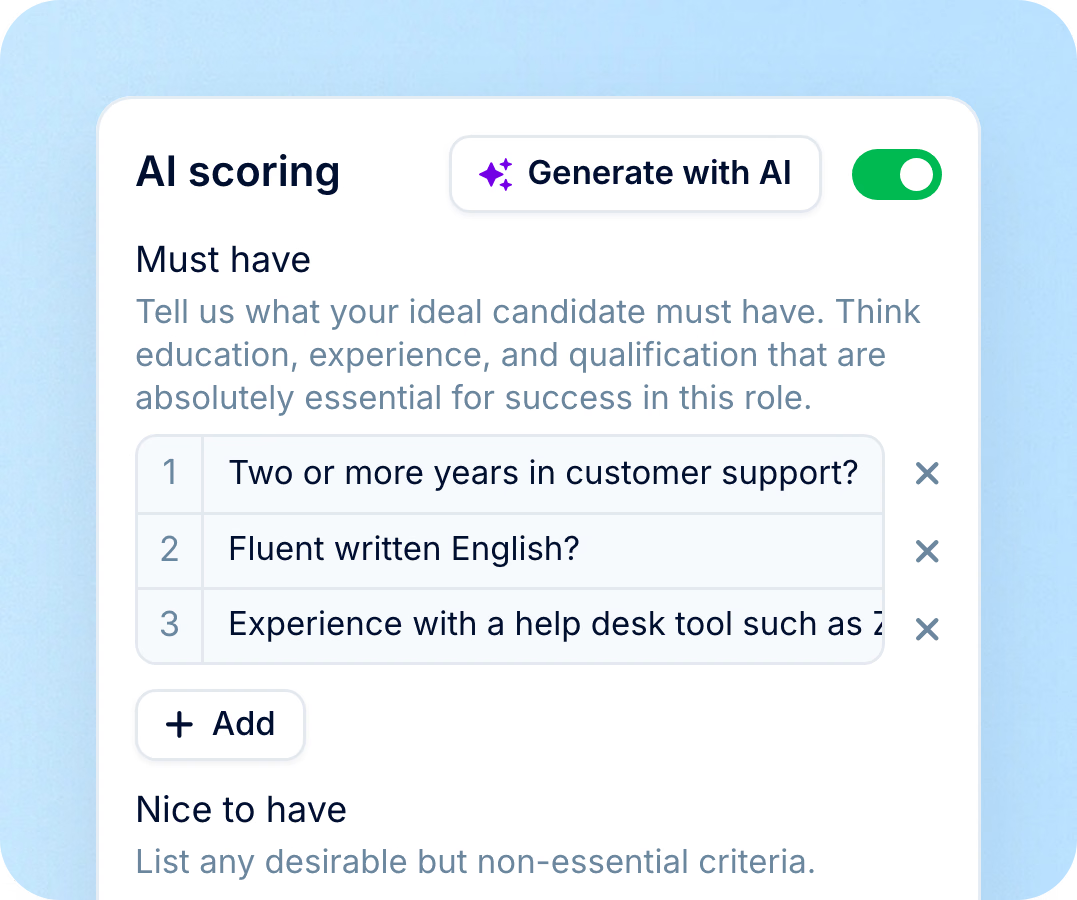
Switch on AI scoring for the vacancy and let AI draft must-haves, nice-to-haves and red flags from the job description. Edit, then save.
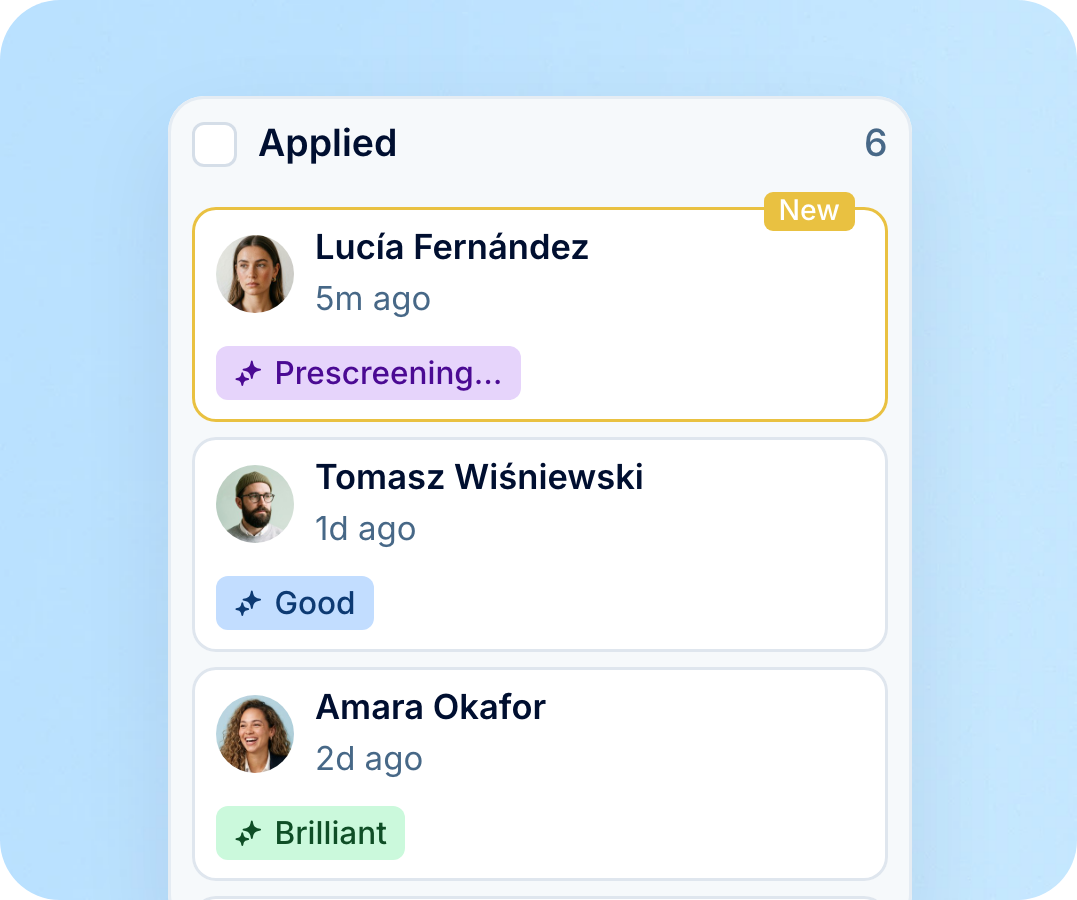
Applications arrive screened
Applications with a CV are checked as they land, from your career site, job boards, Prospector or an import.
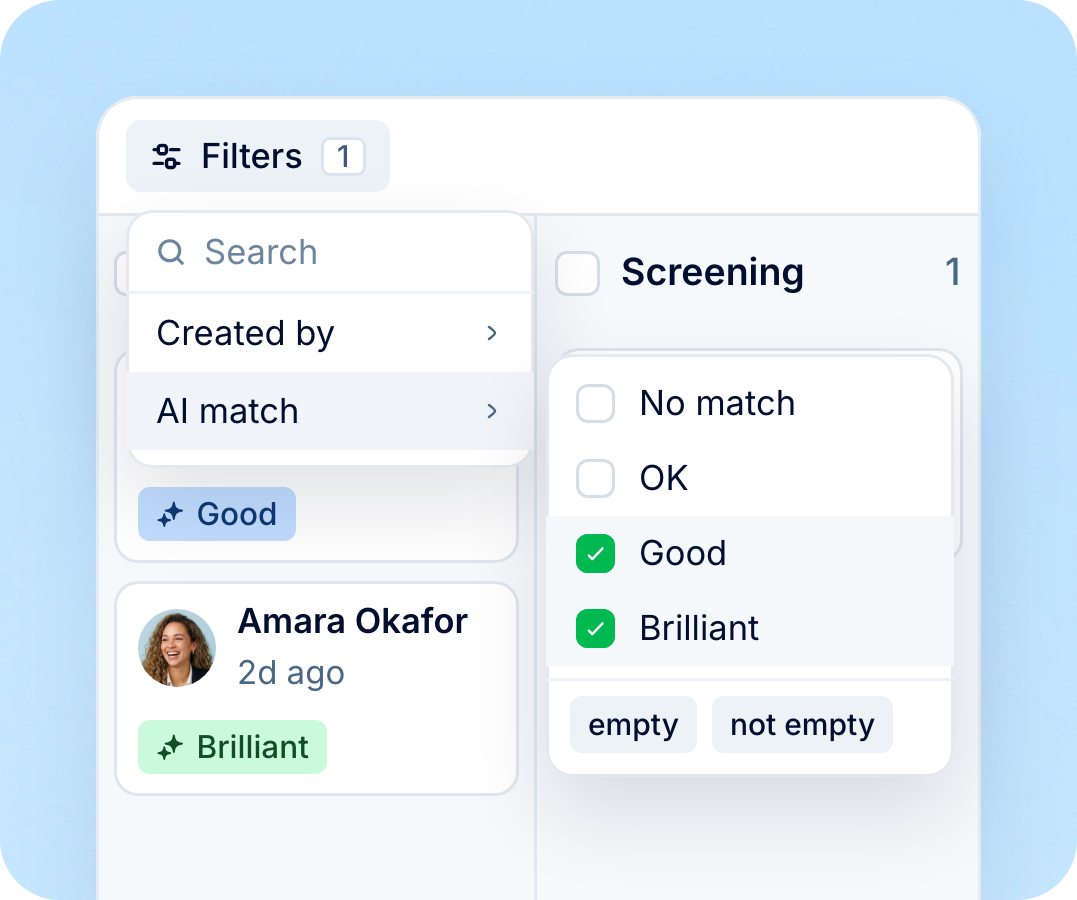
Filter and decide
Filter the board by AI match, open the reasons behind a verdict and move people forward yourself.
AI screening: criteria
Screening checks each application against the criteria on the vacancy. AI drafts them from the job description, and you decide what stays.
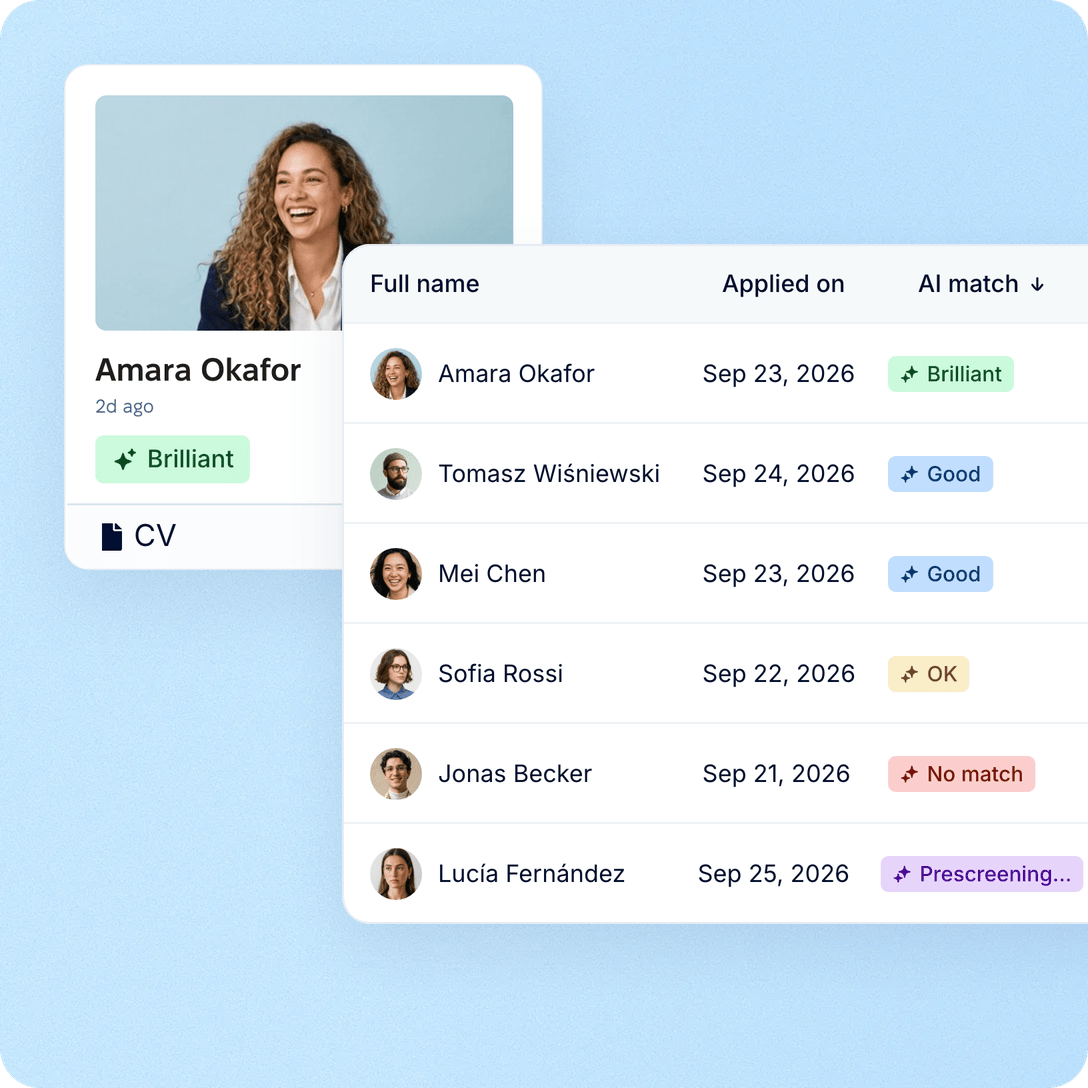
AI screening: verdicts
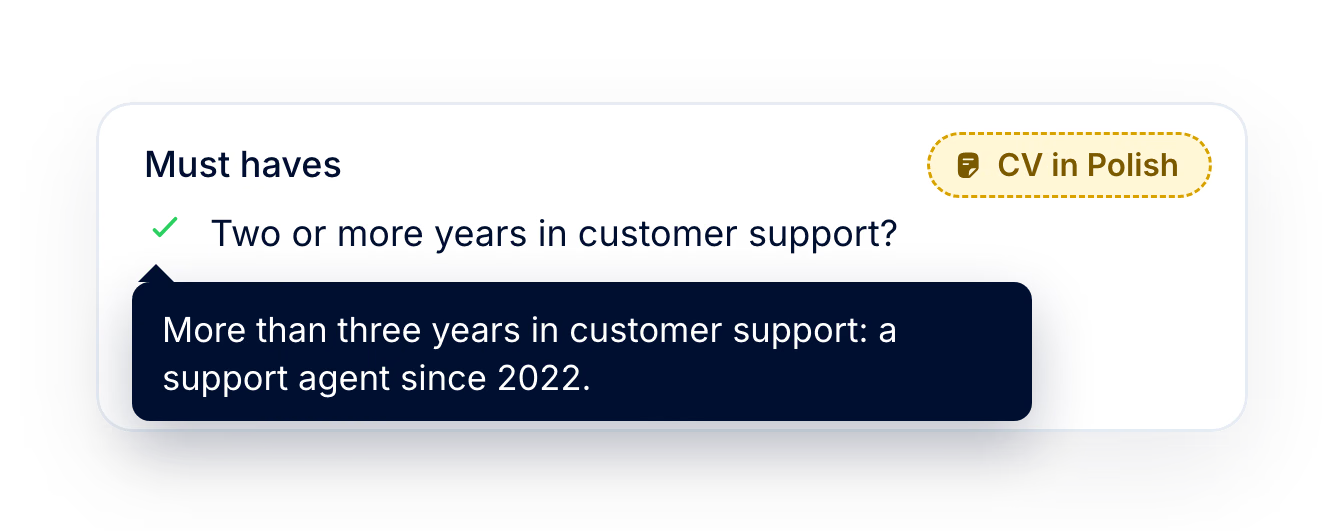
Every screened application gets one of four verdicts instead of a percentage. Open it to see how the CV measured up, criterion by criterion.

AI screening: who decides
Screening never moves or rejects anyone. It reads, explains and leaves the call to you.
AI screening: pipeline
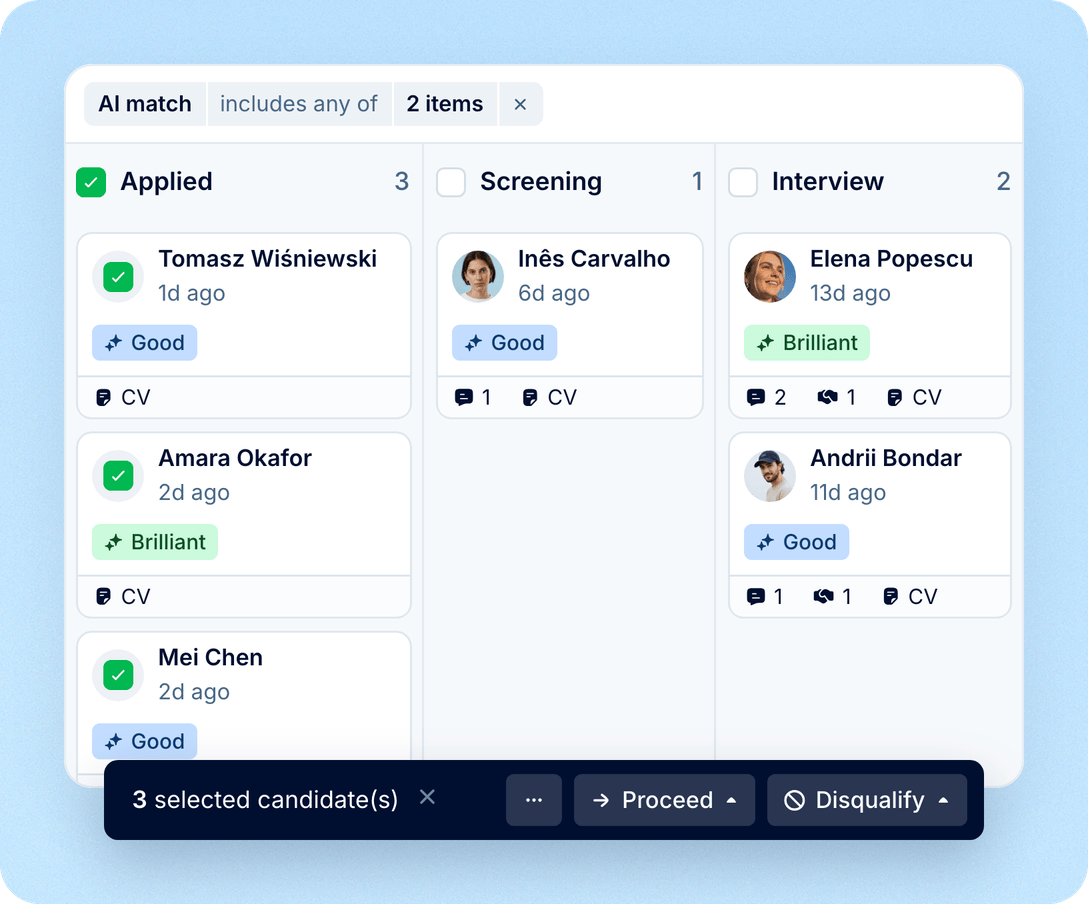
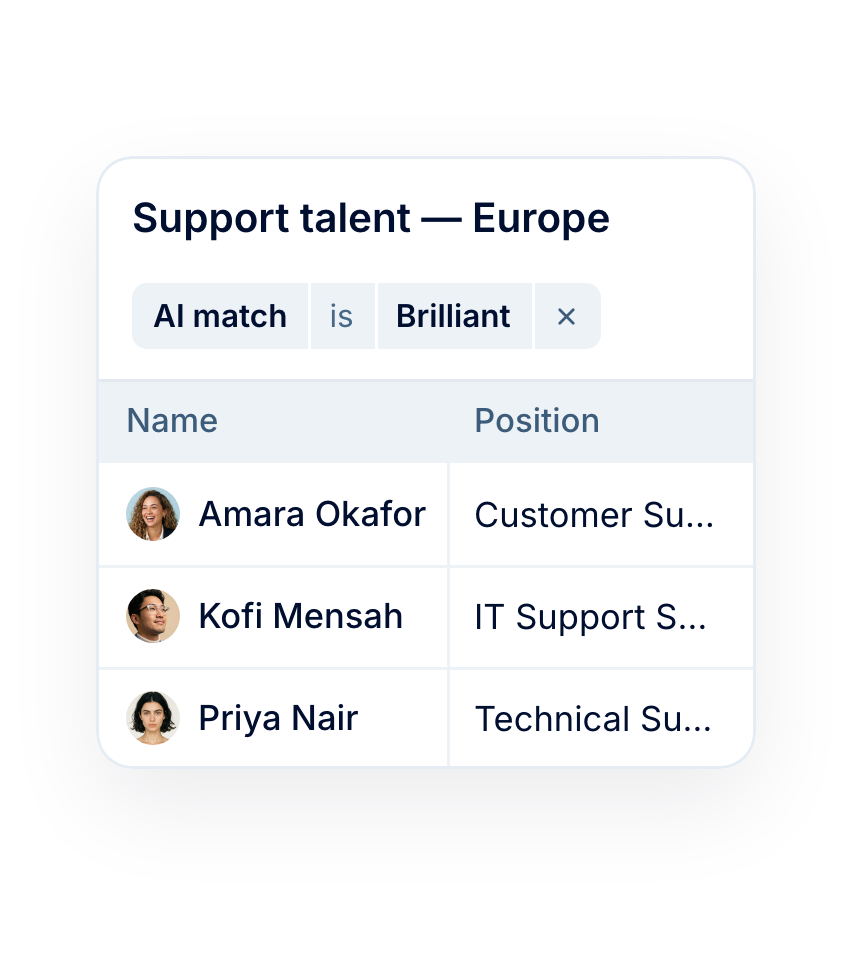
Filter the vacancy board by AI match, then select a whole column and move, email or disqualify people in one go. In the table view, sort from Brilliant to No match.
AI screening: catch-up
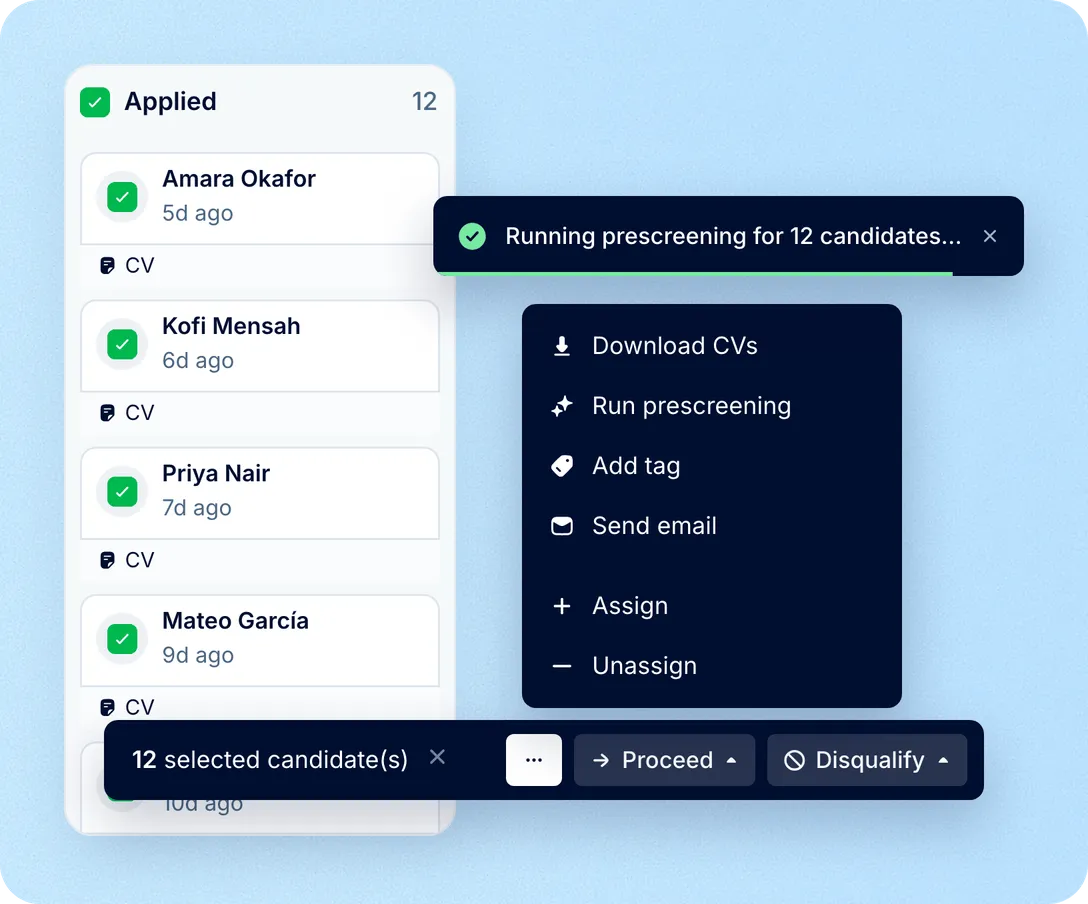
Turned AI scoring on mid-vacancy or changed the criteria? Select the cards on the board and run prescreening in one step. Candidates without a CV are skipped.
AI screening: data
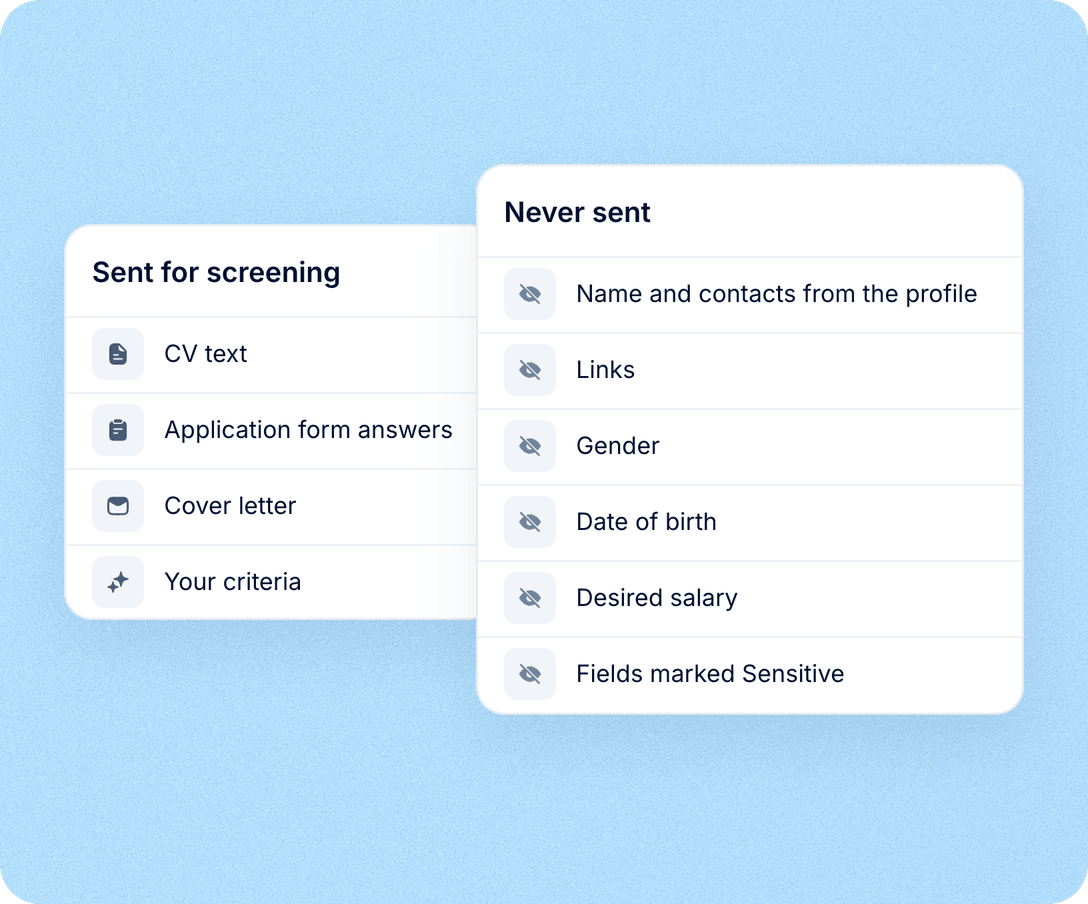
Screening reads the CV, the application form answers and any cover letter. Name and contacts from the profile, gender, date of birth, desired salary and fields marked sensitive are never sent.
AI screening sits inside Recruit, next to your job boards, candidate records and Core HR, so the verdict stays with the candidate.
Screened from any source
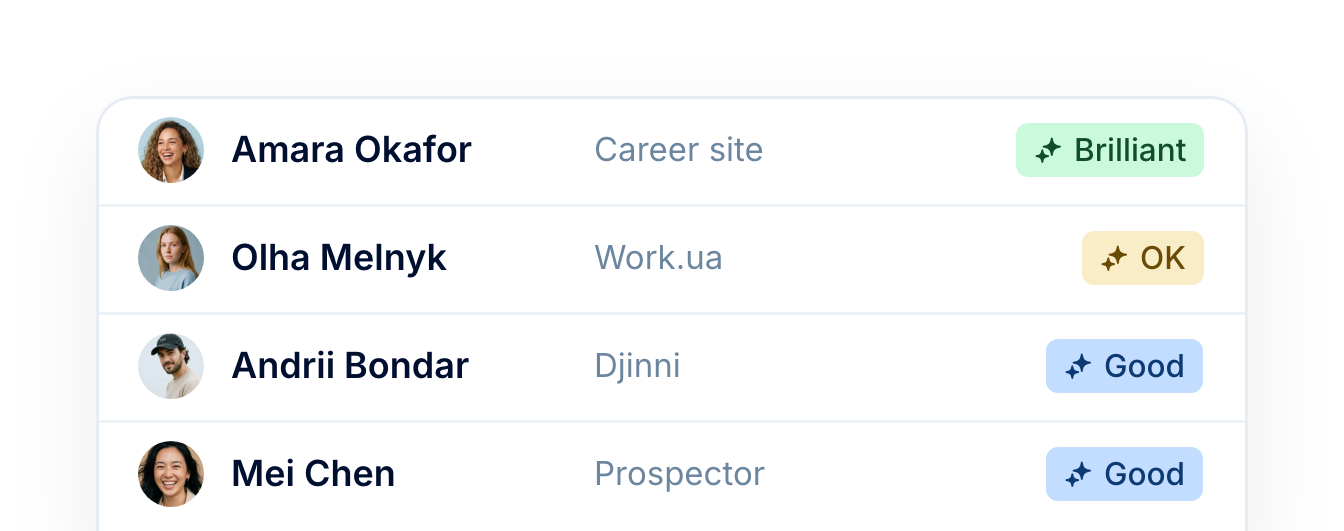
Applications from your career site, job boards and Prospector are screened as they arrive.
One candidate record
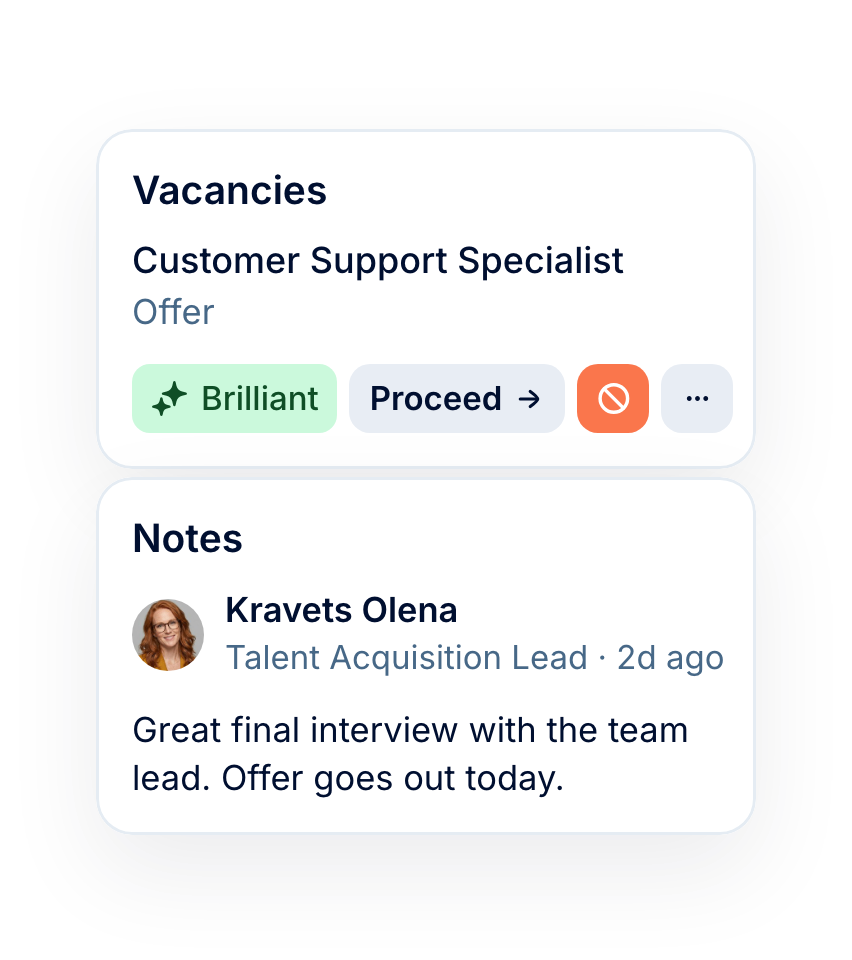
The verdict sits on the candidate profile next to interviews and notes, and prints with it.
Matches kept for later
Find past matches in talent pools and your candidate database with the same AI match filter.
In your team’s language
Reasons come in your company’s language, whatever language the CV is written in.
More in Recruit
Everything around the hire: your candidate database, interview scorecards, a career site, candidate consent, interview scheduling and hiring analytics.
Every candidate you have ever sourced, in one searchable place
Search, filter and sort the whole database, act on a selection in bulk, and group the people worth coming back to into talent pools.

Every candidate you have ever sourced, in one searchable place
Search, filter and sort the whole database, act on a selection in bulk, and group the people worth coming back to into talent pools.
Beyond the features
We get you live in weeks, not months — with real people answering after go-live, and room to add the rest of HR when you're ready.

Live in about four weeks
A dedicated success manager sets everything up with you — it's included in the plan, not a paid add-on.
Support in your language
Real people, not a ticket queue: a ~2-minute first reply and 98% satisfaction.
Hiring and HR in one system
Hire from the candidate profile and the Core HR hire form opens already filled in.

Leader

Users Love Us

Regional Leader

High Performer
Certifications, granular access and full control over what happens to your data and equipment.
 Best Support
Get the full HR suite — Core HR, ATS, Performance, Surveys and more — at a fraction of enterprise platform pricing. See exactly what you'd pay.