
Your next hire is already in your database

Group the candidates worth coming back to — strong runners-up, niche skills, people who asked you to keep in touch — and reach them in one move when a role opens.

Your next hire is already in your database

How it works

From your database to a live application in three steps

No automation to configure. Three actions you already know.

Step 1
Build the pool

Build the pool

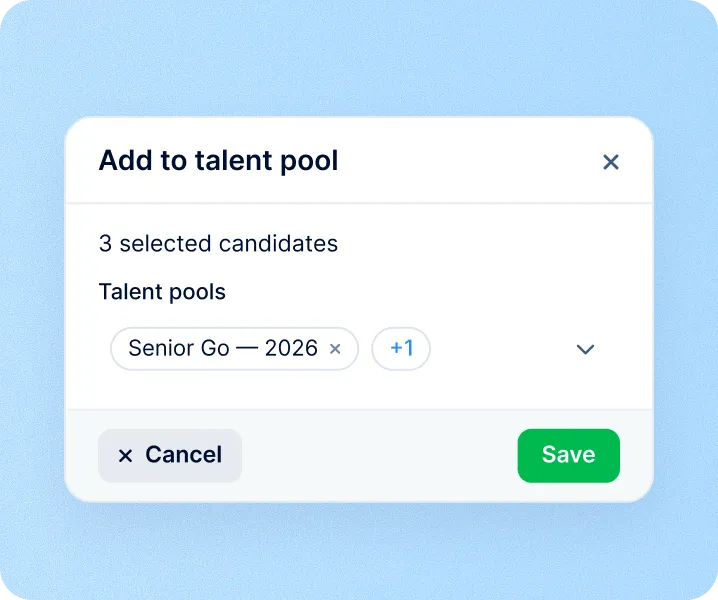
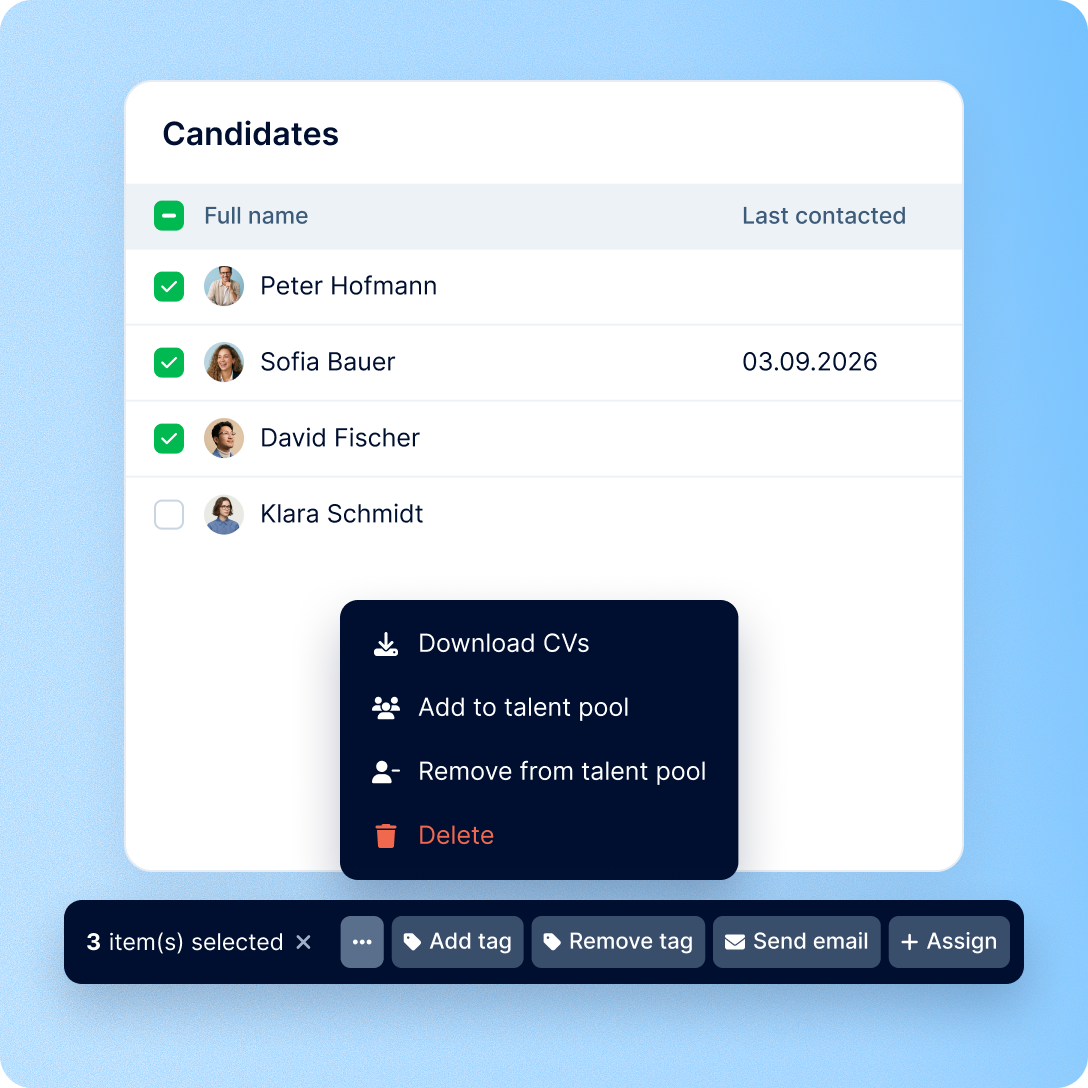
Add candidates from your database, from a candidate card, or straight from Prospector while you source. Pick several pools in one go — anyone already in a pool is skipped.

Step 2
Narrow it down

Narrow it down

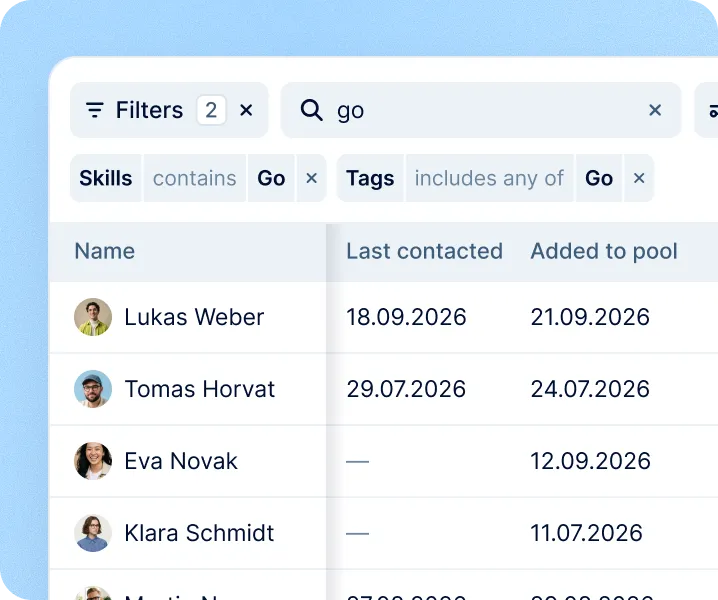
Search, filter and sort inside the pool just as you do in your candidate database. Position, source, tags, last contact and the date each person joined the pool sit side by side in one table.

Step 3
Reach out

Reach out

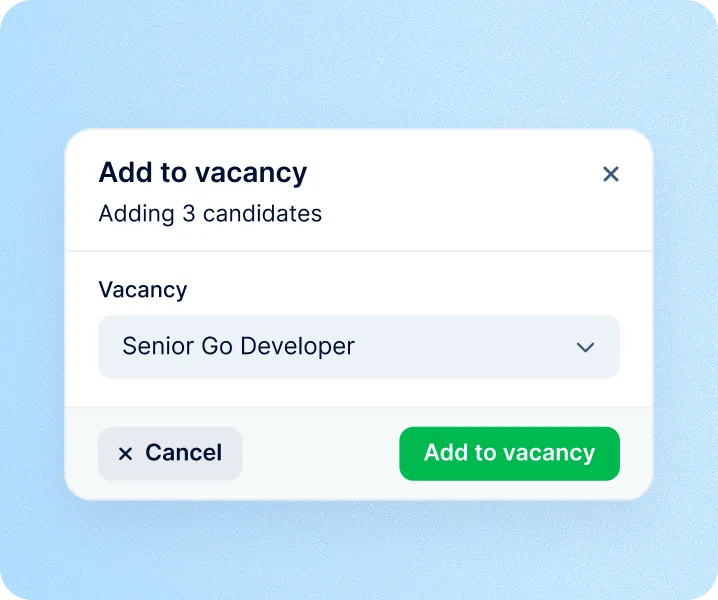
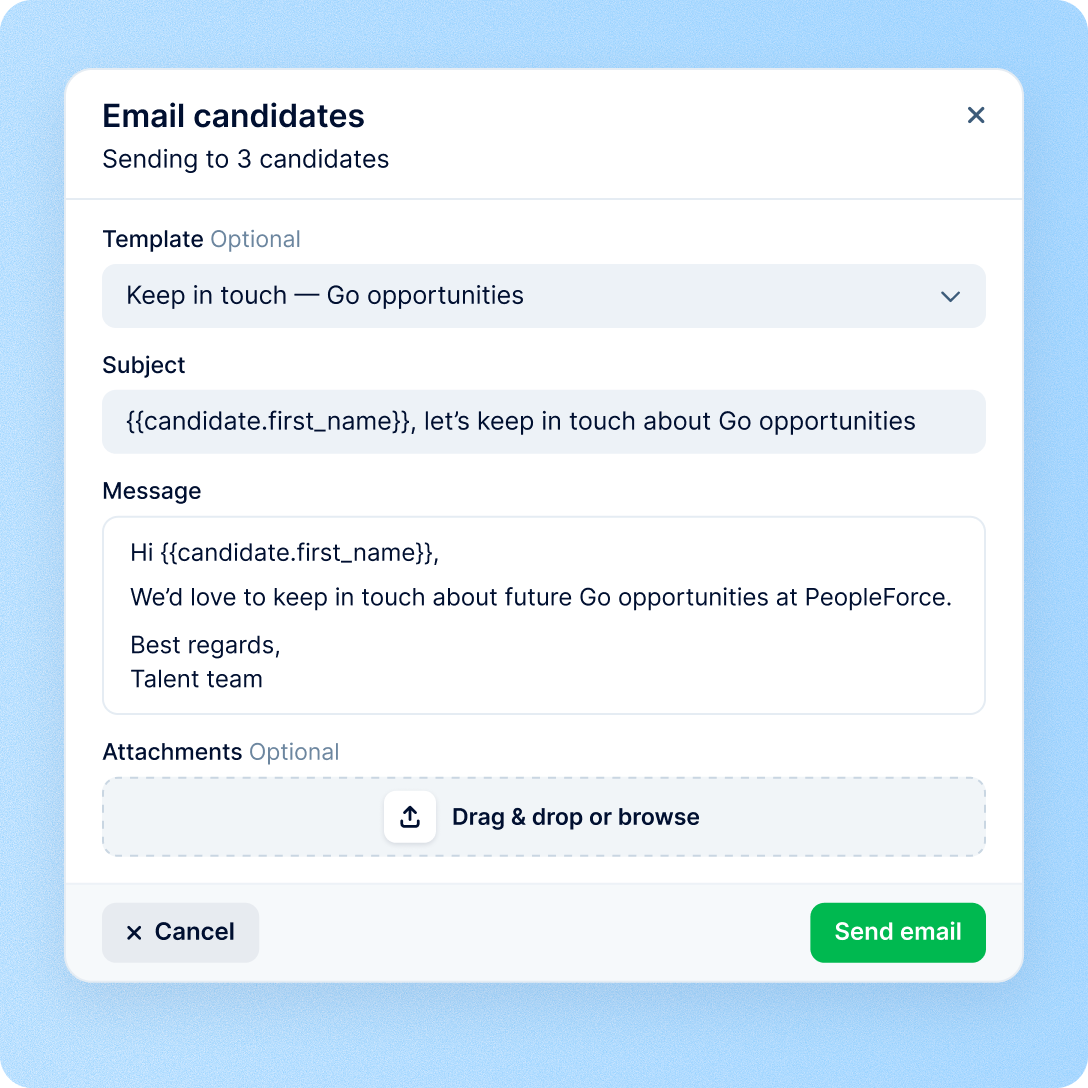
Email the people you select from a template with merge tokens — send it now or schedule it for later — or add them to a vacancy as real applications.

Talent pools: building

Fill a pool in bulk, not one by one

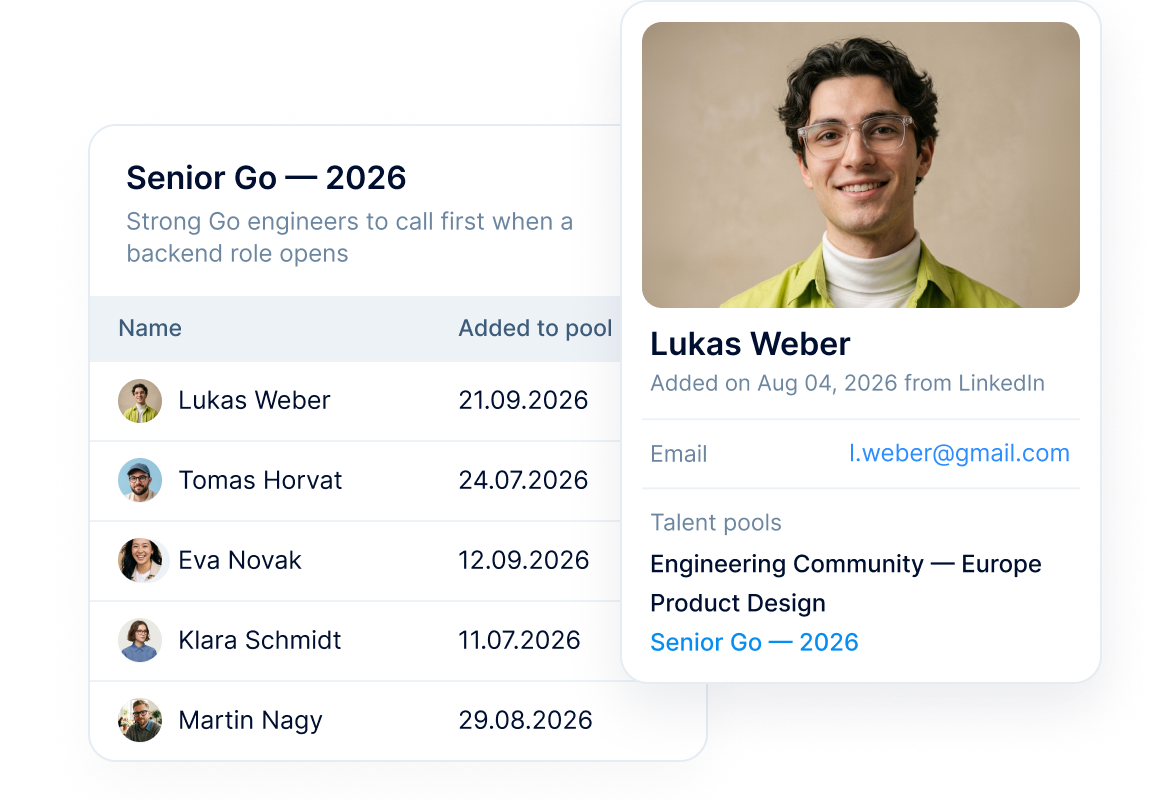
Pick anyone in your candidate database and drop them into a pool — or into several pools at once. Nothing about the candidate changes: no status, no pipeline stage, no visibility.

  • Bulk from the database

    “Add to talent pool” and “Remove from talent pool” act on the candidates you have selected, and you can pick several pools in one go.

  • One person, many pools

  • On the candidate card

preview

Talent pools: putting it to work

Open a role, reach the shortlist you already have

Select people in the pool and act on all of them at once — a personalised email, or a real application on the vacancy.

  • Email from your templates

    A full editor, attachments and merge tokens make every message personal. Send it now or schedule it for later. Candidates without an email address are skipped, and you see how many.

  • Send them to a vacancy as a real application

  • The history stays on the card

preview

Talent pools: the shape of it

A reserve sits next to your pipeline, not inside it

Some teams keep a “Talent pool” as the last stage of a vacancy. It works — until you need the pipeline to describe hiring.

A pipeline stage

  • A reserve parked at the end of a vacancy is still inside that vacancy’s numbers — a pipeline measures movement towards a hire, and keeping someone for later is not movement
  • The reserve belongs to one vacancy, even when the person fits dozens
  • The group only exists while the filter is on screen — next time you rebuild it from scratch
A separate talent pool

  • A candidate sits in a pool with no status and no stage, so nothing about them is counted as progress
  • One person belongs to as many pools as you need, all at once
  • The pool is the group. It keeps its people, its name and its description until you change them

Talent pools: housekeeping

Pools are a view of your database, never a copy of it

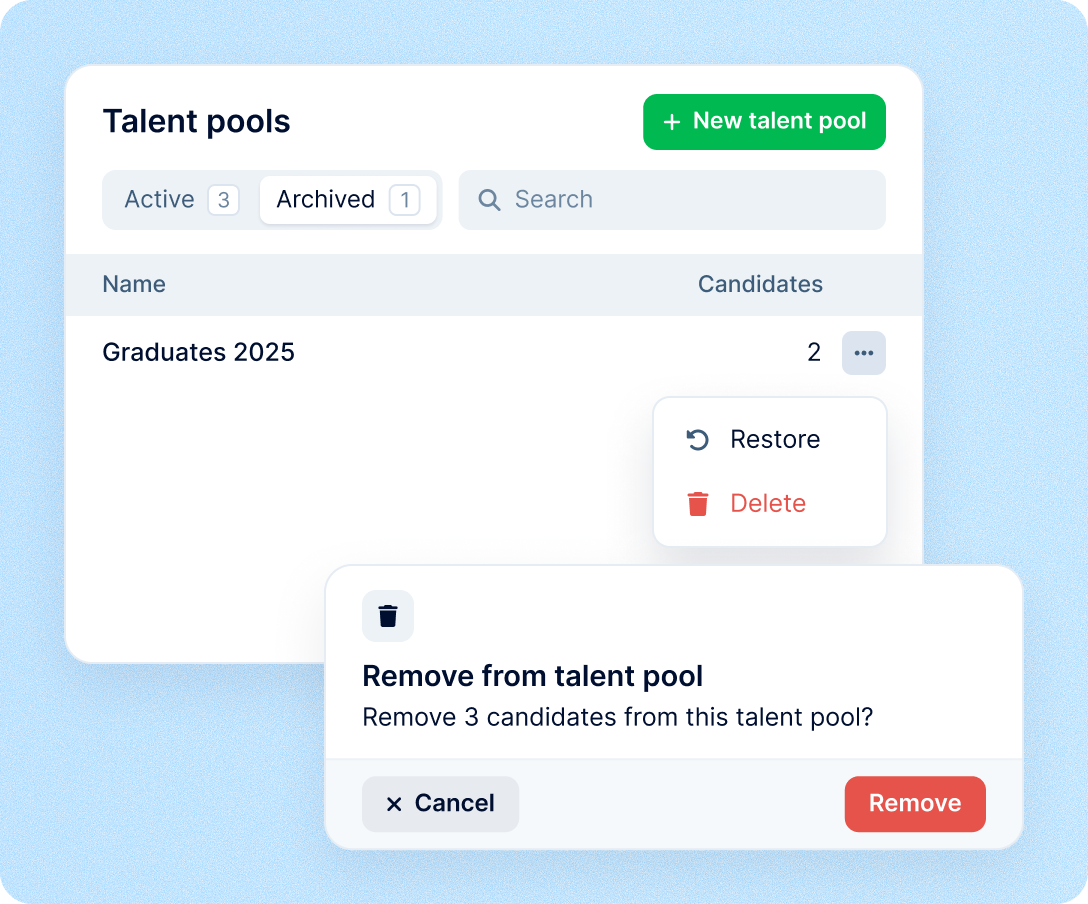
Archiving, removing, deleting — none of it touches the people, only the membership. An archived pool keeps everyone, its name and its description, and can be restored any time. Your permission rules still apply: a recruiter only sees the people they are allowed to see.

Pools are a view of your database, never a copy of it

More in Recruit

Explore the rest of Recruit

Everything around the hire: AI candidate screening, candidate consent, a career site, job board posting, interview scheduling and hiring analytics.

A verdict on every new CV

Each new application with a CV is checked against your criteria and gets one of four verdicts, with a reason for each criterion.

Learn more
AI candidate screening

Security and operational continuity

Certifications, granular access and full control over what happens to your data.

ISO 27001 certified, GDPR compliant, Google Cloud data centres in Europe
G2Best Support

Frequently asked

How is a talent pool different from a pipeline stage?

Can one candidate be in several pools?

Who can see a pool?

Why does a pool show 40 candidates but I only see 6?

What happens to candidates when I archive a pool?

Can I email a whole pool at once?

Overpriced HR?
There's a Better Way.

Get the full HR suite — Core HR, ATS, Performance, Surveys and more — at a fraction of enterprise platform pricing. See exactly what you'd pay.