
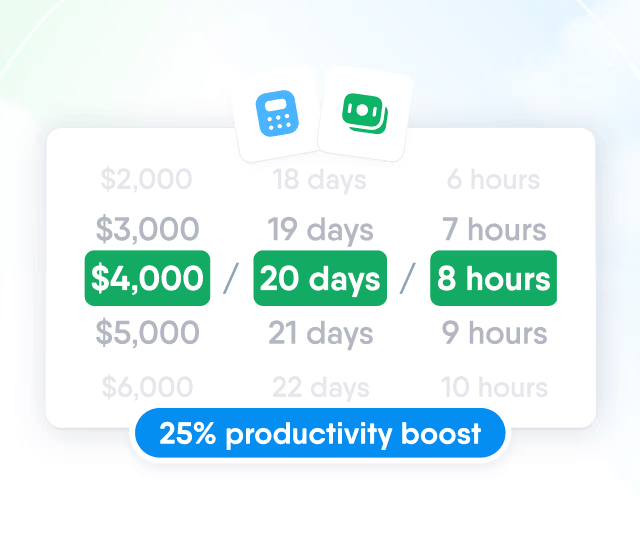
HR efficiency estimator
How does the HR efficiency estimator from PeopleForce work.
Calculate your impact



AI in HR: the five jobs it does today, and how each one looks in PeopleForce

Somebody on your team asked an AI a work question today. Maybe about a policy, maybe about a colleague's availability, maybe "rewrite this feedback so it sounds kinder." AI is already part of your HR work. What's still open is whether it runs inside systems you govern or in a browser tab you'll never see.
Who this is for
Leadership asked for "our AI plan" and you need a grounded answer rather than a vendor pitch.
Your team already pastes work questions (sometimes with real employee data) into public chatbots.
Every HR platform on your shortlist says "AI-powered" and you can't tell what's real.
You want the benefits without becoming the company that leaked a salary sheet into a chat window.
Short answer: most AI in HR today falls into five jobs
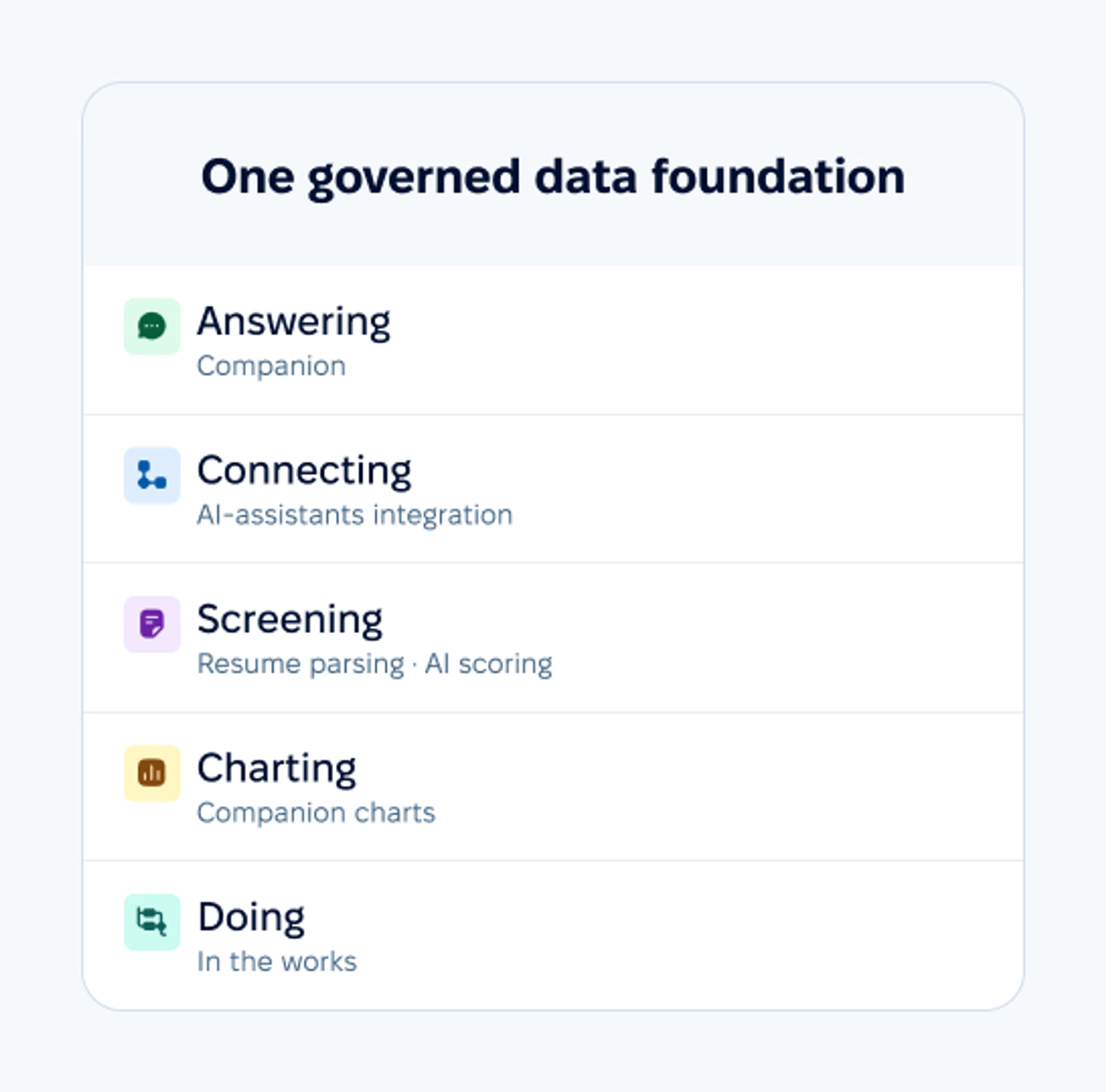
Answering people's questions from company data.
Connecting HR data to the AI tools people already use.
Screening and parsing candidates.
Visualizing people data on demand.
Doing a share of the work outright, as a contributor whose output a human still owns.
Other uses exist, such as attrition prediction or shift-scheduling optimization, but they are still rare in the mid-market.
This article walks each job and shows how it looks in PeopleForce today, including what is in early access or available on request, then closes with the security principles and the five questions to ask any vendor. The examples come from PeopleForce, our own platform. The five jobs, the principles, and the test apply to any HR platform you evaluate.
The AI your team already uses without asking you
Start with the uncomfortable number, and note where it comes from. Cyberhaven Labs' 2026 AI Adoption & Risk Report found that 39.7% of employees' AI interactions involve sensitive data, and that about a third of employees reach AI tools through personal accounts: outside single sign-on, outside central logging, and outside your retention rules.
That is the working definition of shadow AI: work AI use that IT and HR never see.
For HR this is not an abstract governance worry. The questions people take to a public chatbot are often HR questions ("how do I phrase this feedback," "what does parental leave usually look like"), and the paste that goes with the question can contain a name or a salary. People paste because it's the fastest way to get an answer. The real risk is HR data that's unreachable where people work, or reachable only by pasting it somewhere it shouldn't go.
That's the frame for everything below: the job of AI in HR is to give people a governed way to do what they're already doing ungoverned.
AI in HR crossed from pilot to practice
Adoption is now measurable, and it's smaller than vendor marketing suggests. In SHRM's State of AI in HR 2026:
Adoption is narrow: most usage is a handful of specific chores. That's exactly the right expectation to carry into the five jobs.
Job 1: Answering the questions that fill HR's inbox
What it is
A conversational assistant that answers employees' and managers' questions from the company's own knowledge base and people records: what the travel policy says, who's away next week, how much leave is left, who reports to whom. It replaces the daily trickle of questions that each take a minute of HR's attention and arrive by the dozen.
What good looks like
Three tests separate a real answering assistant from a chat-shaped search box:
It understands paraphrases (nobody asks questions in policy language).
It cites its sources, so the reader can open the original document instead of trusting a summary.
It answers within the asker's permissions, so two people asking the same question get answers scoped to what each is allowed to see.
In PeopleForce
This job is our AI chatbot, built into the platform. It:
searches the knowledge base semantically ("can I take time off when my kid is sick?" finds the parental and carer's leave policy)
quotes the policy wording with clickable sources
personalizes answers to the asker's role and location
looks up people, checks who's away, leave balances and the status of time-off requests
reads the asker's own Inbox, 1:1s and objectives
It works on the web and in the PeopleForce mobile app. Every answer is limited by the asker's own field-level permissions.
Early access
The PeopleForce team switches the AI chatbot on per account, so ask your customer success manager (CSM). Your admin then grants access role by role, like any other data access.

Job 2: Connecting HR data to the AI your team already uses
What it is
One answer to shadow AI. Instead of pretending people will abandon the assistant they already work in, the platform exposes HR data to that assistant: governed, permissioned, revocable. In the industry this runs on the Model Context Protocol (MCP), an open standard that lets AI assistants connect to business systems; a growing number of HR vendors now offer MCP integrations.
What good looks like
Per-user authorization, so each person connects their own assistant and can revoke it. The same permission model as the platform itself, so the assistant sees only what its user may see. And a capability list you can read out loud: a named, bounded set rather than "your agent can do anything."
In PeopleForce
This job is PeopleForce MCP, our own MCP server. Over it, an assistant can look up who is away, how much leave someone has left, and who works where and reports to whom. Every lookup runs as the person asking: for current employees, each answer is bounded by that person's role, directory visibility and field-level restrictions, just as in PeopleForce.
Switching on | Like the AI chatbot, it's enabled for your account by the PeopleForce team first. An administrator (or anyone with the Integrations setting) then turns MCP on under Settings → Integrations → Model Context Protocol (MCP). |
|---|---|
Connecting | Each person connects their own assistant and signs in as themselves, so no API key is created. |
Revoking | People see their connections under Preferences → Security → Connections and can revoke any of them; administrators can see and revoke every connection in the company. When someone leaves the company, PeopleForce revokes their connections automatically. |
Your data stays governed here and reaches their assistant on your terms. What the assistant receives becomes part of the conversation there, under that assistant's own data settings. That gives the tools people already use a governed feed of HR data, so the same data doesn't have to leave through a personal account.

Job 3: Screening and parsing candidates
What it is
One of the longest-running AI jobs in HR, and the most common one in SHRM's survey: reading CVs so recruiters don't have to do the first pass by hand. The pressure keeps rising: 84% of job seekers used AI in their search, and the median number of applicants per filled job rose to 69 from 58 a year earlier (Workday Global Workforce Report, October 2026). Parsing turns an uploaded resume into structured fields; scoring compares candidates against a vacancy's stated criteria; generation drafts the screening criteria from the job description itself.
What good looks like
Hiring is where AI carries real regulatory and fairness weight. The EU AI Act classifies hiring-related AI as high-risk, and while the Digital Omnibus (Regulation (EU) 2026/1744) moved those obligations to 2 December 2027, the obligations are still coming. So the bar is explicit criteria the humans wrote, visible reasoning, and a human decision at the end.
In PeopleForce
PeopleForce runs this job through three recruiting features.
AI resume parsing | Fills candidate fields from an uploaded CV; it comes switched on, and an admin can turn it off in Settings. Recruiters can also upload up to 25 CVs at once and turn each new one into a candidate profile; duplicates are caught rather than added twice. |
|---|---|
Criteria generation | A recruiter writes the criteria or generates them from the job description with one click. Scoring needs at least one criterion of any type before it can be switched on for a vacancy. |
AI scoring | Available on request since release 2.48. Checks each new application that has a CV against the vacancy's must-haves, nice-to-haves and red flags, one criterion at a time, gives an overall verdict (Brilliant, Good, OK or No match) and shows its reasoning. Older applications can be scored with a manual re-run. |
Scoring judges only the criteria on that list, and the language a CV is written in never counts as evidence unless a criterion is about languages.
Every result carries the label "AI-generated — review before deciding."
Recruiters can sort and filter applicants by the AI's verdict, but nothing in PeopleForce moves or rejects a candidate on it: the decision stays with the recruiter.

Job 4: Visualizing data on demand
What it is
Conversational analytics means typing a question about your data and getting a chart back, with no report builder involved. The trend started in BI tools and has reached people data. Its real effect is organizational. In many companies, only one or two people know how to get answers out of the HR system; conversational analytics makes the data answerable by everyone who's allowed to see it.
What good looks like
The chart should render where the question was asked, and it should draw only on data the asker is permitted to see. It should also say what each number counts, so the reader can check the chart before acting on it.
In PeopleForce
In PeopleForce, this is the AI chatbot's chart answering: ask for "people per department as a bar chart" and it draws the chart inline (bar, pie or line, up to 50 data points) and formats multi-attribute answers as tables, inside the same permission bounds as everything else it does. Today the charts are people counts, grouped by fields such as department, location, position or hire year; averages, trends and turnover still live in your reports.

Job 5: Doing a share of the work
What it is
The newest job, and the one many vendors are now pitching: not an assistant that answers questions about the work, but an agent that produces some of it, pitched across the market as "handling the first 80%" of a process, or as supervisor agents coordinating worker agents underneath. The category is moving from answering to contributing. SAP, for example, released new agents for its Performance and Goals Assistant in Q3 2026 and is rolling out general availability in phases: its Goal Creation Agent writes SMART performance goals from company strategy and the employee's role, and its Calibration Equity Agent flags inconsistent ratings before or during calibration.
What good looks like
The honest version of this job isn't an agent that decides. It's an agent that contributes work a human owns, and three things make that difference:
A named, bounded set of data sources the agent may read, chosen by an administrator rather than by the agent.
Instructions your company writes, so the agent's standard is your standard.
Visible attribution, so everyone can see which part of the output came from an agent and weigh it accordingly.
Where those three are missing, you don't have a contributor. You have an unattributed opinion in your records.
Coming soon to PeopleForce
We're actively building agents into PeopleForce that do a share of the work, and the AI chatbot will be able to act on your data, not only answer questions about it.
The principles that separate governed AI from a leak
The five jobs are the what; these principles are the how. They apply to any HR platform, ours included. If you forward one screen of this article to whoever signs off on your AI plan, make it this list. Accountability is the gap to close first: in a Gartner survey of 297 CHROs published in October 2026, only 24% said their leadership team agreed on who is accountable for AI agents.
Permissions are inherited | Every answer, score and chart should be scoped to what the asking person is already allowed to see; the AI never gets its own access. In PeopleForce, for example, the AI chatbot's knowledge-base results are permission-checked before the AI reads them, and a salary appears only to someone whose role already sees it. |
|---|---|
Reading and acting are different privileges | An assistant that answers questions is a different risk class from an agent that produces or changes something, and the two deserve separate switches. In PeopleForce that line is visible: the AI chatbot answers, looks people up and draws charts, and today it takes no actions. Features that produce work, like CV scoring, sit behind their own switches. When you evaluate any platform, establish which of the two you are switching on, and what stands between a prompt and a record. |
Sources shown, AI labeled, humans deciding | Cited policy wording beats confident paraphrase. "AI-generated — review before deciding" beats silent scores. A recruiter or manager makes the call. In the EU this is now law as well as good practice: the AI Act's transparency duties for systems that interact with people have applied since 2 August 2026. |
Deliberate enablement | Each AI feature in this article has its own switch. The PeopleForce team turns the AI chatbot and MCP on per account; your admin then grants the chatbot role by role and turns MCP on, and each person connects their own assistant. Recruiters switch AI scoring on vacancy by vacancy. Resume parsing is the exception: it comes switched on, and an admin can turn it off. Ask every vendor how finely you can switch AI on, and which features arrive already on. |
A security posture you can point at | Ask where the platform stores your data and under what certifications. PeopleForce stores all customer data in the EU, on Google Cloud in the Netherlands, complies with GDPR and holds ISO/IEC 27001:2022 certification, all documented on the Trust Hub. AI features send the data a request needs to the third-party AI providers listed in the PeopleForce AI Addendum, and neither PeopleForce nor those providers use customer data to train models. The AI chatbot also indexes your published knowledge-base articles with Google's Vertex AI so it can search them by meaning. Then put the same AI questions (providers, retention, training) to every vendor directly, including the public tools your team uses unofficially. That contrast is often a strong argument for giving people a governed alternative. |
Five questions to ask any HR AI before you roll it out
Skip the feature list; run this test. It's five questions, and the first one takes thirty seconds in any demo.
Ask it "who's out this week?" in your own words, unscripted. A real assistant answers from live data; a chat-shaped search box changes the subject.
"What can it see, and whose permissions does it use?" The only acceptable answer: the asker's own, everywhere, with no AI-specific side door.
"Can it take actions, and if so, what stands between a prompt and a change in my records?" An assistant that only answers is a legitimate answer. So is action with explicit human approval, or an agent whose output lands as an attributed contribution rather than a silent edit. "It just does it" is not.
"Where do answers come from, and can the reader check?" Look for cited sources on policy answers and explicit criteria on scores.
"Who turns it on, and how granularly?" Per-account, per-role, per-feature switches mean you can adopt at your pace; one big AI toggle means you can't.
We sell an HR platform with AI in it, so we aren't neutral here. Ask us these five questions in a demo too, and hold our answers to the same standard.
The data foundation under all five jobs
Every job in this article depends on one unglamorous thing: the data underneath it is complete, current and permissioned in one place. An assistant is only as good as the records it answers from; a score is only as fair as the criteria and data behind it. Gartner's research makes the point (October 2026):
That's the real order of operations for AI in HR: govern the data first, then let the AI at it. If your people data already lives in one governed home, the five jobs are much easier to switch on. If it doesn't, that's the project, and it pays off far beyond AI.
FAQ
Is AI going to replace the HR team?
The five jobs in this article are chores: answering repeated questions, moving data safely to the tools people use, first-pass screening, drawing charts, and producing a first draft somebody else owns. Each one frees time for judgment work. The decisions (hire, promote, act on survey results) should stay with people, and in PeopleForce they do.
What's the safest first AI use in HR?
The answering job. It touches no decisions, its errors are easy to catch (a policy answer cites the article it came from, so a wrong summary is one click from the source), and it removes the most daily friction. Screening comes second, with explicit criteria and human review.
How do we deal with employees already using public chatbots for work questions?
Give them a governed alternative for the HR half of it, and clear guidance for the rest. Bans rarely hold against convenience; a faster answer inside the platform gives people a reason to switch. That's the design logic behind our AI chatbot and PeopleForce MCP alike.
What does PeopleForce actually have today?
The main ones:
The AI chatbot, in early access: answers, people lookups, who's-out, leave balances and requests, your Inbox, 1:1s and objectives, inline charts, on the web and in the mobile app.
PeopleForce MCP for external AI assistants.
Recruiting AI: resume parsing, on by default, plus criteria generation and CV scoring, available on request, with review disclaimers.
Performance AI, available on request: a writing coach for review drafts, AI insights on completed reviews, and an AI reviewer you can add to a review cycle.
Each has its own switch, and the AI chatbot is also granted role by role.
The PeopleForce editorial team creates and refines content on people management, recruiting, team development and HR technology. Every article goes through an editorial review for accuracy, relevance and clarity. We rely on verified sources, industry research, hands-on experience and PeopleForce’s own analytics, including anonymized data, to give HR professionals, managers and business owners useful, reliable information.


One login. Every HR tool you'll need.
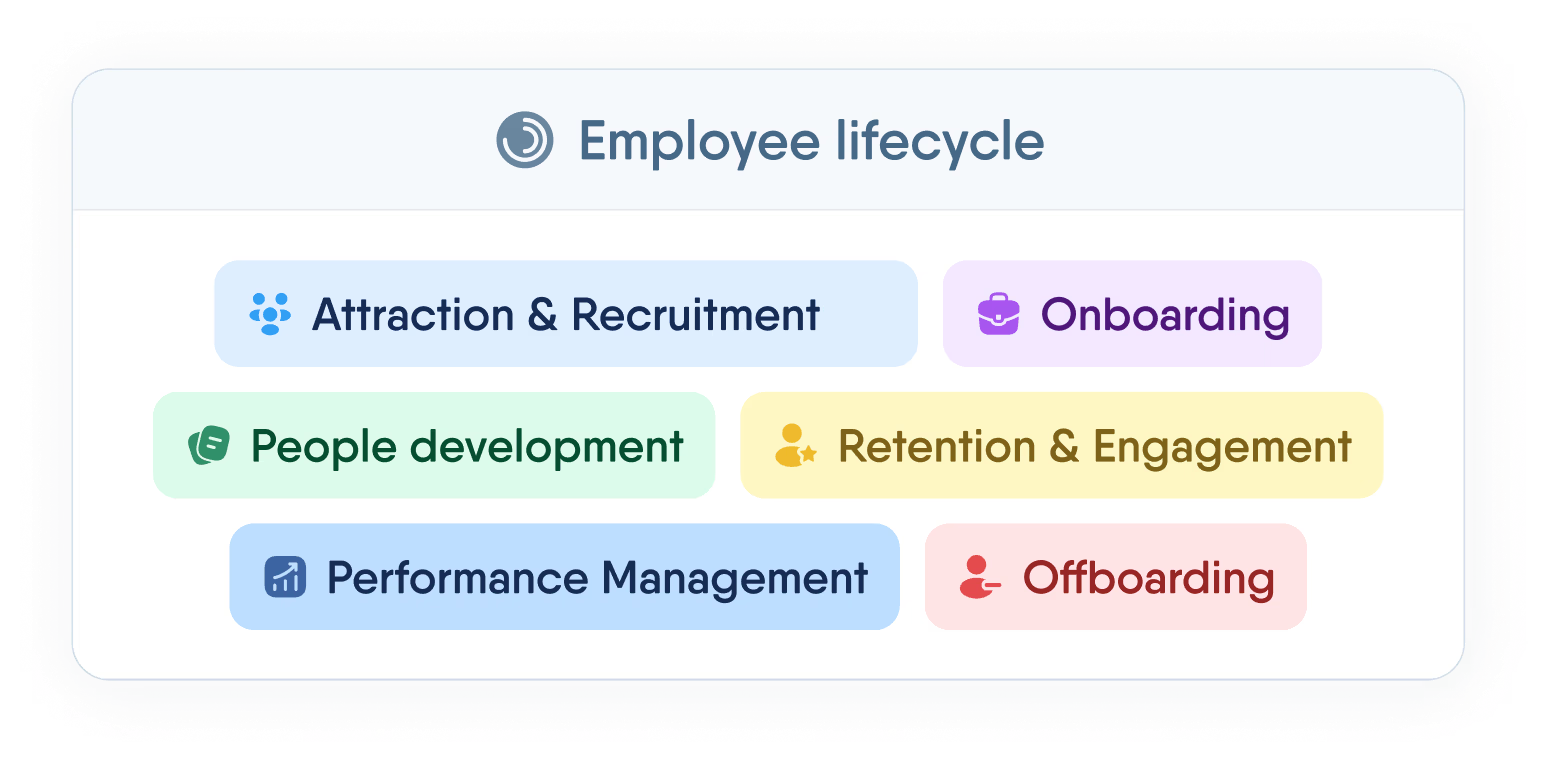
Manage the full employee lifecycle — from first interview to final offboarding — without switching tabs or losing data.
Recent articles
What your team can ask the PeopleForce AI chatbot, and what’s coming next
The AI chatbot built into PeopleForce answers policy, people, leave and chart questions from your own data, within each person's permissions. What it does today and what's next.
Overtime automation: rules in Ukraine and the UK and payroll-ready hours
What the law says about overtime in Ukraine and the UK, and how to automate tracking: hour types, rates, approvals and payroll-ready data.
Stress at work: how to manage it and when it turns into burnout
What causes stress at work, how to recognize it, practical ways to manage it, how it differs from burnout and what HR and managers can do.