

PeopleForce vs Odoo: A comparison for HR

PeopleForce is an AI-powered HR platform that works beside your ERP and serves your people. Employees send requests and get their documents in the app, and HR keeps every record in one place and passes it on to payroll and your accounting system, in one country or many. Odoo is an ERP where HR sits beside accounting, inventory and sales. Here is how they compare for HR.

Updated:

Feature comparison

How PeopleForce and Odoo differ in HR

PeopleForce covers the whole employee journey, from hiring to learning, in every country you operate in, and passes the data about your people to your accounting system. Odoo is an ERP where HR sits beside accounting, inventory and sales. We compare the HR side.

PeopleForce and Odoo compared: what each covers, working across countries, core HR, payroll, people development, updates, the link to your ERP and getting started. As of 20 November 2026.
FeaturePeopleForceOdoo
What it covers
What the system is forYes. An HR platform for the whole employee journey: hiring, HR records, leave and time, reviews, surveys, learning, payroll and HR requests. Accounting, inventory and sales stay in your ERPYes. An ERP with apps for accounting, sales, inventory, manufacturing and HR
Across countries and entities
Legal entities and countriesYes. Legal entities, locations and currencies in one account under one reporting line, each with its own policies, approvals and signersPartly. Multi-company on the Custom plan
Local HR recordsYes. Where a country needs more: Kadry for Ukraine (HR orders, Diia, military records), and for Poland the Optima and enova365 connectors (a paid add-on) and Autenti signingNo. Fiscal localizations for many countries; HR records through partners or third-party modules
Interface languagesYes. Each person picks their own: English, Spanish, Polish, Ukrainian, German, Portuguese and moreYes. Each user picks their own language, among dozens
Employees and contractorsYes. Each employment type has its own forms, documents and processes. Payroll Hub calculates gross pay for employees and invoices for contractorsPartly. Contract types in the Employees app; contractors as vendors in Accounting
Core HR and automation
Automated workflowsYes. Assigned by department, location or employment type, and triggered by a profile date, a schedule or by hand. They then create tasks, forms, documents to sign, meetings and courses automaticallyPartly. Onboarding and offboarding plans with activities; the ERP’s general automation rules
An app for employeesYes. Web and an iOS and Android app: leave, overtime, clocking in, documents to sign, HR requests and approvals for managers. AI Companion answers their questionsPartly. Odoo’s general app for every ERP module
Documents, certificates and e-signatureYes. Documents and certificates are generated from your templates with the employee’s data, automatically in a workflow if you like, and signed onlineYes. E-signature in the Sign app (Enterprise)
Reports and analyticsYes. A report builder on any field, with values as of any past date, headcount history and turnover, and XLSX reports emailed on a scheduleYes. Reports in each app, pivot tables and charts
Payroll in Payroll Hub
Payroll calculationYes. Gross pay, before tax: salary prorated to working days, average earnings, paid leave, overtime and bonuses in one run. Pay cycles and schedules, a check before approval and a handover to each country’s payroll provider or accounting system, which calculates taxPartly. The Payroll app (Enterprise), with official localizations for 25 countries
Bonuses and additional payYes. One-off or recurring: for one person, for everyone or for those who meet your conditions. The system warns you if a payment was entered twicePartly. Other inputs in the Payroll app (Enterprise)
Cost centresYes. People costs split by cost centre, the way you report themYes. Analytic accounts in the Accounting app
Invoices from contractorsYes. An invoice from your template in every pay run, signed online, or the contractor uploads their own. Reminders before the deadlineYes. Vendor bills in the Accounting app
Pay in other currenciesYes. Any currency; the central bank rate (ECB, Bank of England, NBP or NBU) is fixed when the run is approvedYes. Multiple currencies in the Accounting app
Hiring and people development
Hiring and job boardsYes. Paid posting to 5,000+ job boards worldwide, AI scoring of every candidate against the vacancy’s criteria, and vacancy requests with approvalsPartly. The Recruitment app; it posts directly to Monster.com only
Reviews and goalsYes. 180° and 360° reviews, competencies, OKRs and KPIs, 1:1 meetings, a 9-box grid and AI that helps write reviewsYes. The Appraisals app: reviews, 360 feedback, goals and skills (Enterprise)
Surveys and eNPSYes. Engagement and employee lifecycle surveys, eNPS and engagement drivers. AI drafts a survey from your descriptionPartly. The general Surveys app; eNPS not listed
LearningYes. Courses, tests, SCORM, mandatory and recurring training. AI turns your document into a courseYes. The eLearning app with courses and certifications
Updates, the link to your ERP and getting started
UpdatesYes. New features reach every customer automatically, at no extra cost and with no code to move between versionsPartly. Upgrades of Odoo’s own apps are included; your own and third-party modules are moved separately, and maintaining custom code is not in the subscription
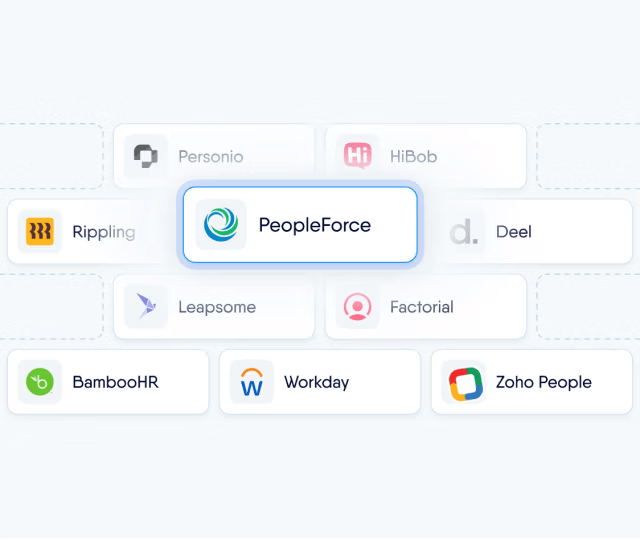
A link to Odoo and other ERPsYes. An open API and webhooks: employees, leave and payroll go to Odoo or any accounting system, set up together with you. Or an XLSX and CSV export. The API and webhooks are on the Professional planYes. HR and accounting in one database
Built-in AIYes. In every module at no extra cost: CV screening, review drafts, surveys, courses and answers for employeesPartly. CV recognition and a match score for the vacancy; AI agents on the Custom plan, paid in credits
Implementation and data migrationYes. Included in the price. A dedicated customer success manager from day onePartly. Companies of 50+ people usually implement with an Odoo partner; implementation is paid separately

Based on peopleforce.io and Odoo’s public pricing page, documentation and app store at odoo.com, as of 20 November 2026. Spotted an inaccuracy? Let us know

Cost of ownership

The Odoo licence is only the tip of the iceberg

HR on an ERP costs more than the licence. Local modules where Odoo has none, custom work and moving your own modules to each new version fall to your developers or your partner.

The Odoo licence

from €4.90 per employee a month

What the price list shows

  • The Custom plan €22.90 per user a month in the first year, €27.90 after, for Studio, several companies or modules with code
  • Local HR and payroll modules official in 25 countries, partner-built elsewhere
  • Odoo.sh or your own server hosting for third-party modules is paid separately
  • Implementation with a partner how companies of 50+ people usually do it
  • Custom work for your processes developers’ or a partner’s hours every month, for each new field, form or report
  • A new version every two years custom and third-party modules move with it; standard apps upgrade free
  • Changes in labour law where there is no official localization, keeping modules current is on you
  • Maintaining custom code not in the Odoo subscription

With PeopleForce it is all in the price

You pay per employee for the modules you need. The rest is our work.

  • Every country in one account with local depth where a country needs it
  • Implementation and data migration with a dedicated customer success manager
  • Updates for every customer, with no code to move between versions
  • HR sets up the processes: workflows, fields, templates and reports, no developer needed
  • AI in every module with no extra cost or credits
  • Hosting, security and support with no separate bills

The link to Odoo through the open API is on the Professional plan.

Sources: the odoo.com pricing page (the Custom plan, the Light User, custom code maintenance not in the subscription, partners for companies of 50+ employees), Odoo’s payroll documentation (25 localizations) and its documentation on moving to a new version, as of 20 November 2026.

Why teams choose PeopleForce

An HR platform beside the ERP that runs your business

An app for your people, data for your ERP

An employee asks for leave or a certificate in the app, their manager approves it right there, and the document is generated from a template. HR keeps all the data about your people in one place, and it goes to payroll and your accounting system through the API or an export.


Every country and entity in one account

Your offices and entities in every country sit in one org chart and one account. Filter it by location and each team appears where it belongs, while each entity keeps its own policies, approvals and currency, and the month’s payroll runs once for all of them.

Ready-made processes, from candidate to review

The way the best HR teams work is already built in. AI scores the candidate’s CV in Recruit, the hire becomes an employee profile with nothing typed twice, a workflow starts onboarding and books the probation review. And every update brings more, with no code for your developers to write or move.

AI in PeopleForce

AI that does the work, not just answers questions

In every module, AI takes on a specific task: screening CVs, drafting reviews, building surveys and courses. No extra cost, no separate AI package and no AI credits. And if your company already runs its own AI tools, connect them to your HR data on the Professional plan.

  • AI checks every CV against must-haves, nice-to-haves and red flags, and explains its reasoning. It also summarises interviews.

Customer stories

Teams that run HR in one platform

  • AWT Bavaria · automotive · 450+ people50%faster hiring

    Hiring, onboarding and reviews ran on email and paper. With Recruit, Perform and Desk in one system, AWT Bavaria reached a 95% probation success rate.

    Sabrina GildehausDirector of HR Strategy

    Read the story: AWT Bavaria
  • Bankingly · fintech · six countriesHalfthe cost of HR software, while doing more

    The previous tool only handled 180° reviews, so 360° reviews ran in Excel and email. Now 360 reviews, surveys and time off run on one platform, contractors included.

    Carolina PerroneHead of People

    Read the story: Bankingly
  • YouScan · MarTech · 14 countriesUp to 60%time saved through automation

    Founders and hiring managers ran HR and hiring in spreadsheets. Now Core HR, Recruit and Perform carry it for a team spread across 14 countries.

    Galyna MarchukChief People Officer

    Read the story: YouScan
  • ASTAT · industrial automation · 270 people12×less time on annual performance reviews

    Four people used to work half-time for three months on reviews, across 540 Excel files. Today one person runs them in two weeks.

    Paulina ŁąckaSenior HR Specialist

    Read the story: ASTAT

Results come from published case studies and describe the experience of specific companies. They are not a guarantee of the same results in every organisation.

How to start

Start PeopleForce beside Odoo

From day one you have a dedicated customer success manager. They move your people data from Odoo or spreadsheets and set up your processes and the link to accounting with you, and that is included in the price. Depending on company size, go-live can take just a few weeks.

  • Implementation at no extra cost
  • A dedicated customer success manager
  • Data moved from Odoo or spreadsheets
  1. 1 · Your CSM and you

    We map your processes

    We agree what stays in Odoo, what moves to PeopleForce and how hiring, leave, reviews and HR records will work for each entity.

  2. 2 · Your CSM

    We migrate your data

    Employee records, company structure, leave balances, vacancies and candidates move into PeopleForce. We check everything before go-live.

  3. 3 · Your CSM

    We connect your tools

    Odoo or another accounting system through the API, Google Workspace or Microsoft 365, Slack or Teams, job boards and e-signature.

  4. 4 · You

    You invite your team

    People sign in on the web or the iOS and Android app, request leave, sign documents and see their own data.

Security and data protection

Certifications, role-based access and full control over where and how your employees’ data is stored.

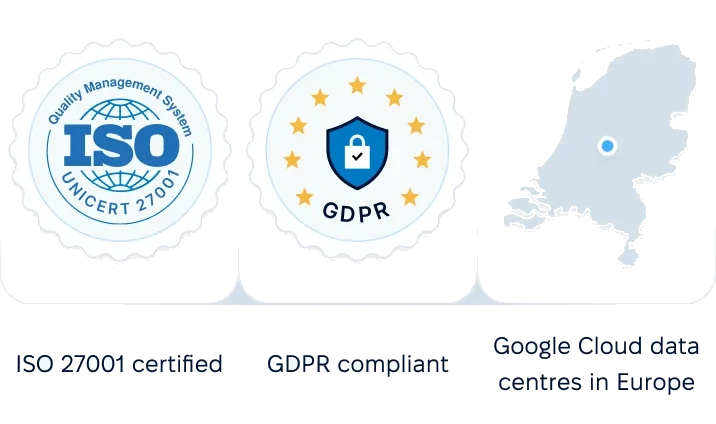
ISO 27001 certified, GDPR compliant, Google Cloud data centers in Europe
G2Best support

Summary

When to choose PeopleForce and when Odoo

Choose PeopleForce if:

  • you want hiring, reviews, surveys and learning in one HR system with AI
  • your people work in several countries or legal entities, and you want one HR system for all of them
  • your people should send requests and get their documents in an app
  • you would rather get new features in updates than maintain your own code
  • your people data should go to Odoo or another accounting system, with a dedicated manager running the start

Choose Odoo if:

  • you want one system for accounting, inventory, sales and basic HR
  • you have your own developers or a partner to build on the system for you
  • the system has to run on your own server
  • one free app or the open-source Community edition is enough for you

About price, honestly

The pricing models differ. Odoo charges per user for all its apps, and employees without full access count as Light Users at a lower price. Local HR and payroll modules beyond Odoo’s own may need the Custom plan, and implementation with a partner is paid separately. With PeopleForce you start with Core HR and add Recruit, Payroll Hub and other modules when you need them. AI, implementation, data migration and a dedicated customer success manager are included.

Pricing

What teams ask when they compare us with Odoo

Compare on your own processes

We’ll show you how your people, entities and the link to your accounting system would work in PeopleForce.

This comparison was prepared by PeopleForce from public information on both companies’ websites as of 20 November 2026. Odoo is a trademark of Odoo S.A. Spotted an inaccuracy? Let us know