

PeopleForce vs Comarch HRM: HR software compared

This comparison is for companies with a team in Poland. Comarch HRM is the employee self-service add-on to Comarch's Polish ERP systems, such as Comarch ERP Optima, and works on their payroll data. PeopleForce is HR software for the whole employee cycle, in every country you operate in. It exchanges data with Optima, so your Polish payroll stays where it is.

Updated:

Feature comparison

How PeopleForce and Comarch HRM differ for a company in Poland

We compare what HR teams that run payroll in Optima ask about most: who sets up processes, the whole employee cycle, payroll and time, and employee access. We also show where Comarch HRM is stronger today.

Comparison of PeopleForce and Comarch HRM: HR processes, the employee cycle, payroll and time, employee access. As of 18 November 2026.
FeaturePeopleForceComarch HRM
Processes HR sets up itself
Custom requests, forms and approval chainsYes. Custom requests and data change forms with approvers in sequence; HR builds them itself (Professional plan)In part. Requests approved by managers along the reporting lines
Employment contracts, B2B (self-employed) and civil-law contractsYes. Employment types with their own policies: working time and leave assigned by contract typeYes. Civil-law and B2B contracts shown in self-service
The whole employee cycle
Onboarding and offboardingYes. Onboarding and offboarding processes with tasks for HR, the manager and the employeeNot listed
Recruitment (ATS)Yes. Recruit: candidate pipeline, careers page, paid job boards through VONQYes. Employee Development module: vacancies, scored applications, careers page
Reviews, OKRs and 1:1sYes. Perform: 180° and 360° reviews, OKRs and KPIs, 1:1 meetingsIn part. Employee Development module: 90° and 180° reviews, OKRs
eNPS and engagement surveysYes. Pulse: eNPS and engagement surveysNot listed
Online learning (LMS)Yes. Learn (a separate product): courses, tests, SCORM and recurring training such as health and safety; a course can be an onboarding stepIn part. Training plans and budgets; online courses not listed
Gender pay gap reportYes. Pay gap between women and men: mean and median, quartiles, pay by level (Professional plan)Not listed
E-signing HR documentsYes. Built-in electronic signature (Professional plan) and Autenti, including qualified signatures (paid add-on, Autenti account required)In part. Document workflow with Comarch BPM, a separate product
AI in HR workYes. AI candidate scoring, interview notes, review summaries, surveys and courses drafted by AI; MCP for your own AI tools. At no extra cost; some features in early accessNot in Comarch HRM; Comarch's AI agents work in its ERP systems, for example in Optima when deregistering an employee from ZUS, Poland's social insurance institution
Payroll, time and business trips
Data exchange with OptimaYes. Both ways: employee data, signed contracts and amendments, and leave taken go to Optima; leave balances and sick leave (e-ZLA electronic sick notes) come back and, on request, so do payslips and PIT tax forms. A paid add-on to the Professional plan; hours worked are not sent, and Optima's Chmura Standard cloud edition is not supportedYes. Works directly on Optima, ERP XL or Altum data
Without a Comarch systemYes. Works with enova365 (paid add-on) and with any payroll system through the API and webhooks (Professional plan)In part. Requires a Comarch ERP: Optima, ERP XL, Altum or Enterprise HR
Time trackingYes. In the browser and the mobile app (Time module): employees see expected time, time worked and the difference; no card readersYes. Working Time Management module: import from card readers, Comarch TNA, or clocking in from the browser
Shift schedulesNo. Weekly work patterns onlyYes. Work schedules in the Working Time Management module
Business tripsIn part. Business trip request with approval; per diems and costs are not settledYes. Requests in Comarch HRM, settlement with per diems in the ERP
Employee access
Mobile app and access without a company emailYes. iOS and Android app in English, Polish, Ukrainian and other languages; people without a company email sign in with their phone number and an SMS codeYes. Android and iOS app; the administrator generates employee logins

Based on peopleforce.io and the Comarch HRM documentation at pomoc.comarch.pl and comarch.pl, as of 18 November 2026. Spotted something out of date? Let us know and we will fix it.

Why companies in Poland choose PeopleForce

Three things you will see in a demo

From candidate to first day

A candidate moves through the hiring stages in Recruit. Once hired, they get an employee profile with their hiring data and the onboarding process your HR team built itself: tasks for HR, the manager and the new hire are ticked off one by one.


HR in every employee's phone

The iOS and Android app works in English, Polish, Ukrainian and other languages. Employees request leave, log their time and check their documents, and managers approve requests from their phone. People without a company email sign in with their phone number and an SMS code.

Polish payroll stays in Optima

Optima does not change. Employee data, signed contracts and amendments, and leave taken go to payroll. Leave balances and sick leave come back to PeopleForce and, on request, so do payslips and PIT tax forms, which employees see in the app. No file exports. A paid add-on to the Professional plan; hours worked are not sent.

AI in PeopleForce

AI that takes on real HR work

AI takes on specific tasks in hiring, reviews, surveys and learning: it scores candidates, rates performance based on facts, designs surveys and builds courses. No extra cost; some features are in early access and switched on when you ask.

  • AI checks every CV against the must-have and nice-to-have requirements and explains its score. After a Google Meet or Microsoft Teams interview, you get a summary.

Customer stories

Companies in Poland that brought their HR together in PeopleForce

  • 5 → 1HR tools replaced by one platform

    Autenti

    How Autenti reduced HR tool overload with PeopleForce

    Leave requests, recruitment and 1:1s lived in separate tools, including Calamari, Softgarden and Asana. Today the team works in one platform.

    Read the case study: Autenti
  • < 1 monthfor the full data migration

    Addepto

    Addepto's business operational transformation with PeopleForce

    The initial setup with a customer success manager took a week. One system replaced several scattered tools, including the one for tracking absences.

    Read the case study: Addepto

Results come from published case studies and describe the experience of specific companies. They are not a guarantee of the same results in every organization.

Moving from Comarch HRM

Move from Comarch HRM to PeopleForce and keep Optima

From day one you have a dedicated customer success manager who speaks Polish and English and knows Polish HR. Implementation and data migration are included.

  • Free implementation
  • A dedicated customer success manager
  • Employee and leave data moved at no extra cost
  1. 1 · Your success manager and you

    We learn how your company works

    We agree how requests, approvals, leave and time should work, which HR processes you run outside the system today, and what stays in Optima.

  2. 2 · Your success manager

    We move your data for you

    We bring employee data, leave balances and history, and your org structure into PeopleForce, and check everything before you go live.

  3. 3 · Your success manager

    We connect Optima

    We switch on the Optima integration (a paid add-on to the Professional plan), so employee and absence data reach payroll without file exports.

  4. 4 · You

    You invite your team

    Employees sign in through the browser or the iOS and Android app (by phone number if they have no company email), then request leave and log their time.

Security and data protection

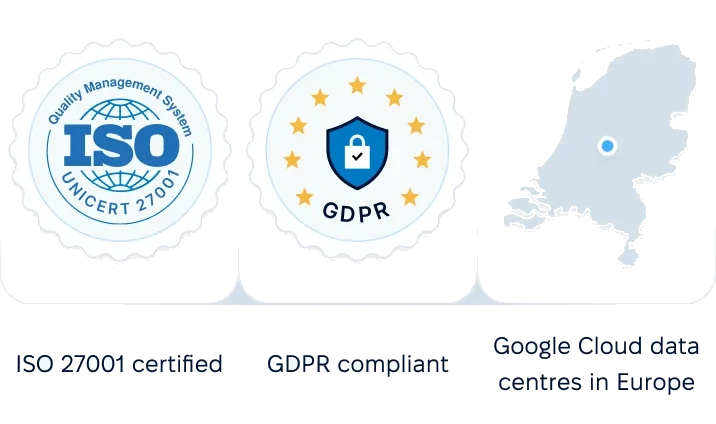
Data stored only in the European Union, ISO/IEC 27001:2022 certification and role-based access.

ISO 27001 certified, GDPR compliant, Google Cloud data centers in Europe
G2Best support

Summary

When to choose PeopleForce, and when Comarch HRM

Choose PeopleForce if you:

  • have teams in more than one country and want them in one HR system
  • want to build your own requests, forms, approvals and reminders without waiting on a vendor
  • want onboarding, eNPS surveys, online courses and a pay gap report in the same system as leave
  • keep Polish payroll in Optima and want data to flow both ways without files
  • want a dedicated customer success manager to run implementation and data migration

Choose Comarch HRM if you:

  • want payroll and HR self-service from one vendor
  • prefer a licence on your own server to a cloud subscription
  • clock in with card readers and plan shift schedules
  • settle business trips with per diems in your payroll system

Pricing, honestly

Comarch HRM is sold as licenses in packs of 10 employees, as an add-on to a Comarch ERP, in Comarch's cloud or on your own server, with no public price list. PeopleForce is a subscription per user, paid monthly or yearly: Core HR costs USD 2.50 per user a month (USD 2 billed yearly), with a minimum of 50 users, and you add modules when you need them. Implementation, data migration, your customer success manager and AI are included; the Optima integration is a paid add-on to the Professional plan. You get an exact quote for your company in the demo.

See pricing

Questions we hear when companies compare us with Comarch HRM

Compare using your own data

We will show you the Optima integration, onboarding and eNPS surveys using your own company's setup.

This comparison was prepared by PeopleForce from public information on both companies' websites, as of 18 November 2026. Comarch, Comarch HRM and Comarch ERP Optima are trademarks of their owner. If something has changed, let us know and we will correct it.