
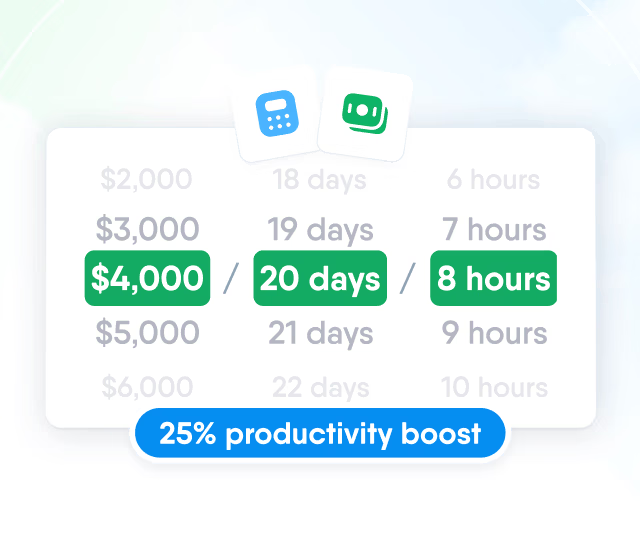
HR efficiency estimator
How does the HR efficiency estimator from PeopleForce work.
Calculate your impact



HR chatbot
What an HR chatbot is, which questions it takes off the HR team, how rule-based bots differ from AI assistants and how to launch one
What is an HR chatbot?
An HR chatbot is a chat assistant that answers employees' questions about HR topics and starts simple requests: how many days of leave are left, who is out this week, where the expenses policy is, how to book time off. It works in a messenger such as Slack or Microsoft Teams, or as a chat panel inside the HR system, and is available at any hour.
It is the conversational form of employee self-service: a person asks in their own words instead of looking for the right menu. Modern HR chatbots are one use of artificial intelligence in HR: a language model reads the question, looks up the answer in company data and replies in plain text.
Types of HR chatbots
| Type | How it works | Good for | Limits |
|---|---|---|---|
| Rule-based FAQ bot | Follows a decision tree or matches keywords to prepared answers | A short list of fixed questions | Fails when the question is phrased differently |
| Command bot in a messenger | Responds to fixed commands, such as a leave balance or the list of who is out | Quick lookups and approvals without leaving the chat | Does not understand free text |
| AI assistant | A language model interprets the question and looks up company data and policies | Open questions and answers that combine several sources | Needs up-to-date source data and strict access control |
What an HR chatbot handles
- Policy questions. Parental leave, expenses, remote work and other rules from the employee handbook or knowledge base.
- Personal lookups. Leave balance, upcoming time off, open tasks, the status of a request.
- Team questions. Who is out, who reports to whom, who to contact in another office, straight from the employee directory.
- Onboarding. The questions every newcomer asks in the first weeks of the onboarding process.
- Manager questions. Pending approvals and the team's planned absences.
Decisions about people stay with people. Pay, complaints, disciplinary cases and anything that needs judgement should go from the chatbot to an HR specialist, with the conversation handed over.
How to launch an HR chatbot
- Collect the 30 questions HR answers most often from email, chat and the help desk.
- Put the sources in order: publish current policies in one knowledge base. A chatbot is only as accurate as the documents it reads.
- Decide what it may see. Answers should stay within each person's own access rights.
- Choose the channel employees already use every day.
- Pilot with one team, review wrong answers every week and measure the share of questions closed without HR.
- Tell employees what the assistant is, which data it uses and how to reach a person.
HR chatbots and data protection in the UK
An HR chatbot processes employees' personal data, so UK GDPR and the Data Protection Act 2018 apply. In practice that means a lawful basis and clear information for staff about what the assistant does, access limited to what each person is allowed to see, and a check of where the AI provider processes the data. A data protection impact assessment is a sensible step before launch, particularly when the assistant can read absence or pay data. The rules themselves are covered under data protection.
HR chatbot in PeopleForce
PeopleForce has an assistant of this kind built in: AI Companion, a chat panel that opens next to the sidebar search. It answers questions about colleagues, time off, performance, recruitment and the person's Inbox, and reads two sets of articles: the company knowledge base for policies and the PeopleForce help centre for how the product works. Every lookup runs with the permissions of the person asking, so two people can get different answers to the same question. Answers taken from the knowledge base come with up to three source links, and figures can be drawn as a bar, pie or line chart. Companion mostly reads: the one thing it saves is a draft of the person's own performance review answers, which the person then submits. Access is a separate permission in the role settings. For teams that work in Slack, the PeopleForce bot answers five commands: leave balance, leave requests, tasks, who is out and a knowledge base search.
Frequently asked questions
Can an HR chatbot replace the HR team?
No. It takes over routine questions and lookups, which frees HR time for cases that need judgement: conflicts, pay decisions, development and hiring. Sensitive topics should always have a route to a person.
Is it safe to give a chatbot access to HR data?
It depends on the access model. A safe assistant answers only within the permissions of the person asking, does not show one employee's data to another and makes clear where conversations are stored and which AI provider processes them.


Let us show you what's possible
From Core HR to advanced workforce analytics — see the platform saving 80 hours a month for teams just like yours. Fully tailored to your workflow.