
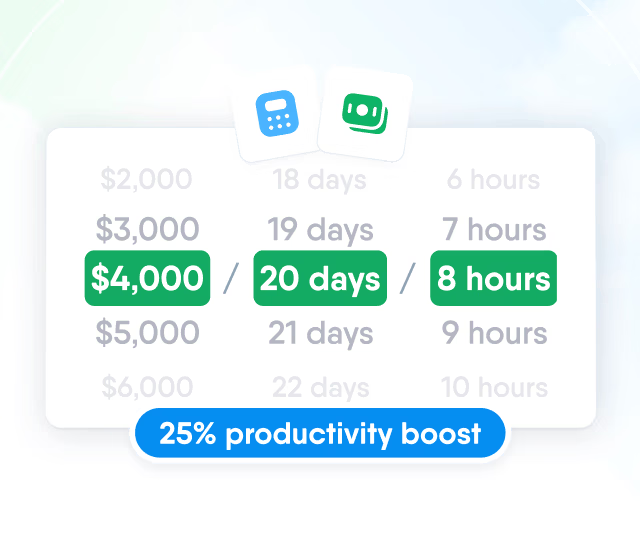
HR efficiency estimator
How does the HR efficiency estimator from PeopleForce work.
Calculate your impact



Payroll cut-off
What the payroll cut-off date is, which changes have to be in before it, how to set it and what to do with changes that arrive late
What is a payroll cut-off?
The payroll cut-off is the last date by which changes that affect pay must be entered and approved to be included in the current payroll run. Anything that arrives later waits for the next run or needs a separate correction.
The cut-off exists because payroll needs time between the last change and pay day: to calculate, review, approve and send the payment file to the bank. Without a fixed date, corrections keep arriving until the last hour, and that is where pay errors come from.
What has to be in before the cut-off
| Input | Who provides it | If it arrives late |
|---|---|---|
| New hires and leavers | HR | First or final pay moves to the next run or needs a manual correction |
| Salary changes and promotions | HR and managers | The old rate is paid and the difference follows as back pay |
| Approved leave and absences | Employees and managers | Deductions or leave pay are corrected in the next run |
| Timesheets and overtime | Employees and managers | Hours are paid one period later |
| Bonuses, commissions and one-off deductions | Managers and finance | The amount is paid or deducted in the next run |
| Bank details | Employees | The payment fails or goes to the old account |
How to set a payroll cut-off
- Count back from pay day: bank processing time, approval, calculation and review. The cut-off is the day before that work starts.
- Put the date into the payroll calendar for the whole year, and move it whenever a pay day moves because of a weekend or public holiday.
- Tell managers and employees what has to be approved by then: leave, timesheets, bonuses and changes to personal data.
- Decide in advance what happens to late changes. The default is the next run; a separate off-cycle payment is kept for real pay errors.
- Count late changes after each run. If they come from the same team every month, the problem is the process, not the date.
Payroll cut-off and UK rules
UK law does not define a payroll cut-off. It is an internal deadline, but it has to fit between fixed points. The pay day is set in the employment contract. A Full Payment Submission goes to HMRC on or before each payday, and the payslip is due on or before payday as well. A cut-off that falls before the end of the month also means that overtime and unpaid absences from the last days are usually settled in the following month's pay, which the contract or the payroll policy should say openly.
Payroll cut-off in PeopleForce
In PeopleForce Payroll, the cut-off day is an optional setting of a payroll cycle, counted in days before pay day. A semi-monthly cycle has one for each of its two periods. With the setting switched on, every regular run is approved automatically at the end of its cut-off day. Before approval the run is synced, so salary changes, new hires, terminations, approved leave and timesheets entered by then are included, and approval locks the figures. If a check stops the approval, for example a missing exchange rate, the run stays open and payroll managers are notified of the reason. When a pay day moves because of a weekend or public holiday, the cut-off moves with it. With the setting switched off, runs are approved manually.
Frequently asked questions
What happens to changes made after the cut-off?
They go into the next payroll run. A pay rise approved after the cut-off is paid at the old rate this period, and the difference is added as back pay in the next one. Only an error that leaves someone underpaid normally justifies a separate payment between runs.
How many days before pay day should the cut-off be?
There is no standard number. The gap equals the time the team needs to calculate, review and approve the run plus the bank's processing time. A company with one legal entity and a simple approval chain needs fewer days than a group that pays in several currencies.


Let us show you what's possible
From Core HR to advanced workforce analytics — see the platform saving 80 hours a month for teams just like yours. Fully tailored to your workflow.