
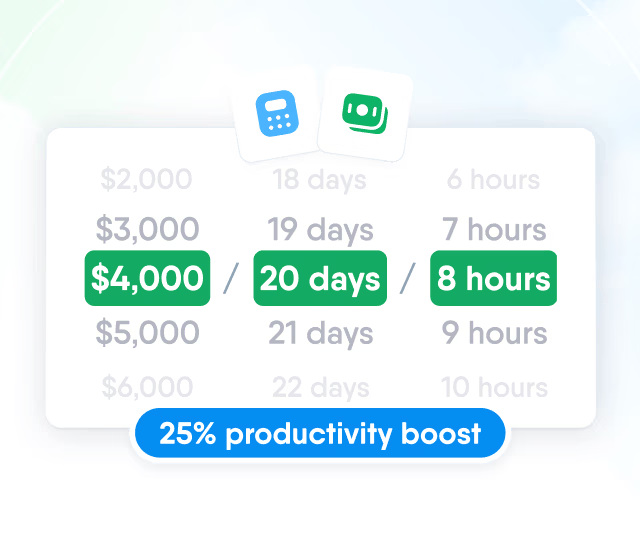
HR efficiency estimator
How does the HR efficiency estimator from PeopleForce work.
Calculate your impact



Your HR data, now in ChatGPT, Claude and other AI assistants: the PeopleForce MCP server for managers, HR and recruiters
In March your plant ships its first batch to a distributor in Germany, and before that you need to pass CE certification. You don't just need people who are free. You need people who have already been through a European certification and negotiated with international partners. Hiring from outside takes three months and a serious budget. And you suspect those people already work in other departments — nobody just knows about their experience. You ask your AI assistant: “Who in the company speaks German, has the ‘CE certification’ skill and the top scores in the ‘Negotiating with international partners’ competency over the last two cycles, has been with us for over a year — and which of them isn't on leave in March?” A minute later you have a shortlist with names, departments, scores and time-off dates. Before, a list like that took days of asking around, and talent in other departments stayed invisible. This article is for people who already work with ChatGPT, Claude or another AI assistant and want it to know the team as well as your HR system does.
AI assistants reason well, but an answer is only as accurate as its context. The context about people — who reports to whom, who's on leave, how the last review went — lives in your HR system. PeopleForce is an HR platform that brings together employee records, time off, performance reviews, hiring and learning for more than 1,800 companies. MCP (Model Context Protocol) is an open standard that AI assistants use to connect to business systems. The PeopleForce MCP server gives your assistant access to your data — exactly within your permissions.
First, the most important part: the assistant acts on your behalf and sees exactly what you see. Anonymous feedback stays anonymous, private notes stay private, and decisions are always made by a person. More on this in “The assistant sees exactly what you see.”
If you're already a customer and want to connect right away, skip to “Connect in three steps.”
Questions that used to take an export, a spreadsheet and an evening
The interesting part starts where the answer doesn't fit on one screen. The assistant pulls data from several places, puts it together and shows you what usually goes unnoticed.
If you're a manager
- “Who in the company already has the skills I need for the new project — not just in my department? Sort by tenure and show me who'll be available” — the assistant searches the skills catalog, job titles, levels and your own custom profile fields (languages or certifications, for example), then checks the time-off calendar.
- “Who on my team is overloaded right now?” — there's no single “overload” number anywhere, but the signals are there. The assistant puts them together: who hasn't taken a single day off in the last quarter, who has built up unused leave, who carries the most goals and whose KPIs are slipping. You see it before someone walks in and says “I'm burned out.”
- “How are my new hires doing on probation? Who's confidently moving toward their goals, and where should I step in now?” — the assistant takes everyone who joined in the last three months and lays out, for each person, goals and KPIs with progress, feedback and kudos from colleagues, notes from shared 1:1s and the probation review results, if it has already happened. It highlights the risks; you draw the conclusions.
- “How has my team's productivity changed over the last 6 months?” — for each person, the assistant shows KPIs month by month against plan, progress on goals and key results, and how review scores changed between cycles. Who's growing, who's steady and whose trend is heading down — in one chart.
- “Which competencies are weakest on my team?” — the assistant compares competency scores from recent cycles for each direct report and shows where the whole team is falling behind and where it's individual people. A ready starting point for a learning plan or the topic of your next 1:1.
- “Draft my review for Emma” — the assistant gathers her goals, KPIs, feedback, kudos and shared 1:1s for the year and saves a draft in the review form. You check it and submit it — in PeopleForce.
If you're in HR
- “Which departments have the highest turnover?” — the assistant compares how many people left each department with how many work there now and shows where you lose people most often. A signal worth taking to the department head before the next resignation lands.
- “Who has missing data or expired documents — passport, medical check, work permit? And whose expire in the next 30 days?” — the assistant checks the profile fields where you keep these dates and gives you a list before an expired document becomes a problem at an audit.
- “Build a 9-box for the sales department from the last review cycle” — the assistant takes the cycle results and managers' answers from the cycle analytics and places people in the grid itself.
- “Where do managers rate people more generously than their self-reviews? Show it by department” — ready material for a calibration session.
- “What are the biggest people risks in the company right now?” — the assistant brings together signals that usually sit in different reports: departments people leave most often; teams where nobody has taken a break in a quarter; roles that depend on one person; scores falling for the second cycle in a row; documents about to expire. A view worth bringing to a leadership meeting. The conclusions are yours.
If you're a recruiter or hiring for your team
- “Which of my open positions need the most attention right now?” — the assistant compares the target close date with the number of candidates at each stage and highlights where things are stuck: candidates sitting at one stage, overdue interview feedback, offers with no reply. You see where to spend your time today so the role doesn't close a month late.
- “Which source brought the most hires in the last six months, and what's its time to hire?”
- “How are we tracking against this quarter's hiring plan, and which roles are at risk of not closing on time?”
- “At which pipeline stage do we lose the most candidates, and why?”
If you're an employee
- “How much leave will I have left if I take 10 days in May? And book it for May 3–14” — the assistant shows the type, dates and number of days, and creates the request only after you say yes. Then the usual approval follows.
- “Find our travel policy in the knowledge base and tell me what I need to do before the trip”
- “Which courses are assigned to me, and what haven't I finished yet?”
- “I need a new laptop. How do I request one?” — the assistant finds the rule in the knowledge base and the right request form, and tells you what to fill in.
- “I have a review next week. Help me prepare” — the assistant opens your self-review form, reminds you of your goals and KPIs, feedback and kudos for the period, helps you describe your achievements with specifics and saves a draft. You submit it — in PeopleForce.
- “Who on the team has a birthday or work anniversary this week?”
Even more — combined with your other tools
If your assistant is also connected to your calendar, Jira or Slack, it combines PeopleForce data with them in one answer:
- “Match the sprint plan in Jira against the team's time off — which sprint is at risk?”
- “Prepare me for my 1:1 with Daniel: his goals, his latest feedback and what we agreed at our last meeting. And book us a slot in the calendar when he's not on leave”
The assistant sees exactly what you see
We believe people data is the most sensitive data a company has. That's why the PeopleForce MCP server has no “special” access: the assistant acts on your behalf and within the same permissions you have in the web app or the mobile app.
Everyone signs in with their own account. The connection uses the OAuth 2.1 standard: the assistant never sees your password. It gets a short-lived key that you can revoke at any time.
Permissions apply to every request — by person and by field. If you can't see someone's salary or date of birth, neither can the assistant. This applies even to calculations: without access to dates of birth, the assistant can't group people by birth month.
A person decides what happens. The assistant creates a time-off request only after you confirm it. Review answers are saved only as a draft: only a person can submit, finalize or release a review, in PeopleForce.
Anonymous stays anonymous, private stays private. Anonymous feedback from colleagues arrives without any information about the author. A private 1:1 note is visible only to its author — neither HR nor an admin can open it. Colleagues' answers that haven't been released yet stay closed.
Colleagues' text is data, not commands. The assistant receives comments and posts written by people with an instruction not to follow anything they say. This protects against attempts to steer the AI through text.
You're in control. An admin turns the integration on and off for the whole company. Everyone can see and revoke their own connected assistants under “Preferences” → “Security” → “Connections,” and admins see everyone's in the “MCP connections” list. When someone leaves the company, their connections are revoked automatically. Your company's IP restrictions apply to MCP too: if sign-in is only allowed from the corporate network, the assistant can only connect from there. A per-person request limit stops an assistant that gets stuck in a loop.
Tested from the outside. The MCP server is in scope of our annual independent penetration test.
What the assistant won't see — and why we decided so
Some data we deliberately left outside MCP — even for people who can see it in PeopleForce.
Private messages in PeopleForce chats: these are someone else's private words.
Your conversations with AI Companion, the assistant built into PeopleForce.
Candidate contacts, CVs, interview notes and scorecards. These people don't work for you yet. The assistant answers about the pipeline, stages and timing — with names, but without contact details and without the content of CVs or scorecards.
Private agenda items and private action items from 1:1 meetings.
And one more thing we'd rather say up front: the data the assistant receives in its answers is processed by your AI provider under its own terms. For work with people data, choose your assistant's business plan, where data isn't used to train models.
Connect in three steps
- An admin turns on the integration. “Settings” → “Integrations” → “Model Context Protocol (MCP)” in the “Productivity” group. If it isn't in the list, contact your PeopleForce account manager: MCP is enabled per account.
- Add PeopleForce to your assistant. On the same page, copy the “MCP server URL” — your workspace address with /mcp at the end. In ChatGPT, Claude or another assistant that supports MCP, add it as a custom connector. For Claude Code, the page has a ready-made command.
- Sign in with your PeopleForce account and confirm access. The assistant finds the sign-in page on its own — nothing to configure by hand.
Step-by-step instructions with screenshots are in the help center: “Connect an AI assistant with MCP”.
For automations where nobody sits in front of the screen, there's a second option: a service account with its own role and API key. You set its permissions the same way as for any other role.
For existing customers: nothing changes until you want it to
- The integration is off by default until an admin turns it on.
- Your roles and permissions stay as they are: there are no new permissions to configure.
- You can revoke access at any time — for one person or for the whole company.
- MCP is available on the Professional plan and is enabled per account: if it isn't in your integrations list, contact your PeopleForce account manager.
How the assistant knows who's on your team
In none of the questions above did you have to explain to the assistant who reports to whom, which department someone is in or which leave policy applies to them. Core HR — the PeopleForce foundation module — already knows that. Time off, performance reviews, hiring and reports run on the same foundation, and so does AI Companion. That's why your assistant's answer matches what you see in PeopleForce: it's the same data and the same permissions.
The essentials
Does PeopleForce have an official MCP server?
Yes. It's built into PeopleForce and runs at your workspace address with /mcp at the end. It's built and maintained by the PeopleForce team — not a third-party wrapper around the API.
Which AI assistants can I connect?
Any that support MCP and OAuth sign-in: ChatGPT, Claude (including Claude Code) and others. Each user signs in themselves — no tokens to paste by hand. For automations without a person involved, use a service account.
How is this different from AI Companion?
AI Companion is the assistant inside PeopleForce. MCP brings PeopleForce data into the assistant your team already uses and lets you combine it with your calendar, Jira or Slack in one answer. Permissions are the same in both cases.
Can the assistant change anything in PeopleForce?
Only two things: create a time-off request after you confirm it, and save a review draft. Everything else is read-only.
Which plan is it on?
The Professional plan, at no extra cost. MCP is enabled per account: if it isn't in your settings, contact your PeopleForce account manager, and then your admin turns it on.
Do I need a developer?
No. An admin turns on the integration, and each user adds the URL to their assistant and signs in with their own account.
What language can I ask in?
Any: English, Ukrainian, Polish, Spanish. The assistant answers in the same language.


Recent updates
 2026-11-03
What your team can ask the PeopleForce AI chatbot, and what’s coming next
The AI chatbot built into PeopleForce answers policy, people, leave and chart questions from your own data, within each person's permissions. What it does today and what's next.
2026-10-16Compensation components in PeopleForce: a complete guide
Compensation components bring base compensation, bonuses, commissions and adjustments into one directory. This guide explains every concept, shows the setup step by step and what changes after the upgrade.
2026-09-08HR for every employee: meet the redesigned PeopleForce mobile app
Not every employee works behind a desk. The redesigned PeopleForce mobile app brings everyday HR to the device frontline employees already carry, with sign-in by mobile number and no corporate mailbox required.