

HR efficiency estimator
How does the HR efficiency estimator from PeopleForce work.
Calculate your impact



 2026-09-08
HR for every employee: meet the redesigned PeopleForce mobile app

Not every employee works behind a desk.
In retail, manufacturing, logistics, hospitality, construction and other frontline industries, a large part of the workforce rarely opens a laptop. Some don’t have a corporate email address at all. Yet they still need to request time off, clock in and out, receive company updates, find a policy, open a document, complete a task and understand what’s happening across the organisation.
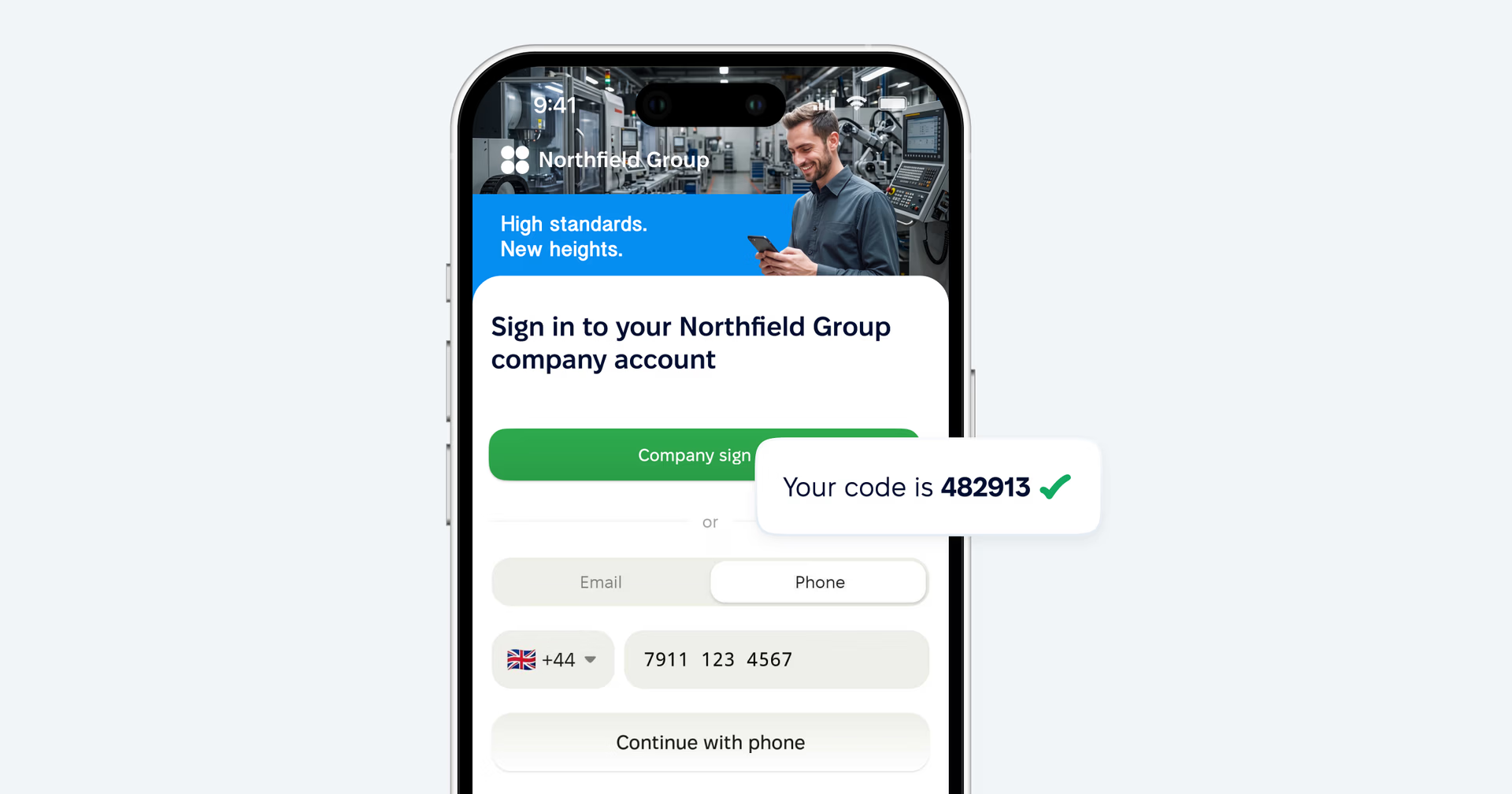
The redesigned PeopleForce mobile app brings those everyday HR experiences to the device employees already carry with them. Employees can sign in with a personal email address or — when their company enables it — with just their mobile number and an SMS code, without a corporate mailbox.
For HR teams, that’s more than another way to open PeopleForce. It’s a way to extend HR services to the people who are usually hardest to reach.
HR where work actually happens
Think about a typical day on the frontline.
A retail associate arrives at the store, opens PeopleForce and clocks in. Through the working day, they can see how much of their expected working time is left. A company announcement appears in the feed — they read it, react to it and add a comment, without checking email or waiting for the news to reach them through a manager.
Later, they realise they need a day off next week. They open Time off, check their balance, see exactly how the request will be deducted before they send it, attach a document if the leave type requires one, and submit. From then on they can follow the status, see who the request is waiting on, and send that person a reminder if it stalls.
And when they can’t remember what the company policy says, they don’t necessarily need to call HR. They can search the Knowledge base from their phone — including articles with images and PDF attachments.
That’s the idea behind the new mobile experience: a direct connection between every employee, their company and the information they need during the working day.
HR services, right from the phone
Simple HR tasks become complicated when the HR system is only comfortable on a computer. The redesigned app moves the most frequent actions to the phone.
Clock in and out
Employees can clock in and clock out from the app, and start and end breaks where their attendance policy allows them.
While a shift is running, they see a live view of the working day — time worked, time expected, time remaining — and they can review their own timesheet entries for a selected day. For companies that track time against projects, employees can choose the relevant project and add a comment when clocking in, if the attendance policy asks for it.
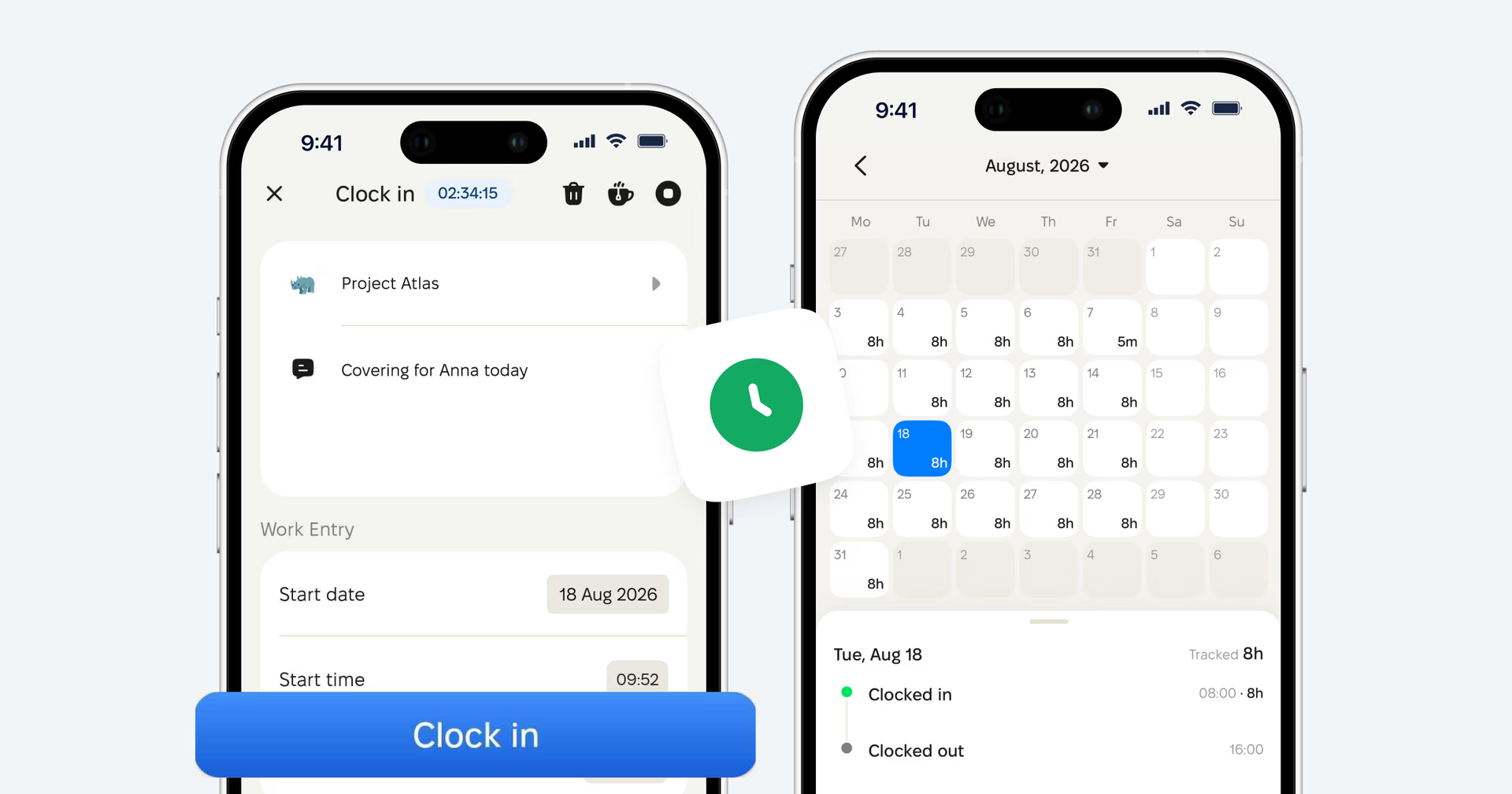
Less dependency on shared terminals, paper sheets and messages to a manager just to register working time.
Time off, end to end
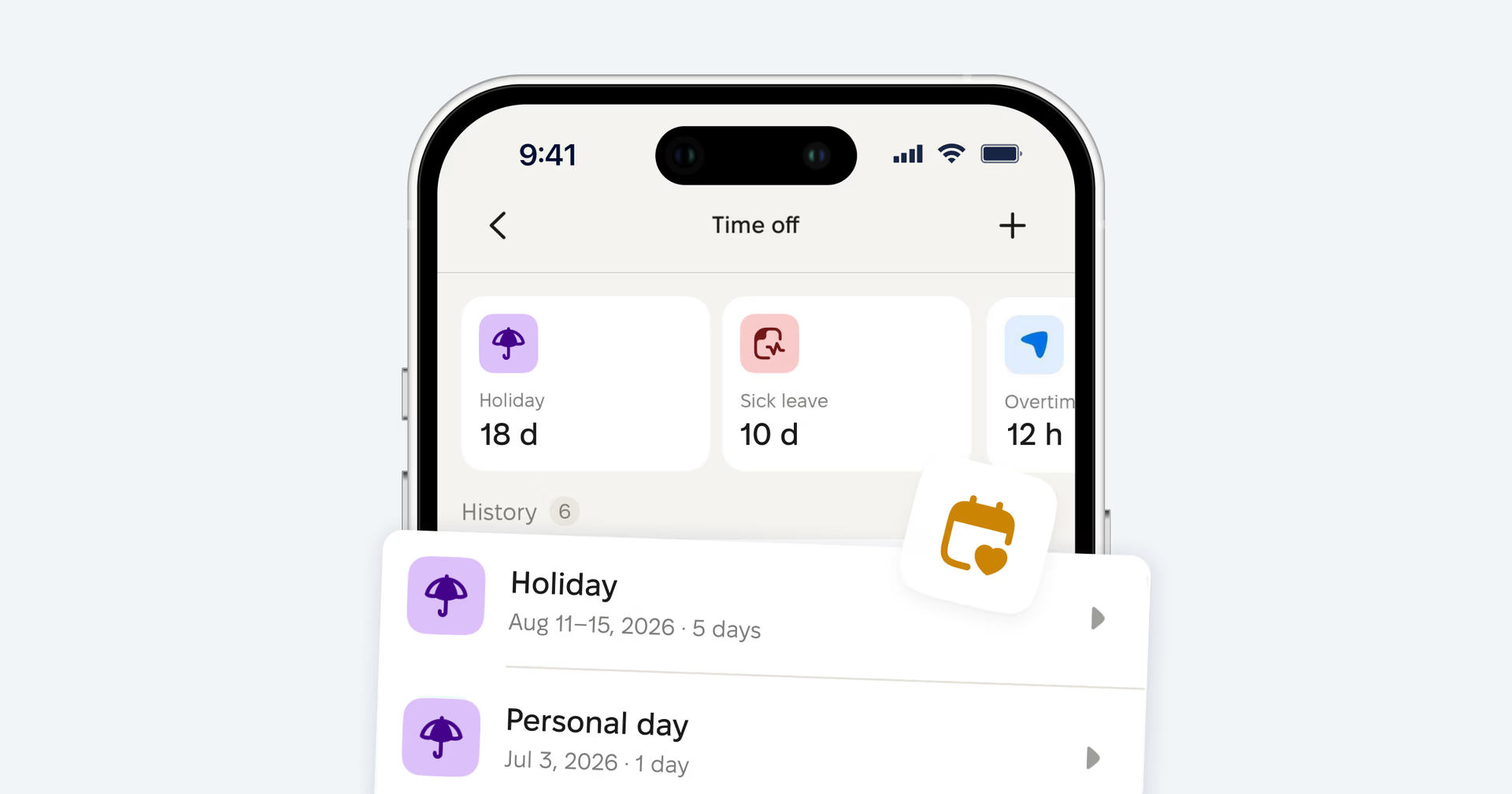
Time off is handled end to end from the phone — from checking the balance to getting the final decision. Employees can:
- check the balance available to them for each leave type;
- choose the leave type and the dates or hours;
- preview exactly what will be deducted, day by day, before submitting;
- attach a supporting document where the policy requires one;
- follow the status — pending, approved, rejected;
- see the approval chain and who the request is currently with;
- nudge the current approver when a request gets stuck;
- withdraw a request if plans change and the policy allows it.
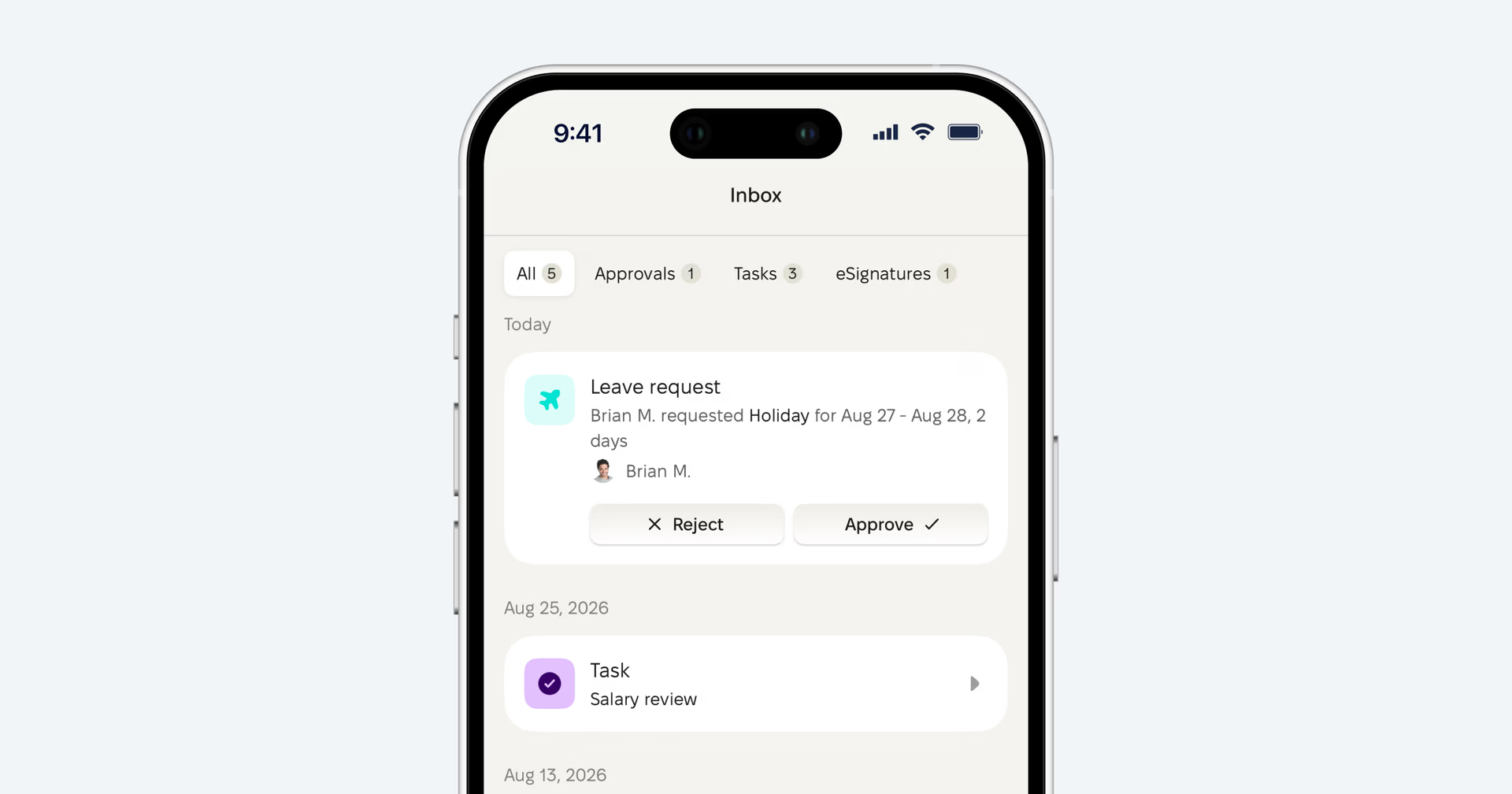
Managers don’t have to wait until they’re back at a desk either. A supervisor can receive a leave request and approve or reject it directly in the app — which matters most for the managers who spend their day on the shop floor, in a warehouse or moving between sites.
Personal documents, close at hand
Employees can open their own documents in PeopleForce from mobile: browse folders, search by document name, and view or download the file.
When a document needs a signature, the employee receives a push notification and completes the signing on the same phone, through a secure signing page.
Tasks waiting to be done
Assigned tasks are available on mobile too — employees can open them, complete them and reopen them if needed. These can come from onboarding or offboarding, from automated workflows, or from a task someone assigned manually.
Coming soon: employees will be able to submit Requests directly from the mobile app, including things like a change to their personal information or other HR self-service forms. Instead of asking HR through chat, email or a manager, employees will be able to start the structured process themselves.
Communication that reaches everyone
Deskless employees shouldn’t be the last to hear company news simply because they don’t spend the day in an inbox.
The Home feed gives the company a direct channel to its workforce. Employees see:
- Announcements
- Polls
- Kudos
They can react to posts, comment where comments are enabled, and vote in polls from their phone. Internal communication stops being a one-way noticeboard and becomes something people can actually take part in.
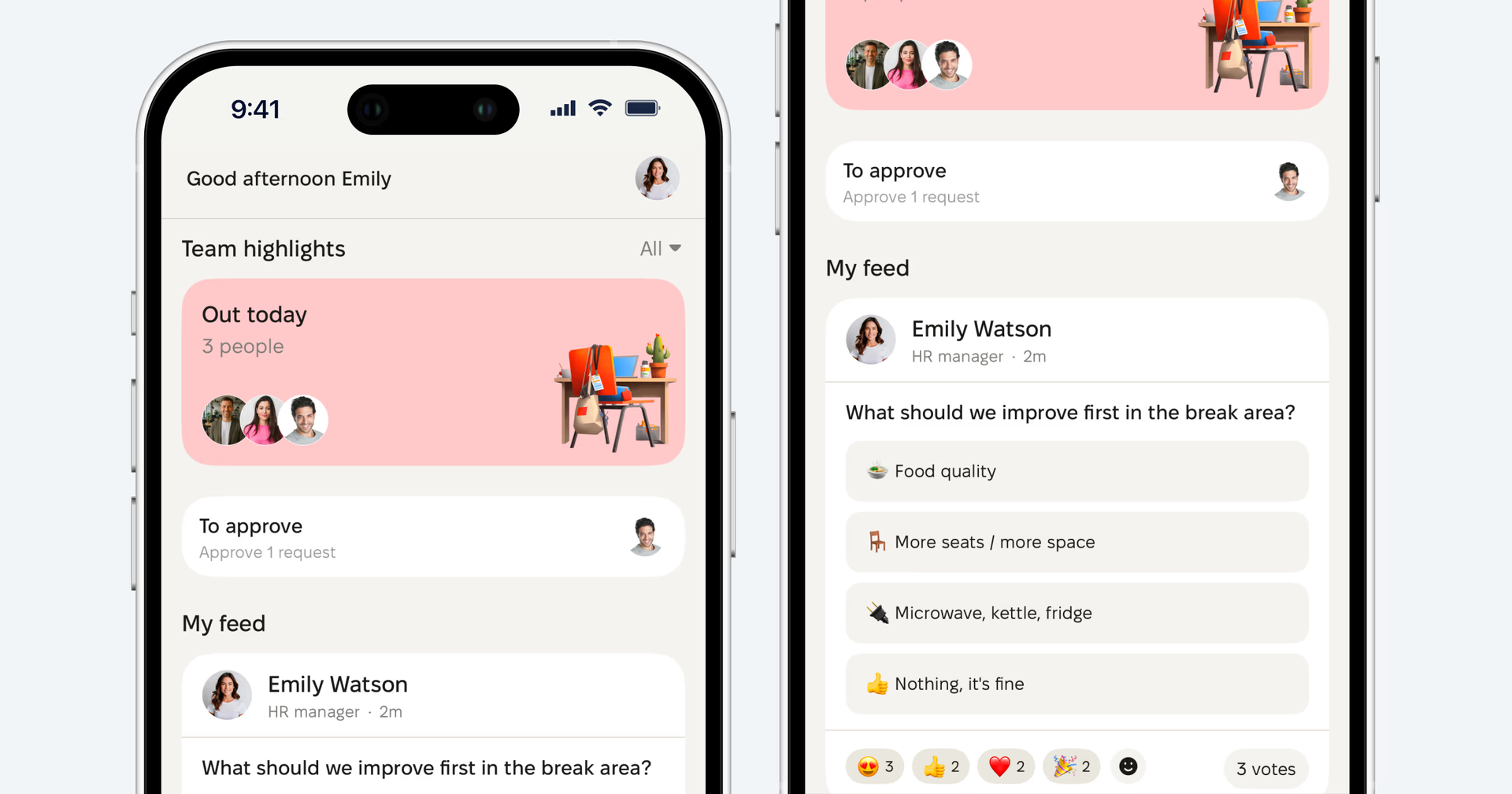
Important updates arrive as push notifications
Selected updates and actions reach employees as push notifications: company announcements — when the author chooses to send them that way — along with assigned tasks, leave decisions and approval requests, nudges, surveys, timesheet-target alerts and document signature requests.
Notifications arrive in the language the employee has set in PeopleForce, which makes a real difference for multilingual frontline teams.
Instead of expecting employees to keep checking an HR system, the things that need their attention come to them.
Stay connected beyond company news
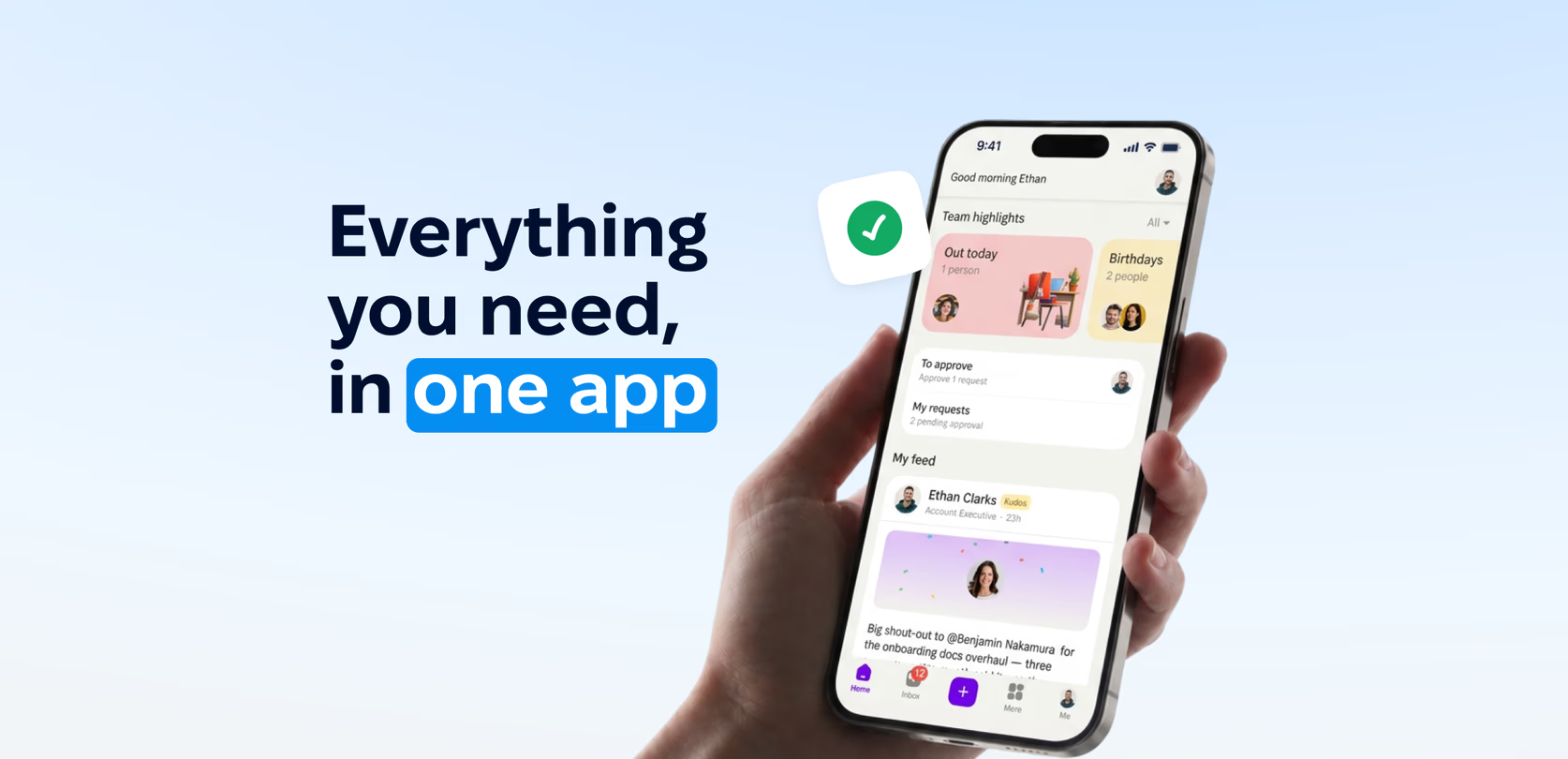
The mobile home experience also carries the small signals that hold a distributed team together. Depending on company settings and permissions, employees can see who’s out today, whose birthday it is, who’s celebrating a work anniversary, who has just joined, and what’s on their own agenda.
In shift-based or multi-site organisations, these details do a lot of quiet work. They keep people connected to a company that extends well beyond the room they’re standing in.
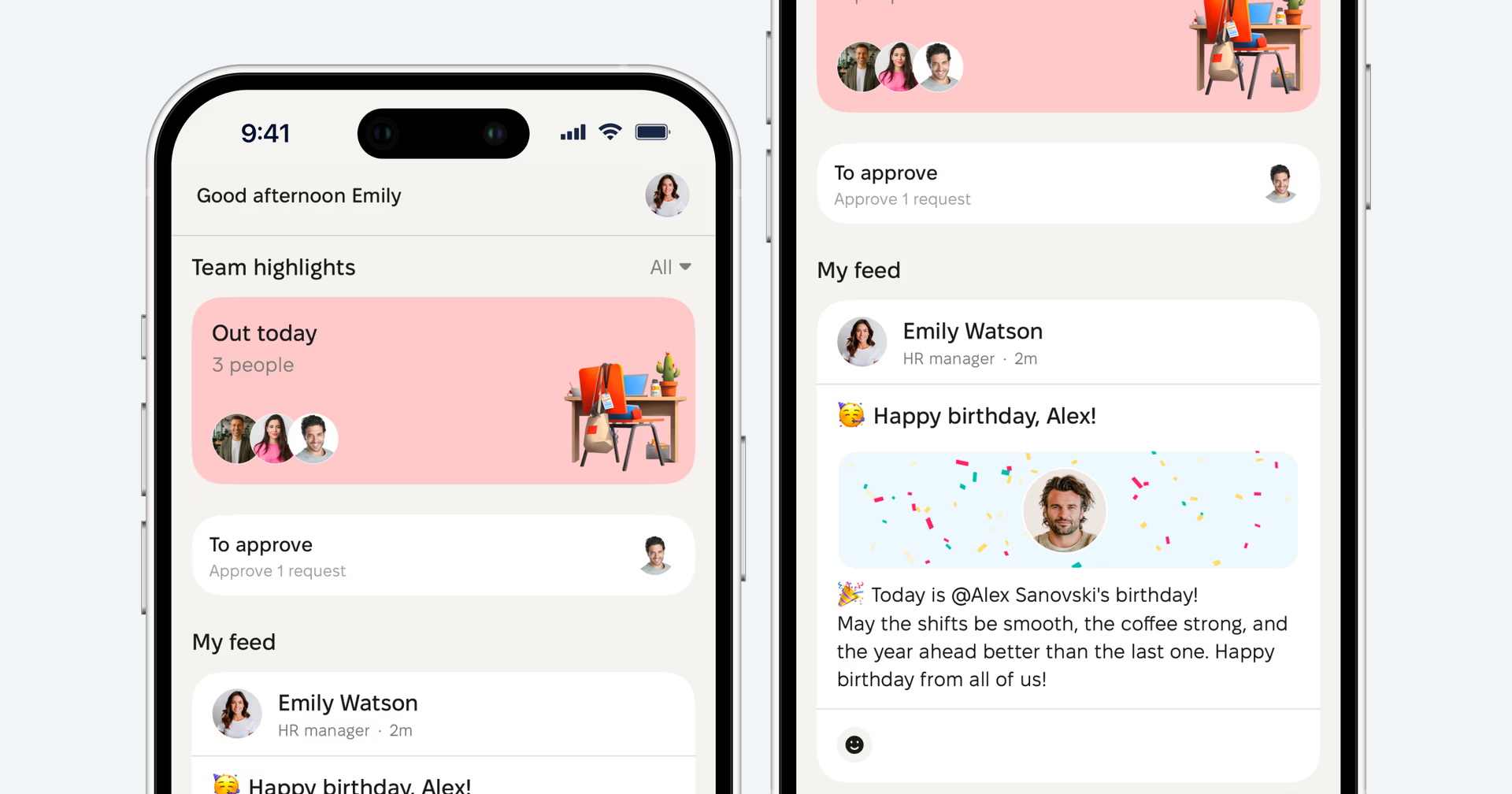
Company information, always within reach
Sometimes the most valuable HR service is helping someone find the answer themselves.
Search the Knowledge base
Employees can browse the Knowledge base and search it full-text from mobile. Articles can include images and PDF attachments, which makes it a practical home for:
- company policies;
- employee handbooks;
- safety instructions;
- internal procedures;
- store or workplace guidelines;
- everyday how-to material.
A production worker who needs to check a safety procedure doesn’t have to find a supervisor or wait for access to a shared computer — they can search for it where the question comes up.
Access follows the same PeopleForce permissions as everywhere else, so employees only see what’s meant for them.
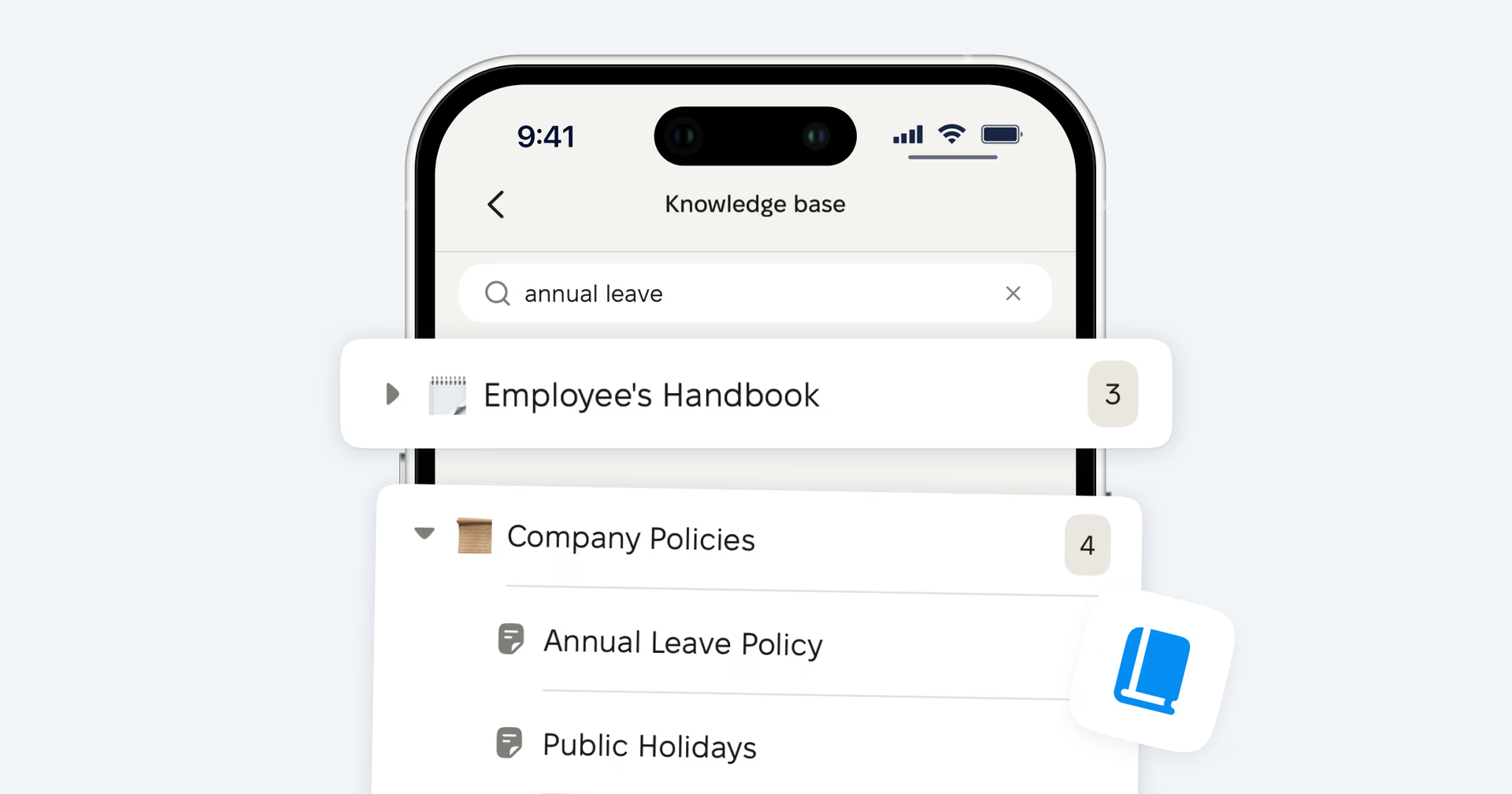
Find the right person
The People directory lets employees search colleagues by name and open their profile. Depending on visibility settings, a profile can show position, department, location, manager and direct reports, while sensitive fields stay governed by PeopleForce permissions.
Where permissions allow, employees can also open the Org chart to see reporting lines and how the company is structured. For someone joining a large plant, a retail network or a distributed organisation, that makes the company far easier to navigate from day one.
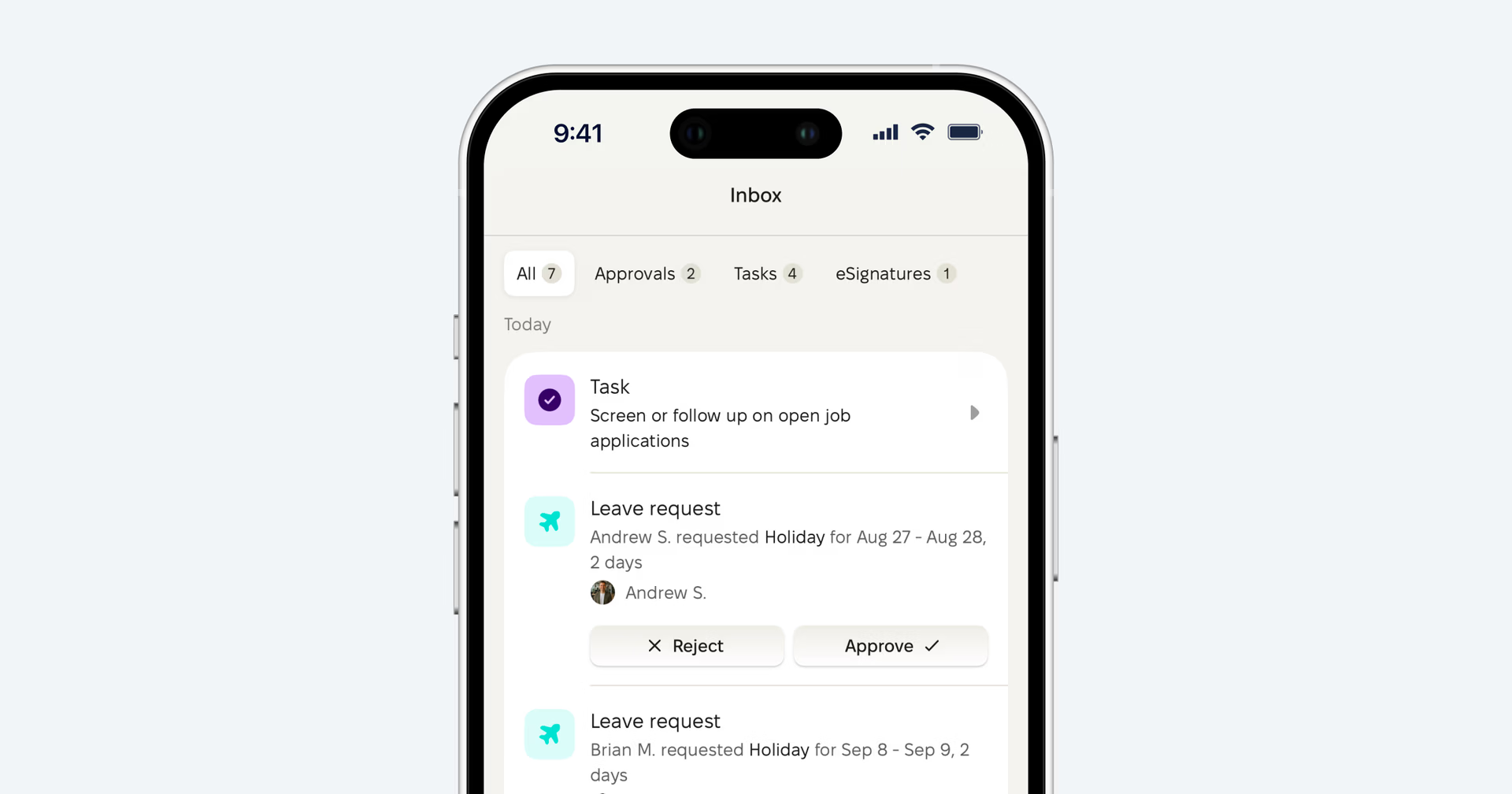
Everything that needs attention, in one place
One of the more quietly useful parts of the mobile experience is the Inbox.
Rather than expecting employees to remember where each type of action lives, the Inbox gathers what’s waiting for their attention — approvals, tasks, reviews, surveys, signature requests and other requests. Some items are handled directly in the app; others open the relevant secure flow on the same phone.
For the employee the principle stays simple: if something needs their attention, there’s one place to start.
And for companies using PeopleForce Perform, employees can also check their own Objectives, Key results and KPIs from mobile — keeping performance context visible away from the desk.
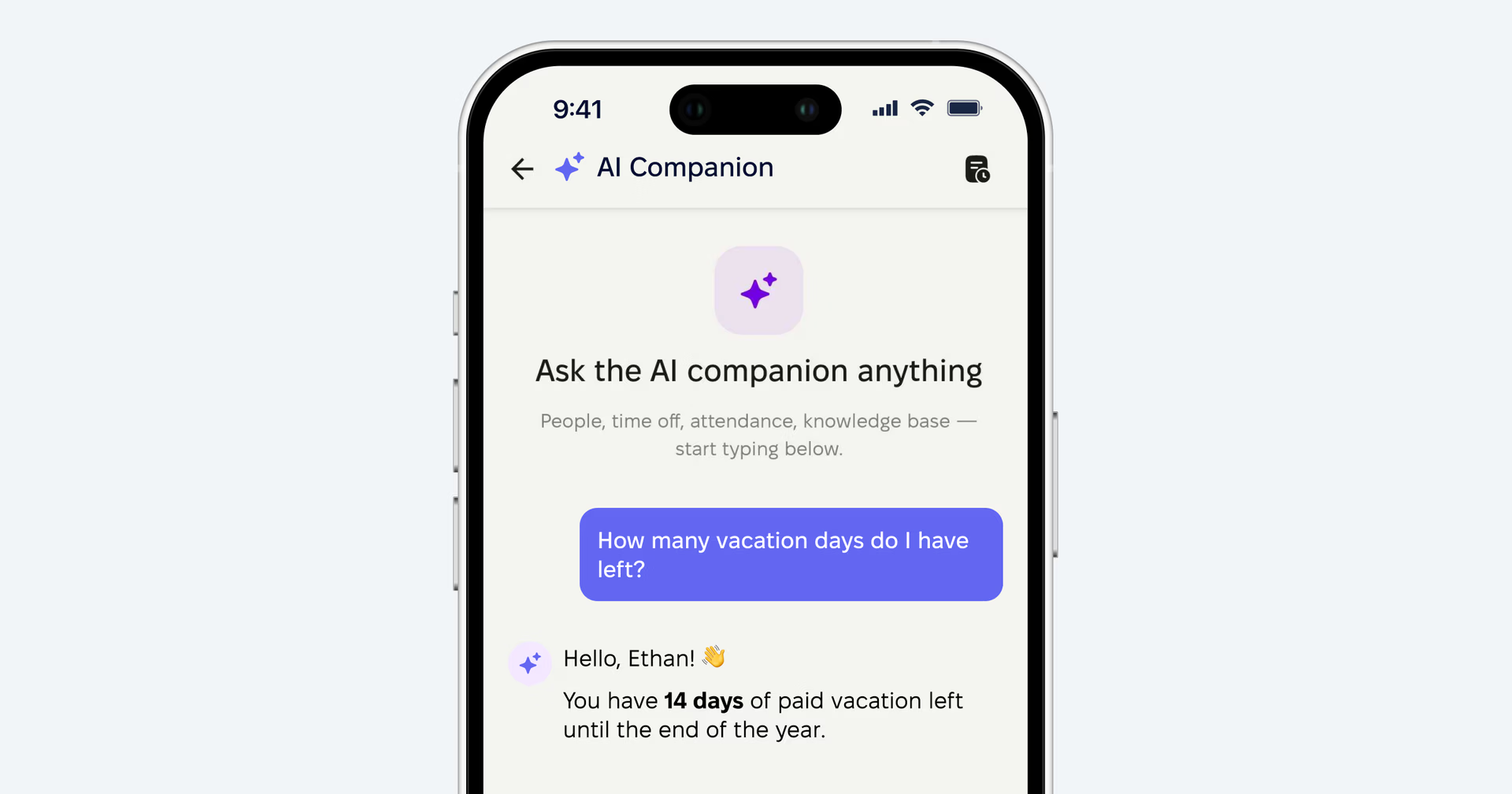
Just ask Companion
PeopleForce is also introducing a different way to move through HR information.
Companion — your HR assistant — lets employees with the relevant access ask HR questions in natural language. Today, Companion can work with:
- Knowledge base content;
- the People directory;
- who’s out;
- leave balances.
It looks information up rather than acting on the employee’s behalf, and it respects their existing PeopleForce permissions — it can’t surface anything the employee wouldn’t be allowed to open themselves. Access is granted per role, so HR decides who has it.
For a frontline employee, that changes the interaction from “where in the HR system should I look for this?” to simply “I’ll ask.”
A mobile HR experience built for the whole workforce
The value of mobile HR isn’t really about screen size. It’s about reach.
It means the employee at headquarters and the employee on the production line work in the same HR environment. It means someone without a company laptop — and possibly without a corporate mailbox — can still request leave, clock in, read company news, find a policy, open a document and finish a task. It means a supervisor can approve a request without going back to a desk.
And it means HR no longer has to build parallel processes out of paper, private messages, spreadsheets and layers of managers just to reach a large part of the workforce.
But access only matters if employees actually use it. In one PeopleForce customer case, 95.5% of employees said they were satisfied with the platform after implementation. When everyday HR services are available on the device employees already carry, they become a natural part of the working day — not something that starts when someone gets to a computer.
For employees, HR is always within reach.
For HR teams, it’s a scalable way to serve the whole workforce — wherever work happens.


Recent updates
Compensation components in PeopleForce: a complete guide
Compensation components bring base compensation, bonuses, commissions and adjustments into one directory. This guide explains every concept, shows the setup step by step and what changes after the upgrade.
How to calculate overtime automatically: night, weekend and holiday rates in one system
Set up overtime types once and let the system classify night, weekend and holiday hours, apply the right rate and send approved data to payroll.
A fresh feel for PeopleForce: UX updates you’ll notice
We’re rolling out a set of UX improvements designed to make PeopleForce feel lighter, calmer, and easier to use every day — for you and your employees.