



See Desk with your team's requests
We'll walk you through cases, request forms and Safe Speak using the categories your HR, IT and office teams handle.


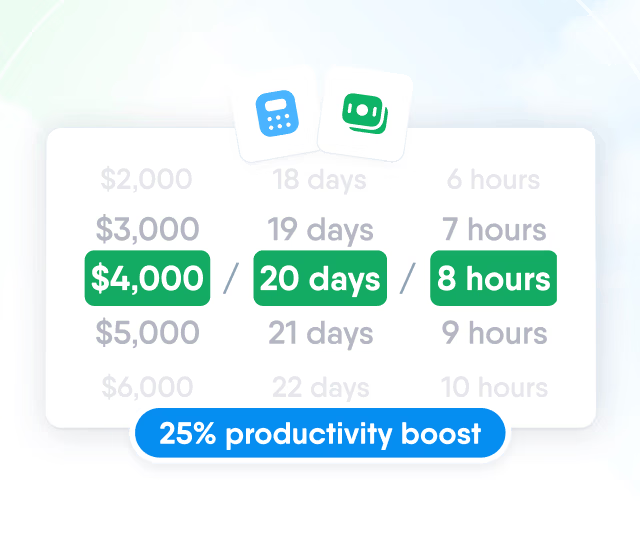
HR efficiency estimator
How does the HR efficiency estimator from PeopleForce work.
Calculate your impact
Desk
People bring questions to HR, IT or the office in one place. Each case goes to whoever handles that category, and they see the employee's role, team and manager alongside the conversation.

How it works
Not every request is the same. A question needs an answer, a purchase needs an approval, and some things people can only report anonymously.
Cases for questions
Employees pick a category and describe the question. The case goes to whoever owns that category, and the conversation stays in one thread.

Request forms with approvals
Equipment, travel or expense requests go through an approval chain you define. Once approved, a request can start a workflow, such as a task for IT.

Safe Speak for anonymous reports
A reporting page that works without an account. Only people on the access list can read the reports.

Routing
Set up the categories employees choose from, each with a short description. Add a default assignee, and new cases go straight to that person with an email notification.
Categories with descriptions
The description appears under the category as the employee chooses it, so they know what belongs where.
Automatic assignment
Confirmation for the employee

Context
Each case shows who raised it: job title, department, location, manager and employment status, with a link to the profile. Case managers also see that person’s recent cases. The data comes from Core HR, so there’s no separate list to keep.

Collaboration
Reply to the employee and discuss the case with colleagues in internal notes the employee never sees. Reassign it, and the new assignee gets the full history.
Internal notes
Notes stay with the people handling the case and are kept separate from replies.
Mentions
Status and priority

Safe Speak
A separate reporting page for what people can't say under their own name, run from the same system as everyday requests.


Publish the link in your handbook or intranet. Anyone who has it, including employees, contractors and former staff, can file a report without signing in or giving a name or email address.
Access
Employees open Desk in the browser on a computer or a phone, so people away from a desk can raise a case too.


We'll walk you through cases, request forms and Safe Speak using the categories your HR, IT and office teams handle.