



Visibility
What employees, approvers and colleagues see
Mark a leave type as private, and its name stays with the employee, their approvers and HR, while the rest of the team only sees that the person is away.

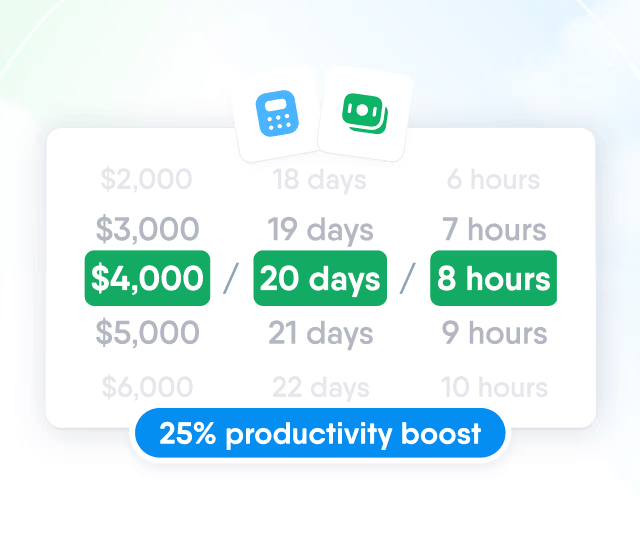
HR efficiency estimator
How does the HR efficiency estimator from PeopleForce work.
Calculate your impact
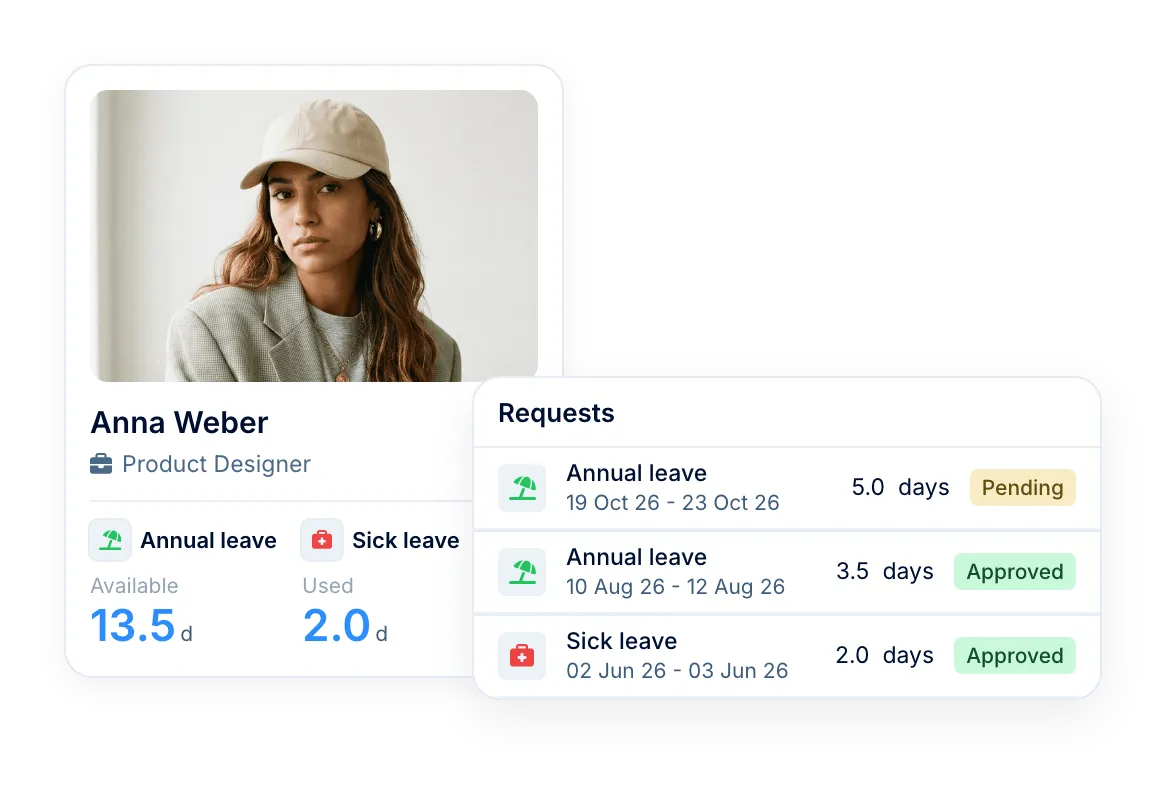
People request time off with their balance in view. Approvers decide from email, Slack or their phone, and balances update by your accrual and carry-over rules.
Approvals
Each request goes to the right approvers in turn and shows them what they need to decide: the employee's balance and who else on the team is away.
See how approvals work in Slack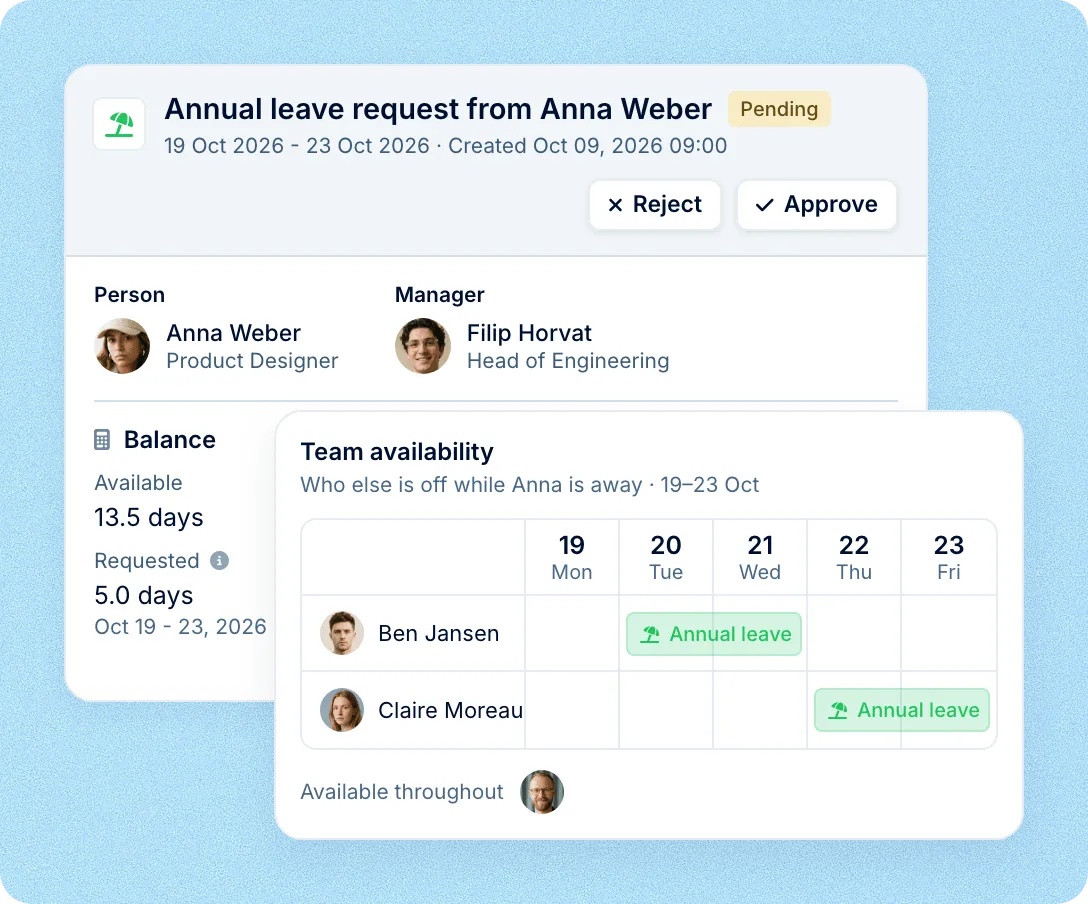
Policies
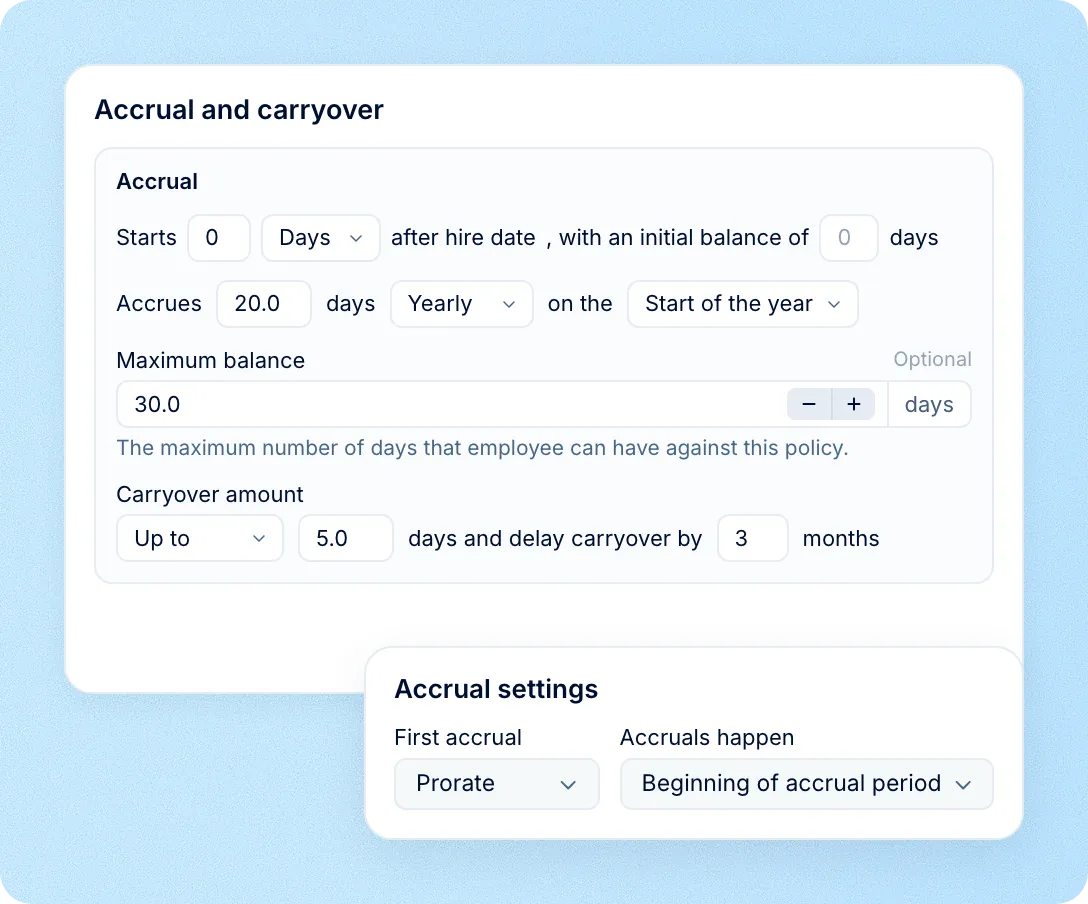
Set accrual, carry-over and limits once for each leave type. PeopleForce updates balances on that schedule and logs every change in the employee's history.
Visibility
Mark a leave type as private, and its name stays with the employee, their approvers and HR, while the rest of the team only sees that the person is away.
Their own leave
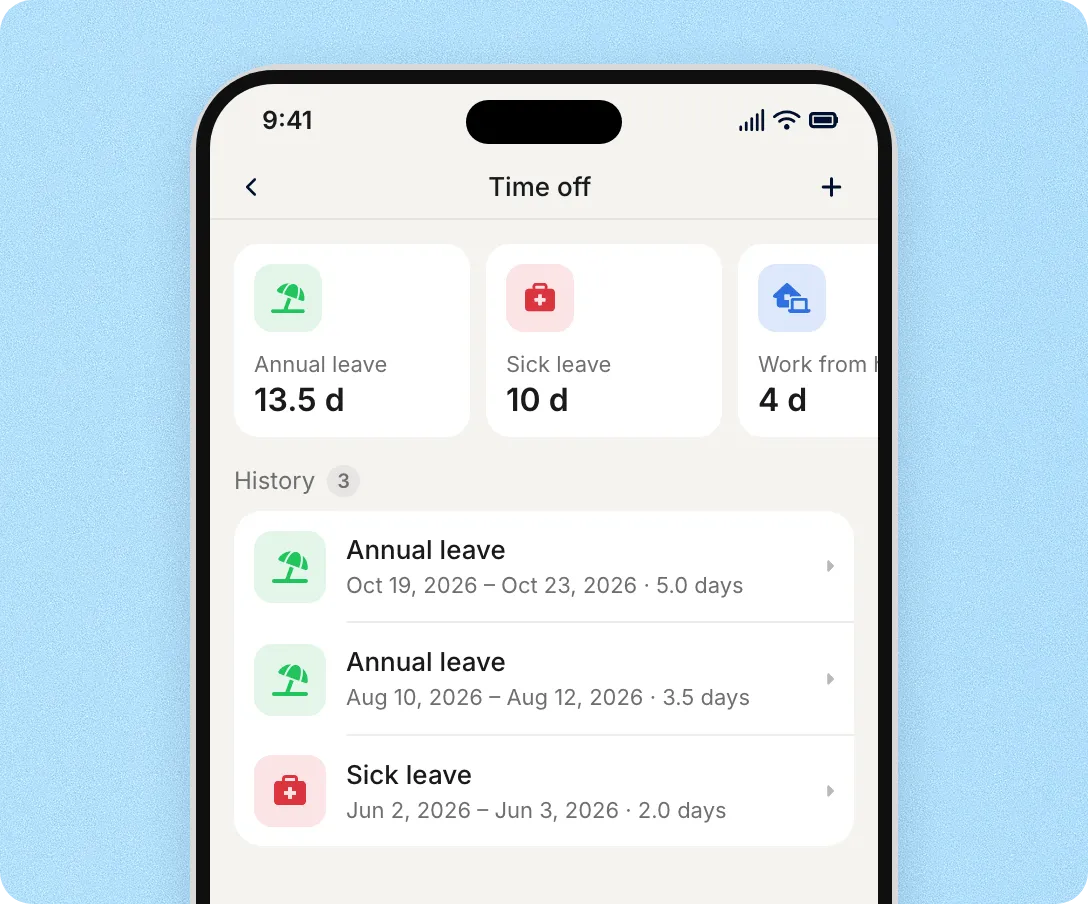
Balances for each leave type, every request and the status it is in.
Everything to decide
The request, the employee's balance, who else on the team is away and the leave type, private ones included.
Who is away and when
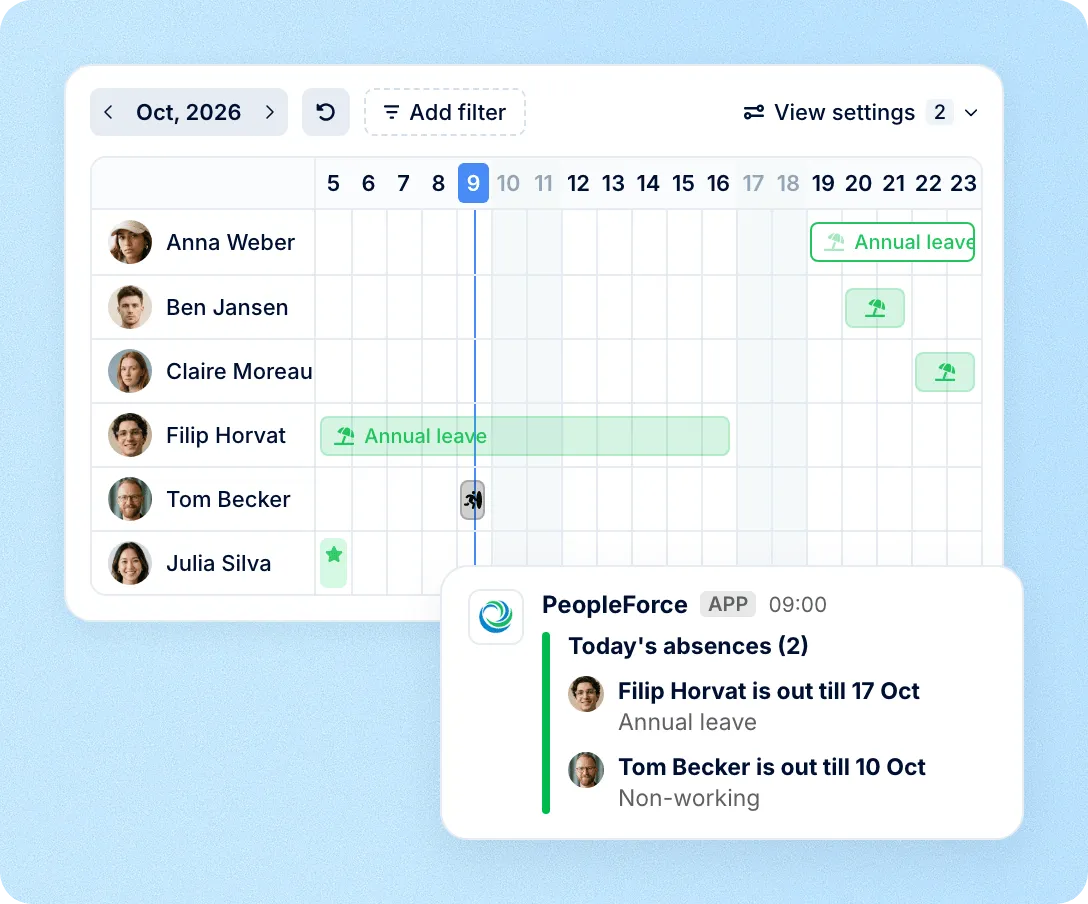
Shown on the timeline, the Home page and in Slack. Private leave types appear only as working or non-working.
Holidays
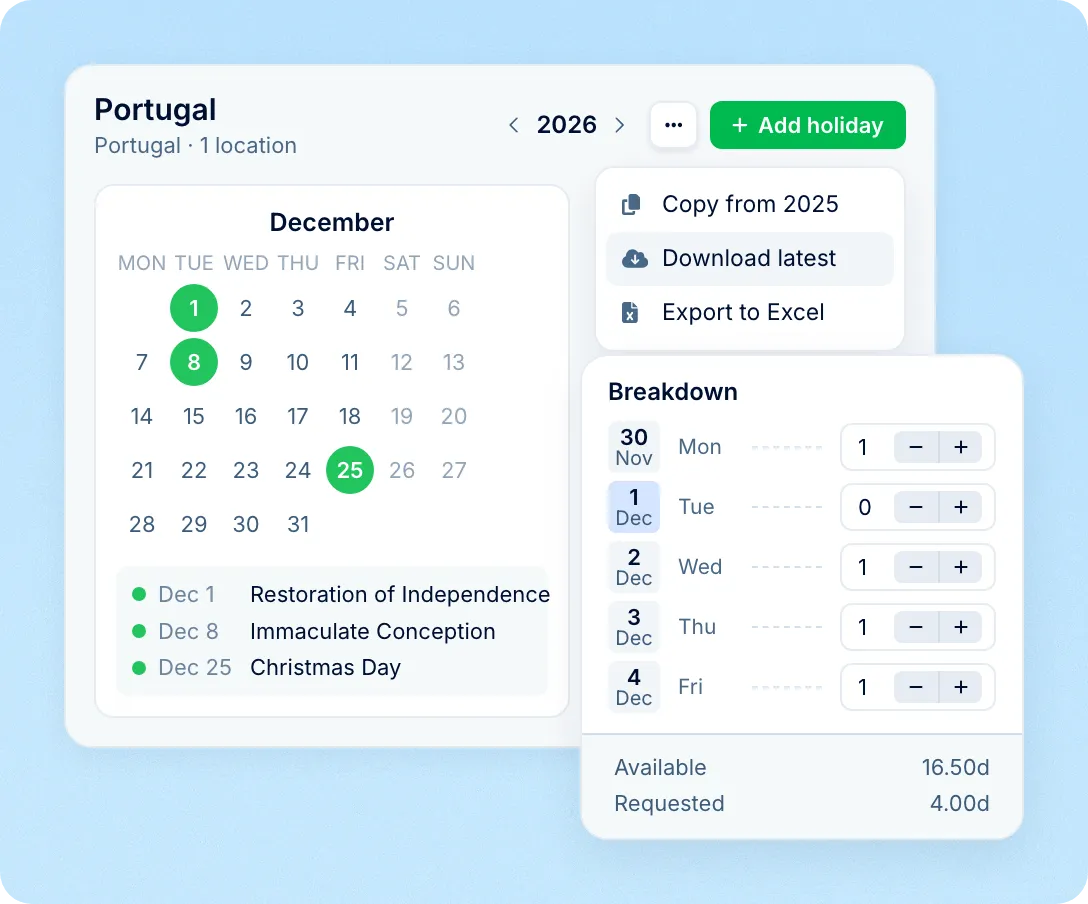
Each location gets its country's public holidays from the PeopleForce calendar, with observed and compensated days. Requests skip holidays and each person's days off, in quarter-day steps.
Who's out
The timeline shows approved and pending leave month by month. Approved leave becomes an event in Google Calendar or Outlook, and Slack or Microsoft Teams channels get a daily who's out post.
Mobile app
Employees check balances, request time off with a note or file, and follow its status. Approvers get a push notification and approve or reject from their phone.
Leave sits on the same employee record as the rest of Core HR, so new hires, timesheets and reports use the same policies and balances.
Leave policies at hire
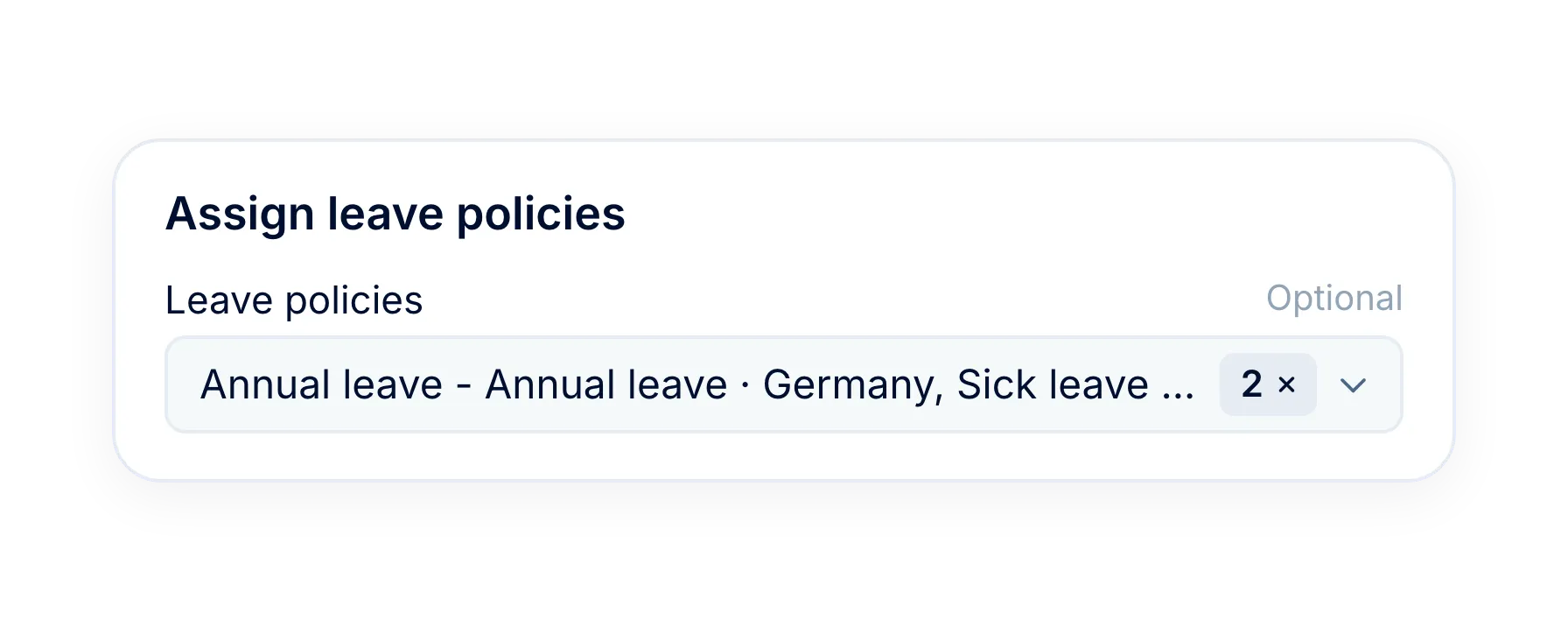
The New hire form assigns leave policies, so time off is set up before a new employee's first day.
Approved leave in timesheets
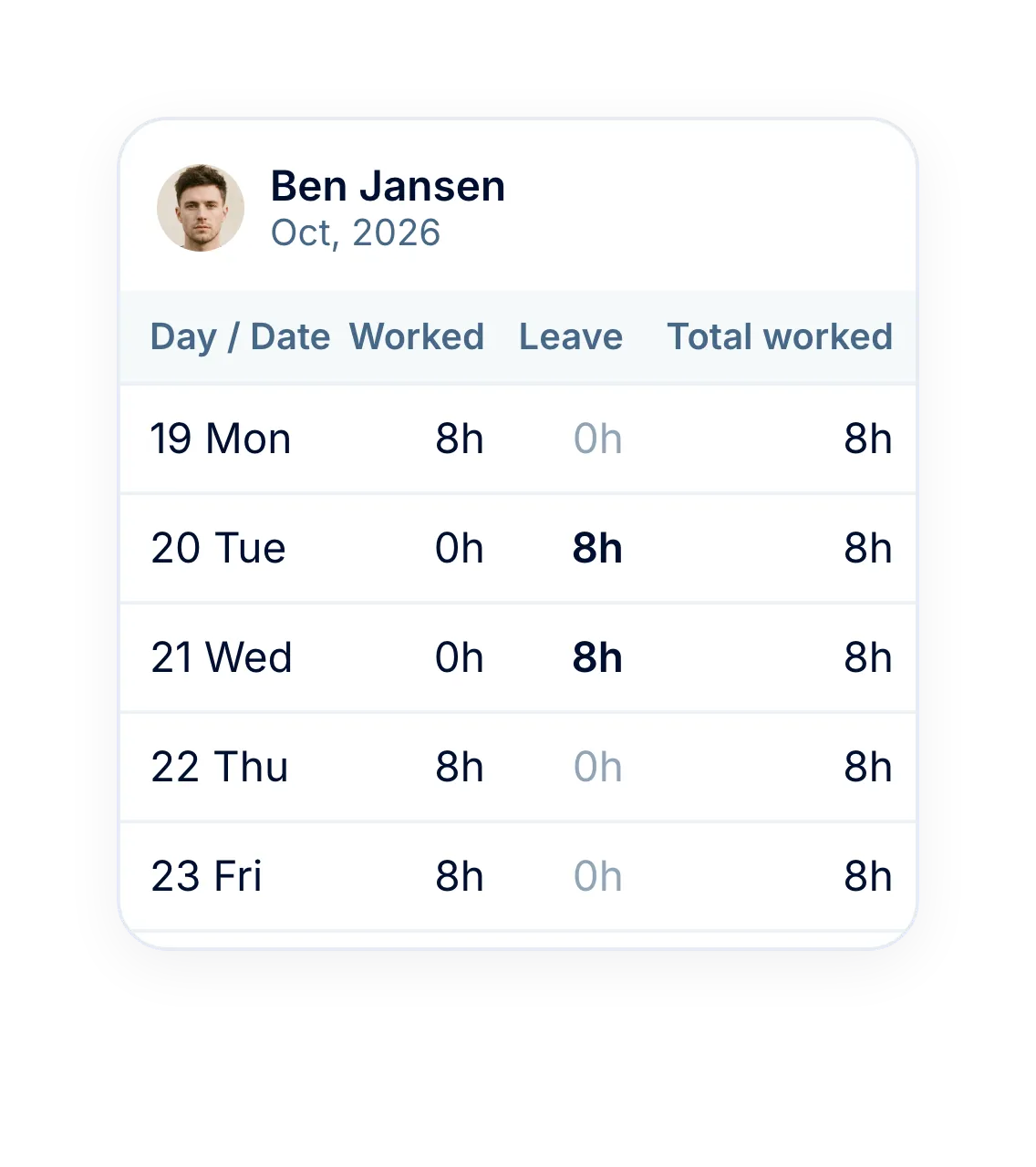
With PeopleForce Time, approved leave fills the day in each timesheet as paid, unpaid or working time.
Leave reports in Excel
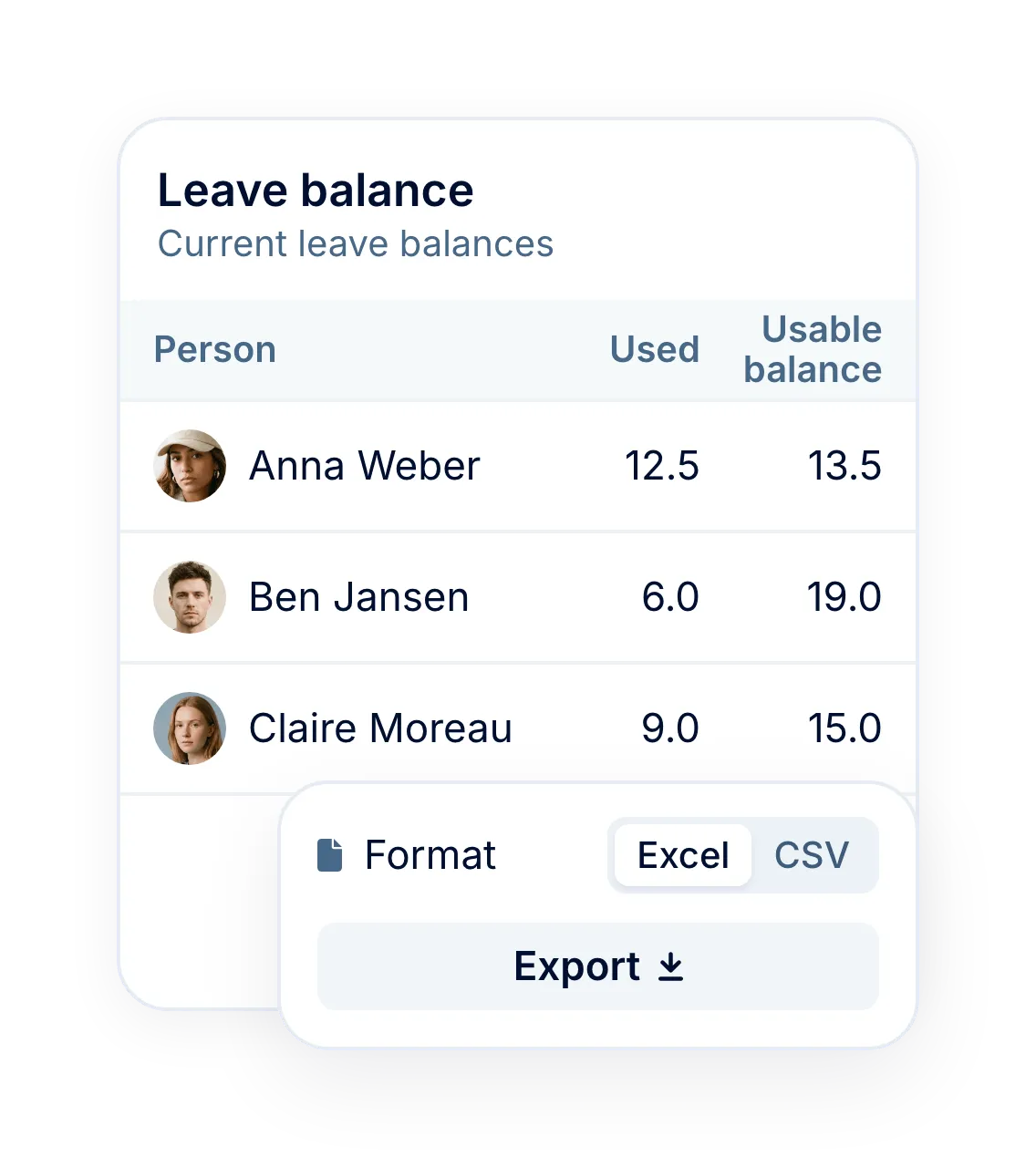
Export leave used, requests, balances and policies to XLSX or CSV.
Imported starting balances
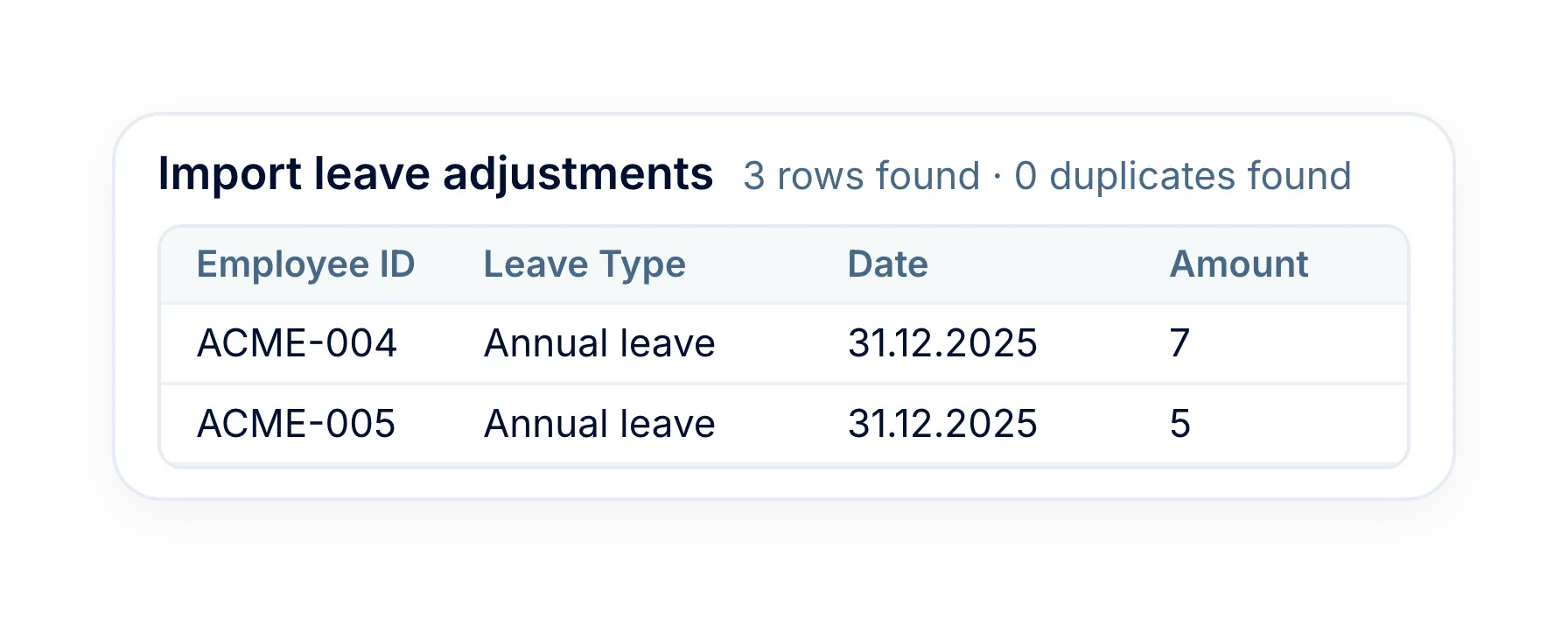
Bring balances and past requests over from Excel or CSV when you move to PeopleForce.
More in Core HR
Everything that works with the same leave data, from employee profiles and the team calendar to timesheets and reports.
Every employee in one record
Profiles with job, contact and personal details, where each person's Time off tab lives.

Every employee in one record
Profiles with job, contact and personal details, where each person's Time off tab lives.
Beyond the features
A dedicated team gets you live, real people keep answering after go-live, and there's room to add the rest of HR when you're ready.

Setup done with you
A dedicated success manager sets everything up with you — it's included in the plan, not a paid add-on.
Support in your language
Real people, not a ticket queue, from your first question onwards.
Room to grow
Start with Core HR and add recruiting or performance later — same employee record, no second system.

Leader

Users Love Us

Regional Leader

High Performer
Certifications, granular access and full control over what happens to your data.


 Best Support
Get the full HR suite — Core HR, ATS, Performance, Surveys and more — at a fraction of enterprise platform pricing. See exactly what you'd pay.