
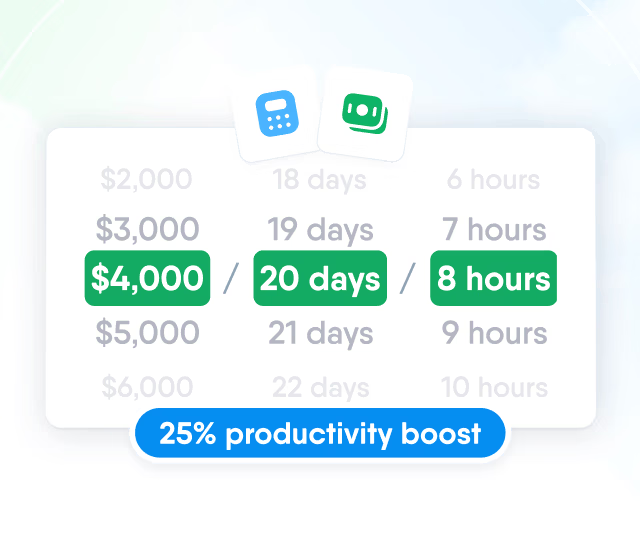
HR efficiency estimator
How does the HR efficiency estimator from PeopleForce work.
Calculate your impact



Corporate e-learning
What corporate e-learning is, which formats it includes, where it works better than classroom training and how to launch it in a company
What is corporate e-learning?
Corporate e-learning is employee training delivered through digital devices instead of a classroom: online courses, videos, tests, webinars and simulations. People take it at their own pace or in scheduled virtual sessions, and the company can see who completed what.
It is one delivery method within learning and development, next to classroom sessions, mentoring and practice on the job. Courses usually sit in a learning management system (LMS), which assigns them, records progress and stores results.
Formats of corporate e-learning
| Format | How it works | Where it fits |
|---|---|---|
| Self-paced courses | Lessons, videos and tests taken at any time | Onboarding, product knowledge, mandatory topics |
| Live virtual classes | A trainer and a group meet online at a set time | Discussion, practice, soft skills |
| Microlearning | Lessons of a few minutes on a single topic | Refreshers and quick updates between tasks |
| Blended learning | Online modules combined with face-to-face sessions | Leadership programmes, complex skills |
| Simulations and scenarios | Branching cases in which the learner makes decisions | Sales, customer service, safety |
| SCORM packages | Ready-made interactive courses from authoring tools or vendors | Reusing purchased or existing content |
Benefits and limits of e-learning
- Same content everywhere. Every office, shift and remote employee gets the same version of the course.
- Lower delivery cost. No travel, rooms or repeated trainer days once the course exists.
- Flexible timing. People learn when their workload allows and can return to a lesson later.
- Measurable results. Completion, test scores and overdue courses are visible without spreadsheets.
The limits are just as practical. Online courses are weak at practising conversations, negotiation or work with equipment. Completion falls when there is no deadline and managers do not ask about it. Content goes out of date unless someone owns each course. That is why e-learning usually works best combined with live sessions, not as a full replacement for them.
How to launch corporate e-learning
- Start from a need, not a catalogue: a training needs analysis or a review of the skills gap shows which topics matter.
- Pick two or three courses with a clear audience, for example onboarding and one compliance training topic.
- Build from what already exists: policies, presentations, recorded calls. Keep each lesson to one idea.
- Add a test with a pass mark where understanding matters.
- Assign courses with a deadline and tell managers what their teams are expected to finish.
- Review completion and scores after the first month, ask learners what was unclear and fix the weak lessons.
Corporate e-learning and UK law
UK law does not prescribe a format for most workplace training, so employers are free to deliver it online. Where training is a legal duty, the duty still applies in full. For health and safety, Regulation 13 of the Management of Health and Safety at Work Regulations 1999 requires training on recruitment and when risks change, and says it must take place during working hours. An online safety course therefore needs time in the working day, and the employer still has to be able to show that the person completed and understood it.
Corporate e-learning in PeopleForce
In PeopleForce Learn, a course is built from lessons of several types: text pages, video (a YouTube or Vimeo link or an uploaded file), audio, embedded pages, tests, assignments and SCORM packages. The ‘Create with AI’ option drafts a course from up to 10 source documents, which the author can then edit. Courses reach people in two ways: through training groups based on department, position, location and other HR data, or through a catalogue where employees enrol themselves or ask for approval. Deadlines, reminders and completion are tracked per person, so it is clear who has finished, who is in progress and who is overdue.
Frequently asked questions
What is the difference between e-learning and an LMS?
E-learning is the training itself: the courses, videos and tests. An LMS is the software that delivers that training, assigns it to people and records the results. A company can run e-learning without an LMS, for example with shared videos, but it loses tracking and reminders.
Can e-learning replace classroom training?
For knowledge topics such as policies, product updates or safety rules, often yes. For skills that need practice with people or equipment, it works better as preparation before a live session, a mix known as blended learning.


Let us show you what's possible
From Core HR to advanced workforce analytics — see the platform saving 80 hours a month for teams just like yours. Fully tailored to your workflow.