
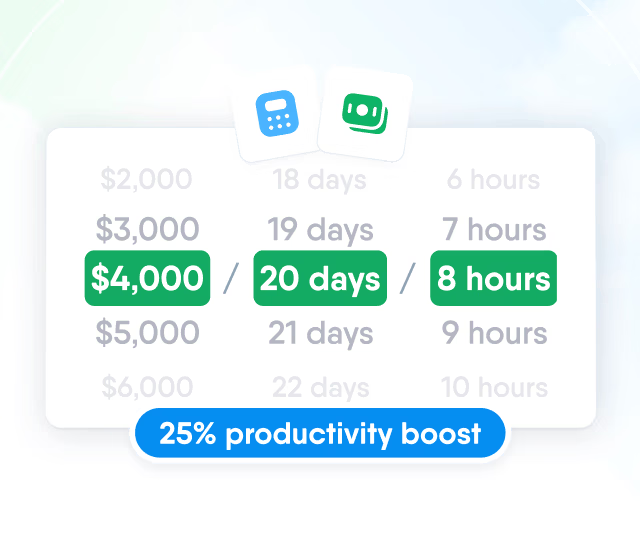
HR efficiency estimator
How does the HR efficiency estimator from PeopleForce work.
Calculate your impact



Deskless workers
Who deskless workers are, why standard HR processes miss them and how to give frontline teams access to schedules, requests and company news
Who are deskless workers?
Deskless workers are employees who do their job away from a desk and usually without a company computer or work email: on a production line, on a shop floor, in a warehouse, in a vehicle, on a hospital ward, in a kitchen or at a client's site. They are also called frontline or non-desk workers.
In manufacturing, retail, logistics, healthcare, hospitality and construction they make up most of the headcount. HR processes built around email and an intranet reach them late or not at all, and that shows in employee turnover, in engagement and in the time supervisors spend passing messages on.
Deskless and desk-based work: the difference
| Area | Desk-based employees | Deskless workers |
|---|---|---|
| Tools | Laptop, work email, messenger | Machines, vehicles, terminals and a personal phone |
| Schedule | Fixed or flexible office hours | Shifts and rotas, often nights and weekends (shift work) |
| Access to HR | Self-service portal on a computer | The supervisor, a notice board, paper forms |
| Communication | Email, intranet, meetings | Briefings at the start of a shift, word of mouth |
| Time recording | Often not recorded hour by hour | Clock-in and clock-out, a timesheet behind every pay run |
| Training | Online courses during the working day | On-the-job instruction and safety briefings |
What deskless workers need from HR
- The schedule on a phone. A shift plan that is known in advance and updated in one place, the core of shift scheduling.
- Requests without a trip to the office. Leave, documents and data changes sent from a phone through employee self-service.
- Clear pay. Hours, premiums and deductions that a person can check in their payslip.
- News first-hand. Announcements that reach every shift at the same time, which is the job of internal communication.
- Training in short formats. Microlearning and compliance training that fit into a break or the start of a shift.
- A voice. Short surveys answered from a phone, such as a pulse survey.
How to organise HR for deskless teams
- Count how many employees have no work email or computer and write down how each group gets information today.
- Choose a mobile-first channel with a sign-in that does not depend on a corporate mailbox.
- Move the three most frequent processes to the phone first: leave requests, schedules and documents to sign.
- Prepare shift supervisors. They remain the first point of contact and should know what the app replaces.
- Measure adoption by site, the time it takes to approve a leave request and turnover in the first 90 days.
Deskless workers and UK law
The Working Time Regulations 1998 apply to shift and site-based staff in full: an average working week of no more than 48 hours unless the worker has opted out, a rest break of at least 20 minutes when the working day is longer than six hours and 11 hours of rest between working days. The employer has to keep records that show the limits are respected, which is hard to do on paper across several sites. Health and safety training must take place during working hours under the Management of Health and Safety at Work Regulations 1999.
Deskless workers and PeopleForce
The PeopleForce mobile app for iOS and Android gives people without a work computer the same account they would have in a browser: they book leave, clock in and out, find colleagues and sign documents from a phone. Where the company has turned on phone sign-in, a person signs in with a code sent by text message, with no password to remember. Push notifications cover what usually gets lost on the shop floor: a decision on a leave request, a new task, a document waiting for a signature, an announcement, a survey or a reminder about a course. A clock-in made on the phone and one made in the browser stay in sync, and notifications arrive in the language each person has chosen for themselves.
Frequently asked questions
What is the difference between deskless and frontline workers?
The terms overlap. ‘Frontline’ describes people who deal directly with customers or production. ‘Deskless’ describes how they work: without a desk, a company computer or, often, a work email. Most frontline employees are deskless, which is why the two terms are used together.
How do you reach employees who have no work email?
Through a channel they already carry: a mobile app with push notifications and a sign-in by phone number, supported by shift briefings from the supervisor. Printed QR codes at the entrance or in the canteen help people install the app on their first day.


Let us show you what's possible
From Core HR to advanced workforce analytics — see the platform saving 80 hours a month for teams just like yours. Fully tailored to your workflow.